Get Started With the Restaurant365 Integration
Last updated: Aug 28, 2026, 4:45 PM
- Restaurant365 Integration Overview
- Enable the Restaurant365 Integration
- Use Restaurant365 with Toast POS
- Troubleshooting and Support
- Toast Capital Fees
- House Accounts Frequently Asked Questions
Restaurant365 Integration Overview
Enabling the Restaurant365 (R365) integration with Toast provides a restaurant-specific accounting and back-end software platform that alleviates the significant burdens placed on restaurant operators – allowing any concept type to operate more efficiently and profitably in a digital world.
R365 is a complete accounting and back-office solution built specifically for restaurants. The integration with Toast pulls in all sales, payment, and labor details for the automatic creation of the daily sales journal entries, daily labor accrual journal entries, and on-demand financial and operational reporting. Restaurant365 runs in a browser on your Mac, PC, tablet, or mobile (Android & iOS) devices.
What does the Restaurant365 and Toast integration provide?
- Restaurant365 pulls sales, inventory, and order data from Toast to give even more detail into your financials.
- Restaurant365 + Toast eliminates hours of manual accounting data entry and reconciling every week.
- Restaurant 365 + Toast streamlines payroll processing by enabling visibility into true labor costs and the impact on your profit and loss statement (P&L).
- Restaurant 365 + Toast is a full front- and back-of-house solution.
- Toast POS to Restaurant365 general ledger provides seamless data flow.
- Restaurant365 pulls daily check-level sales and time-entry-level labor data from Toast for business analytics and reporting.
- Toast helps optimize labor with intra-day POS polling every 15 minutes and schedule enforcement within R365.
Want to learn more about adding Toast Partner Integrations to your restaurant? See Set Up Toast Partner Integrations.
Enable the Restaurant365 Integration
- To enable Restaurant365 with Toast, log into Toast Web and navigate to Integrations > Integrations management > Browse & purchase integrations.
- Enter Restaurant365 in the Search field and select Add Now.
- Note: To add this integration, your restaurant must have access to Toast Partner Integrations. To learn more, see Set Up Toast Partner Integrations.
- Note: To add this integration, your restaurant must have access to Toast Partner Integrations. To learn more, see Set Up Toast Partner Integrations.
- Review the data scope visibility terms and conditions and select Confirm to accept. For more information, see the Data Scope Visibility article.
- The Restaurant365 POS support team will process the connection setup provided by Toast and connect the locations provided.
- Work with your Restaurant 365 setup coach to complete the location setup in Restaurant365.
Use Restaurant365 with Toast POS
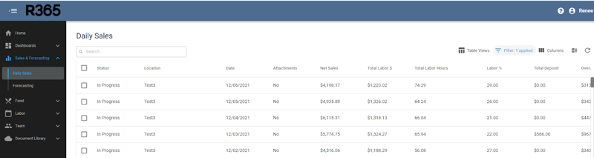
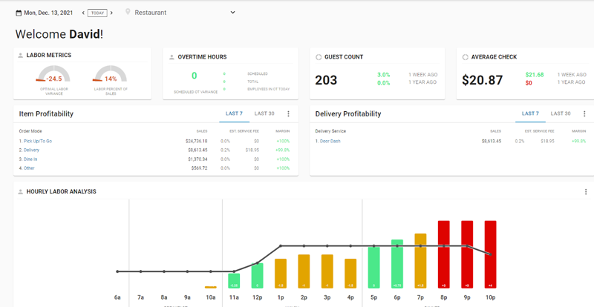
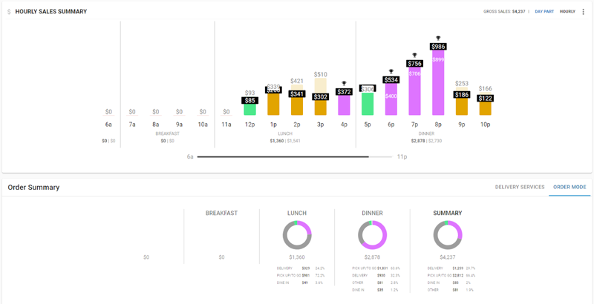
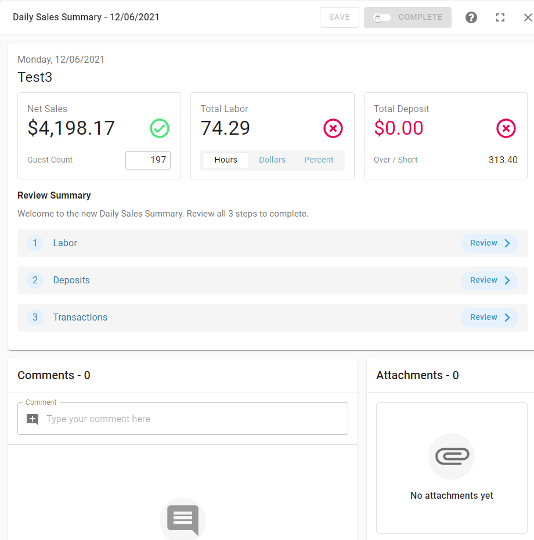
Once setup is complete, data from Toast POS will flow into Restaurant365 automatically, based on the interval set on each location (previous day or current day every 15 minutes). Using the Restaurant365 integration with Toast POS daily will provide:
- Daily Sales Summary (DSS) for each integrated location
- Sales data in a neat table
- Full ticket-level detail. Note, only menu items from the POS that are used on a sales ticket are included in the push to R365.
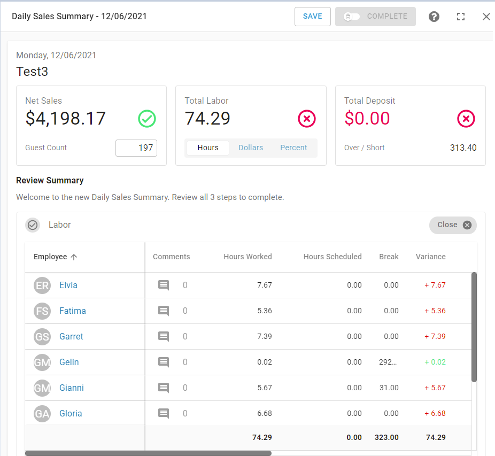
- Labor data
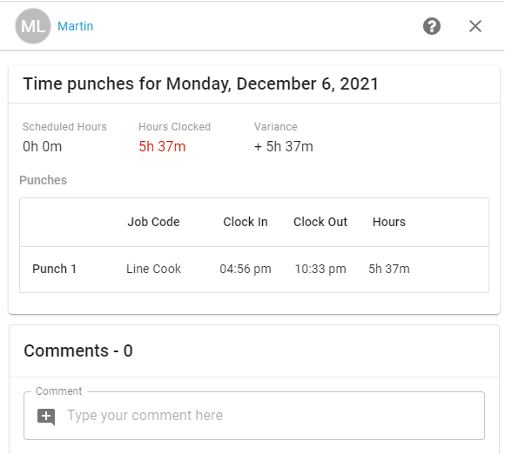
- Full labor clock-in/clock-out data
- Automatic labor "lookback" across the past 14 days for any labor edit charges
- Options to pull daily or current poll data

Restaurant365 Troubleshooting and Support
For any questions or technical issues relating to your Restaurant365 integration, please contact Restaurant365's team using the contact information below:
- Email: possupport@restaurant365.com
- Phone: (949) 652-7800
- Hours:
- 8am - 7pm CT, Monday - Friday
- 8am - 5pm CT, Sunday
- https://help.restaurant365.net/support/login
What Are Toast Capital Fees?
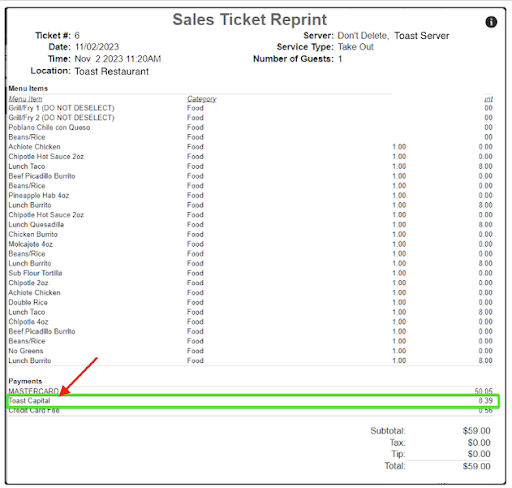
Due to the way certain pieces of information are displayed in the sales data used by reporting partners, the following options will show as Toast Capital in reporting on the partners' platform:
- Toast Capital payments
- Marketplace facilitator tax
- Toast Delivery Services costs
- Instant deposits
Typically, the presence of Toast Capital suggests that your store is utilizing Toast Delivery Services. However, depending on your location's specific setup and account, the additional options may be included in this amount.
House Accounts Frequently Asked Questions
Why is House Account data not available to reporting partners?
Due to the sensitive Guest/Company information listed, House Account data is not made available to reporting Partners.
Why don't House Account payments link directly to the items sold?
Payments made to House Accounts will list all invoiced checks as the items displaying the date and amount of the check deferred to the House Account. Due to this, payments do not link directly to the items sold; however, the original check will display these items and can be pulled by the partner the day it is deferred to the House Account.
These sales may show as a Generic Sale on the partners' side. Please contact the partner directly to change this if possible or desired.