Use the WE SCAN ID Integration
Last updated: Sep 21, 2026, 3:50 PM
- WE SCAN Integration
- Integration Workflow
- WE SCAN Compatible Hardware
- Enable WE SCAN ID Scanning
- MLM Customers and WE SCAN
- Scan IDs
- Override ID Scanning
- Offline Mode
- Regional Circumstances
- Troubleshooting and Support
WE SCAN Integration
WE SCAN is a third-party ID verification software solution for bars and restaurants that sell and serve alcohol, tobacco, or other age-restricted products. Toast has an integration with WE SCAN that allows you to verify the age of guests that they intend to sell and/or serve. At this time, WE SCAN ID Scanning can only be enabled for alcoholic drinks and items. Other age-restricted foods and products are not supported.
Before integrating with WE SCAN:
- Confirm you have compatible Toast hardware to support the integration. For a list of hardware compatible with WE SCAN, see WE SCAN Compatible Hardware.
- All 50 U.S. states support scanning a 2-D (PDF-417) barcode on the ID. This feature is not currently supported on Toast Go hardware.
- As of 2023, 8 U.S. states also support swipe of the magnetic stripe on the ID (CA, LA, CO, MI [see Regional Circumstances], MN, NM, OH, and TX).
- If you have a master service agreement, you must purchase Toast hardware through your Customer Success Manager.
- If you do not have a master service agreement, you can purchase Toast hardware via the Toast Shop.
Integration of WE SCAN ID Workflow
After you have completed the integration checklist, you can enable the WE SCAN integration. You can add the WE SCAN integration tile via Toast Partner Integrations. Toast Partner Integrations is an integration management portal that you can access in Toast Web.
Note: You must have access to Toast Partner Integrations before you can add the WE SCAN integration. If you would like more information, you can see this article: Set Up Toast Partner Integrations.
- In Toast Web, navigate to Integrations > Integration management > Browse & purchase integrations.
- Search for the WE SCAN integration. Select the Add Now button to add the WE SCAN integration.
- Once the integration is added, you will receive an email from Toast when you can enable the WE SCAN integration. It will be available to do so on your My Integrations page in Toast Web by navigating to Integrations > Integration management > Configure Integrations.
Once enabled, contact WE SCAN at referrals@wescanids.com to finalize your account setup. The WE SCAN team will contact you to set up your account and provide reporting access within 1-2 business days. Once WE SCAN confirms your onboarding is complete, you can configure your service prompts yourself in Toast Web — no further action from Toast is required. See Enable WE SCAN ID Scanning below.
WE SCAN ID Compatible Hardware
Note: This list is subject to change. Additionally, WE SCAN will not work when your POS is in Kiosk mode, as guests are not legally able to self-verify their age. WE SCAN will work in Toast's Test Mode when not in Kiosk mode.
| Toast POS Device | Reader | Method |
| ELO v1 | Magtek Dynamag | Swipe |
| Magtek eDynamo | Swipe | |
| BBPOS Chipper (Toast Tap) | Swipe | |
| Zebra Scanner DS2208 | Scan | |
| ELO v3 | Magtek Dynamag | Swipe |
| Magtek eDynamo | Swipe | |
| BBPOS Chipper (Toast Tap) | Swipe | |
| Zebra Scanner DS2208 | Scan | |
| Toast Flex | Magtek Dynamag | Swipe |
| Magtek eDynamo | Swipe | |
| BBPOS Chipper (Toast Tap) | Swipe | |
| Zebra Scanner DS2208 | Scan | |
| Toast Go® 1 | Magtek eDynamo | Swipe |
| Toast Go® 2 | BBPOS Chipper (Toast Tap) | Swipe |
| Toast Go® 3 | Integrated Reader | Scan |
Note: WE SCAN does not work with dual card reader setups (for example, an MSR paired with a Toast Tap On Counter reader). In this configuration, the MSR isn't supported with WE SCAN, and the Toast Tap On Counter reader defaults to Guest Pay mode, which isn't compatible with WE SCAN's ID-scan-first workflow. If you're using a dual card reader setup, remove one reader so only a single card reader remains in order to use WE SCAN. This is a known limitation; a fix is tracked internally but not yet scheduled.
Enable WE SCAN ID Scanning
To enable WE SCAN ID Scanning, follow the steps below:
- In Toast Web, select Front of house > POS notifications > Service prompts.
- To create a new prompt, select the + New Prompt button. On this page, complete the following fields:
- What type of prompt is this?: Select Age Verification (WE SCAN)
- Prompt name: Enter the prompt name. For example, you can enter “Age verification” for ID checks.
- Apply to which dining options?: The options displayed are the same dining options listed on the Dining options page. You can select multiple dining options.
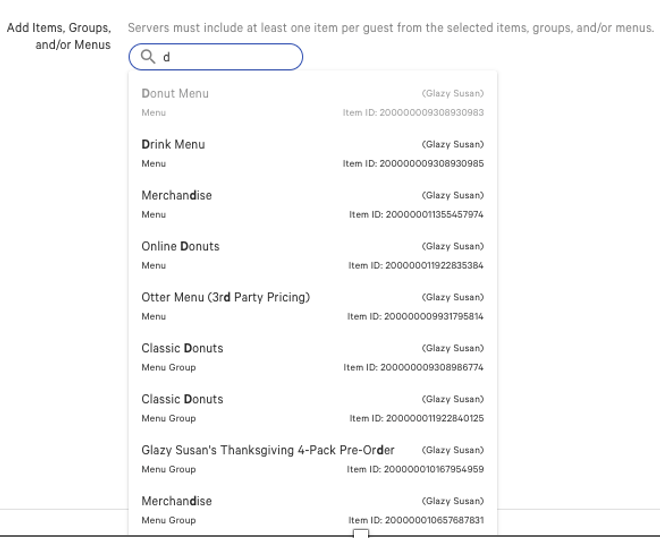
- Add Items, Groups, and/or Menus: Enter your menu items, groups, or menus. As you type, the search field automatically searches and shows a list of items, groups, and or menus.
- Select Save to save your prompt. After the prompt has been saved, when the menu item, group, or menu is added to a guest's order, the guest is required to swipe their ID or have their ID barcode scanned.
MLM Customers and WE SCAN
For Toast customers using Toast Multi-location Management (MLM), WE SCAN requires each location to set up the integration individually. However, WE SCAN will set up groups with multiple locations under a single billing agreement with an invoice for each location.
MLM customers can set up a shared service prompt to share across locations in the group. They may also select a shared menu within the service prompt that all locations use.
Note: If certain locations within the group do not have the WE SCAN integration, but their group has set up shared service prompts on a shared menu, the location without the integration will not receive the prompt since they do not have the integration on their account.
MLM locations may also choose to set up location-specific service prompts if they would prefer. This would allow the user at the individual location to edit the service prompt as needed without having any effect on the other locations in the group. However, if master users want to have control over all locations' service prompts, then a shared service prompt is suggested.
If an MLM customer has further questions about using WE SCAN across their locations, they should speak directly with WE SCAN’s team by emailing them at: support@WESCANids.com or calling: (972) 252-2570 x 3
Scan IDs
Note: This workflow only occurs if there is a working internet connection. This workflow occurs on the POS after a guest has placed an order for an age-restricted alcoholic item.
After the menu item has been selected, an ID verification prompt appears on the ordering screen. This prompts the employee to ask the guest to swipe their ID or to hand their ID to them to scan the ID barcode. Select the Override button to override the ID verification or the Close button to exit and close out of the prompt.
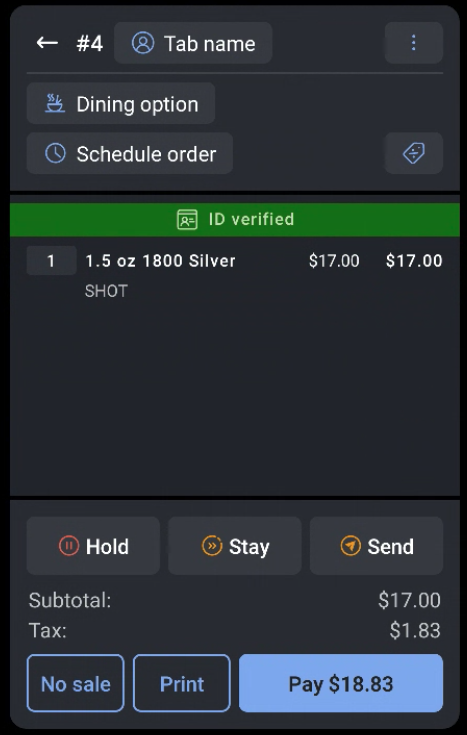
If the ID verification is successful, the ID verification prompt is closed, and a green ID banner appears at the top of the check. The guest’s age has been verified, and additional age-restricted items can be added to the order without needing to scan the guest’s ID again.
If the ID verification fails, an error message appears: Age Verification Failed. The guest isn’t old enough to purchase this item.
Back to top
Supported IDs
WE SCAN supports scanning of the following ID types:
- United States driver's licenses
- United States identification cards
- Canadian driver’s licenses
At the time, WE SCAN does not support scanning certain ID types. You will need to use the Override feature outlined below if you choose to verify the age of a guest who provides one of the following ID types:
- United States passports
- Military IDs
- Mexican IDs
- US Resident IDs
Override ID Scanning
On the ID verification prompt, you can choose to override ID scanning for various reasons. To manually override ID verification, on the prompt, click the Override button.
- Select the override reason:
- Guest is over 35
- Age previously verified
- Manually verified ID
- Select the Confirm button to confirm the override or the Cancel button to close out the prompt.
Offline Mode
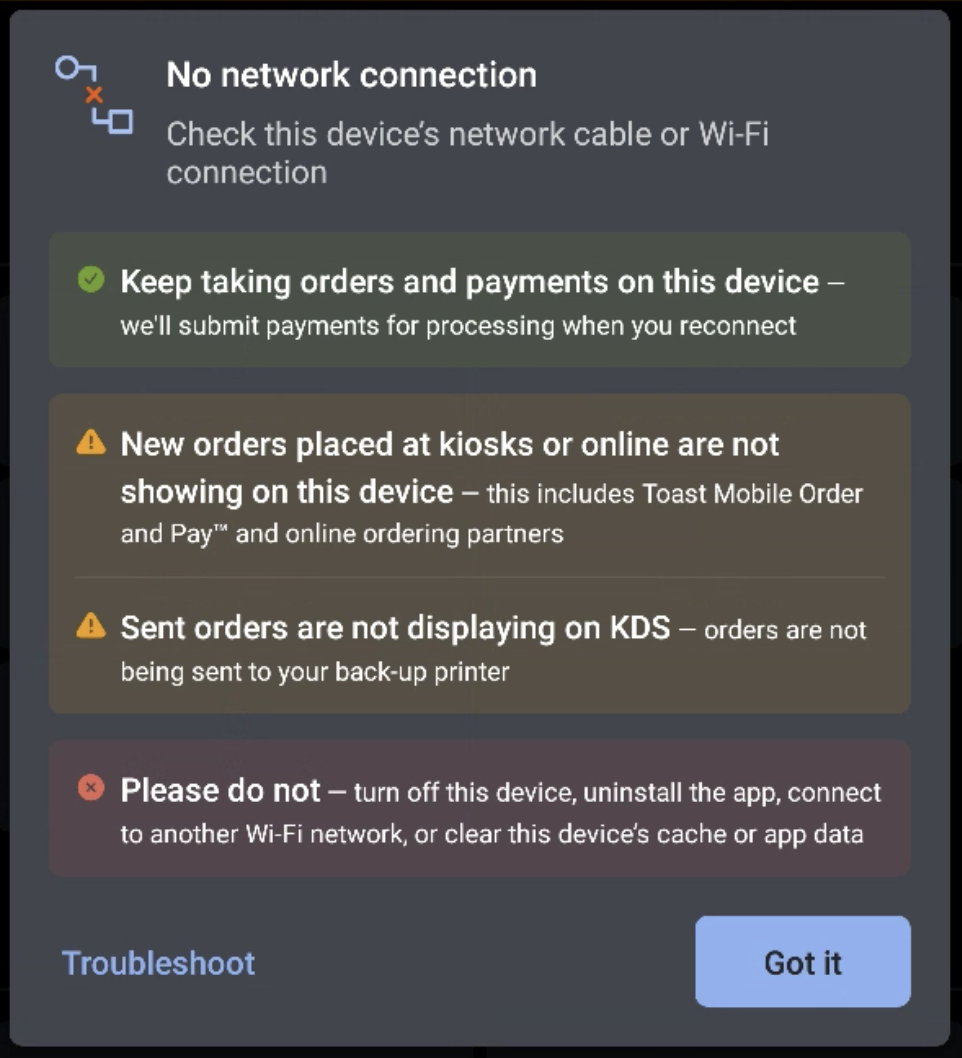
When your POS device is offline and has no working internet connection, the POS device displays a yellow offline banner. As stated above, you need a working internet connection to use WE SCAN properly, so you will not be able to do so while in offline mode.
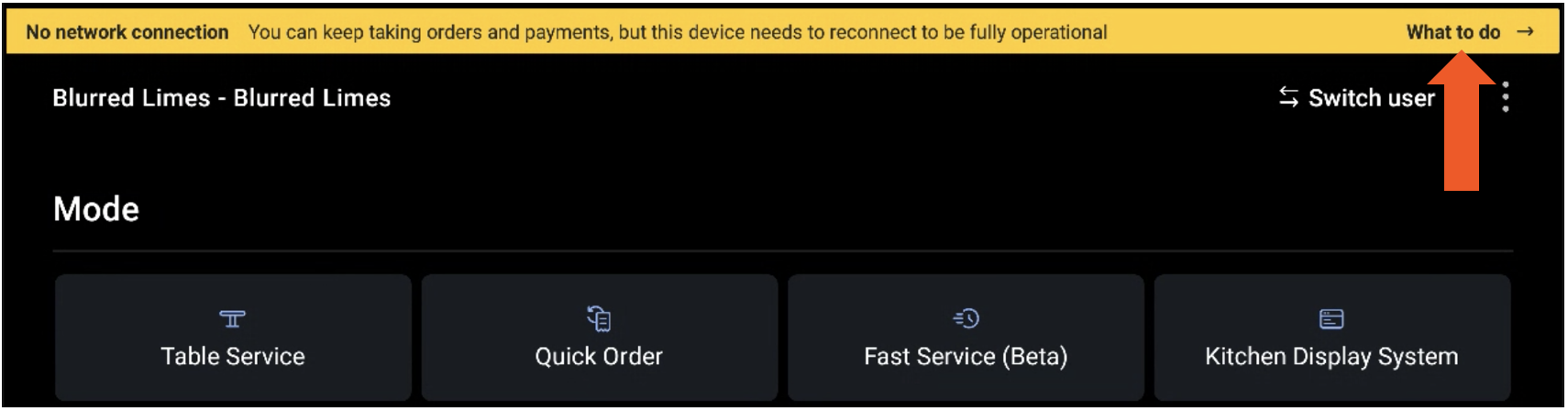
If you select the banner, a modal appears that displays the various steps you should and should not do in offline mode.
Regional Circumstances
After recent changes to driver's licenses and state-issued identification cards, Michigan locations may handle some IDs for verification that do not include the magnetic strip for swiping, and only include the bar code for scanning. These locations can choose to purchase the above-mentioned Zebra scanner model to ensure they can properly scan IDs, or thoughtfully choose to Override ID verification in these situations.
Back to top
WE SCAN Troubleshooting and Support
Please reach out directly to WE SCAN for any issues with you WE SCAN account or integration that are unrelated to Toast products (software or hardware) or network/connection issues. For general WE SCAN questions or support issues, email support@WESCANids.com or call (972) 252-2570 ext. 3, from 9 a.m. to 10 p.m. CT.