Cancel Uber Eats and DoorDash Orders on the POS (Using Void Order)
Last updated: Jul 9, 2026, 12:03 PM
Learn how to void Uber Eats orders in Toast POS, and how voided orders appear in Toast reporting.
- Void an Uber Eats/DoorDash Order
- Voided Uber Eats/DoorDash Orders in Toast Reporting
- Frequently Asked Questions
Void an Uber Eats/DoorDash Order
| In Toast POS, the action used to cancel a third-party order is called Void Order. When you void an Uber Eats or DoorDash order in Toast:
Voiding the order in Toast is the equivalent of canceling the order with the third-party partner. |
If your restaurant is unable to fulfill an Uber Eats and/or DoorDash order and needs to void the order in Toast, you can now do so directly through Toast POS instead of calling their support line. You can also follow this process to remove canceled test orders that show as sales.
| Before you begin, you must have the 3.8 Void / Refund Payments access permission in order to void payments. Learn more about user access permissions here: Permissions Reference Guide. |
Step 1: Remove the Guest Payment
| In some jurisdictions, marketplace facilitator rules mean that selecting Update on an Uber Eats or DoorDash check may re-bring the order rather than complete the void as expected. If Update does not behave as described, do not repeat the action; instead follow the void steps carefully and contact Customer Care if the order cannot be voided. |
- Navigate to the order in Toast POS.
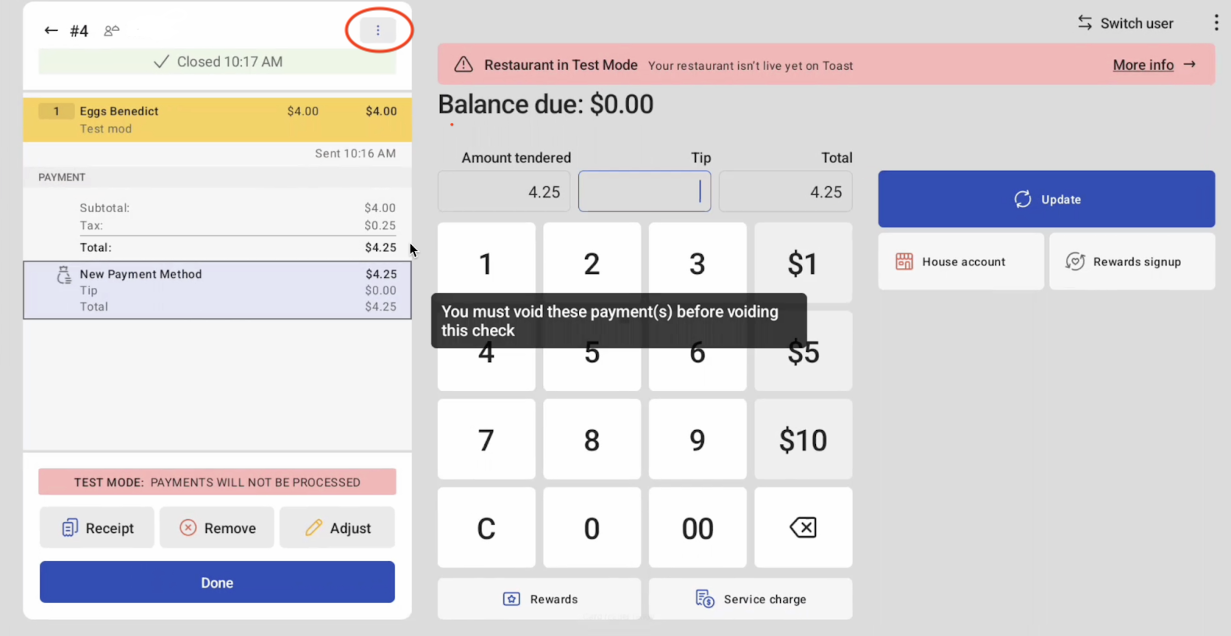
- Select Update at the bottom of the check.
- In the top right corner of the display, select the three dots.
- From the drop-down menu, select Void Order. A message will appear stating: “You must void these payment(s) before voiding this check.”
- Highlight the guest payment method.
- Select Remove.
- Select Done.
Back to top
Step 2: Void the Order
- Navigate back to the order.
- Select Update.
- In the top right corner of the display, select the three dots.
- Select Void Order.
- Once the order is voided in Toast POS:
- Toast notifies Uber Eats or DoorDash automatically.
- The partner cancels the order in their system.
- The partner processes any guest refund.
- The voided order will no longer appear as an active order in Toast POS. On Kitchen Display System (KDS) devices, the order will be marked as voided.
Voided Uber Eats/DoorDash Orders in Toast Reporting
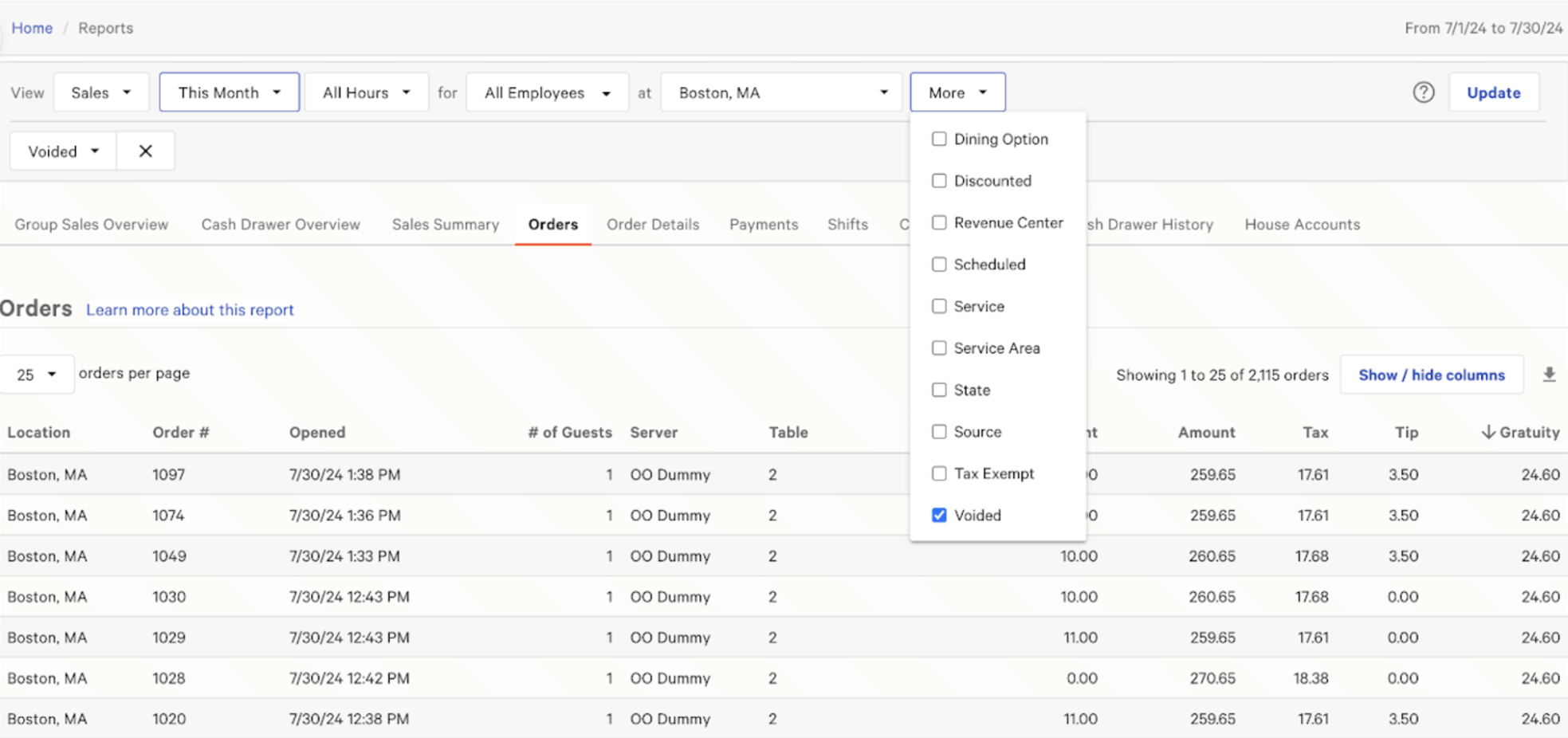
The Toast Sales Summary will no longer include the voided Uber Eats and DoorDash orders in net sales, and the voided payment will no longer appear in Toast since no payment is collected. The Orders report and Order Details report will show any voided Uber Eats and DoorDash orders as voided as seen below.
Frequently Asked Questions: Canceled Third-Party Orders
Will third-party reporting also track void reasons?
No, third-party partners will not receive void reasons from Toast at this time, so third-party reporting will not reflect void reasons.
Can I partially void an Uber Eats order?
No, you can not partially void an Uber Eats order. Uber Eats orders can only be voided in full at this time.
Can I void Uber Eats and DoorDash orders in Toast Web?
No, Uber Eats & DoorDash orders can not be voided in Toast Web at this time. Uber Eats & DoorDash orders can only be voided on Toast POS.