Clean Your Toast Printer’s Print Heads
Last updated: Sep 17, 2026, 8:59 AM
Question
How do I clean my Toast Printer when the print quality is low or it has a flashing red light?
Answer
When there are issues with the quality of printing, the solution will quite often be cleaning the print head, or purchasing a different type of paper.
Cleaning the print head is often a common solution when the printer shows a flashing red error light, and it might be needed for a few reasons such as:
- Grease - If the environment is greasy, a layer of greasy film might build up on the print head over time.
- Paper Quality - High gloss or cheap paper causes a chemical buildup on the print head, often within a few hours.
Cleaning Supplies:
- Isopropyl Alcohol
- Cotton
Note:
- Cleaning should be thorough and done slowly with attention to where the cutter blade is.
- Do not use isopropyl alcohol on kitchen printers. Isopropyl alcohol may damage impact printers as they use ink ribbons. Isopropyl alcohol should only be used for thermal receipt printers, more specifically, to clean thermal print heads. Using a gently-soaked cotton swab or cotton ball. Use it to thoroughly scrub the thermal print head of their thermal printers when there's residue buildup.
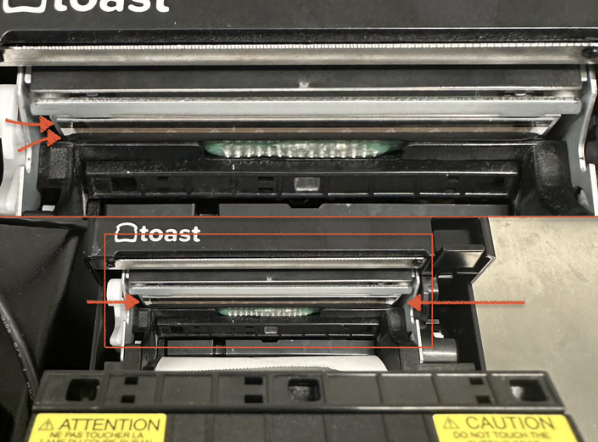
Where is my print head located?
- Toast Kitchen Printer TKP300
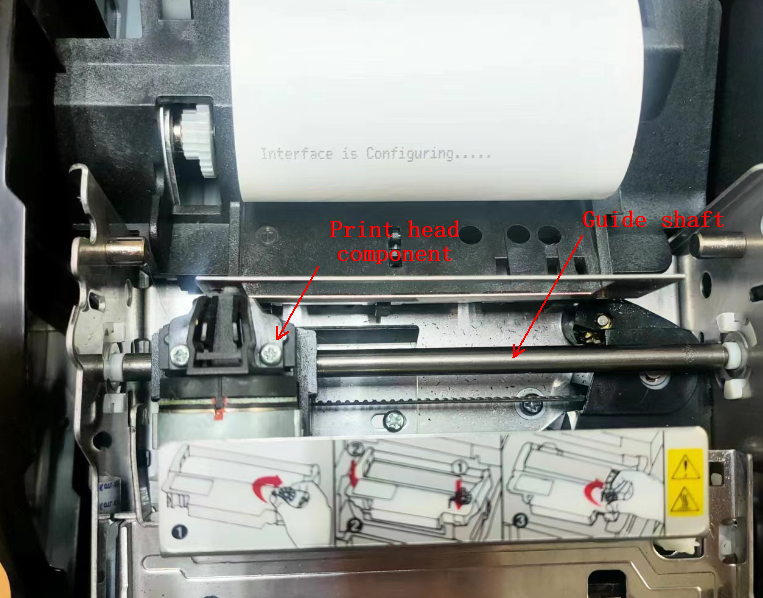
Clean the "Guide Shaft" shown below to allow the print head to move freely. A red flashing error is common when the print head component cannot move along the guide shaft. We recommend a 3 in 1 multi-purpose oil to eliminate this issue.
- Turn the printer off. Then, open its cover and take its ribbon off.
- Wipe the guide shaft clean with a cleaning cloth from left to right.
- Move the print head assembly to the middle position of the guide shaft, then put a drop of lubricating oil on each end of the guide shaft, then move the print head assembly left and right three to five times.
- Reinstall the ribbon, close the print cover, and power on the printer to confirm that it can be initialized succesfully.
- Epson L100
- Epson L90
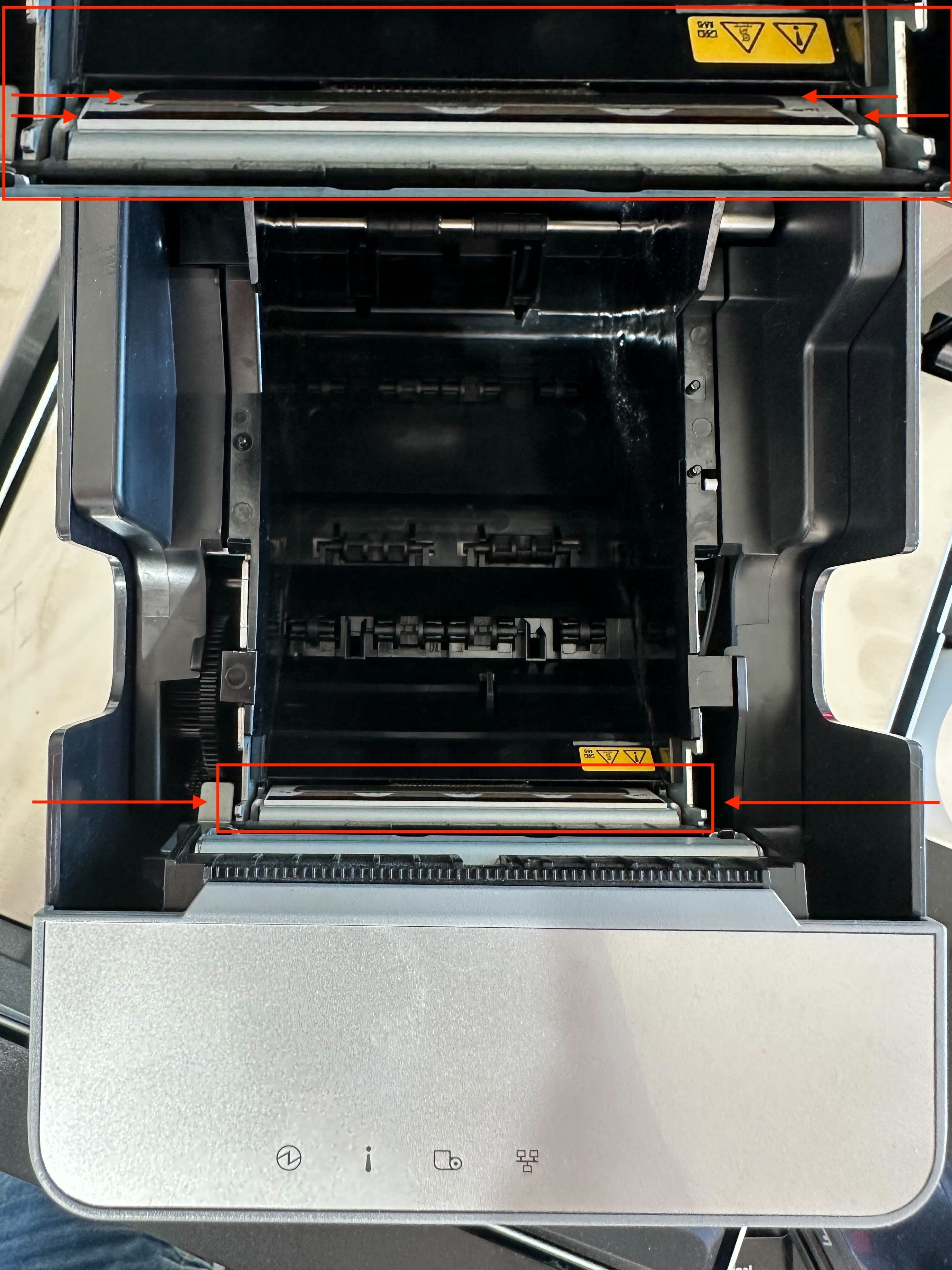
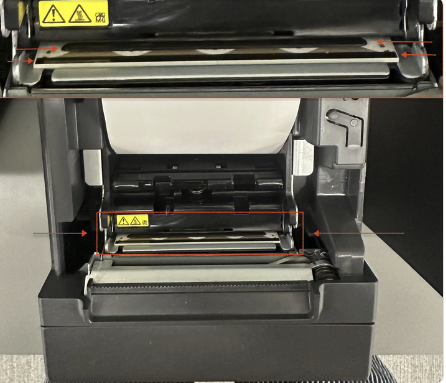
- Epson M30
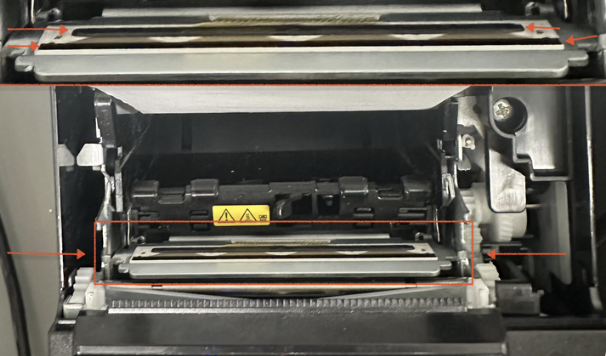
- Epson T20
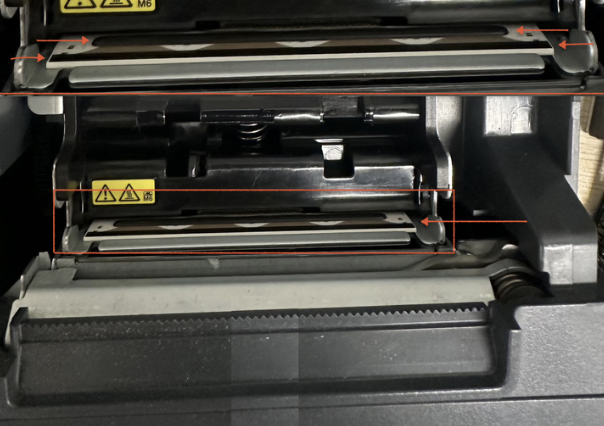
- Epson T88
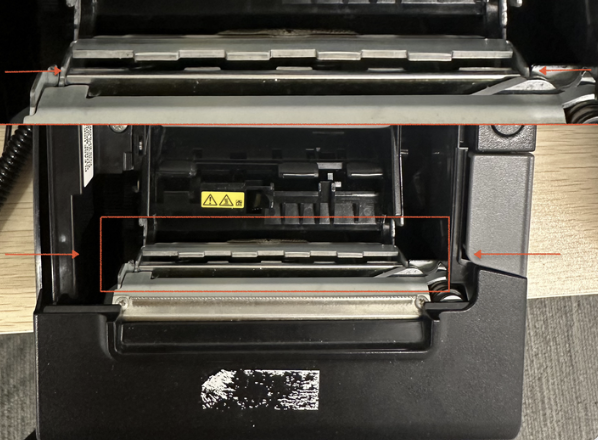
- Toast Label Printer TLP400
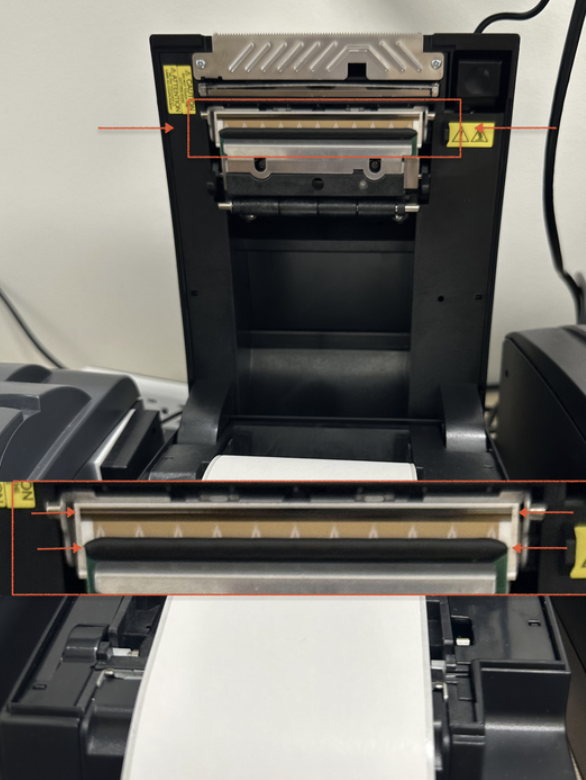
- Toast Receipt Printer TP200