What is Device Licensing?
Last updated: Sep 17, 2026, 10:38 AM
Question
- What is Device Licensing?
- What does the "Activate a subscription for this device" pop-up message mean?
Answer
Device Licensing is a system that makes sure every Toast device using our software has a matching, active subscription. It helps Toast ensure all active devices are paired with the necessary subscription by:
- Automatically linking each device to an existing subscription when available
- Alerting operators if a device does not have a matching subscription
- Giving customers an easy way to purchase the subscription needed to keep using their device
Activate Your Device Subscription
If you receive a pop-up on your device, follow the prompts by scanning the QR code or using the link to purchase and activate your subscription.
After log-in - Device activation pop-up:
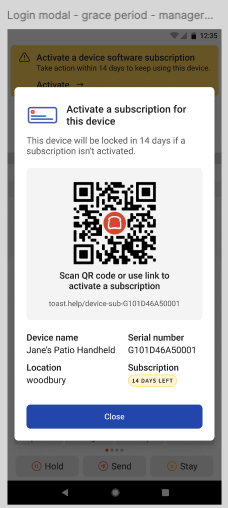
Device Licensing Subscription Messaging
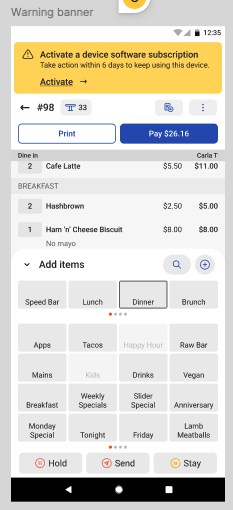
During device use - warning message:
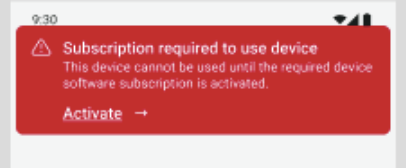
Grace period expired messaging (during log-in attempt on a device):
Device hub messaging:
You can activate your device subscription in the Device hub by selecting Activate under Device software subscription for the selected device.

On-Device Subscription Sync
You can also check or refresh your device's subscription status directly on the device itself:
- On the device, select Device status.
- Tap the overflow menu (three dots, top right corner).
- Tap the Device tab.
- Scroll down to the Device Software Subscription section.
- Tap the sync icon (circular arrows) to refresh your device's license status.
If you have a poor internet connection, you may need to tap the Sync icon more than once.