What scanners are compatible with Toast Go® Handheld?
Last updated: Sep 16, 2026, 5:06 PM
Question
Which scanner is needed in order to pair it with a handheld via bluetooth?
Answer
The following scanner models are compatible with a Toast Go® handheld device:
- Zebra DS 2278
- Honeywell Voyager 1602g Bluetooth Scanner
- Honeywell Voyager XP 1470g/1472g
Toast Go® 3 handhelds are not compatible with scanners, but are equipped as barcode scanners. To get started:
First, enable barcodes on your device:
- On your device, go to Setup > Device Setup.
- Scroll to the Order Screen section.
- Turn on Enable SKUs.
- Select Continue to save.
Then, start scanning:
- Open the ordering screen on your Toast Go® 3.
- Select the scan icon to open the camera. See image below.
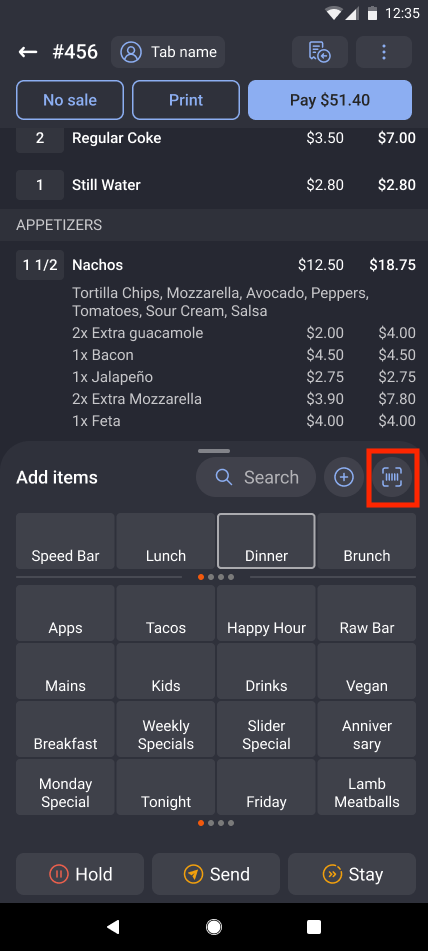
- Point at a product barcode to add it to the order instantly. You will also have the option to add flash if needed to assist capture, or capture manually if the barcode does not automatically capture.