xtraCHEF: Recipe on Mobile
Last updated: Apr 28, 2026, 4:20 PM
Download the xtraCHEF App
Ready to have insight into your restaurant's financials, inventory, and more literally at your fingertips? Start by downloading the xtraCHEF app. This app can be downloaded through either the Apple App Store (for Apple Product Users) or through Google Play Store (for Android users).
Once downloaded, you're ready to log in!
Mobile Recipe Overview
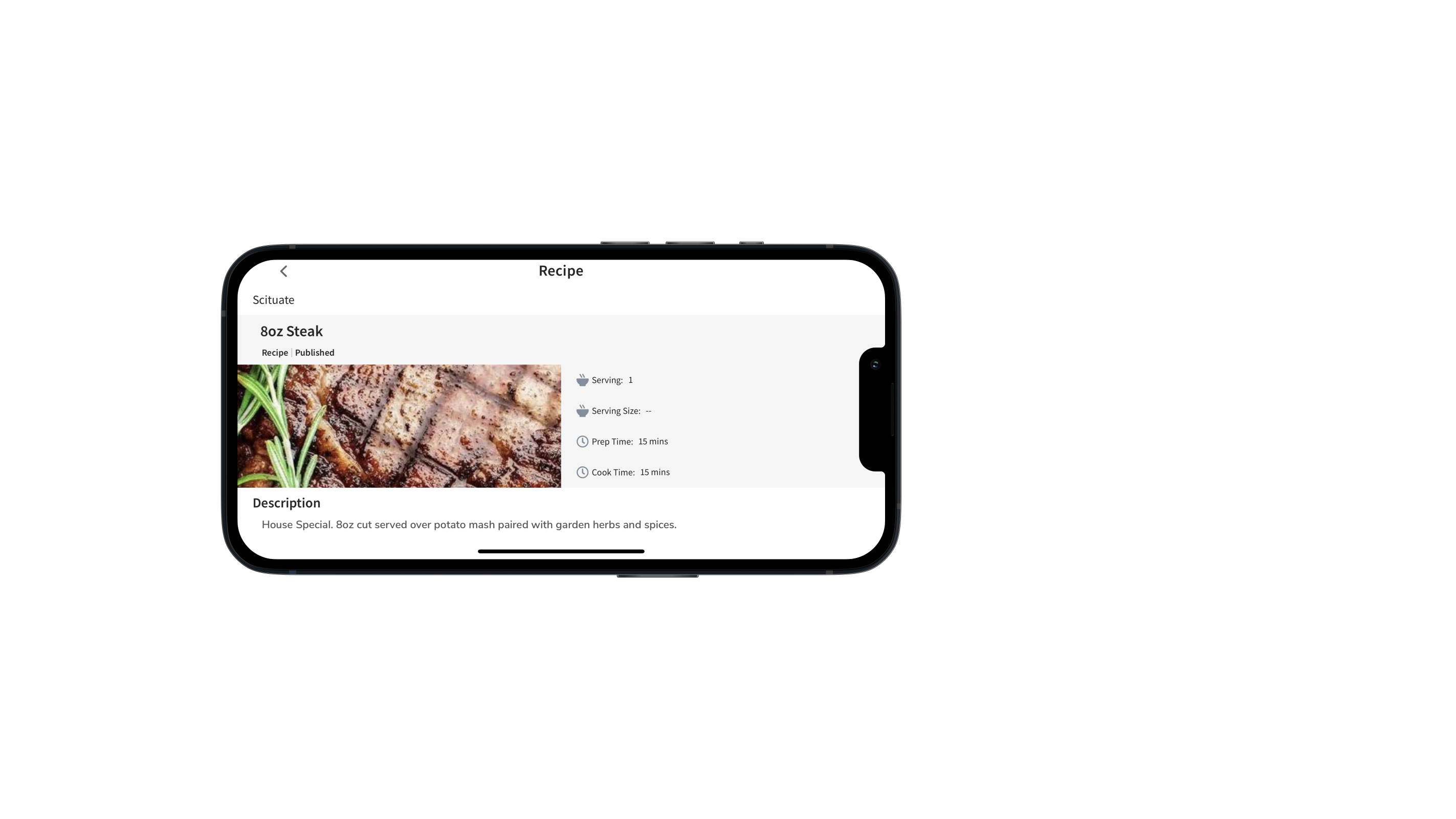
The xtraCHEF app lets you view your menus, recipes, and prep recipes on the go. Even dive into your recipe and prep recipe cards to review basic details such as prep and cook times, serving information, ingredients, and your preparation & procedures.
Mobile Recipe Guide
To get started, log into your xtraCHEF app. Then, select the More button from the lower navigation bar.
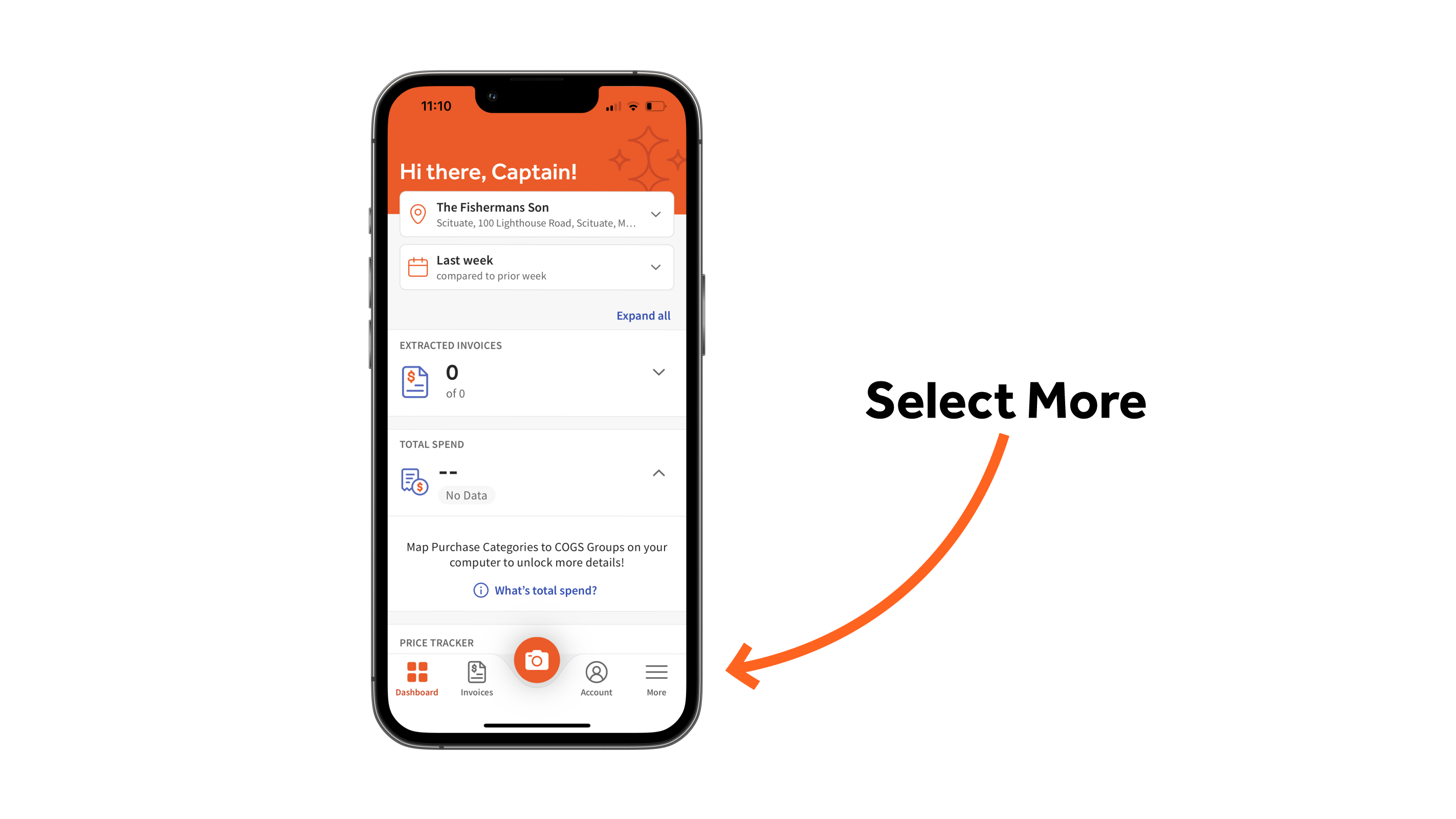
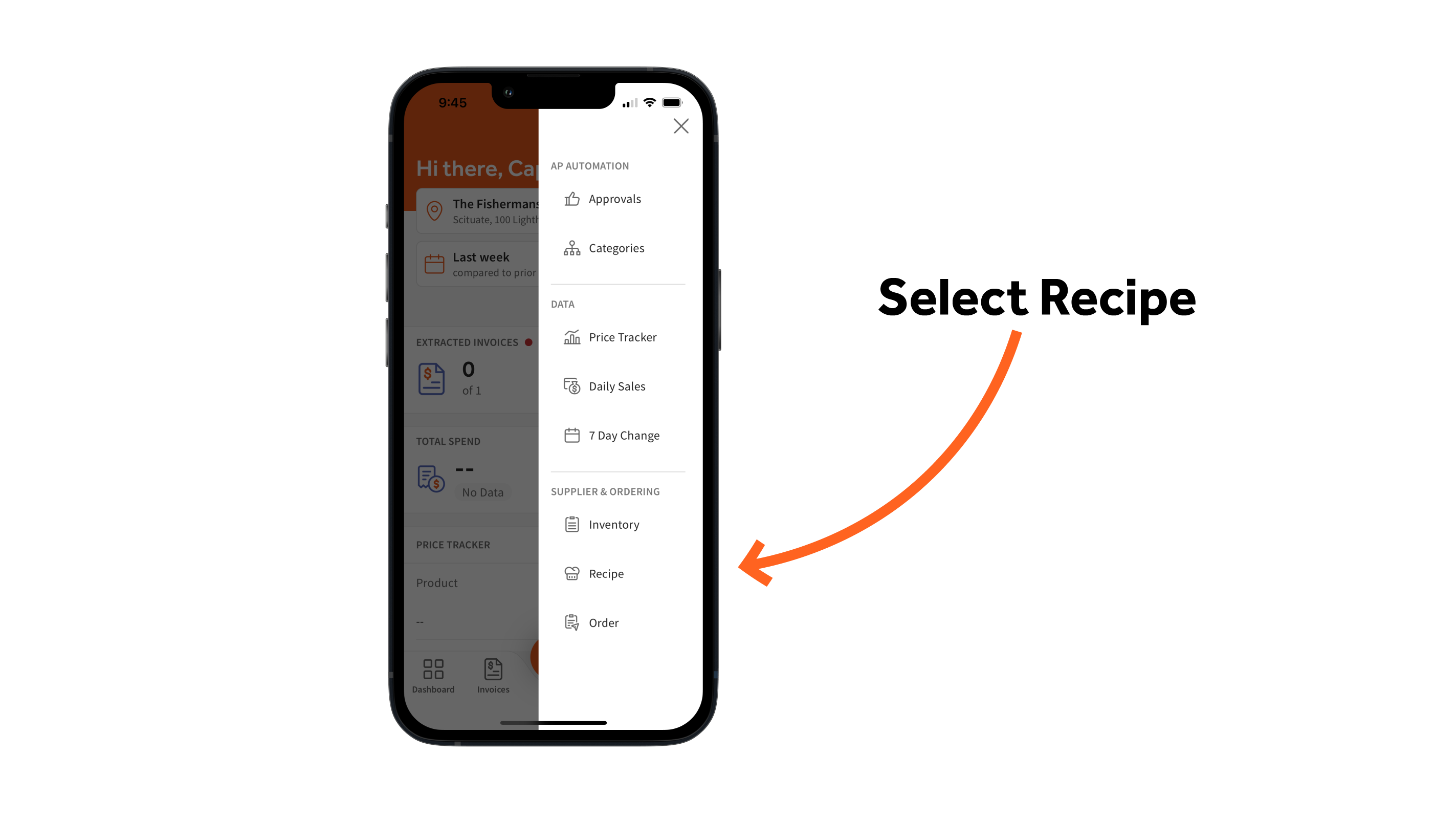
Next, select the Recipe tab.
By default, this will bring you to your Menu page. Here you can select a menu to preview the recipes compiled there.
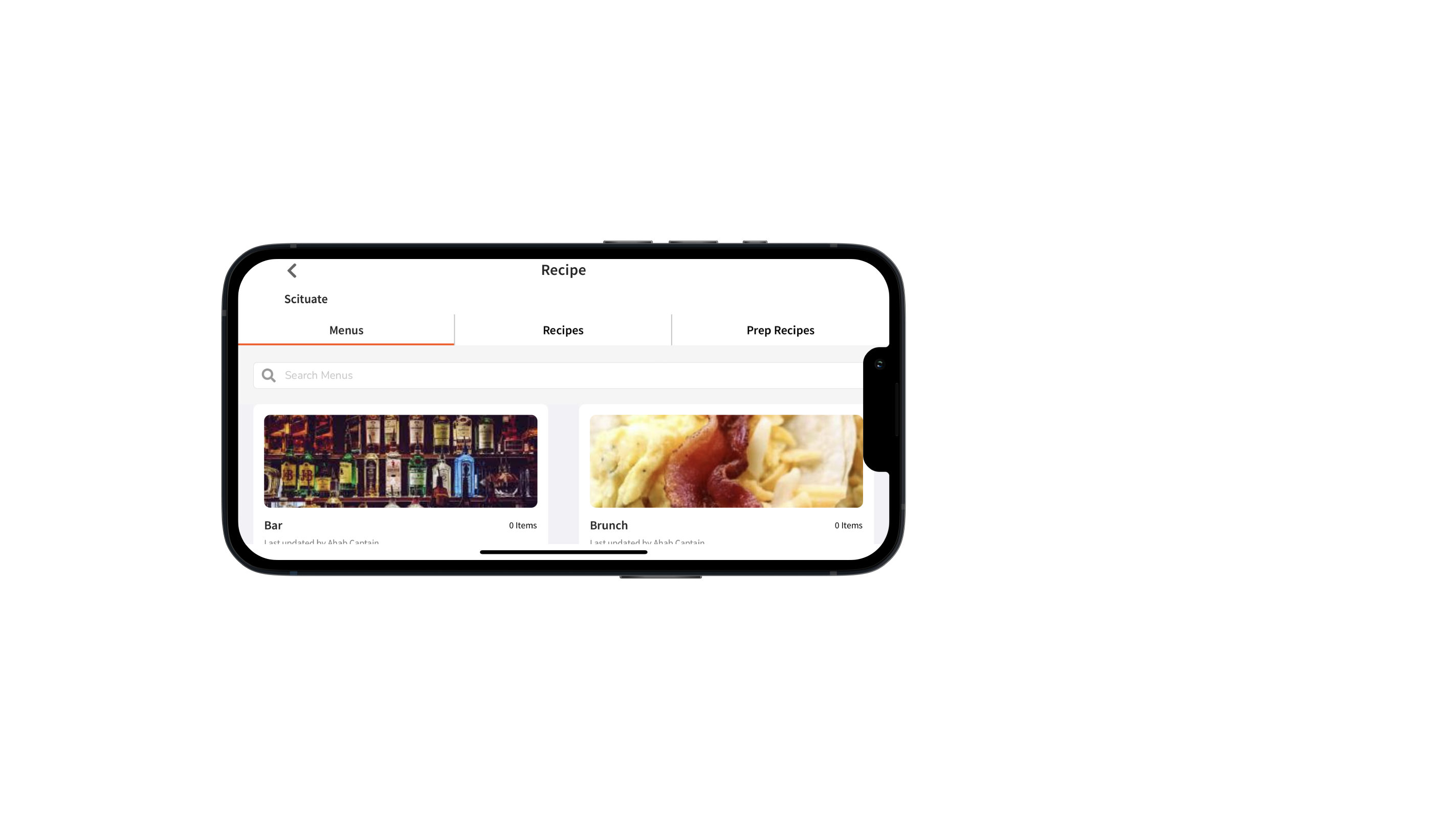
Or, preview your recipes or prep recipes by selecting their tab from your Recipe navigation.
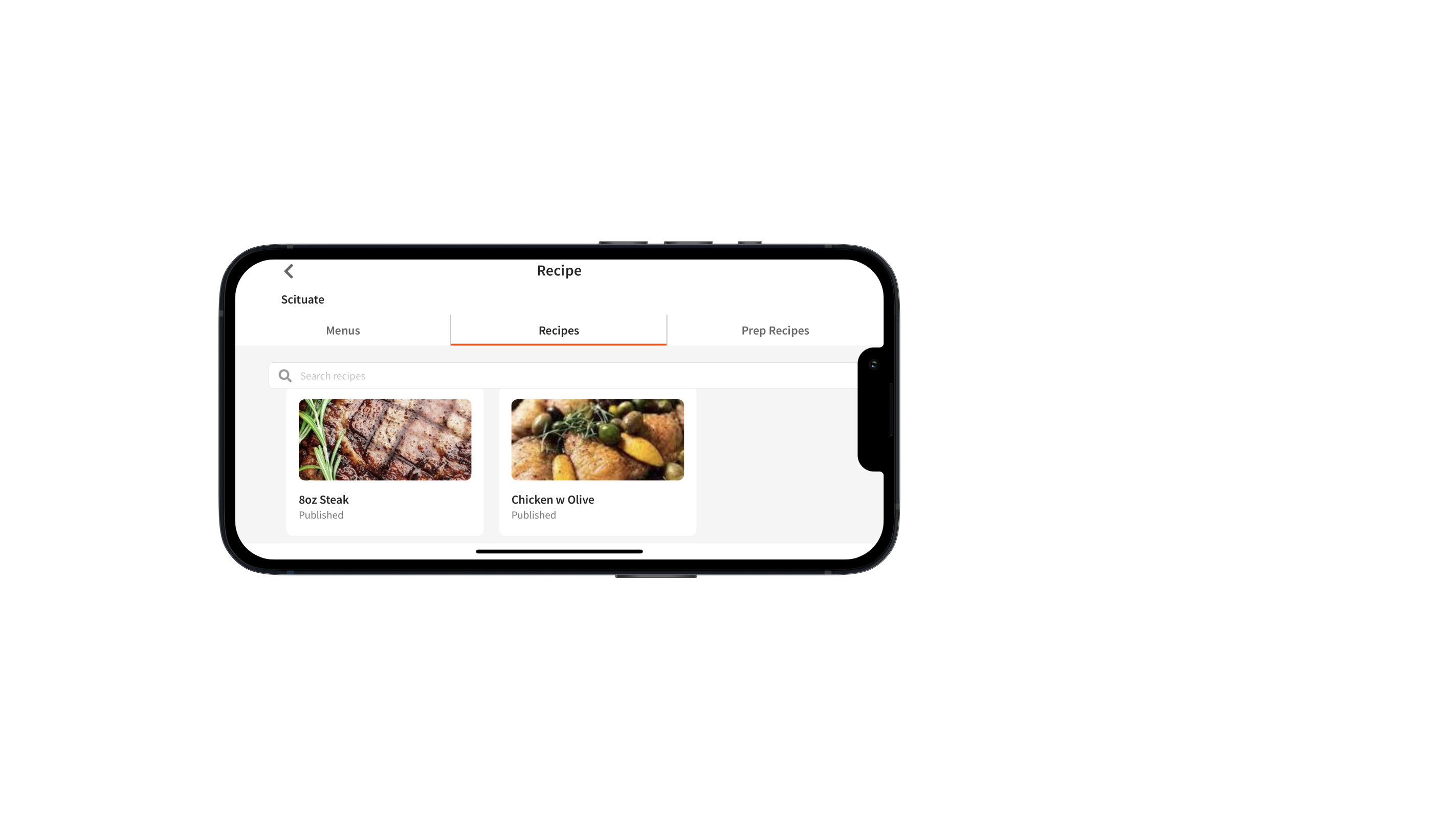
Next, select an individual recipe or prep recipe to view essential information such as prep and cook time, serving information, ingredients, and your preparation & procedures. Ingredients and preparation & procedures information is found below your recipe/prep recipe description. Scroll down and select the corresponding tab to view.