Las traducciones se proporcionan solo a modo de cortesía. Es posible que los acuerdos legales con Toast, incluidos, entre otros, el Acuerdo de comerciante y el Acuerdo de licencia de usuario final, deban celebrarse en un idioma distinto al que se utiliza en esta página y que los términos de esos acuerdos se apliquen independientemente de que se proporcionen o no traducciones de esta página a otros idiomas.
Estado del dispositivo en el POS
Última actualización: 17 sept 2026, 4:24 p.m.
Pregunta
- ¿Qué es la pantalla Estado del dispositivoen mi POS o Toast Go 2®? ¿Qué me dice?
- ¿Cómo llego a la pantalla Estado del dispositivo en mi POS?
- ¿Para qué sirve la pantalla Estado del dispositivo en mi POS?
Respuesta
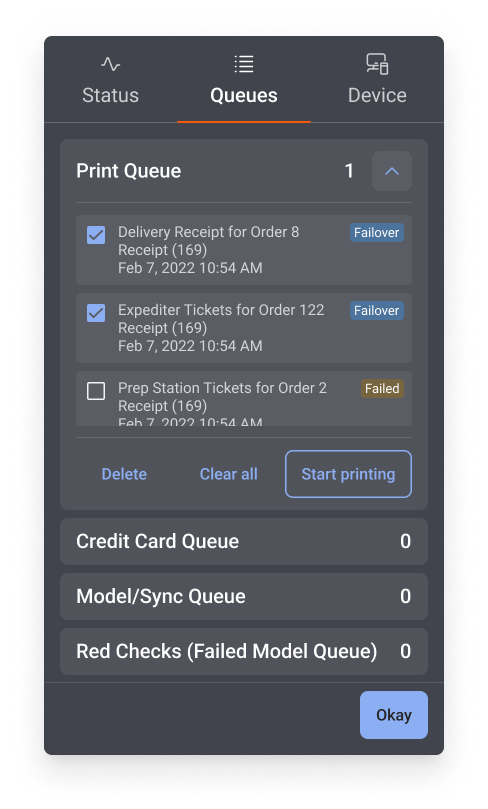
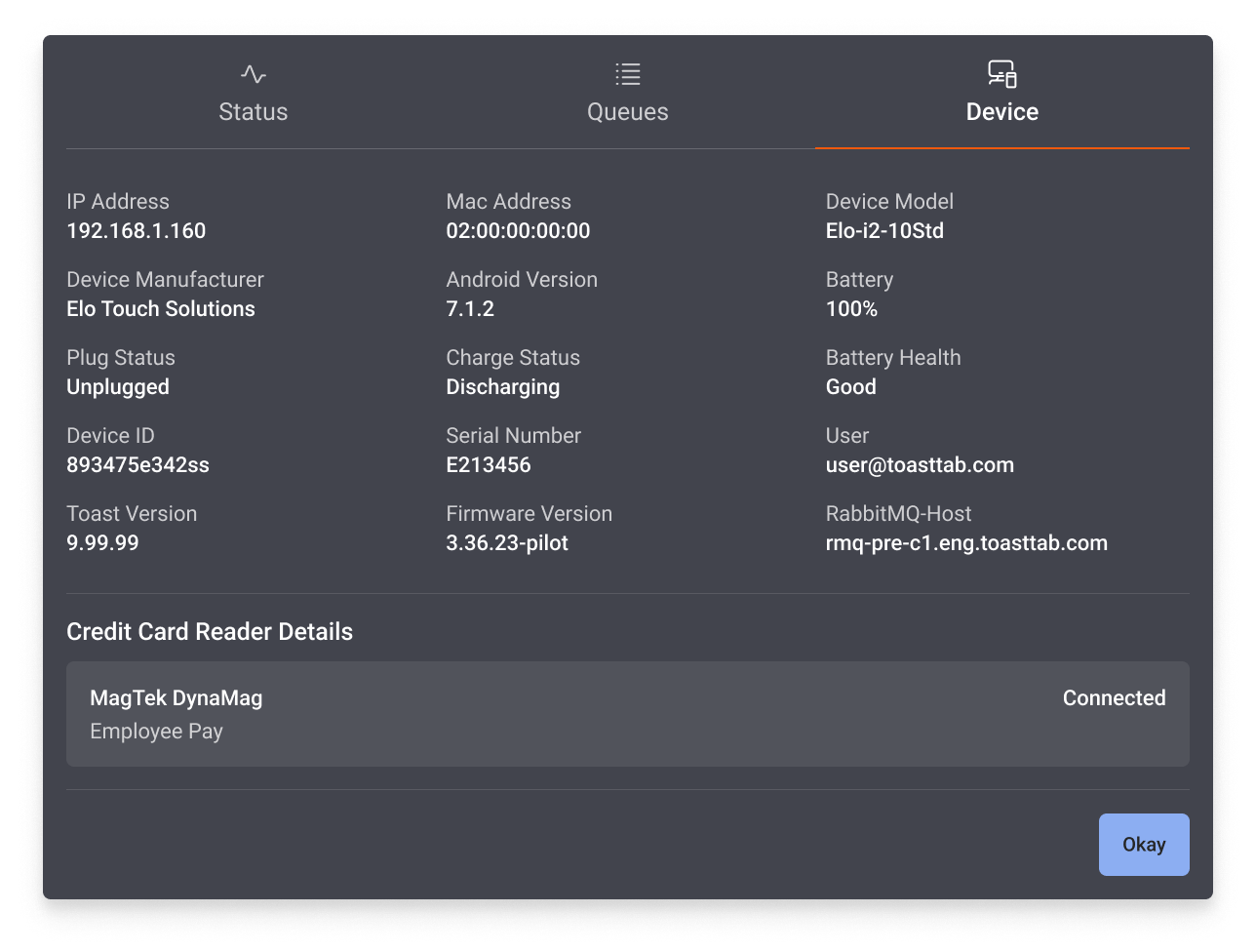
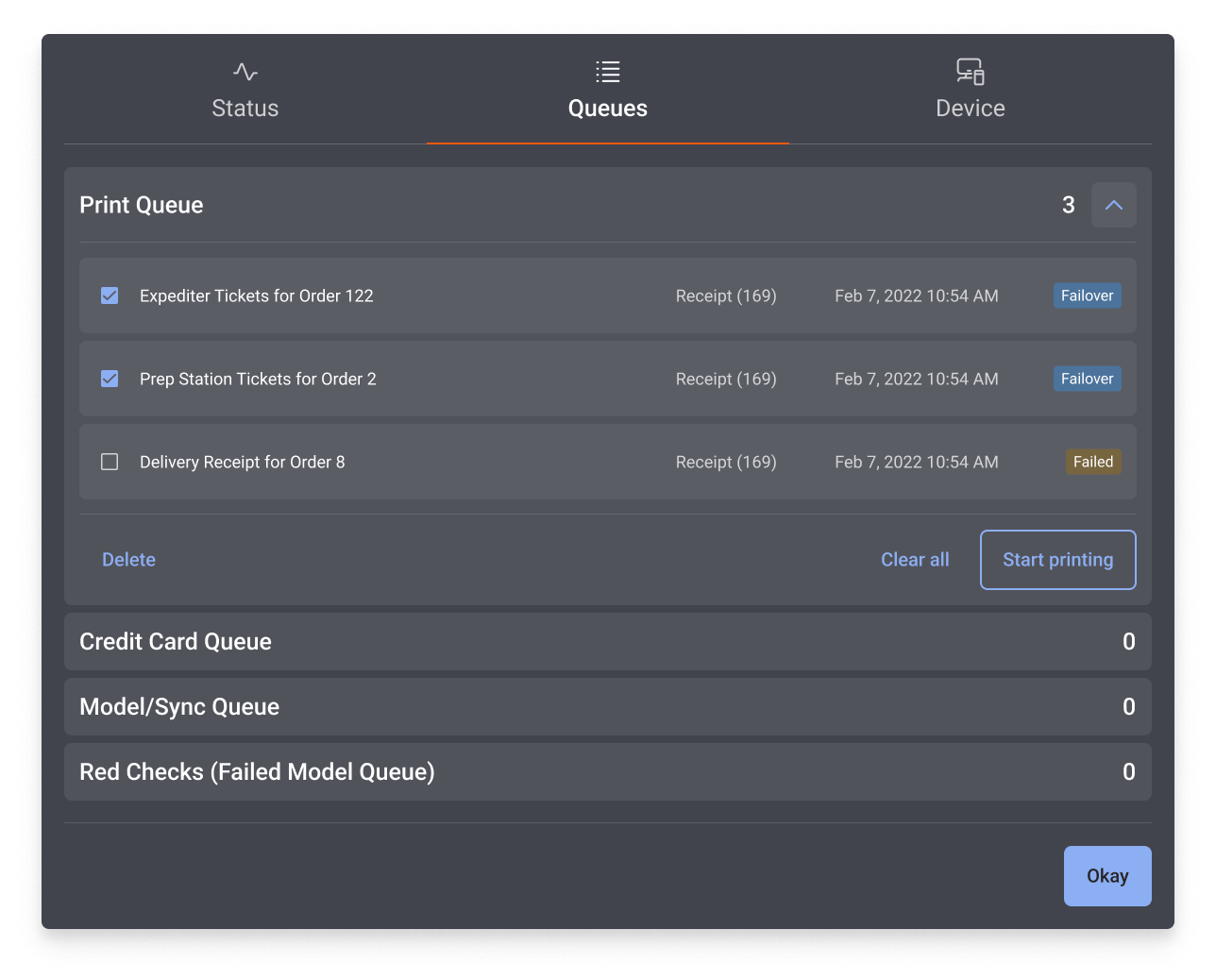
El Estado del dispositivo es una pantalla de diálogo importante en tu POS y en los dispositivos Toast Go 2®. Te muestra un resumen de tu dispositivo, a qué red estás conectado, si estás en línea o sin conexión y si hay lectores de tarjetas conectados a tu dispositivo físico. El Estado del dispositivo también te indicará si tienes alguna tarea Imprimir fallida o pendiente, y qué hay en la Cola de tu Impresora.
Se puede acceder al diálogo Estado del dispositivo yendo al menú de desbordamiento de tu dispositivo (esquina superior derecha, tres puntos) y seleccionando Estado del dispositivo.
Estos son algunos ejemplos de lo que verás en la pantalla Estado del dispositivo:
- Estado del dispositivo cuando el dispositivo está sin conexión:
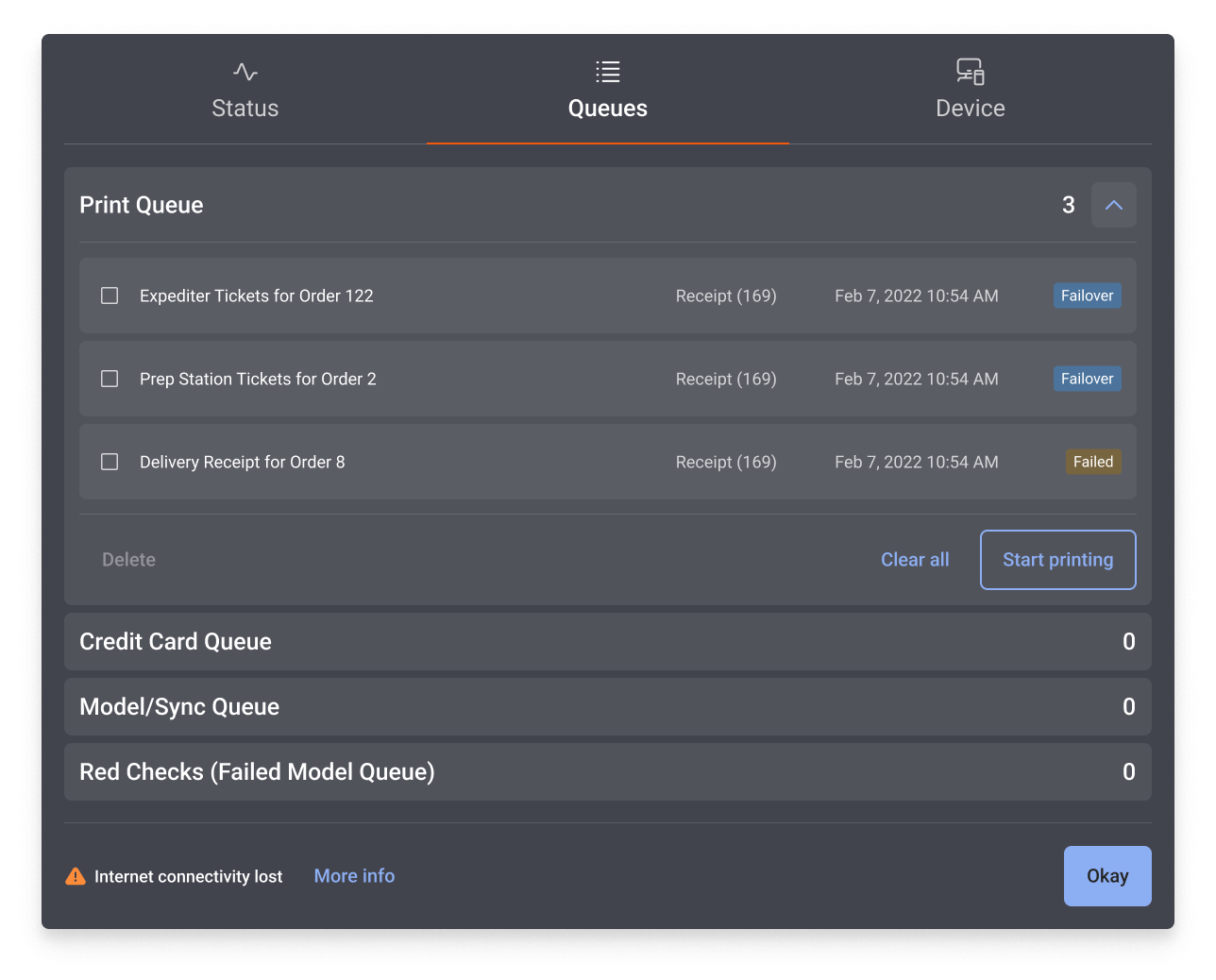
- Estado del Dispositivo: Muestra tus Dispositivos Impresora:
- Estado del dispositivo: muestra los artículos seleccionados en la cola de la Impresora:
- Estado del dispositivo: muestra los artículos seleccionados en la cola de la Impresora para un dispositivo portátil Toast Go® 2: