Preguntas frecuentes sobre seguridad de los dispositivos y la red de Toast
Última actualización: 17 sept 2026, 7:54 p.m.
Descubre qué cambios en el firmware y la red del dispositivo requiere Toast para mantener la seguridad del hardware y la red del restaurante, y cómo prepararse para ellos.
- ¿Qué cambios en el dispositivo y la red requiere Toast para garantizar la seguridad?
- ¿Cómo puedo prepararme antes de que se me pida que actualice?
- ¿Cuál es la diferencia entre una red administrada por Toast y una autogestionada?
- ¿Dónde puedo encontrar mi contraseña de Wi-Fi de Toast?
- ¿Puedo instalar aplicaciones que no son de Toast en mis dispositivos Toast?
- Uso una tableta que no es de Toast para pedidos digitales de terceros con una Impresora Toast. ¿Esto seguirá funcionando?
- Mi dispositivo Toast está conectado a una red incorrecta. ¿Cómo puedo volver a conectarlo a la red Wi-Fi segura?
- ¿Cómo mantengo mis dispositivos Toast en la red Wi-Fi correcta?
- ¿Puedo seguir procesando pagos con tarjeta si mis dispositivos tienen problemas de seguridad?
¿Qué cambios en el dispositivo y la red requiere Toast para garantizar la seguridad?
Toast requiere actualizaciones de firmware en tus dispositivos y, en redes gestionadas por Toast, la eliminación de dispositivos que no sean de Toast para mantener la seguridad de tu equipo y la red de tu restaurante. Estos cambios se implementan con el tiempo y, según sea necesario, recibirás una guía sobre ellos en tus dispositivos Toast. La tabla a continuación muestra lo que necesita cada dispositivo.
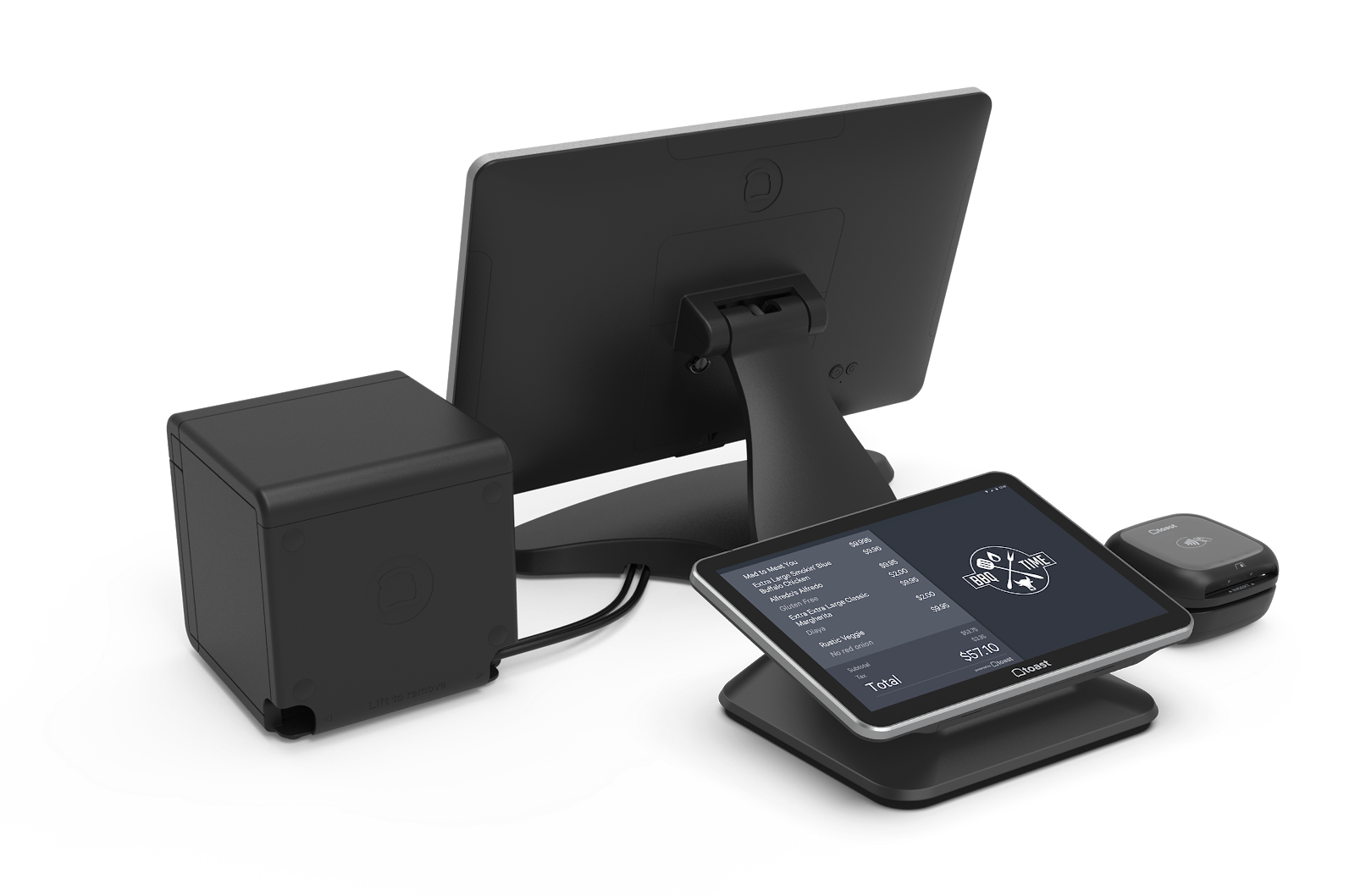
| Dispositivo Toast | Pasos obligatorios |
| Todos los dispositivos de Toast | Elimina las aplicaciones no aprobadas por Toast, incluidas las de música, correo electrónico y redes sociales. Acepta y descarga las actualizaciones de firmware más recientes cuando se te solicite en el dispositivo. |
| Toast Go® 2 y Toast Go® 3 | Cuando se te solicite en el dispositivo, acepta actualizaciones de firmware y completa el breve flujo de trabajo de configuración del dispositivo. |
| Toast Go® 1 | Cuando se te solicite en el dispositivo, acepta las actualizaciones del firmware. Estos se instalan automáticamente. |
| Toast Flex | Cuando se te solicite en el dispositivo, acepta actualizaciones de firmware y completa el breve flujo de trabajo de configuración del dispositivo. Esto ocurre automáticamente. |
| Elo V2 terminal | Cuando se te solicite en el dispositivo, acepta actualizaciones de firmware y completa el breve flujo de trabajo de configuración del dispositivo. Esto ocurre automáticamente. El flujo de trabajo de configuración requiere un restablecimiento de fábrica y borra automáticamente todas las aplicaciones que no sean de Toast en el dispositivo. |
| Terminal Puesto de pedidos Elo | No descargues ninguna nueva versión del firmware en el dispositivo si se te solicita. |
| Elo V1 terminal | Cuando se te solicite en el dispositivo, acepta las actualizaciones del firmware. Estos se instalan automáticamente. |
| Dispositivos auxiliares Toast (por ejemplo, escáneres de códigos de barras, balanzas y pantallas de poste) | En este momento, ningún dispositivo auxiliar requiere actualizaciones de firmware. |
Para eliminar aplicaciones que no son de Toast, consulta Eliminar aplicaciones que no son de Toast de un dispositivo de Toast.
Nota: Después de que tus dispositivos migren a la red segura de Toast, solo podrán ejecutar el tráfico de toasttab.com y ya no llegarán a otros sitios web, incluidas las redes sociales y los sitios web personales.
¿Cómo puedo prepararme antes de que se me pida que actualice?
Puedes prepararte antes de que se te indique si eliminas las aplicaciones que no son de Toast de tus dispositivos Toast y eliminas cualquier dispositivo que no sea de Toast de tu red segura de Toast. Una vez que se te indique, tus dispositivos migrarán a una red de Toast con seguridad mejorada que solo permite el tráfico de toasttab.com. Para obtener ayuda sobre cómo eliminar aplicaciones, consulta Eliminar aplicaciones que no son de Toast de un dispositivo Toast.
¿Cuál es la diferencia entre una red administrada por Toast y una autogestionada?
La diferencia entre una red administrada por Toast y una autogestionada es quién gestiona la red y qué dispositivos están permitidos en ella.
En una red gestionada por Toast, solo los dispositivos aprobados por Toast pertenecen a la red. Retira los dispositivos que no sean de Toast, como celulares personales, computadoras portátiles, televisores y altavoces. Para mantener esos dispositivos en línea, es posible que debas comprar un enrutador o punto de acceso adicional para ejecutarlos por separado. El enrutador que vino con tu hardware de Toast está pensado solo para hardware de Toast.
En una red autogestionada, gestionas tu propia red y no se requiere ninguna acción para esta actualización de seguridad.
¿Dónde puedo encontrar mi contraseña de Wi-Fi de Toast?
Para encontrar tu contraseña de Wi-Fi de Toast, inicia sesión en Toast Web y ve a Cuenta de Toast > Configuración de Wi-Fi. Luego, selecciona el ícono de ojo para mostrar tu contraseña de Wi-Fi administrada por Toast. La contraseña se almacena en Toast Web, no en el dispositivo en sí. Para obtener detalles completos, consulta Localizar tu contraseña Wi-Fi de Toast.
Nota: Si usas una red autogestionada, comunícate con tu gerente de red o proveedor de servicios de internet para obtener la contraseña. Toast no almacena contraseñas para redes que no gestiona.
También se le preguntó como:
-
- ¿Cómo encuentro mi contraseña de Wi-Fi de Toast para configurar un dispositivo portátil?
- ¿Cuál es la contraseña de mi Wi-Fi segura de Toast?
- ¿Dónde está la contraseña de Wi-Fi de mis dispositivos Toast?
¿Puedo instalar aplicaciones que no son de Toast en mis dispositivos Toast?
No puedes instalar ni ejecutar aplicaciones de terceros en dispositivos Toast. Esta restricción protege la seguridad de la red y los dispositivos. Para obtener orientación relacionada, consulta ¿Puedo ocultar el navegador en mi dispositivo POS?.
Uso una tableta que no es de Toast para pedidos digitales de terceros con una Impresora Toast. ¿Esto seguirá funcionando?
Una tableta que no es de Toast que envía pedidos a una Impresora Toast ya no funcionará, porque la tableta que no es de Toast no puede conectarse al Wi-Fi dedicado de Toast y, por lo tanto, no puede enviar información a la Impresora Toast. Para agilizar los pedidos digitales de terceros, revisa las integraciones de pedidos digitales disponibles a través de Toast.
Mi dispositivo Toast está conectado a una red incorrecta. ¿Cómo puedo volver a conectarlo a la red Wi-Fi segura?
Si tu dispositivo Toast está en una red incorrecta, vuelve a conectarlo a tu Wi-Fi segura de Toast olvidando otras redes y volviendo a iniciar sesión:
-
- Ciclo de energía del dispositivo.
- Olvida todas las redes guardadas en el dispositivo. Para conocer los pasos específicos de tu modelo de dispositivo, consulta Olvidar una red en un dispositivo Toast.
- Cierra sesión en la aplicación Toast por completo, de modo que la aplicación te pida tu dirección de correo electrónico y contraseña.
- Abre la configuración de Wi-Fi y conéctate a la red que termina en “_SECURE”. En algunos casos, es posible que solo veas la red “_TOAST”. Si necesitas la contraseña, consulta Localizar tu contraseña Wi-Fi de Toast.
- Abre la aplicación Toast, inicia sesión con tu dirección de correo electrónico y contraseña, e ingresa tu código de acceso para registrar la entrada.
Resultado previsto: El dispositivo se conecta automáticamente a la red que termina en “_TOAST” y borra el banner sin conexión.
Nota: No todas las redes de Toast incluyen una red “_SECURE”. Algunas ubicaciones solo tienen una red “_TOAST” disponible. Si el dispositivo aún no se conecta después de estos pasos, consulta Dispositivos portátiles no conectados a red segura o ponte en contacto con el servicio de atención al cliente de Toast.
¿Cómo mantengo mis dispositivos Toast en la red Wi-Fi correcta?
Para mantener tus dispositivos Toast en la red Wi-Fi correcta, olvida todas las redes, excepto la red segura de Toast en cada dispositivo:
-
- Abre la configuración de Wi-Fi.
- Olvida todas las redes en el dispositivo, excepto aquellas con nombres que terminan en “_TOAST”.
Repite esto en todos los dispositivos Toast que se conecten a través de Wi-Fi. Para conocer los pasos específicos de tu modelo de dispositivo, consulta Olvidar una red en un dispositivo Toast. Si necesitas tu contraseña, consulta Localizar tu contraseña Wi-Fi de Toast.
Resultado previsto: Cada dispositivo permanece conectado a la red que termina en “_TOAST” durante todo el servicio.
¿Puedo seguir procesando pagos con tarjeta si mis dispositivos tienen problemas de seguridad?
Aún puedes procesar pagos con tarjeta para pedidos digitales incluso si un dispositivo no puede recibir pagos con tarjeta en persona porque no ha terminado una actualización de firmware o seguridad obligatoria. Un dispositivo se bloquea de esta manera cuando te solicita actualizar y esa actualización todavía no se aceptó ni se instaló por completo. Mientras se actualiza ese dispositivo, todavía puedes procesar pagos con tarjeta para pedidos realizados a través de Pedidos digitales Toast o una integración de pedidos digitales de terceros, y para pagos móviles y pedidos Toast Pedidos y Pagos®. Para restaurar los pagos en persona, sigue las instrucciones de actualización que se muestran en la aplicación Toast en ese dispositivo. Si el dispositivo aún no acepta pagos con tarjeta después de que finalice la actualización, ponte en contacto con el servicio de atención al cliente de Toast.
Artículos relacionados
- Eliminar aplicaciones que no son de Toast de un dispositivo de Toast
- Olvidar una red en un dispositivo Toast
- Dispositivos portátiles que no se conectan a una red segura
- Localiza tu contraseña de Wi-Fi de Toast
- ¿Puedo ocultar el navegador en mi dispositivo POS?