Cet article n’est pas disponible dans votre langue. Affichage de la langue par défaut.
Get Started With the Tabbed Integration
Dernière mise à jour : 16 juin 2026, 14 h 13
Learn how to set up the Tabbed integration with Toast.
| This integration requires access to Toast Partner Integrations. To learn more, see Set Up Toast Partner Integrations. |
- Tabbed Integration Features
- Enable Tabbed Integration With Toast
- Tabbed Integration: Troubleshooting and Support
Tabbed Integration Features
Give your guests a seamless finish and your staff an extra hand.
Tabbed brings frictionless payments and real-time guest insights right to your dining room, completely eliminating the traditional checkout hassle. By removing the wait for the check, your servers can focus on what they do best: delivering memorable hospitality with the help of instant guest preferences. It’s a simpler way to delight your diners and empower your team, all at once.
Enable Tabbed Integration With Toast
To enable the Tabbed integration with Toast, follow these steps:
- To enable Tabbed with Toast, log into Toast Web and navigate to Integrations > Integrations management > Browse & purchase integrations.
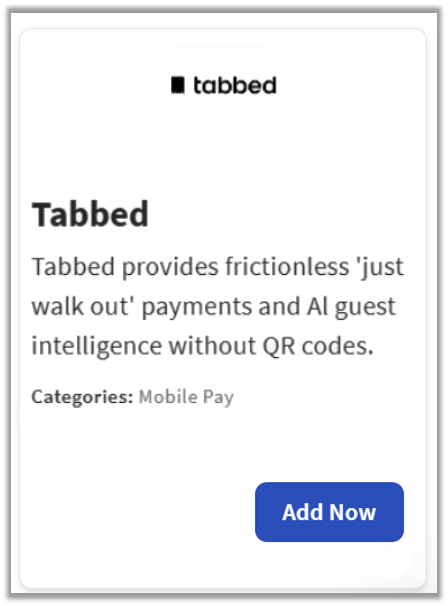
- Enter Tabbed in the search field and select Add Now.
- If you have multiple locations, please select the restaurants you would like to connect to Tabbed. Finally, select Apply.
- Note: Your restaurant must have access to Toast Partner Integrations to add this integration. To learn more, see Set Up Toast Partner Integrations.
- Review the data scope visibility terms and conditions, and select Confirm to accept. See the Data Scope Visibility article for more information.
- Once you select Add Now on the Tabbed tile in Toast Web, you will select which restaurant(s) you would like to connect to your Tabbed account, and select Apply
- After you select Apply, you will be forwarded to a confirmation screen.
- After adding the integration in Toast Web, the Tabbed team will reach out to you directly to start your account setup and onboarding if you have yet to create your Tabbed account.
Tabbed Integration: Troubleshooting and Support
For any questions or support issues relating to the Tabbed integration, you can contact Tabbed at:
- General Support
- Email: contact@tabbedinc.com or grant@tabbedinc.com
- Phone Number: (908) 458-7649 | 10:00 a.m. - 11:00 p.m. EST | Monday to Sunday