Add an Age Verification Pop-up Window to Your Website
本文章目前没有您语言对应的版本。正在显示默认语言。
Add an Age Verification Pop-up Window to Your Website
上次更新时间:2026年3月24日 11:21
问题
How do I add a "21 and over" popup to my website?
How do I add an age verification pop-up window to my website?
回答
To add an age verification pop-up window to your Toast website, follow these steps:
In Toast Web, navigate to Websites > Editor & Branding.
Select the Edit Site button.
Scroll down to the Verification section and select the 21+ Verification template.
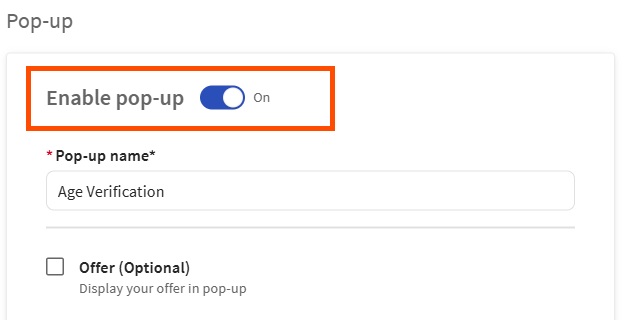
Enable the Age Verification pop-up window by toggling the Enable pop-up setting to the on position. From the pop-up window page, you'll be able to configure its layout, content, placement, visibility, how it appears on the page, and how it closes.
Once pop-up settings are configured, select Done.
Select the Publish button to publish your changes.