翻译仅供参考。您与 Toast 签署的任何法律协议(包括但不限于《商户协议》和《终端用户许可协议》),其订立语言可能不同于以上页面所使用的语言,无论是否提供本页面其他语言的译文,均应以您所签署的协议条款为准
Elo 客户面显示屏电缆指南
上次更新时间:2026年9月16日 14:10
问题
我需要购买哪些电缆来连接我的 Elo 客户面显示屏 (GFD)?
回答
如果连接您的 Elo 设备与 GFD 显示屏的电缆损坏,必须购买新电缆以恢复功能。
有两种类型的电缆用于连接您的 Elo 设备与 GFD 显示屏。
- USB-B 转 USB-A
- Micro HDMI 转 HDMI
确定您需要哪种电缆的最佳方法是使用下面的图片,并将此电缆与您当前使用的电缆进行比较。
一旦您确定了所需的电缆,您可以选择颜色和长度。GFD 直接连接需要较短的电缆,而 GFD 台面连接则需要较长的电缆。
注意:Toast 不再销售这些电缆。您需要从第三方购买这些电缆。Toast 对于未通过 Toast 直接购买的任何电缆或设备不承担责任。
| 电缆描述 | 电缆图片 |
| Elo DA GFD / USB-B 转 USB-A 短(黑色) | 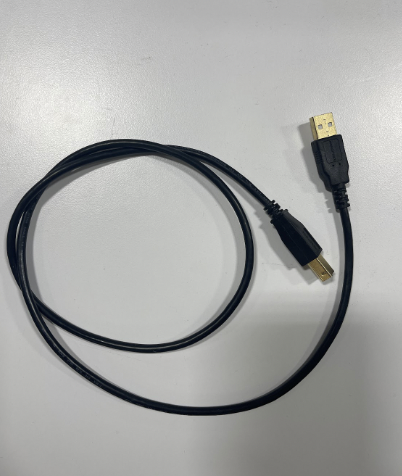 |
| Elo OC GFD / USB-B 转 USB-A 长(黑色) | 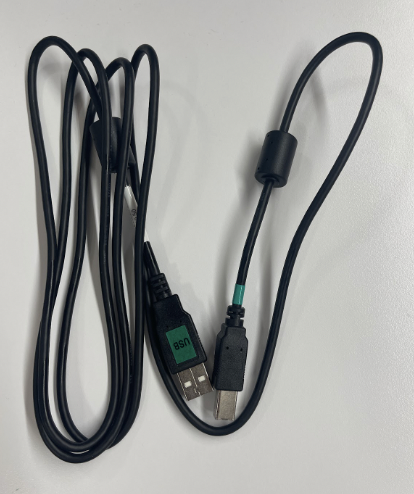 |
| Elo OC GFD / USB-B 转 USB-A 长(白色) | 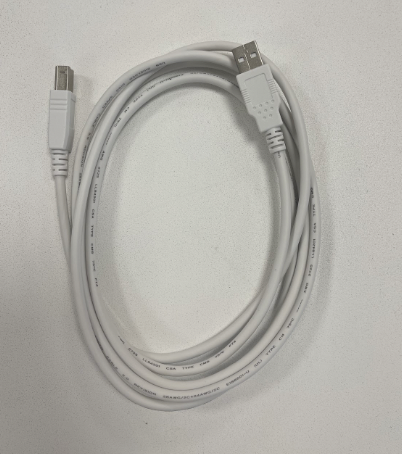 |
| Elo DA GFD / USB-B转USB-A短线(白色) | 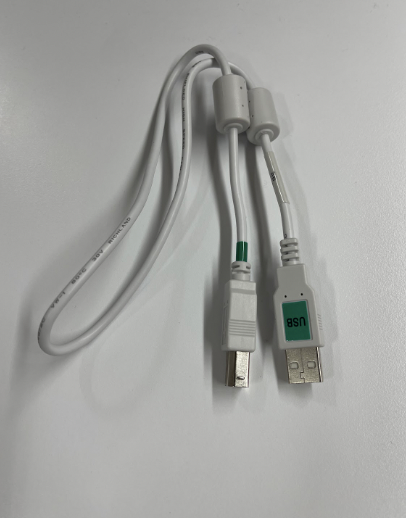 |
| Elo DA GFD / Micro HDMI转HDMI短线(黑色) | 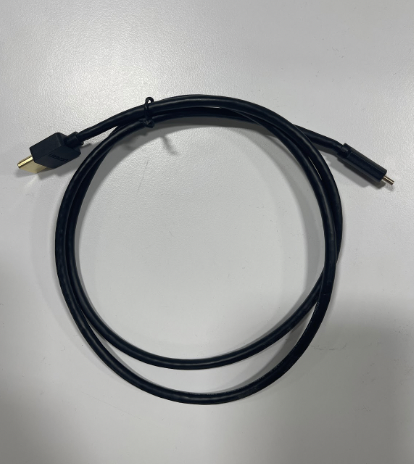 |
| Elo OC GFD / Micro HDMI转HDMI长线(黑色) | 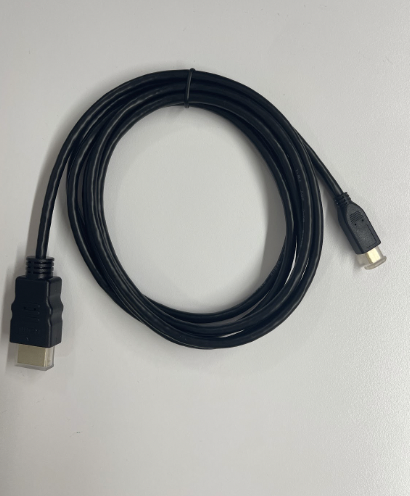 |
| Elo OC GFD / Micro HDMI转HDMI长线(白色) | 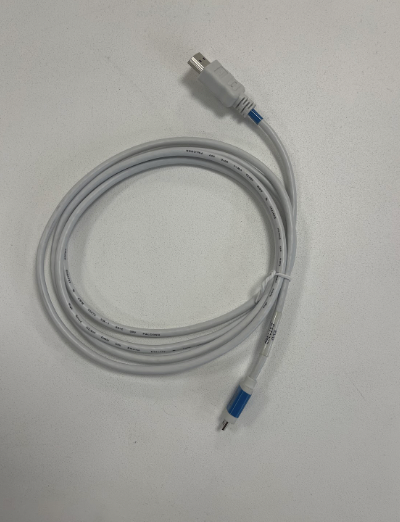 |
| Elo DA GFD / Micro HDMI转HDMI短线(白色) | 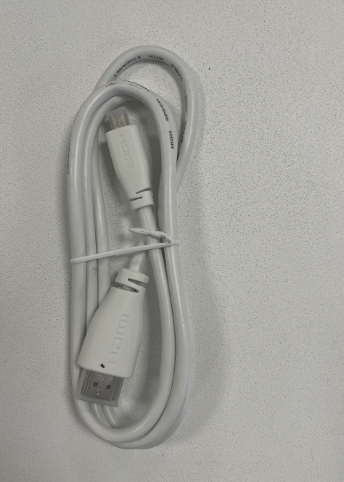 |
| Elo GFD电源砖套件(仅黑色) | 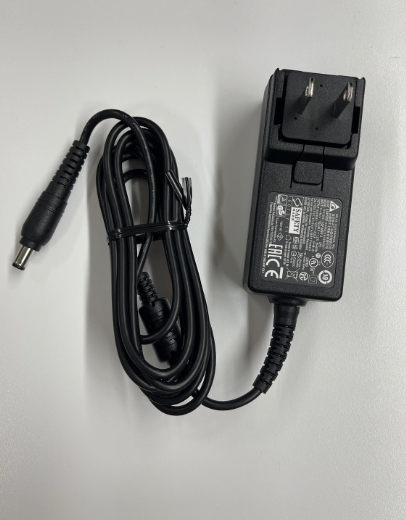 |