翻译仅供参考。您与 Toast 签署的任何法律协议(包括但不限于《商户协议》和《终端用户许可协议》),其订立语言可能不同于以上页面所使用的语言,无论是否提供本页面其他语言的译文,均应以您所签署的协议条款为准
Toast 薪资管理系统:为时间表和时间打卡/XPunch分配时区
上次更新时间:2026年4月24日 17:15
问题
我如何为时间表和时间打卡或XPunch分配时区?
回答
要为时间表和时间打卡/XPunch功能分配时区:
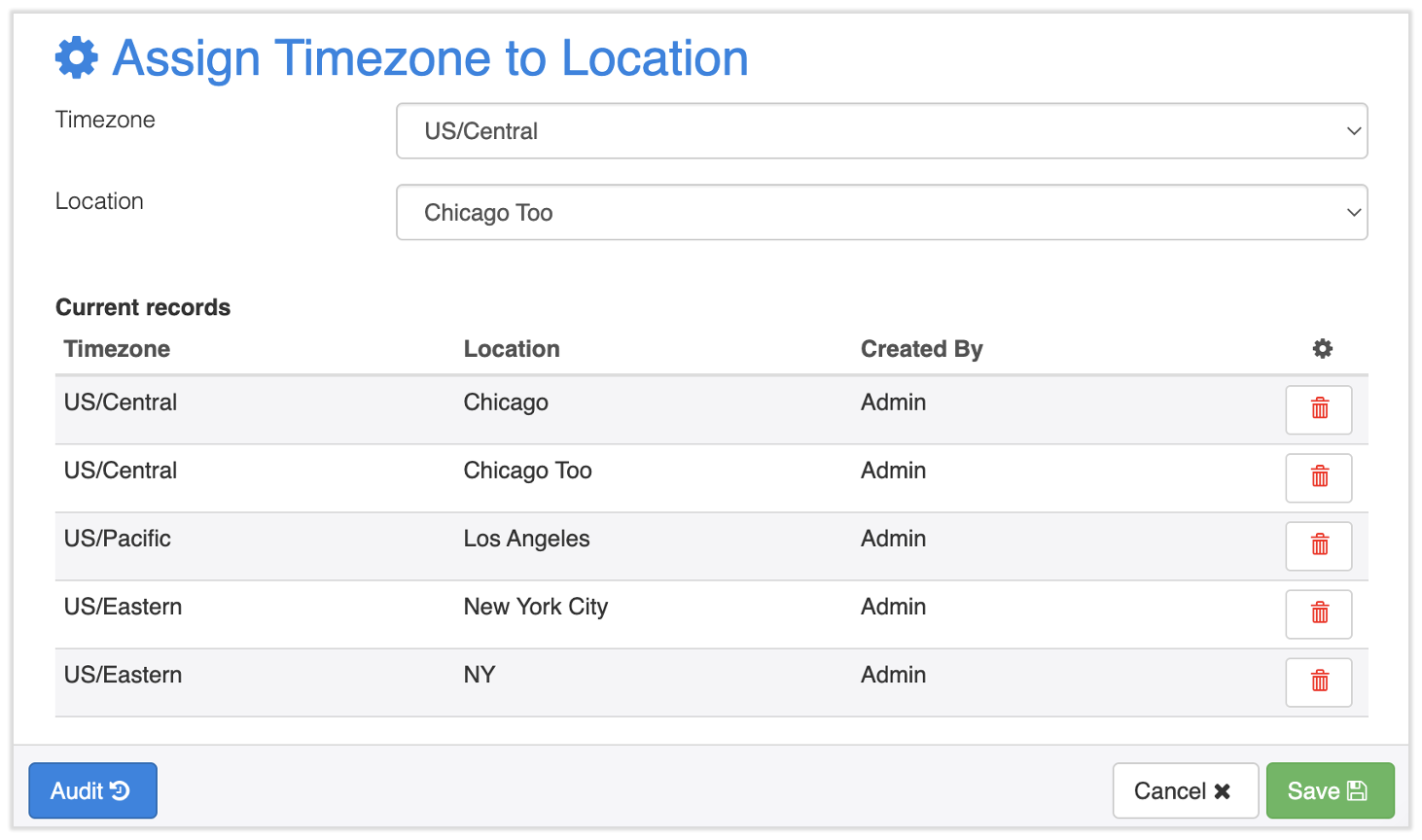
- 在Toast Payroll中,导航到设置 > 时间记录 > 分配时区。
- 选择一个位置及其相应的时区。
- 选择“保存”。
- 您将看到该位置已添加到当前记录列表中。
- 如果有多个位置,请对每个位置重复步骤2和3。您还可以使用此过程更新位置的时区。