翻译仅供参考。您与 Toast 签署的任何法律协议(包括但不限于《商户协议》和《终端用户许可协议》),其订立语言可能不同于以上页面所使用的语言,无论是否提供本页面其他语言的译文,均应以您所签署的协议条款为准
即时存款报告概览
上次更新时间:2026年9月17日 08:50
了解如何追踪您的即时存款交易。
即时存款报告概览步骤
适用产品:Toast Web | 所需权限:N/A
- 查看即时存款可用性及电子邮件通知
- 在 Toast Web 中检查即时存款交易状态
- 在对账报告中查看即时存款活动
- 在付款概览中查看即时存款金额和费用
- 在存款总额概览中检查即时存款费用
- 查看更多即时存款资源
即时存款报告流程
- 查看即时存款可用性及电子邮件通知
- 部分客户或门店可能尚未获得即时存款的使用权限。
- Toast 的新客户或新开业门店在刚开始通过 Toast 接受银行卡付款时,可能无法立即使用该功能。
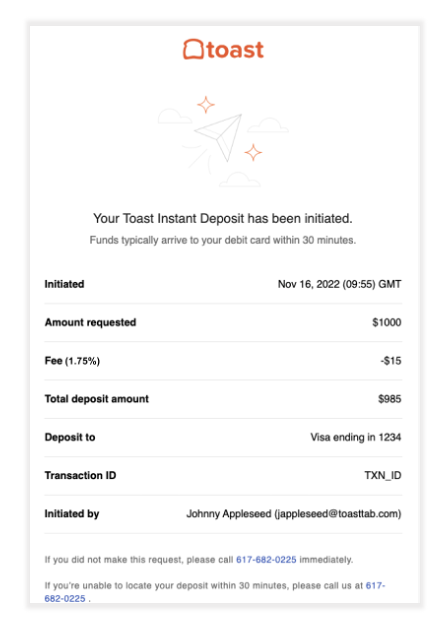
- 除了在每笔即时存款交易后发送的电子邮件通知外,您还可以查看与您的交易相关的报告。
- 在Toast Web中检查即时存款交易状态
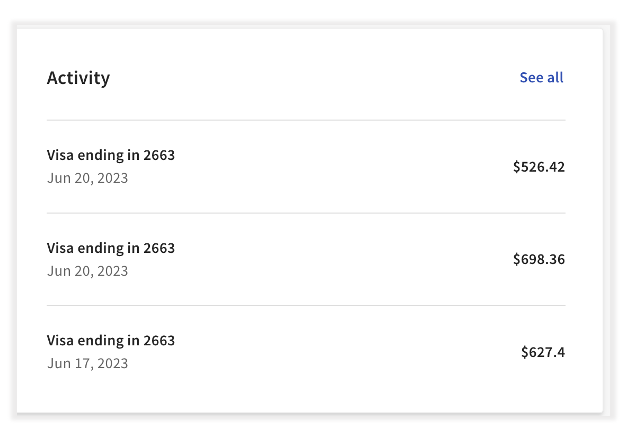
- 完成即时存款交易后,该交易会显示在即时存款主页的活动部分下。这是快速检查即时存款交易状态的最佳位置。
- 要检查即时存款交易的状态:
- 登录Toast Web并导航至财务 >付款 > 即时存款。
- 在主页面上选择即时存款交易,或选择查看全部,这将显示即时存款所有活动页面。
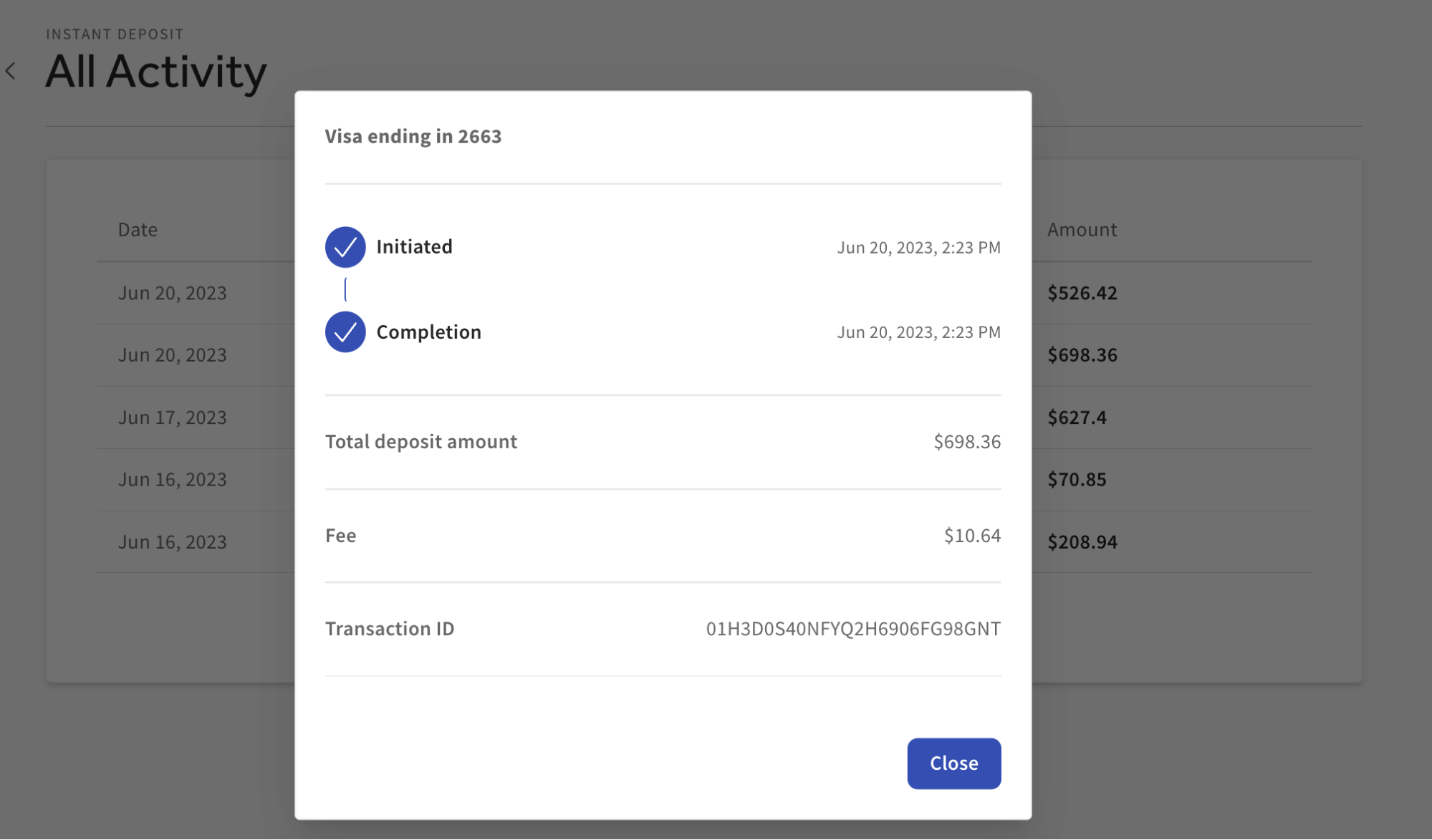
- 选择您想要查看更多信息的交易,随后会弹出一个页面,其中包含以下内容:
- 交易状态
- 即时存款交易总额
- 与即时存款交易相关的费用
- 交易ID
- 选择关闭以退出弹出页面。
- 完成即时存款交易后,该交易会显示在即时存款主页的活动部分下。这是快速检查即时存款交易状态的最佳位置。
- 在对账报告中查看即时存款活动
- 登录Toast Web并导航至报告 > 付款 > 对账。
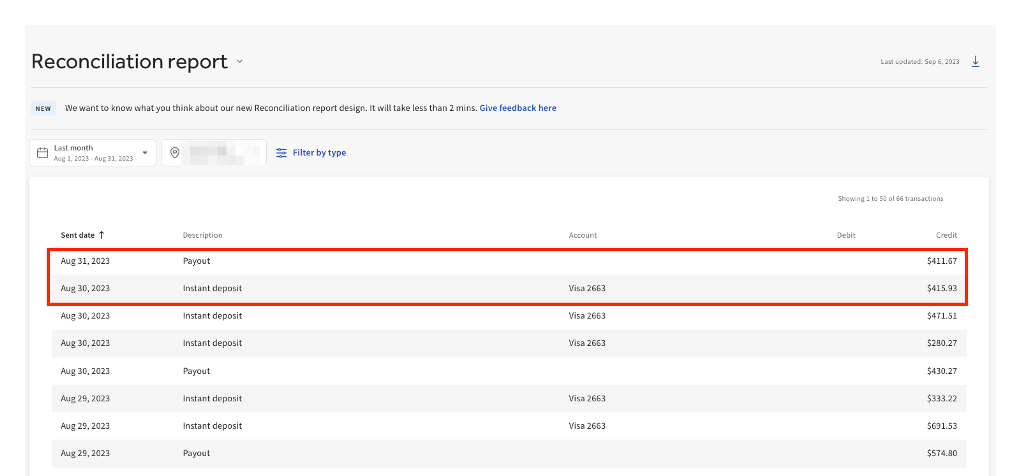
- 对账报告将自动显示餐厅地点上个月的所有付款/存款,包括即时存款交易。
- 注意:目前,对账报告上的即时存款交易项目没有任何点击跳转功能,也不会显示每个即时存款交易行项目的更深层信息。
- 在“付款概览”中查看即时存款金额和费用
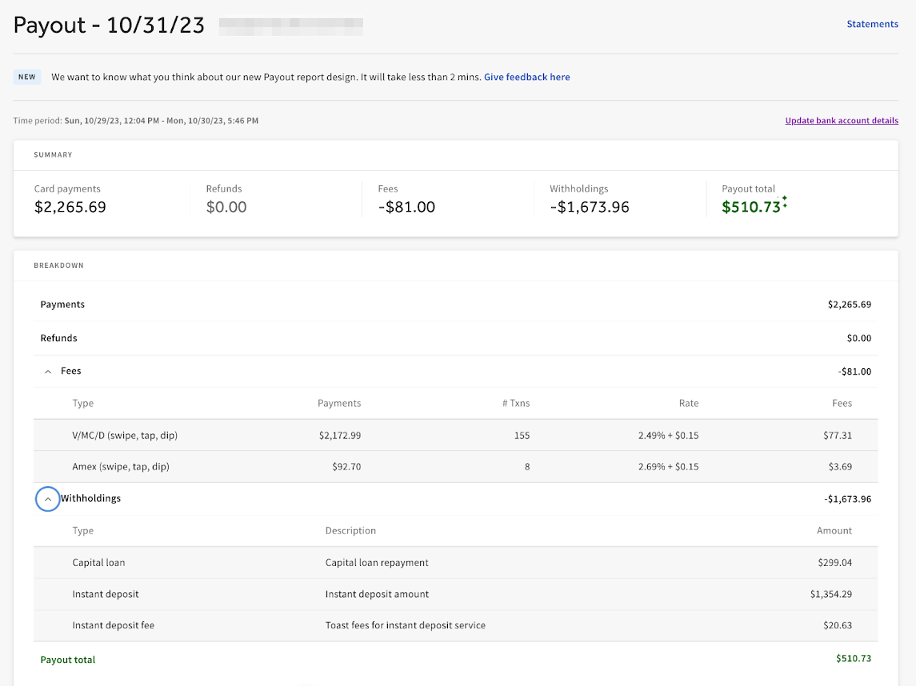
- 付款概览报告显示了指定日期范围内的即时存款金额和费用总计。
- 通过在对账报告上选择付款或导航至报告 > 付款 > 付款概览来访问此报告。
- 进入付款概览后,指定付款的即时存款交易金额及相关费用将显示在预扣款部分中。
- 即时存款:指定时间段内任何/所有即时存款交易的总金额。
- 即时存款费用:指定时间段内所有即时存款交易的费用总额。
- 在“存款总额概览”中查看即时存款费用