翻译仅供参考。您与 Toast 签署的任何法律协议(包括但不限于《商户协议》和《终端用户许可协议》),其订立语言可能不同于以上页面所使用的语言,无论是否提供本页面其他语言的译文,均应以您所签署的协议条款为准
通过 Toast Pay 实现无缝结账
上次更新时间:2026年10月2日 16:14
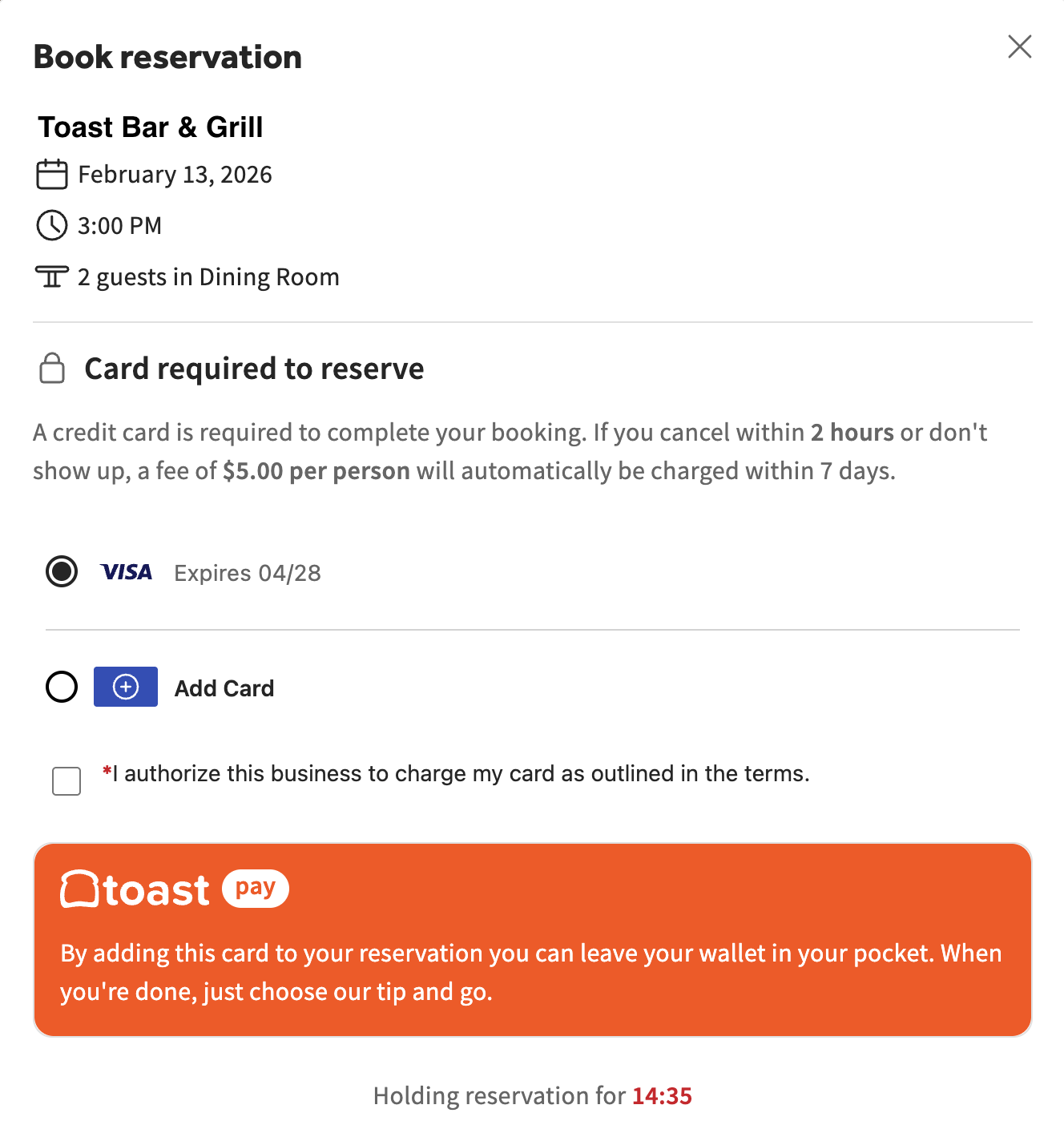
了解客人如何在预订时安全地添加信用卡,并使用 Toast Pay 的 Seamless Checkout 轻松完成付款。
| 使用 Toast Pay 保存的卡片进行无缝结账目前仅向部分客户限量开放。请稍后回来查看更新! |
无缝结账概述
为您的客人提供无缝的结账体验。当客人在预订时将信用卡保存到档案中时,服务员可以在用餐结束时跳过物理刷卡环节。只需口头确认,您就可以直接在 POS 机上使用保存的卡片信息处理付款。
注意:此功能目前处于测试阶段。如需为您的餐厅申请访问权限,请发送电子邮件至 informedhospitality@toasttab.com。获得访问权限后,您必须使用 Toast Tables 才能使用此功能。
使用无缝结账处理保存的卡片付款
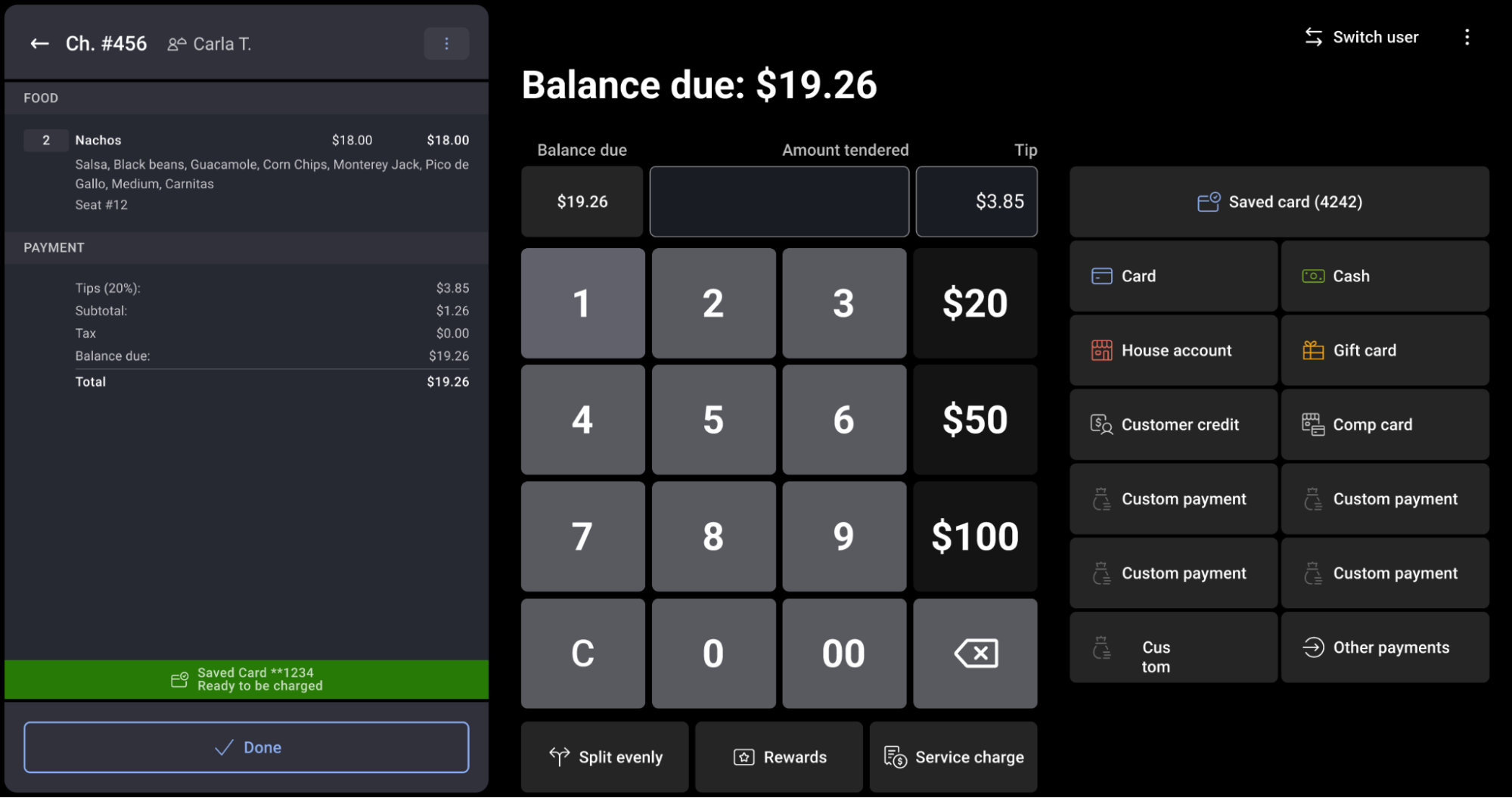
当有预订的客人入座时,他们保存的银行卡信息会被安全地关联到其餐桌和订单上。在POS机上,您会注意到账单视图中有一个绿色的 已存银行卡 栏,表明该桌客人有留存的银行卡信息。 当需要结算账单时,请按照以下步骤操作:
- 在订单界面,选择屏幕右下角的 支付 ($) 以进入 支付 界面。
- 如果客人有与预订关联的银行卡,您会在支付选项列表顶部看到一个 已存银行卡 按钮,并显示该卡的后四位数字(例如:尾号为1234的Visa卡)。
- 与客人确认:询问客人是否愿意使用他们在预订时保存的银行卡。
- 客人确认后,选择 已存银行卡。这将处理订单余额的支付。
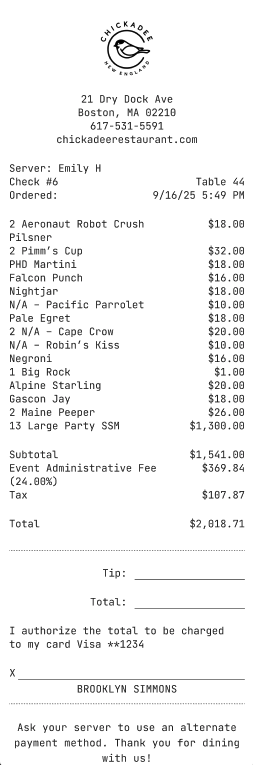
- 小费与签名:银行卡扣款成功后,POS机将直接跳转至小费界面。将设备交给客人,以便他们选择小费金额并签名,或者打印收据以进行传统的纸笔签名和小费支付。
- 小费确定并输入完成后,选择 结账。
注意:即使客人留存了银行卡信息,所有其他标准支付方式(如现金、实体信用卡刷卡/感应支付或礼品卡)在支付界面上仍然可用。
注意:保存的银行卡只有在团队成员结账时选择 已存银行卡 才会扣款,而不是在最初预订时扣款。这意味着任何扣款失败(包括银行卡无效或欺诈的情况)都会在实际扣款时显示,而不是在此之前。如果结账时银行卡扣款失败,请改用现金、实体卡或礼品卡进行支付。
无缝结账故障排除与常见问题解答
为什么我在支付界面上看不到“已存银行卡”按钮?
这通常是因为接待人员未使用数字预订簿为客人安排入座(意味着客人的资料从未关联到POS订单)。如果客人在预订时选择不保存银行卡,也可能会出现这种情况。在这种情况下,只需使用实体卡或现金收款即可。
如何关闭 Seamless Checkout?
-
- 每笔交易:您无需使用它。 已保存的银行卡 按钮是标准付款方式中的一个选项,因此服务员可以直接通过现金、刷卡、感应支付或礼品卡收款。客人还可以控制是否保存银行卡——如果客人在预订时拒绝保存银行卡,他们的账单上就不会显示“已保存的银行卡”按钮。
- 对于您的餐厅:Seamless Checkout 目前是一项 Beta 功能。