翻译仅供参考。您与 Toast 签署的任何法律协议(包括但不限于《商户协议》和《终端用户许可协议》),其订立语言可能不同于以上页面所使用的语言,无论是否提供本页面其他语言的译文,均应以您所签署的协议条款为准
设置您的 AMS1 读卡器
上次更新时间:2026年9月17日 16:28
了解如何安装和设置您的 AMS1 读卡器。
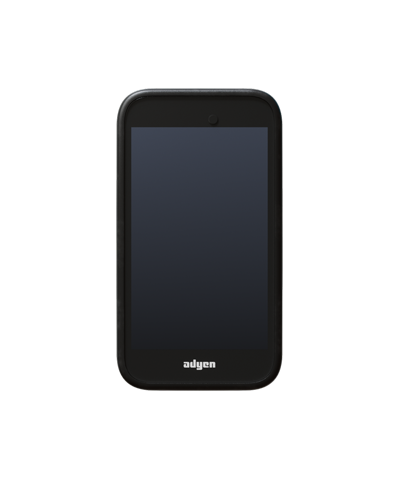
设置的第一部分是将读卡器连接到 Toast 网络并配对设备:
- 首先开箱并取出 AMS1 读卡器以及 USB-C 充电线。
- 将 USB-C 线连接到电源,为设备通电。建议在您继续执行以下设置步骤时,让设备至少充电 4 小时。
- 设备通电后(按住右侧的电源按钮),将其连接到 Toast 网络以开始入网流程。
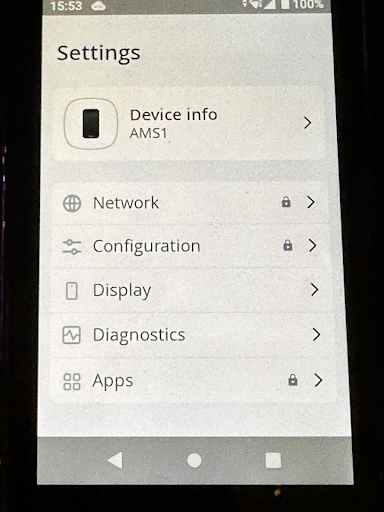
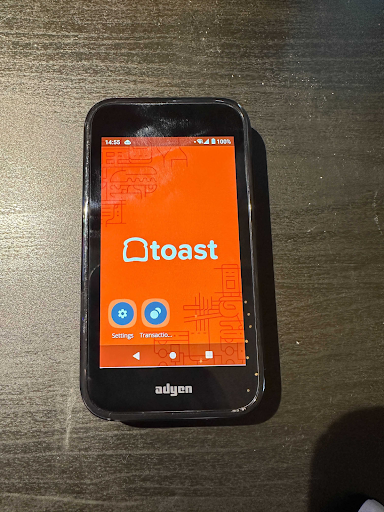
- 选择主屏幕上的设置按钮以进入管理设置。
- 如果系统提示输入密码,请输入 TOST 或 8678(使用 T9 键盘)。
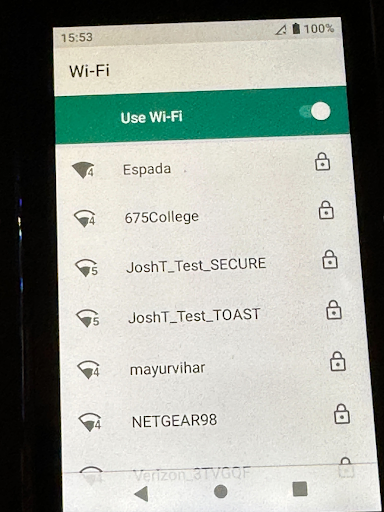
- 选择网络。
- 选择 Wi-Fi。
- 从 WiFi 列表中选择 Toast 网络并输入密码。如果网络不在列表中,请选择添加网络并输入Wi-Fi网络的名称“服务集标识符 (SSID)”和Wi-Fi密码。
- 连接成功后,选择主页按钮返回主屏幕。您现在将看到一个入网终端的选项。
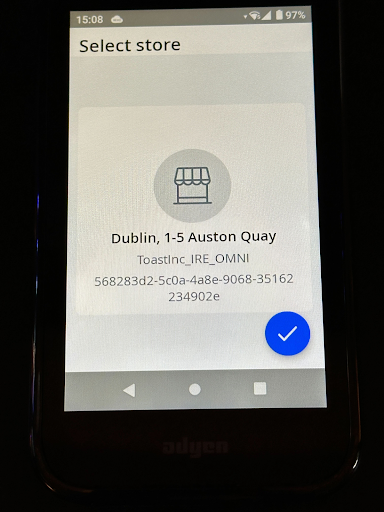
- 设备随后会提示您确认您的门店位置。请仔细核对位置是否正确,然后选择蓝色的复选标记。
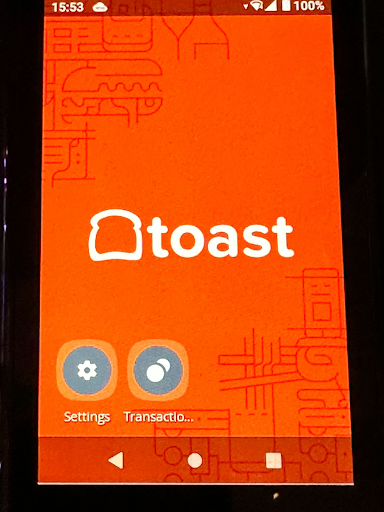
- 入网流程现已开始,可能需要长达30分钟。在此过程中,您可能会看到设备重启几次。当设备完成入网流程后,它将显示带有Toast徽标的背景,并连接到网络。
使用二维码将设备与您的Toast Go® 2配对
接下来,您需要将AMS1读卡器与您的Toast Go® 2配对。请按照以下步骤使用“扫描同步”功能配对设备。如果“扫描同步”无法使用,请跳至下一节手动配对您的设备。
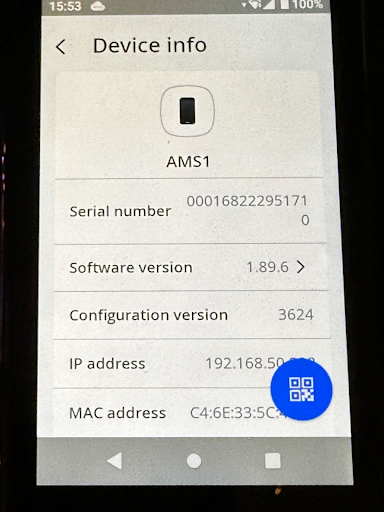
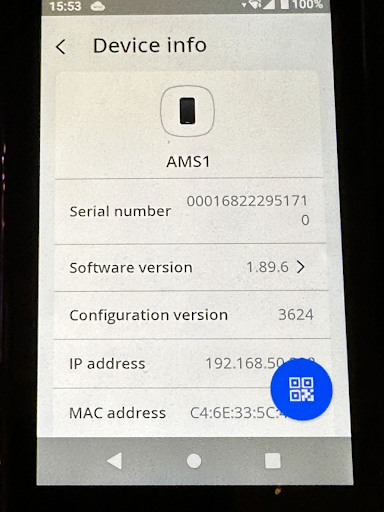
- 首先,选择AMS1上的设置图标,然后选择设备信息以打开“设备信息”页面。
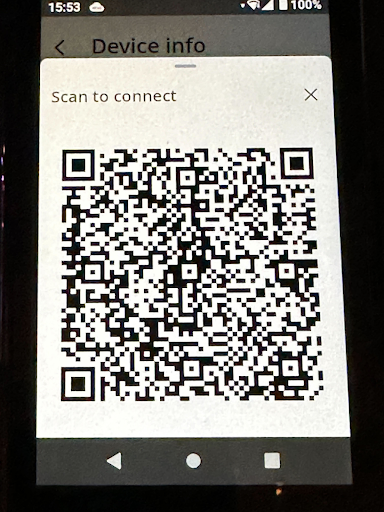
- 在“设备信息”页面的右下角,选择蓝色二维码按钮。二维码显示后,请保持此页面打开,以便您可以使用Toast Go® 2进行扫描。
- 现在,在您的 Toast Go® 2 上,打开 Toast POS 应用并导航至 设备设置。 在 设备设置 列表中,选择 读卡器。
- 选择 添加新读卡器。
- 选择 读卡器型号 > Ayden(网络)。
- 现在选择 扫描二维码,并将设备放置在屏幕上的二维码框前。
- 设备随后将进行配对。
- 请确保 Toast Go® 2 上同时启用了数字收据和 EMV 功能,否则设备将无法通信。
- 现在请确保您的设备已成功配对。通过选择 主页 按钮导航回读卡器的主页。
- 在您的 Toast Go® 2 上,创建一个测试订单,并在付款选择屏幕上选择 信用卡 选项。工作流程随后将转至读卡器。
- 在读卡器上选择小费金额,并通过感应、插入或刷卡方式进行支付。
将设备手动配对至您的 Toast Go® 2
如果您无法使用“扫描以同步”功能配对设备,则可以手动输入设备信息。您首先需要从 AMS1 读卡器上收集一些信息。
- 选择 AMS1 上的 设置 图标,然后选择 设备信息 以打开“设备信息”页面。
- 请保持此页面打开,以便您可以在 Toast Go® 2 上输入设备信息。
- 在您的 Toast Go® 2 上,打开 Toast POS 应用并导航至 设备设置。在 设备设置 列表中,选择 读卡器。
- 选择 添加新读卡器。
- 选择 读卡器型号 > Ayden(网络)。
- 输入在您的读卡器上 设备信息 页面中找到的以下信息:
- 序列号 ID:(Model-SN) AMS1-000168222951710
- 读卡器 IP:xxx.xxx.xxx.xxx
- 用户名:toastID
- 密码:您账户“全局唯一标识符 (GUID)”的前 8 个字符
- 禁用小费:决定您是否希望设备提示输入小费
- 添加此信息后,选择 完成设置。
- 设备随后将进行配对。
- 请确保 Toast Go® 2 上同时启用了数字收据和 EMV 功能,否则设备将无法通信。
- 现在请确保您的设备已成功配对。通过选择主页按钮导航回读卡器上的主页。
- 在您的 Toast Go® 2 上,创建一个测试订单,并在付款选择屏幕上选择 信用卡 选项。工作流程随后将转至读卡器。
- 在读卡器上选择小费金额,并通过感应、插入或刷卡方式进行支付。