翻译仅供参考。您与 Toast 签署的任何法律协议(包括但不限于《商户协议》和《终端用户许可协议》),其订立语言可能不同于以上页面所使用的语言,无论是否提供本页面其他语言的译文,均应以您所签署的协议条款为准
Toast的Sling:日历同步
上次更新时间:2026年6月2日 09:45
了解如何将您的已安排班次或完整日程同步到第三方日历应用程序。
同步Sling日历
Sling支持将日历同步到第三方日历应用程序,适用于高级和商业订阅。
注意:您必须使用Sling的网页版来获取日历同步链接。
同步我的Sling日程
- 前往日程选项卡并选择日历同步图标。
- 从您的日程部分复制URL。
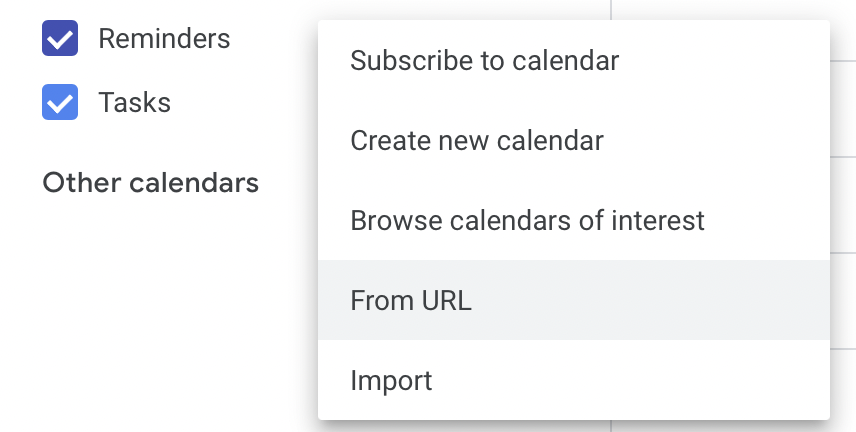
- 使用日历应用设置中的从URL选项将其添加到您的日历应用中。

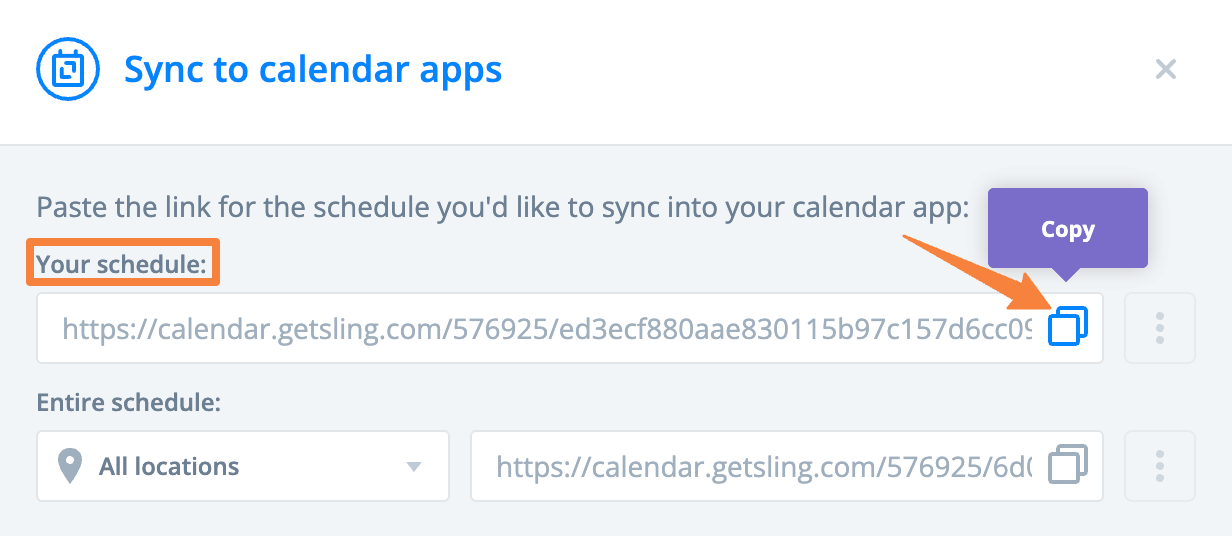
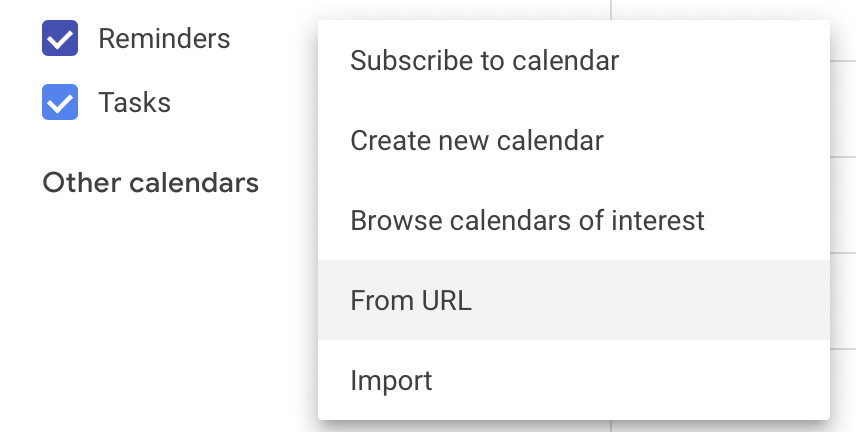
同步包括过去一个月和未来一个月的班次和休假。 等待接受的班次将在启用班次接受设置时同步。
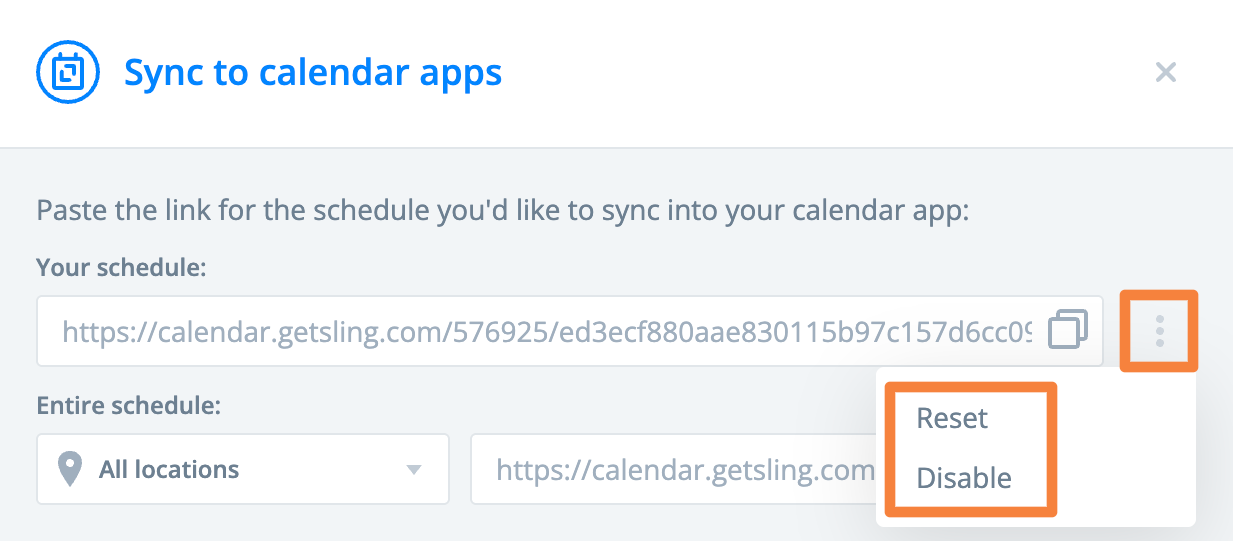
要停止同步,请在日程页面上选择日历同步图标,选择三点选项,,然后选择禁用。要刷新同步,请选择重置。
同步完整的Sling日程
- 前往日程选项卡并选择日历同步图标。
- 根据您的权限选择是否同步所有位置或特定位置,然后从完整日程部分复制URL。
- 使用日历应用设置中的从URL选项将其添加到您的日历应用中。

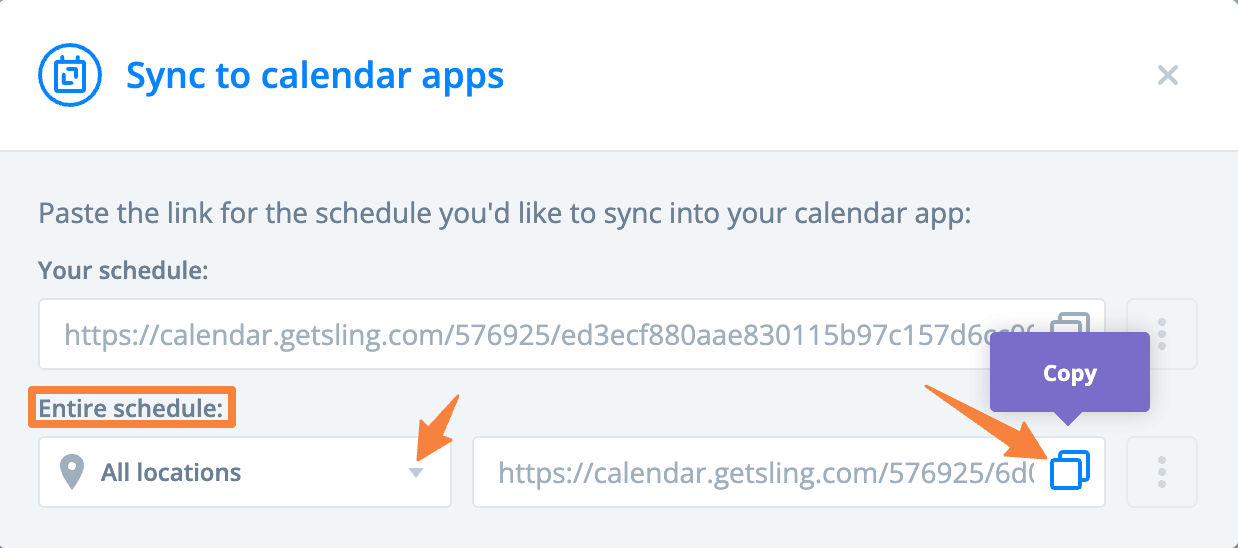
注意:仅在同步完整日程时包含已安排的班次。
更新Sling日程同步频率
日历应用程序以不同的间隔更新,具体取决于应用程序。Sling不控制刷新频率。