翻译仅供参考。您与 Toast 签署的任何法律协议(包括但不限于《商户协议》和《终端用户许可协议》),其订立语言可能不同于以上页面所使用的语言,无论是否提供本页面其他语言的译文,均应以您所签署的协议条款为准
Vertex来电显示安装指南
上次更新时间:2026年4月8日 10:17
按照本文中的步骤安装您的Vertex来电显示设备并在Toast POS上进行设置。
在Toast POS上设置Vertex来电显示
| 本文中的设置步骤适用于在2024年5月23日后从Toast订购的固件版本为140或更高的Vertex来电显示设备。 |
请按照以下步骤为您的位置设置Vertex来电显示:
- 在Toast POS上,导航到设备菜单,然后设置 > 设备设置。
- 滚动到提示接听来电并选择是。
- 返回到快速订单屏幕。
Vertex来电显示设备设置
请按照以下步骤设置Vertex来电显示。 首先进行电缆设置:
- 从Toast的Cisco Meraki(或Toast网络交换机)- 连接到管理端口。
- Toast 硬件
- 来自VoIP提供商的硬件(或VoIP流量源)- 连接到通往网关。
- Vertex设备
- VoIP电话(或带有VoIP电话的交换机)- 连接到电话。
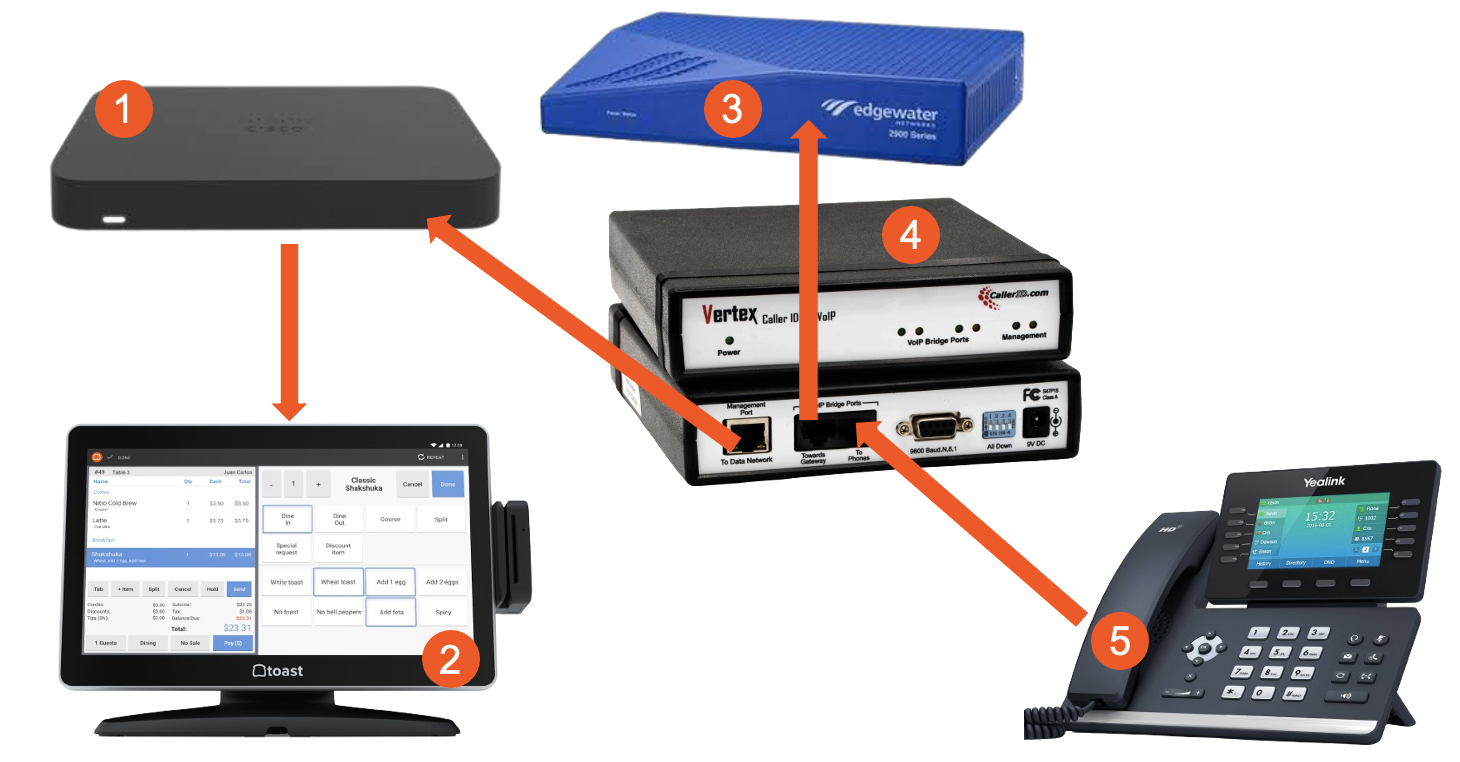
一旦连接,Vertex来电显示前面的三个琥珀灯应保持常亮。从VoIP电话拨打测试电话以确保电话正常工作。
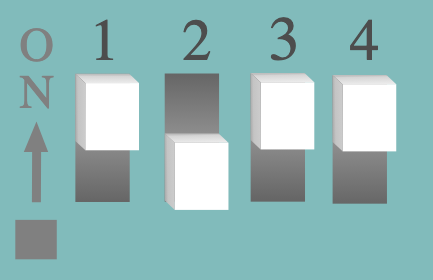
- 断开Vertex的电源。然后,将Vertex背面的拨码开关移动到以下位置:
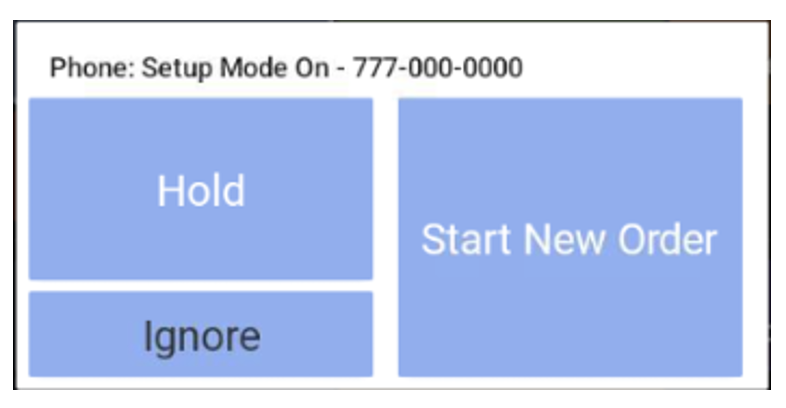
- 打开Vertex电源。大约30-60秒后,您将在快速订单屏幕上看到此弹出窗口。选择忽略。
- 从其中一部VoIP电话拨打777-123-4567。然后您将再次看到弹出窗口。再次选择忽略。
- 接下来,从任何网络浏览器(Toast POS终端或个人设备)访问Vertex电话设置说明(外部链接)。
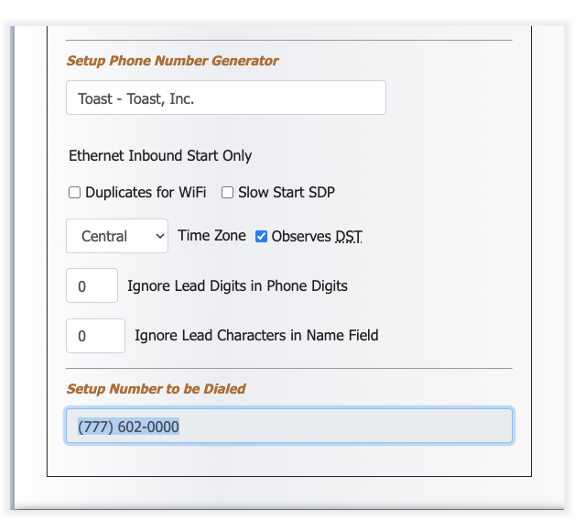
- 滚动到页面底部。请确保时区正确,并输入Toast软件格式。
- 从同一部VoIP电话拨打在设置拨打的号码下生成的号码。 您将在屏幕上看到另一个弹出窗口。选择忽略。
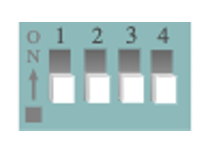
- 断开Vertex的电源,将所有拨码开关移至下方位置,然后重新连接电源。
- 拨打餐厅的测试电话以确认信息是否正确。