Assign Sales Categories in the Menu Builder
Last updated: Mar 25, 2026, 1:52 PM
Sales Category Overview
A sales category is a label used to organize sales into different groups like Food, Drinks, Retail, etc. Each menu, menu group, or menu item has a sales category setting under the Reporting section, that shows the sales category that has been assigned to it. The Sales Summary and other Toast reports use sales categories to create a breakdown of your sales, organized into more specific categories.
While you can assign sales categories in the menu builder, you must use the sales category page to create the sales categories themselves. To learn more, see this Support Center article: Create Sales Categories.
Assign Sales Categories in the Menu Builder
To assign sales categories in the menu builder, follow these steps:
- In Toast Web, navigate to Menus > Menu management > Menu builder.
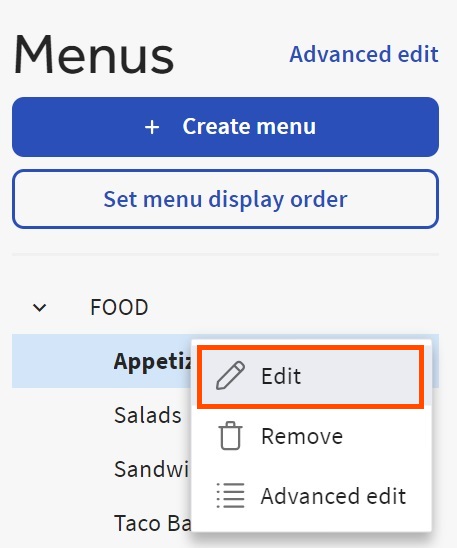
- Find your desired menu, group, or menu item and select the three dot (⋮) overflow menu icon, and then select Edit.
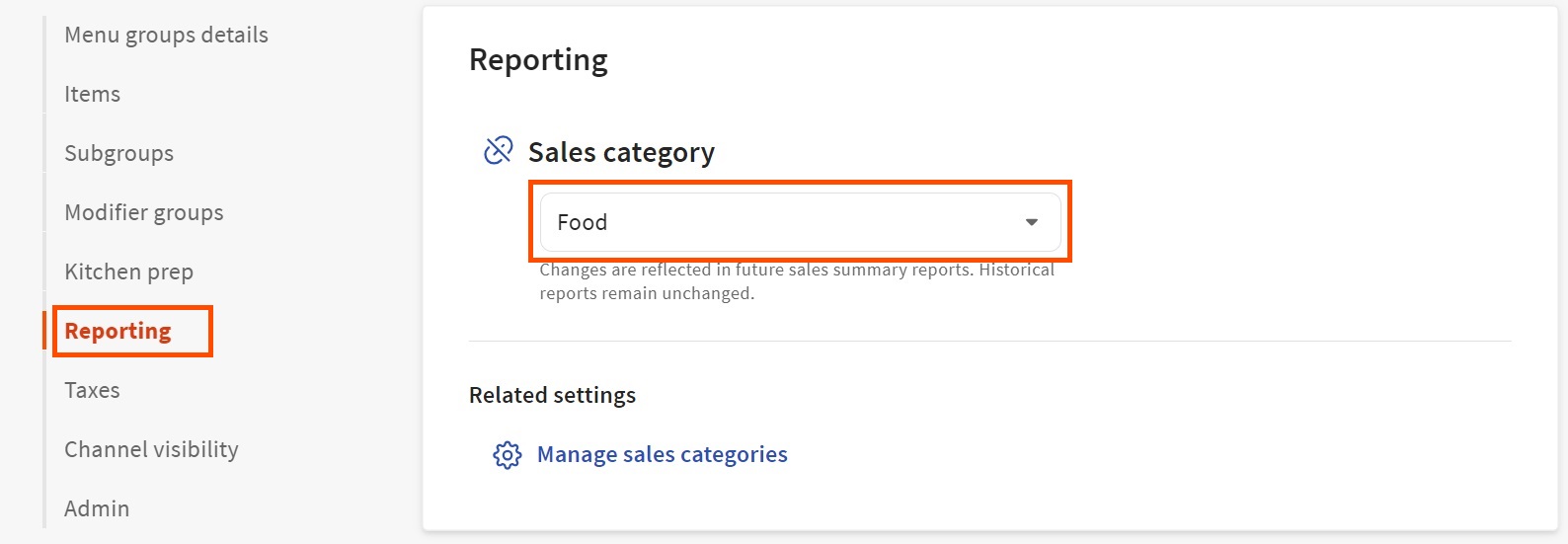
- Scroll down to the Reporting section and use the drop-down menu to select your desired Sales category.
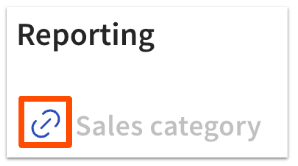
- Repeat as desired, then save and publish all changes when you're finished. You can specify a sales category at the menu, menu group, or item level. By default, menu groups inherit their sales category from their parent menus. Menu items inherit their sales category from their parent groups. If you want to change the group that this item's sales contribute to, select the link icon to unlink the configuration and then select the sales category from the list.
For information about the reports that use sales categories, see these Support Center articles:
|