Adjust Credit Card Payments
Last updated: Oct 20, 2026, 5:11 PM
Credit Card Adjustment Overview
You can adjust a credit card payment, but only if the credit card payment is in the authorized state and has not been "captured" at the end of the night credit card batch process. This is how you would adjust or refund a partial balance without needing to provide a cash refund. The Toast POS system auto-captures credit card payments every night after closeout. The credit card payments authorized throughout the day are captured into a batch and processed.
Prior to the auto-capture process, adjustments can be made following the steps below. If you make an adjustment to a card payment, your guest might temporarily see a discrepancy on their bank statements when viewing pending charges. This should clear when the payment is no longer pending on their end.
Note:
- In order to adjust authorized credit card payments, you must have the 3.8 Void/Refund Payments and 3.18 Cash Drawers (Full) permission. Read more about this permission in our Permissions Reference Guide.
- If you need information on setting up void reasons on your POS, please refer to this Support Center article: Add Void Reasons.
- Please be advised that adjustments made to the payment amount will impact reporting. If you use the Cash refund button, ensure that the correct amount is payed out to the customer accordingly to prevent any report discrepancies.
- Once a credit card payment has been authorized, we are unable to adjust it for customers in Canada, Ireland, and the UK.
- If you are looking for information about how move a card payment to another check, see Correct A Payment Made on the Wrong Check.
Adjust Credit Card Tips
- Start by navigating to the Order Manager (Payment Terminal) on your Toast POS app.
- Locate the check from the Paid or Closed Checks tab at the top of the screen. You can also use the check number by going to the search function at the top right of the screen, entering the check number, or swiping the credit card to bring up the transaction.
- If you need to make changes to the order before adjusting the payment, select Update.
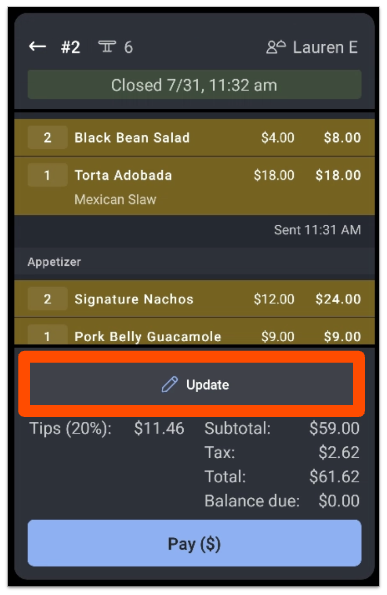
The Total amount and Balance due will automatically re-calculate based on the items you add, modify, or void.
In the example below, we have voided one Torta Adobada and added Enchiladas. The new Balance due and Total appear automatically. In this case, the restaurant now owes the guest a refund of $1.08.
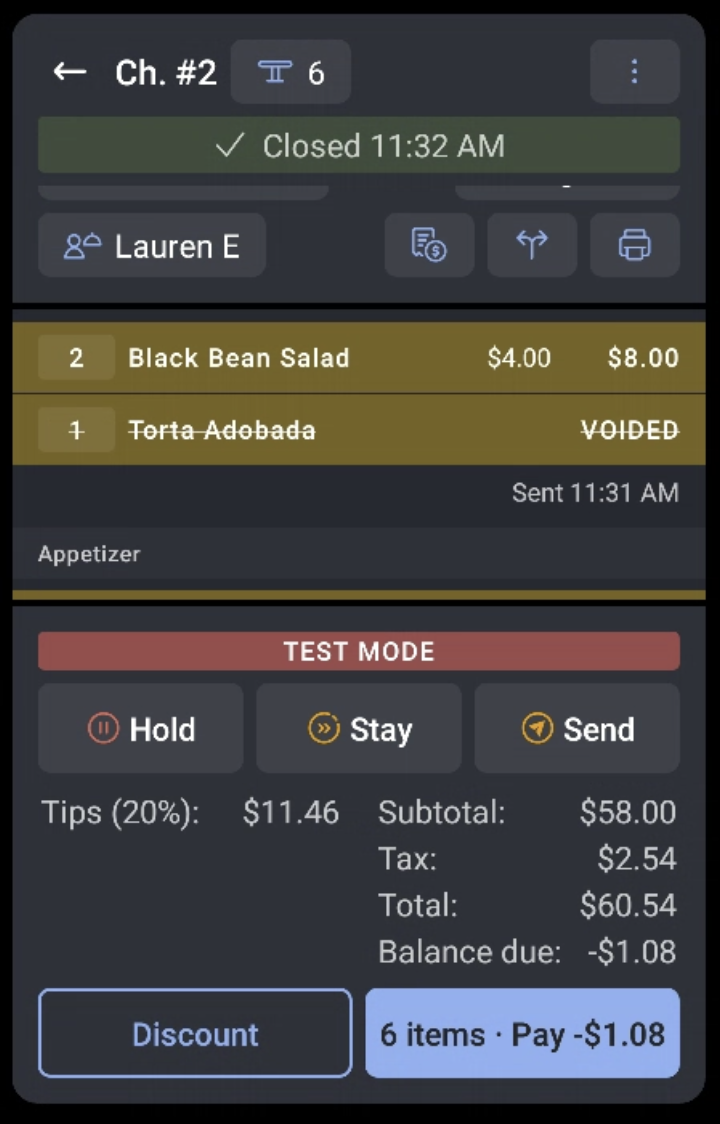
Select Pay to adjust the transaction amount, then update the credit card payment amount. In this example, after the adjustment, the restaurant owes the customer a cash refund of $1.08.
Note: If the payment already has a tip applied or uses a digital receipt, and the updated amount is lower than the original amount tendered, a confirmation dialog appears before the change is applied. Select Confirm to proceed with the lower amount, or Cancel to keep the original amount.
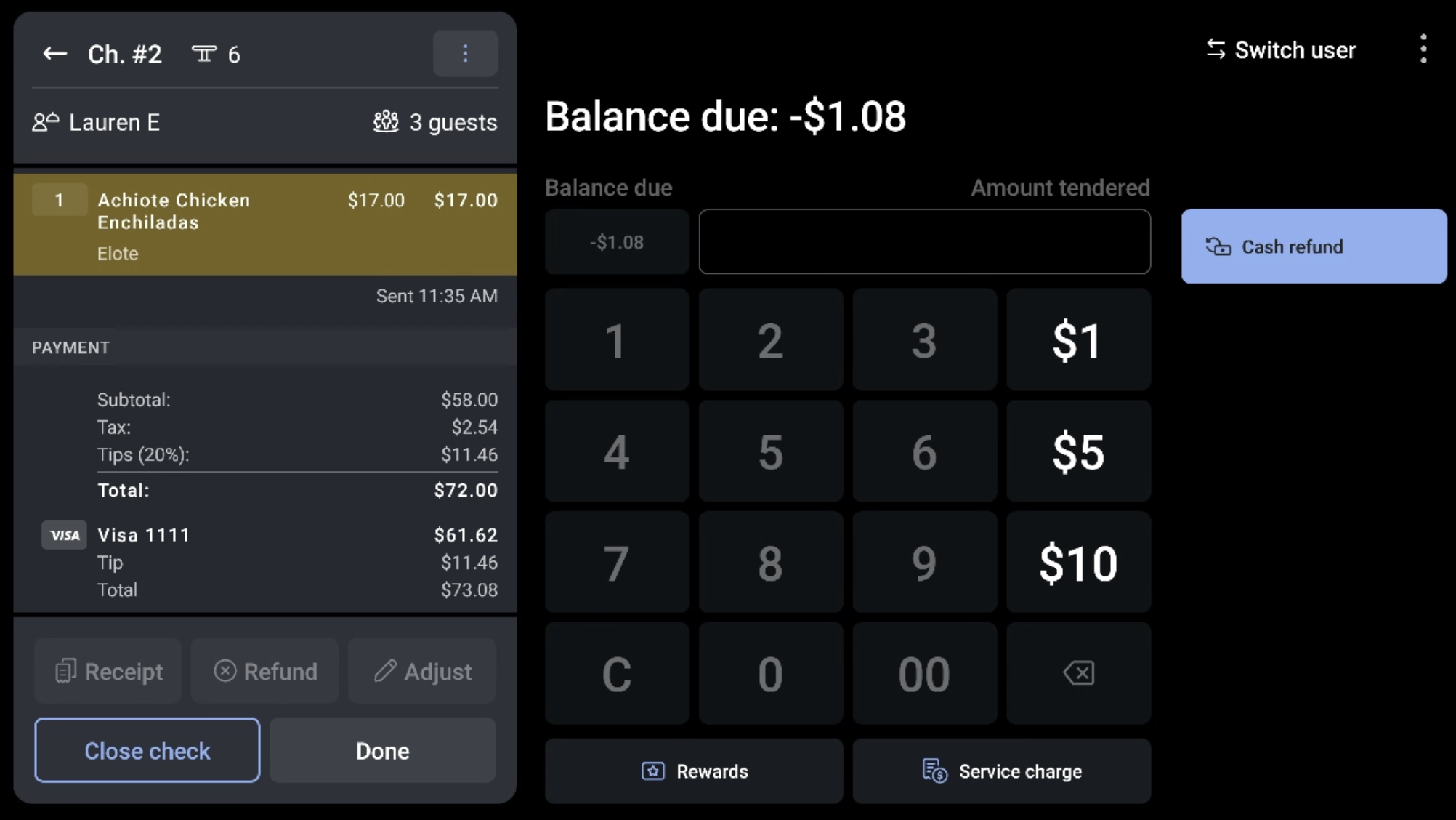
If there is a Remaining balance due, follow these steps:
- Highlight the card that is being used for the purchase and select Balance due. Then select Done.
- Since we are charging the guest more money, a box will pop up explaining that it would be better to void the transaction and re-swipe the card if possible. If that is not possible, select Adjust amount.
- You'll then be able to see the closed check under the Closed Checks tab at the top of your screen.