Archive a Service Charge
Last updated: Dec 17, 2025, 5:07 PM
Question
- How do I archive a service charge?
- What are the steps that I need to take to archive a service charge in Toast Web?
- How can I restore an archived service charge?
Answer
To archive a service charge:
- Log in to Toast Web and navigate to Payments from the left-hand side of the homepage.
- Next, scroll down and select Service charges under the Checks & receipt setup sub-header.
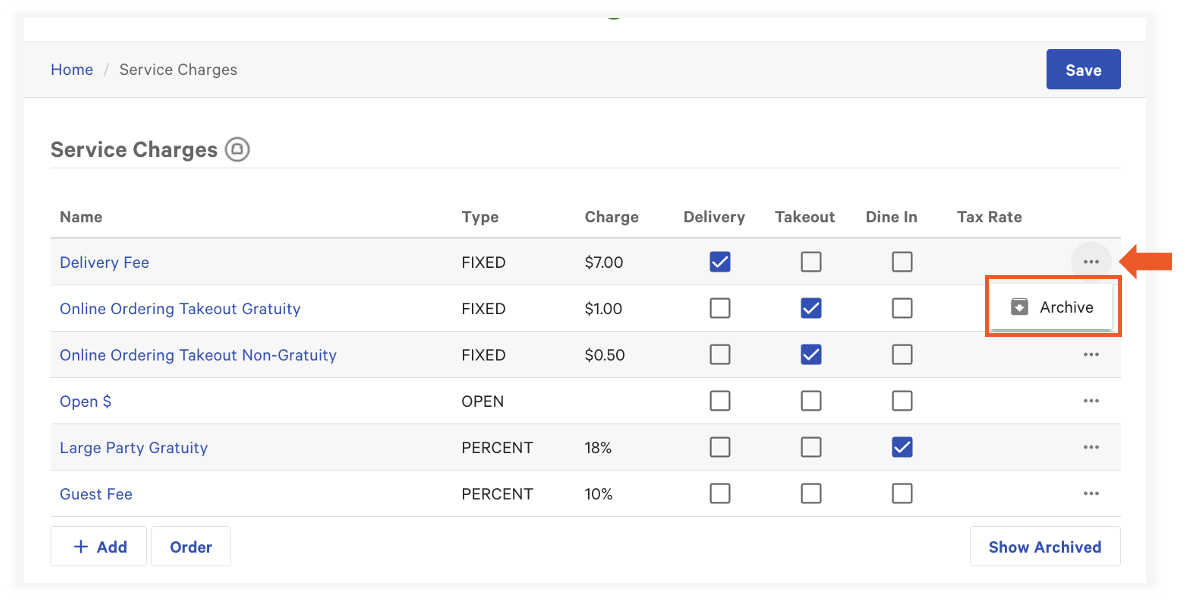
- On the service charge line item, select the overflow menu (three dots) and select Archive.
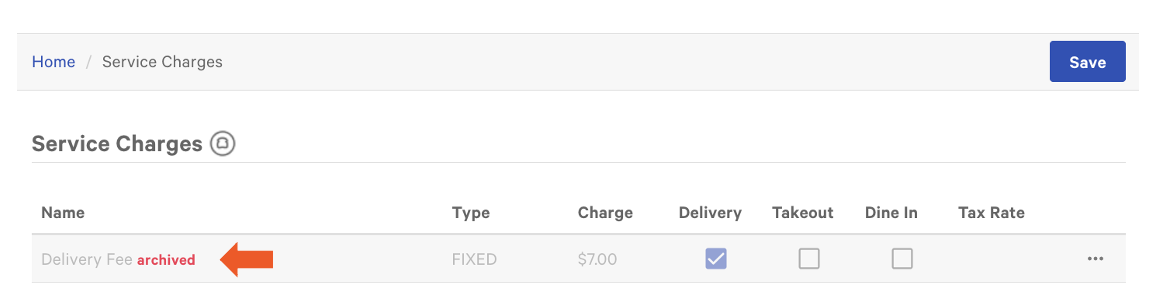
- Once selected, you will see the word "archived" in red next to the service charge.
- Save and Publish all changes.
If you'd like to restore an archived service charge, please contact Customer Care.