Assign Tax Rates in the Menu Builder
Last updated: Jun 11, 2026, 4:33 PM
| Menu Builder will be retired on September 1, 2026. To continue managing your menus, start using Menu Manager today. Menu Manager includes all the functionality available in Menu Builder, along with new tools that make menu updates easier. Learn more about Menu Manager. |
By default, menus use tax rates entered on the Tax page in Toast Web. Similarly, menu groups and items will use the same tax rate applied to the menu. If tax rates are not applied to a menu group or item, they will show up in your Sales reports. To ensure each menu, menu group, or menu item is assigned the appropriate taxes, follow the steps below within the menu builder.
Override Tax Rates Using the Menu Builder
To override the inherited tax rates for a menu entity, follow these steps:
- In Toast Web, navigate to Menus > Menu management > Menu builder.
- Select the 3 dots next to the menu or menu item that you wish to update and select Edit.
- Navigate to the Taxes > Tax rates section and select the link icon.
- Select your desired tax rates from the list.
- Save your changes.
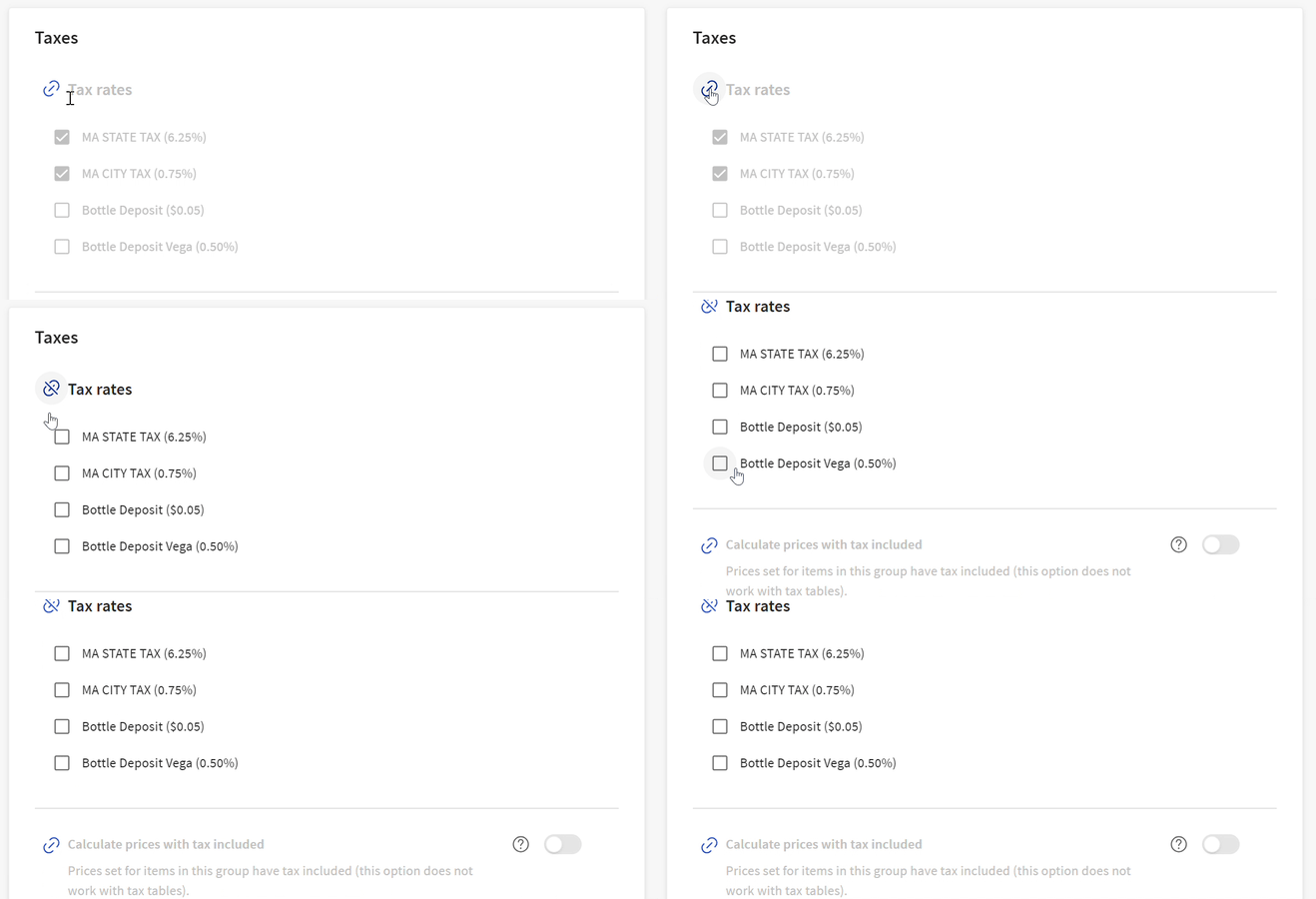
Pricing and Taxes in the Menu Builder
Calculate Prices With Tax Included in the Menu Builder
The Calculate prices with tax included option allows you to specify which menu item prices include any tax rates you have assigned. When tax is included, the guest pays the price you've set and any applicable taxes are taken out of that price instead of being added to it. This option can be used when you want a guest's check total to be a round number. This can help eliminate the need for employees to deal with coins and makes tipping simpler to calculate. To enable this feature, select the link icon, then toggle Calculate prices with tax included to the Active position.

Note: Utilizing the Calculate prices with tax included feature can decrease net revenue if the price you set does not account for applicable taxes.
To better understand the effect of tax inclusion on your revenue, consider an item that has a price of $10 and a tax rate of 7%. When the tax is included, Toast calculates a price and tax combination that equals the price you have set but also covers the applicable taxes.
When the tax is included: Toast calculates a price and tax combination that equals the price you have set but also covers the applicable taxes:
- $9.35 item price x .07 tax rate = $0.65 tax
- $9.35 item price + $0.65 tax = $10 price with tax included
- Your revenue is $9.35
When tax is not included: Toast calculates the full cost of the item plus the tax rate:
- $10 item price x .07 tax rate = $0.70 in tax
- $10 item price + $0.70 tax = $10.70
- Your revenue is $10
Your Sales report displays the item price and the tax amount that the Toast platform has calculated for any tax-included items. There you'll be able to see the breakdown of revenue versus tax when included. To get more information about the Tax Summary section of your Sales reports, visit this Support Center article: Sales Summary Report Overview.
Takeout Exception Setting for Menu Tax Rates
The Takeout exception option allows you to specify which menu items are not taxed when they are ordered for takeout. To determine if an order is a takeout order, Toast looks at the dining option associated with the order and then looks at the dining option behavior. If Takeout exception is selected, dining options that are considered takeout will not be taxed. To enable this feature, select the link icon, then toggle Takeout exception to the Active position.

Note: This option is for states that do not tax takeout orders.
For more information on dining options, see Set Up Custom Dining Options in Support Center.
Back to top