Button Colors for the Menu Bulk Import Tool Advance Template
Last updated: Mar 31, 2026, 6:21 AM
Question
What are the hex values for the bulk import tools buttons?
Answer
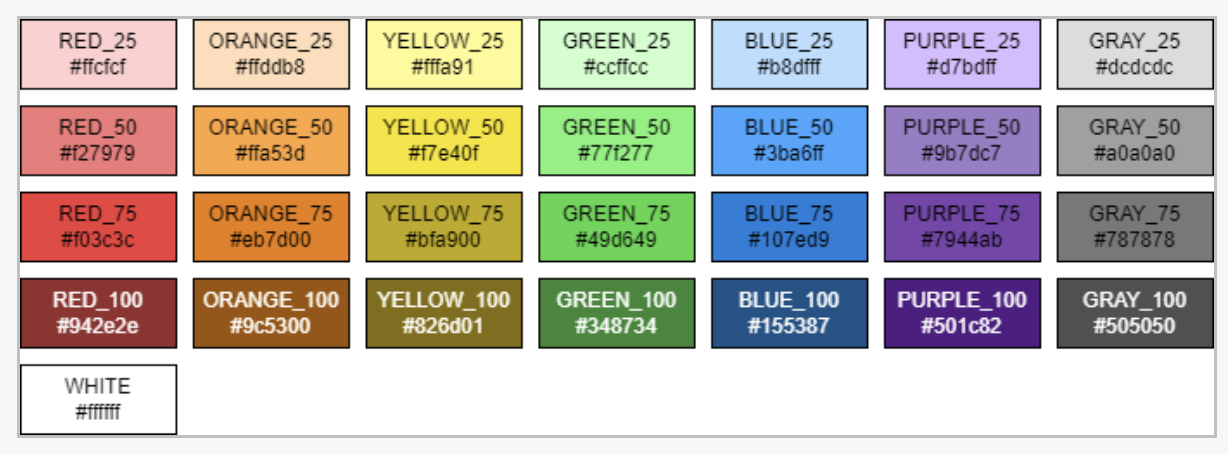
A drop-down menu where you can choose the button color for the menu entity on a Toast POS device. If you generate your import spreadsheet programmatically, the Button color column can contain either a color's name or its hex value. Color names must be in all capitals. Possible button color names and their corresponding hex values are shown below:
- WHITE (#ffffff)
- RED_25 (#ffcfcf)
- RED_50 (#f27979)
- RED_75 (#f03c3c)
- RED_100 (#942e2e)
- ORANGE_25 (#ffddb8)
- ORANGE_50 (#ffa53d)
- ORANGE_75 (#eb7d00)
- ORANGE_100 (#9c5300)
- YELLOW_25 (#fffa91)
- YELLOW_50 (#f7e40f)
- YELLOW_75 (#bfa900)
- YELLOW_100 (#826d01)
- GREEN_25 (#ccffcc)
- GREEN_50 (#77f277)
- GREEN_75 (#49d649)
- GREEN_100 (#348734)
- BLUE_25 (#b8dfff)
- BLUE_50 (#3ba6ff)
- BLUE_75 (#107ed9)
- BLUE_100 (#155387)
- PURPLE_25 (#d7bdff)
- PURPLE_50 (#9b7dc7)
- PURPLE_75 (#7944ab)
- PURPLE_100 (#501c82)
- GRAY_25 (#dcdcdc)
- GRAY_50 (#a0a0a0)
- GRAY_75 (#787878)
- GRAY_100 (#505050)