Notifications in the Toast App
Last updated: Oct 20, 2026, 11:08 AM
Set Up POS Notifications in Toast Web
Pop-up alert notifications can be configured to appear on your Toast device when one of three scenarios is met:
- New online orders - When a new online order is placed and received.
- Fulfilled tickets - When an order is fulfilled (using the Kitchen Display System) the server who placed the order will be notified on the device they log into next.
- Offline payment processing failed - If a payment was recently processed in Offline Mode and was retried (when internet connectivity is regained) and fails - users will be notified this payment was not successful.
- In Toast Web, navigate to Front of house > POS notifications > Notification setup.
- The Enabled Notifications will show blue checkmarks for every notification that is currently running. To disable a notification, uncheck the notification.
- Save and publish any changes.
You should also check your device settings to ensure that notifications are enabled for the Toast app.
- Select the Settings gear at the bottom of your screen.
- Select Apps & notifications, then choose Toast POS.
- Make sure notifications are enabled. You may need to turn up the notification volume or choose a different sound.
Email Notifications for Employees
The notifications in this article are pop-up alerts on your Toast devices. To send email notifications to specific employees — for example, when new online orders come in — set up an email list in Toast Web. For steps, see Create Email Lists and Configure Employee Notifications.
POS Notifications for New Online Orders
To help ensure online orders are not ignored/missed - especially for locations that require each online order be manually approved by a staff member or manager - this notification will send pop-up alerts when online orders are received. Selecting a notification will open the order.
Note: For some third-party ordering integrations, selecting the notification to open or update the order may show a message like "sorry, you cannot make updates to orders from this online ordering provider" for some staff members, while it works without issue for others (including the account owner). This has been observed with Uber Eats specifically; other integrations, such as ChowNow, have not shown this restriction. This appears to be governed by the third-party ordering platform rather than a Toast Web permission setting, so if staff run into this message, check the staff member’s account/role directly within that provider’s own platform (e.g., the Uber Eats Manager portal) in addition to their Toast Web permissions.
If you prefer that pop-up alert notifications appear on your Toast device when a new online order is received, follow these steps:
- In Toast Web, navigate to Front of house > POS notifications > Notification setup.
- Next to the Enabled Notifications setting, check the box next to New online orders.
- Select your desired Notification Options settings as seen in the image below.
- Save and publish your changes.
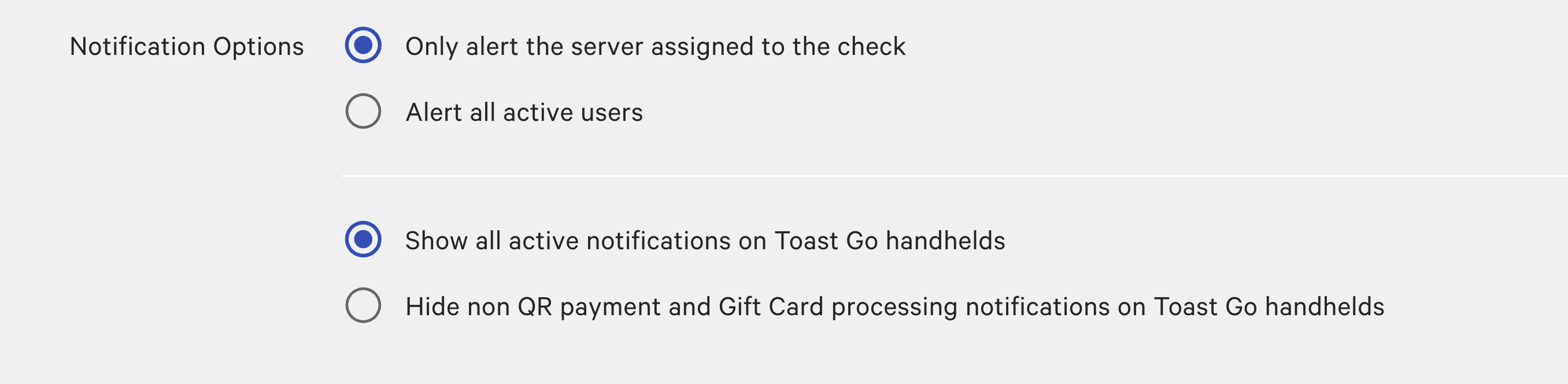
When enabled, new online order notifications will appear as a pop-up alert on your POS devices.
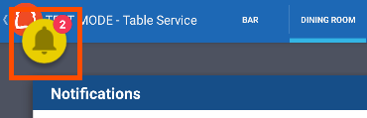
To send email notifications for new online orders to specific restaurant employees, check out this Support Center article: Create Email Lists and Configure Employee Notifications.
POS Notifications for Fulfilled Tickets
To help busy staff provide the best customer service, this notification sends pop-up alerts to individual servers when the orders they've placed have been fulfilled by the kitchen staff using the Kitchen Display System. The notification for fulfilled tickets will say "Dishes are ready to be served."
POS Notifications for Offline Payment Processing Failed
If a device is offline and a payment is taken in Offline Mode, it will be automatically sent out for authorization when the device regains online connectivity. Of course, in some cases the card may be denied for authorization, unfortunately. To make the staff aware of this payment failure as soon as possible, this notification can be enabled to send a pop-up notification when this payment processing failure is received.