Export a List of Future Orders
Last updated: Apr 8, 2026, 10:12 AM
Question
How can I download and print a list of future orders for my staff to fulfill?
Answer
Giving guests the ability to order ahead is easy and convenient if your restaurant is able to prepare those orders efficiently - using the Order Details report, you can easily export and print a list of future orders.
- In Toast Web, navigate to Reports > Sales > Order details.
- Select your desired date and time range. We recommend choosing This Week or entering a custom date range to view orders for the following day.
- Navigate to the More drop-down menu and put a check mark on the Scheduled option.
- Select Update.
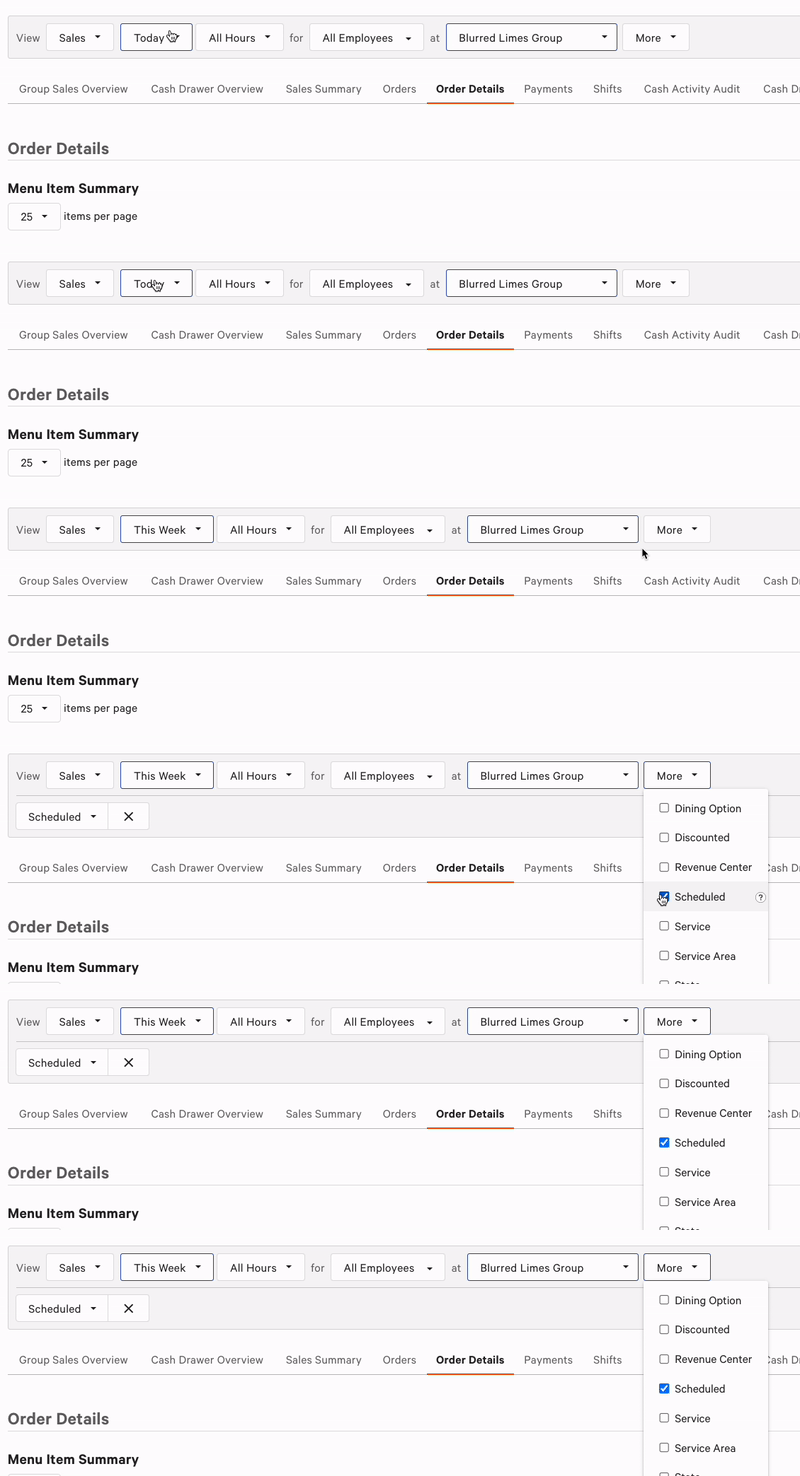
The Menu Item Summary section of this report will show you the number of menu items associated with future orders for the selected date range. You can use Show/hide columns to add information that will be helpful to your restaurant, such as # Orders.
Additional information about each order can be found by scrolling down to the Order Details section. Here, you'll find a breakdown of each scheduled order within the date range. If needed, you can right-click this page to print out this list of orders.