Get Help: Blank Display With Power
Last updated: Sep 17, 2026, 11:30 AM
Question
- How do I fix a blank display that still has power?
- How can I fix a screen that is blank but powered on?
Answer
If you have a blank display, but the panel and media player are powered on, and you see no issues with the content and scheduling, you can try the following:
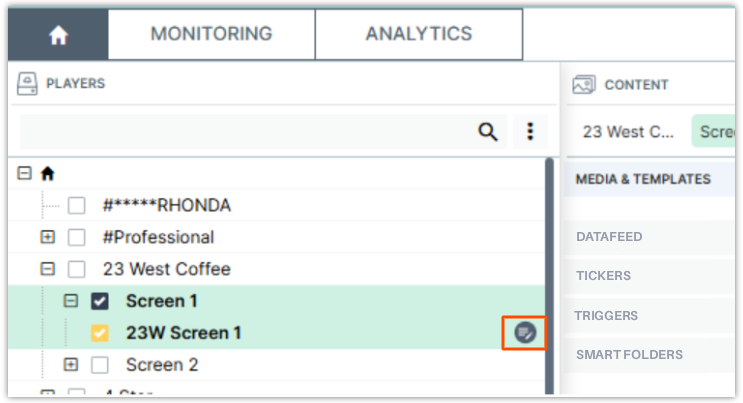
- In your dashboard, check the box for the affected player, then select the Player Properties icon next to it.
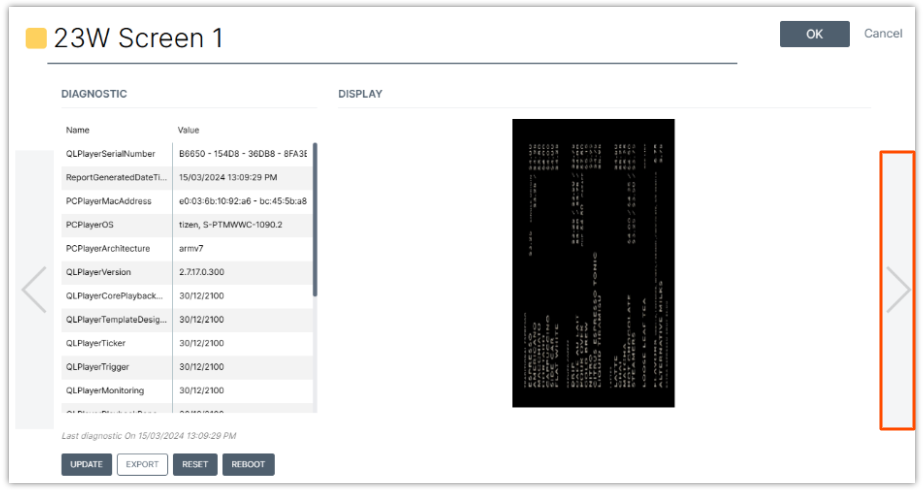
- Select the right arrow button twice to navigate to the Diagnostics screen.
- Select OK (reset button) in the top-right corner.
- Allow the system to fully reboot. You will know it is ready when the display shows an image of clouds.
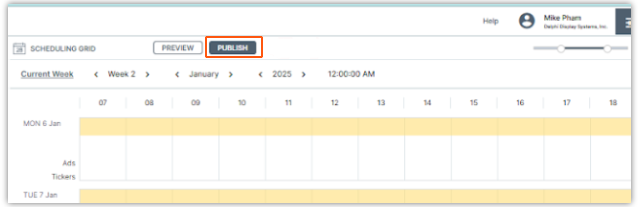
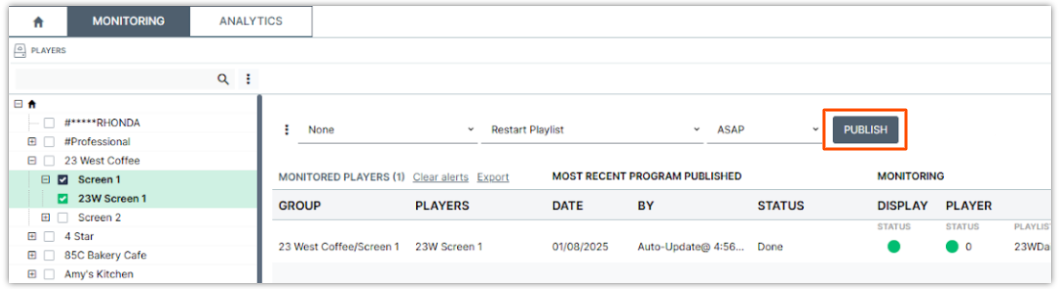
- Once the cloud image appears, select Publish to restore your content.
- Home tab
- Monitoring tab
- Home tab
If the screen remains blank after completing these steps, please reach out to Delphi Technical Support for further assistance.