Get Help With Your V400M Card Reader
Last updated: Sep 17, 2026, 1:28 PM
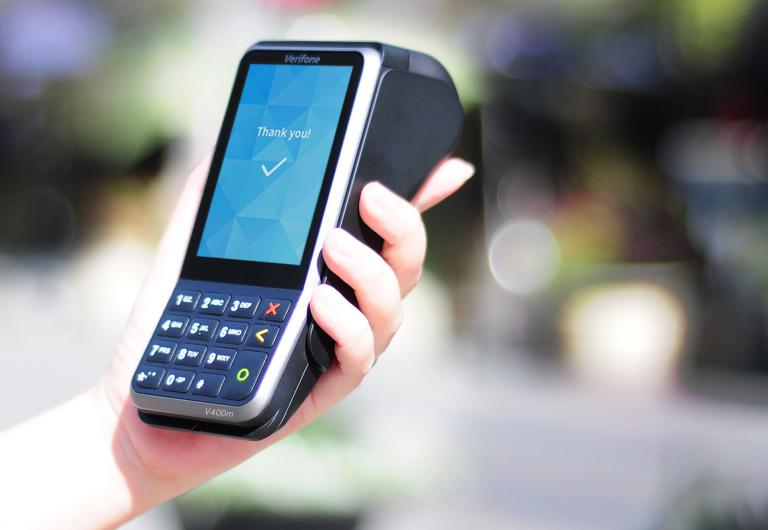
- V400M Device is in Offline Mode
- Device Is in Tamper Mode
- Restart the Device
- After Clearing the Cache and App Data on Your POS
- Connecting to your local network
- Retrieving Device Info
- Terminal in Service Mode
- Diagnostics
- Re-board to a New Location
V400M Device is in Offline Mode
When Toast enters offline mode, the card readers will automatically store the processed payment locally on the reader. When the internet returns, the devices will automatically sync with the host. The pending icon indicates that there are payments that the terminal hasn't been able to send to the device host for completion (capture and settlement).
Back to top
Device is in Tamper Mode
Do not use this card reader. When the display of the payment terminal shows the word 'TAMPER' or 'TAMPERED', stop using the device and contact Toast immediately for a replacement device.
Back to top
Restart the Device
- Press and hold (9) and the green button at the same time.
- Enter the admin pin (found in the device Backoffice)
- Restart/Power off.
After Clearing the Cache and App Data on Your POS
Clearing the cache and app data on your POS will unpair the reader from the device. You'll need to repair the device and follow the setup instructions again.
Connecting to Your Local Network
- On the V400m, press and hold (9) and the green button.
- Press (1) Network > (2) Wi-Fi. The connected Wi-Fi will now be displayed.
- Press (3) Scan networks.
- Tap the name of the network and enter the password.
- Note: The Wi-Fi selected must belong to the same network as the one to which your other wired POS hardware devices are connected.
- The V400m sets the network as the default automatically and connects to it.
- Press the red button to return to Start.
Retrieving Device Info
- On the V400m, press and hold (5) and the green button
- On the next page, you’ll see device information with a QR code that you can use to pair the card reader with a Toast device.
- Model
- Serial number
- Software Version
- Config Version
- IP Address
- Merchant Account
- Store ID
When the terminal shows the message Terminal in Service Mode, this indicates that the terminal is running in safe mode. Usually, the cause is that the terminal has an incorrect configuration.
- Power cycle the card reader.
- Open the Admin menu by holding 9 and the green circle.
- Enter the admin passcode: 8678 (TOST)
- Go to the Config Menu and remove the configuration named "you will need to board the terminal again."
- If you are still stuck in a loop or cannot access the admin menu, kindly contact us so we can assist you in replacing the terminal.
The terminal can run self-diagnostics for hardware and network
- Select ✽ and the Green button to bring up the diagnostics menu
- Choose the diagnostic test to run
- Select the blue circle to run the test
Network Diagnostics:
- PSP connection
- Terminal API
- Endpoints
Hardware Diagnostics:
- Diagnostic report
- Swipe reader
- Keypad
- Chip card reader
- NFC antenna
For seamless transactions on your Toast Flex, your card reader must be correctly linked to the device store associated with your Toast account.
If your card reader isn't set up correctly:
- Payments won't initiate.
- An error will show on the card reader or Kiosk: "The card reader isn't set up for this location - Pair it correctly or contact Toast."
- Under device setup in Flex, Card Reader Status will display 'Device registered to another location'. Payments are only possible when it shows 'Connected'.
If you need to use your device elsewhere, our Customer Care team can re-board your reader to a new location. Please contact them for assistance.