Get Started With Returns on the POS
Last updated: Nov 6, 2026, 8:57 AM
- Before You Begin
- Configure Retail Returns in Toast Web
- Retail Return on the POS Workflow
- Related Articles
Before You Begin
Applies to: Toast Web, Retail, Toast POS, Returns
Permissions needed:
- 3.23 Find Checks
- 3.8 Void/Refund Payments
What you'll accomplish:
- Search for captured payment sales directly within the POS
- Complete refunds natively on the POS
- Determine whether returned items should be restocked or discarded:
- If restocked, inventory will automatically update in the backend
- If discarded, inventory counts will remain accurate without requiring manual adjustments
Configure Retail Returns in Toast Web
To enable Retail returns, follow the steps below:
- In Toast Web, navigate to Finance.
- Next, scroll down to Related > Settings > Returns & Exchanges.
- Toggle Return Items to Inventory to On.
- Save and publish your changes.
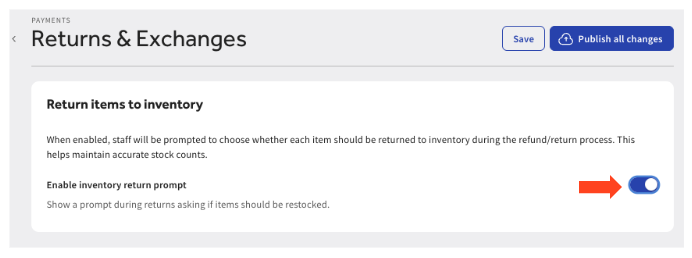
Expected outcome: Once enabled, your team will see a prompt after each refund to confirm which returned items should be restocked. The inventory update happens instantly and is reflected in your Toast Web back-end.
Retail Return on the POS Workflow
Navigate to Returns and Return to Inventory
Option 1: Manager Activities
- From your POS main menu, go to the Manager Activities section and select Find Sales & Issue Refund. To get to your POS main menu from the ordering screen, select the back arrow in the top-left corner.
Option 2: Retail Mode
- On the Toast POS, navigate to Mode > Retail Mode.
- Select Look up past sales.
Issue a Refund on the POS for Retail
Note: Refunds are only available for payments captured after the daily batch closes (9:30 pm ET) or on a previous business day. To return items from a sale made earlier the same business day, void the item(s) and payment instead — you won't see the refund option for same-day payments. For help choosing, see Understand When to Void vs. Refund.
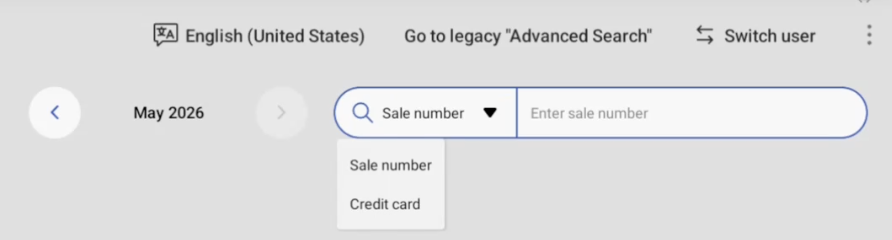
- Using one of the navigation paths above will navigate you to search for the return by sale number or credit card. If enabled at your location, you can also scan the barcode.
- Once the information has been entered, select the purchase from the list.
- On the payment screen, select Pay then Refund.
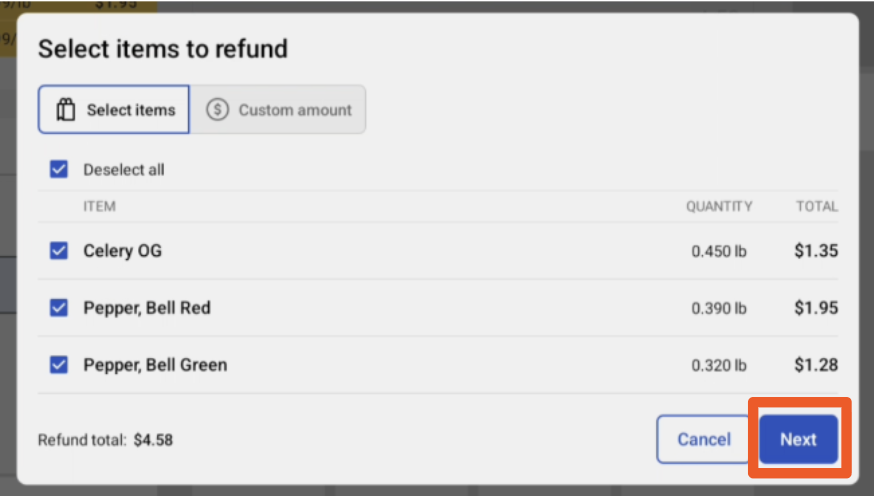
- Select the box for the item(s) you want to return. Here you can select all items, select items, adjust quantities, or enter a custom amount. Once all selections have been made, select Next.
- Review the refund details, which includes Items being returned, the Refund method, and the Refund total.
- Once confirmed, select Confirm Refund.
- Select your receipt option: No receipt, print, email, or text.
- Select Continue.
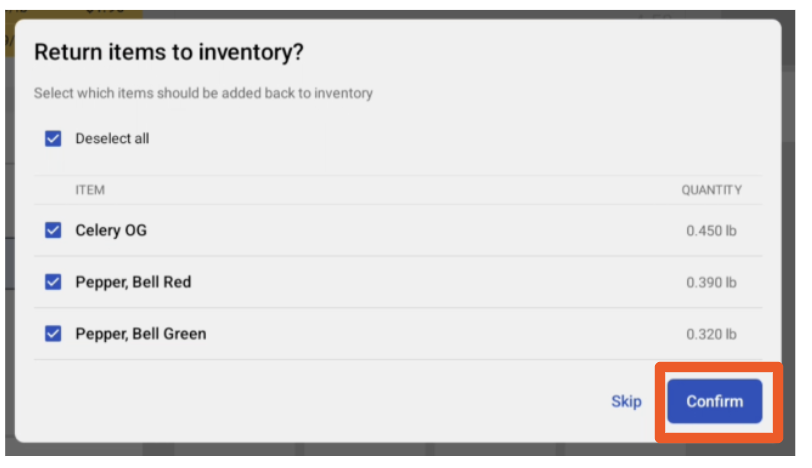
- You will then be prompted with Return items to inventory. Select the applicable items and select Confirm. Note: The Return items to inventory feature is not available for customers outside of the US at this time.
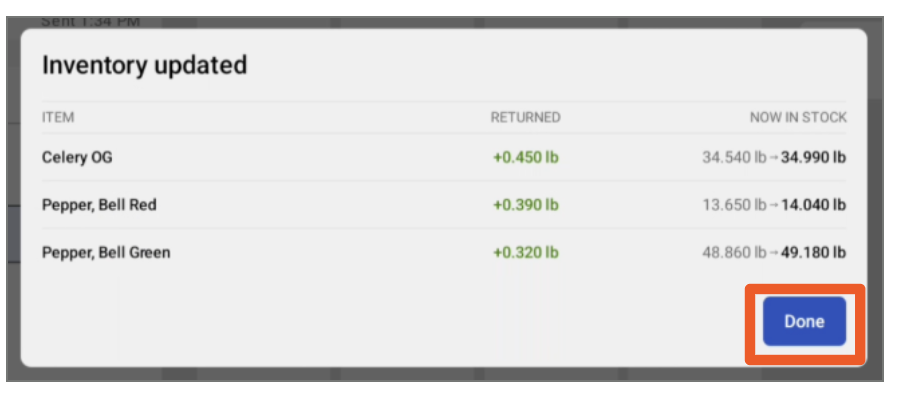
- Review the inventory update and select Done.
Related Articles