Get Started With the Fishbowl Integration
Last updated: Jul 1, 2026, 3:39 PM
Learn how to set up the Fishbowl integration with Toast.
Fishbowl offers a customer relationship management and marketing automation platform specifically designed for restaurants. It helps restaurants design better guest acquisition and engagement strategies, create compelling marketing campaigns, and improve customer lifetime value.
| This integration requires access to Toast Partner Integrations. To learn more, see Set Up Toast Partner Integrations. |
- Fishbowl Integration Features
- Enable the Fishbowl Integration With Toast
- Fishbowl Integration: Onboarding
- Fishbowl Integration: Troubleshooting and Support
Fishbowl Integration Features
Fishbowl offers a suite of powerful features designed to enhance your marketing efforts, streamline operations, and foster customer loyalty. From comprehensive data integration to personalized guest profiles, our tools empower you to make informed decisions and create impactful campaigns. Explore the key features that can transform your restaurant's marketing strategy and drive growth.
- Marketplace: The platform will pull any or all of the user's data — point of sale, reservations, delivery, online ordering, and more. If the user has access, it will connect to it. Then, it will show the user how to use that intelligence for more effective marketing.
- Profiles: Every guest has an evolving story with the brand. The platform will help build robust profiles that will inform and maximize every brand interaction. Insights will be gleaned to create targeted offers and foster customer loyalty.
- Segmentation: If the user wants to reengage guests who haven’t visited in a while, it’s easy. They can simply type the criteria into the smart segment search, and the platform will build the segment for them. The segment data can be sent to any marketing platform.
- Campaigns: Users can design custom multi-channel campaigns. They can schedule and automate their email, SMS, in-app, push, and social communications in an easy-to-use interface designed specifically for restaurant marketers. Great martech does not have to be complicated.
- Offers & Promotions: The platform streamlines the process from offer creation to redemption and reporting. Its powerful offers engine for restaurants integrates promotions and rewards into any channel campaign. Key point of sale features include promotion redemption, applying multiple promotions per check, voiding discounts, and native menu management. Users can encourage guests to try new appetizers or return for special promotions with Fishbowl Offers. Customizable percentage-based or fixed-dollar discounts can be generated to incentivize visits and keep customers engaged.
- Analytics & Insights: For those who geek out over pivot tables or gush over spreadsheets, the platform allows users to create, run, and schedule the exact report the way they like it.
Enable the Fishbowl Integration With Toast
To enable the Fishbowl integration with Toast, follow these steps:
- To enable Fishbowl with Toast, log into Toast Web and navigate to Integrations > Integrations management > Browse & purchase integrations.
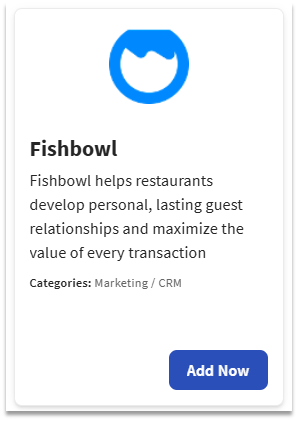
- Enter "Fishbowl" in the search field and select Add Now.
- If you have multiple locations, please select the restaurants you would like to connect to Fishbowl. Finally, select Apply.
- Note: Your restaurant must have access to Toast Partner Integrations to add this integration. To learn more, see Set Up Toast Partner Integrations.
- Review the data scope visibility terms and conditions and select Confirm to accept. See the Data Scope Visibility article for more information.
- Once completed, Fishbowl will contact you within one (1) business day.
- We highly recommend that you reach out to Fishbowl to confirm the receipt of your integration request.
Fishbowl Integration: Onboarding
During the connection process, the Fishbowl Customer Onboarding team will work directly with you to ensure that you are well-informed on all the required steps before, during, and after the connection process. The onboarding & setup timeline may vary depending on your requirements. A turnaround time of response expected will be within one (1) business day.
Configure the FishBowl Loyalty Integration in Toast Web
In order to complete the FishBowl Loyalty integration, you will need to enable your Loyalty settings in Toast Web by following the steps indicated in the Enable Loyalty Setup on Toast section of this article, Get Started With Gift Card and Loyalty Partner Integrations.
Fishbowl Integration: Troubleshooting and Support
For pre-live support or onboarding questions, you can contact Fishbowl at:
- Phone:
- (866) 996-7680
- (703) 836-3421
- Email: