Get Started With the Toast Fundraising Product
Last updated: May 4, 2026, 4:40 PM
- Fundraising Product Overview
- Set Up Your Toast Fundraising Product
- Duplicate Campaigns for Multi-Unit Locations
- Auto-Disbursements (In partnership with Benevity)
- Reporting
- Communicate the Fundraising Product to Your Front of House Team
- Communicate the Fundraising Product to Guests
- Additional Resources
Fundraising Product Overview
| At this time, the Fundraising Product is not available in the state of California or outside the United States. For more information please see our Fundraising Product FAQ. |
With the Fundraising product, guests can opt-in to round up their checks to a whole number or contribute a flat donation (depending on the campaign's setup), with the proceeds going to a cause the restaurant has selected. Toast Fundraising campaigns will be displayed to guests on the Toast Online Ordering module, Toast Local, Guest-Facing Display (GFD), or digital receipts. The core of this feature is to provide restaurants with the ability to select and support the cause most important to them and their community. With the fundraising product, restaurants can:
- Give back to their community: Restaurants select which national/local causes to invite their guests to support.
- Raise awareness: Restaurants use Toast Fundraising to raise awareness and fundraise for causes they believe in while bringing their guests along on the journey.
- Connect with their guests: By inviting guests to contribute, restaurants can amplify their brand with their community through digital storytelling.
For a full review of the Fundraising Terms of Service, visit here. Don't have a Guest Facing Display? Add it now.
The Toast Fundraising Product will also work on your digital receipts (e.g., Toast terminals and Toast Go™).
Note: Once a campaign is live, modifications are not permitted. To implement changes, you must conclude the current campaign and initiate a new one.
Set Up Your Toast Fundraising Product
To raise funds with the Toast Fundraising Product:
- Off-premise - Toast Online Ordering and/or Toast Local must be enabled
- On-premise - Your restaurant must have a Guest Facing display (GFD) or a Toast hardware device (e.g., Toast Flex, Toast Go™).
| At this time, the fundraising product is not available in the following On-premise products: Mobile Order and Pay™, and printed receipts. It is also not available on Toast Catering & Events at this time. |
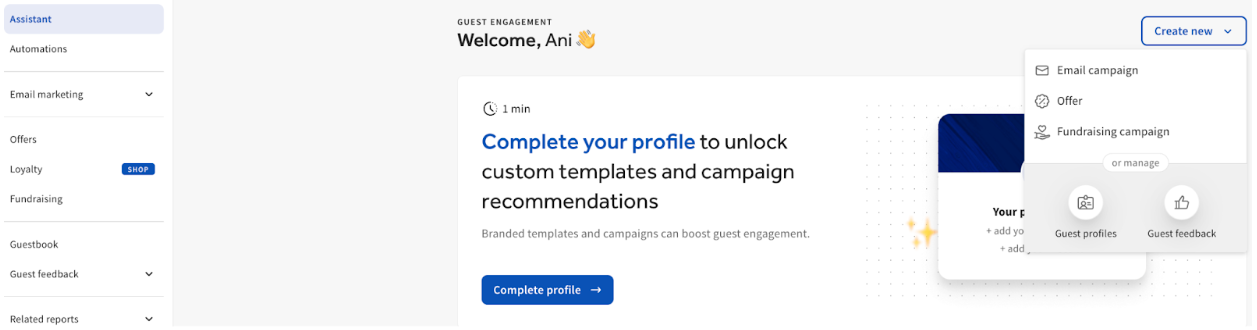
- Log in to Toast Web and select Marketing using the left-hand navigation menu. Scroll to the Fundraising section and select either Create new or Create and manage fundraising campaign.
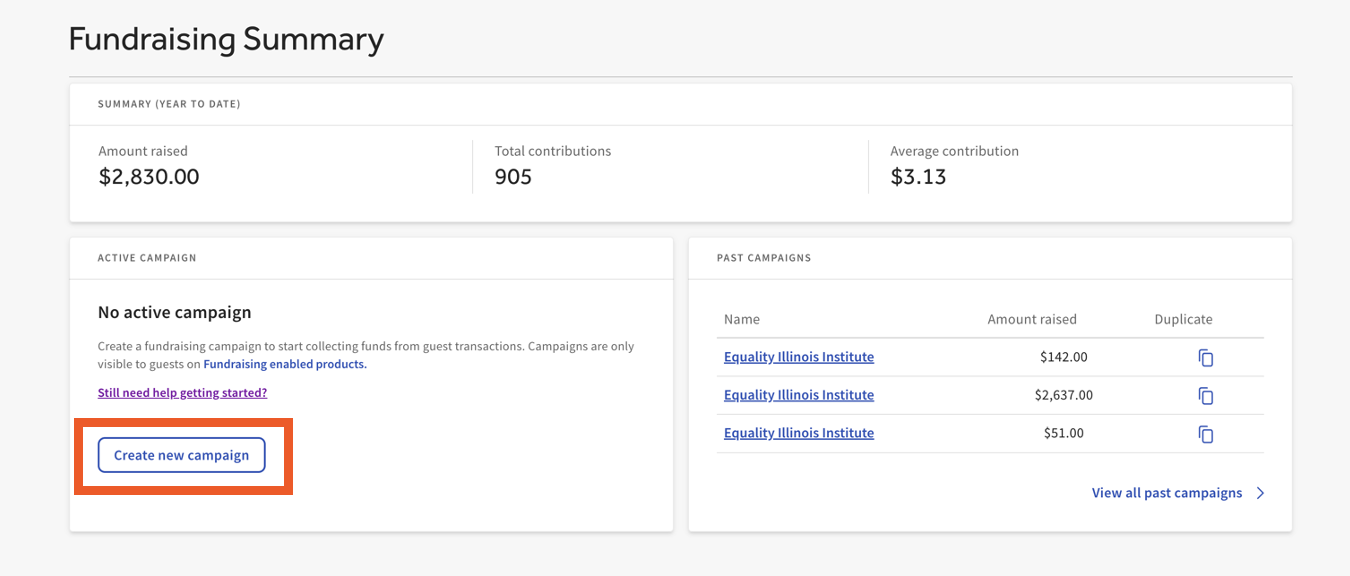
- In the Active Campaign section, select Create new campaign.
- Note: Only one campaign can be active at a time.
- Note: Only one campaign can be active at a time.
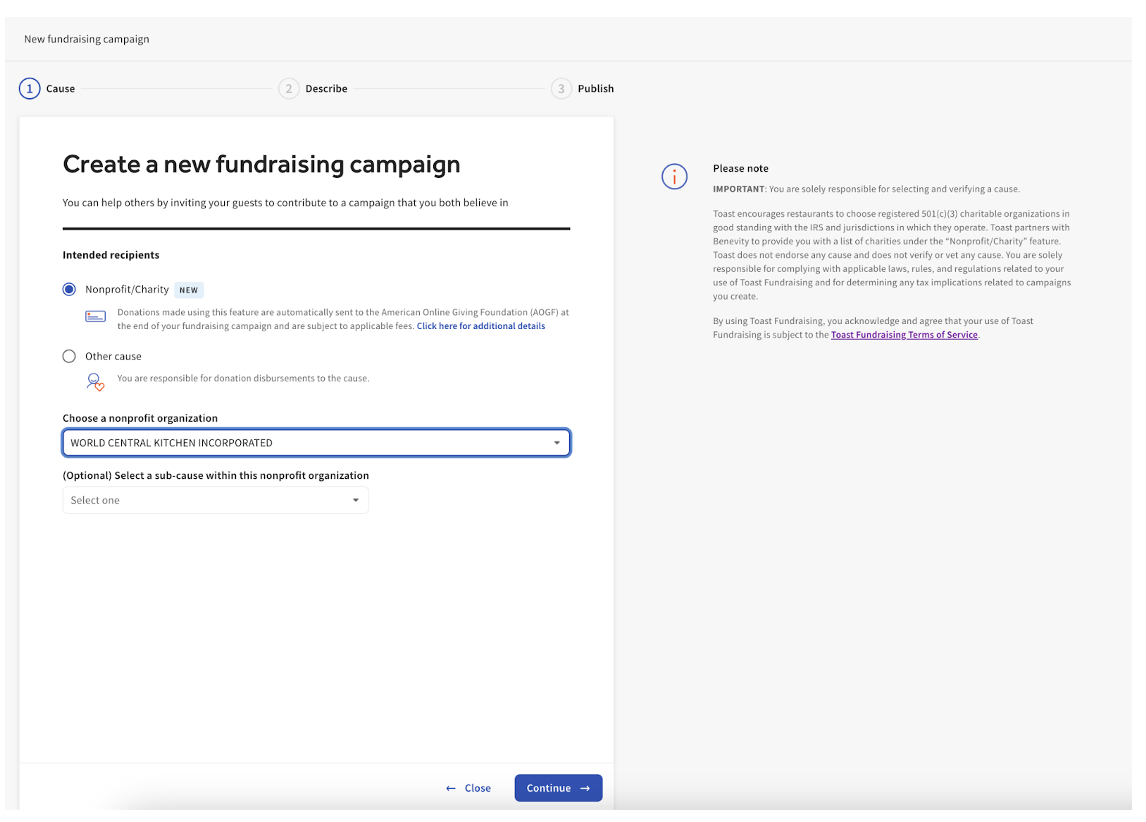
- Two types of campaigns that can be started:
- Nonprofit/Charity - e.g., 501(c)(3) - can run for up to 365 days.
- Other Cause - can run for up to 30 days
- Nonprofit/Charity - e.g. 501(c)(3)
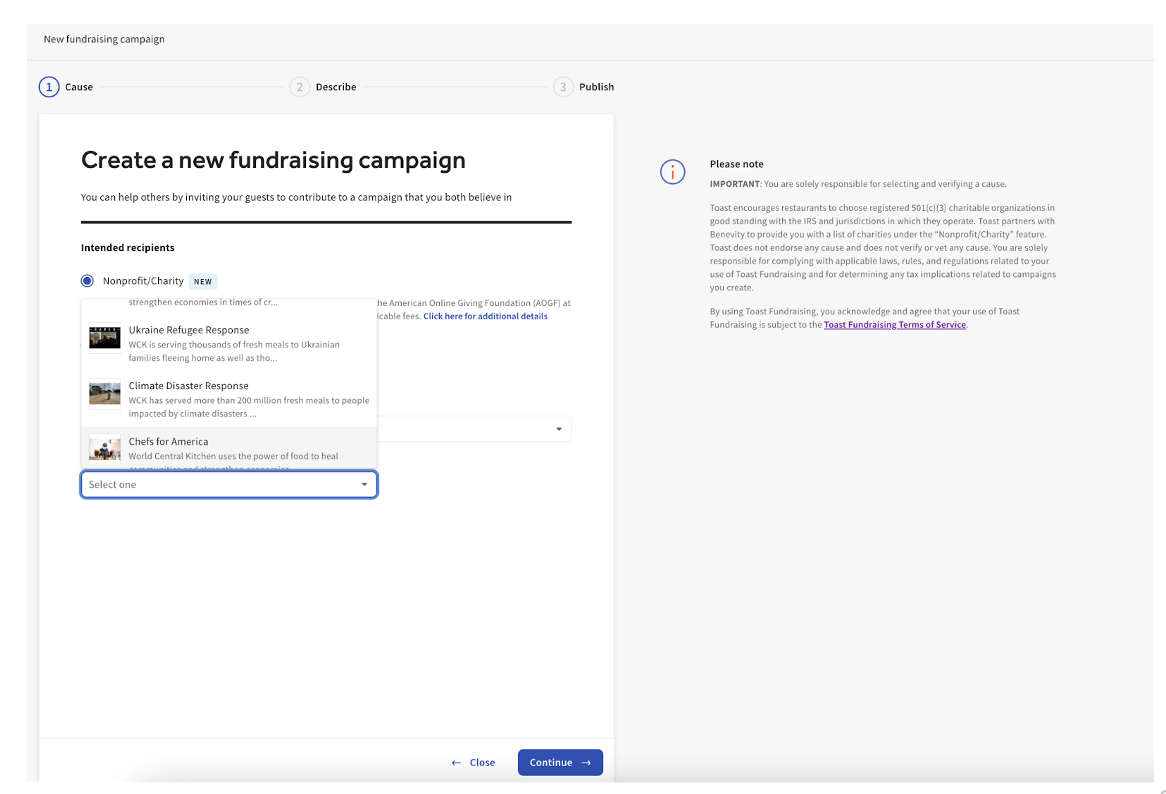
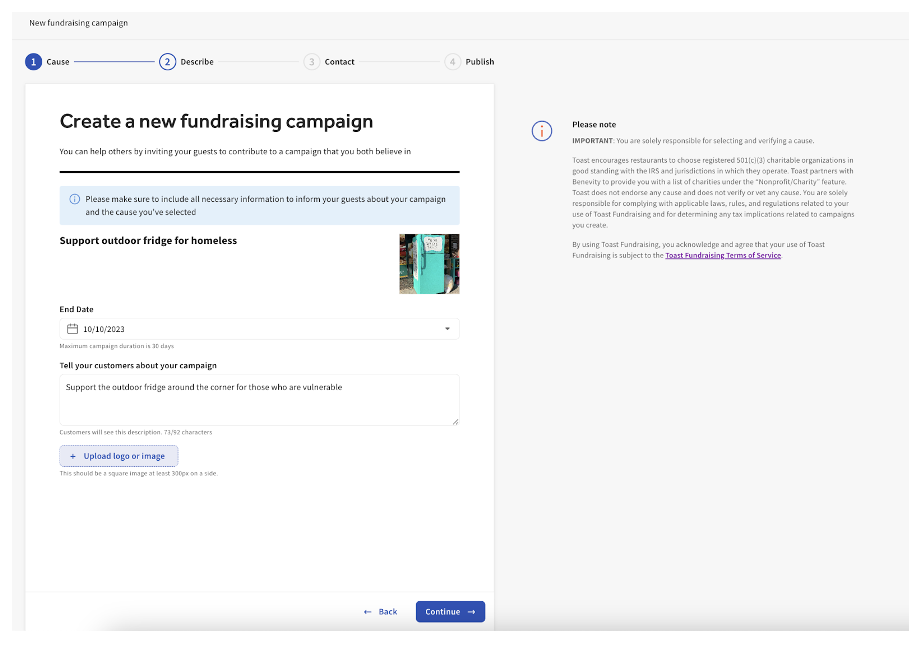
- Use the Nonprofit/Charity feature to search over 2 million non-profit organizations to start fundraising for. This list of nonprofits is provided by Toast’s integration partner, Benevity. Once you select a cause, an image and a description of the cause will automatically populate. Please make sure to provide all of the required information for your campaign. The Nonprofit/Charity feature allows for more flexibility, such as:
- Use the Nonprofit/Charity feature to search over 2 million non-profit organizations to start fundraising for. This list of nonprofits is provided by Toast’s integration partner, Benevity. Once you select a cause, an image and a description of the cause will automatically populate. Please make sure to provide all of the required information for your campaign. The Nonprofit/Charity feature allows for more flexibility, such as:
- Fundraising for a Nonprofit/Charity “Project”:
- Nonprofits/Charities within their Benevity portal can create "projects", which allow you to fundraise for a specific initiative within the selected organization’s portfolio.
- Nonprofits/Charities within their Benevity portal can create "projects", which allow you to fundraise for a specific initiative within the selected organization’s portfolio.
- Foodbank Search
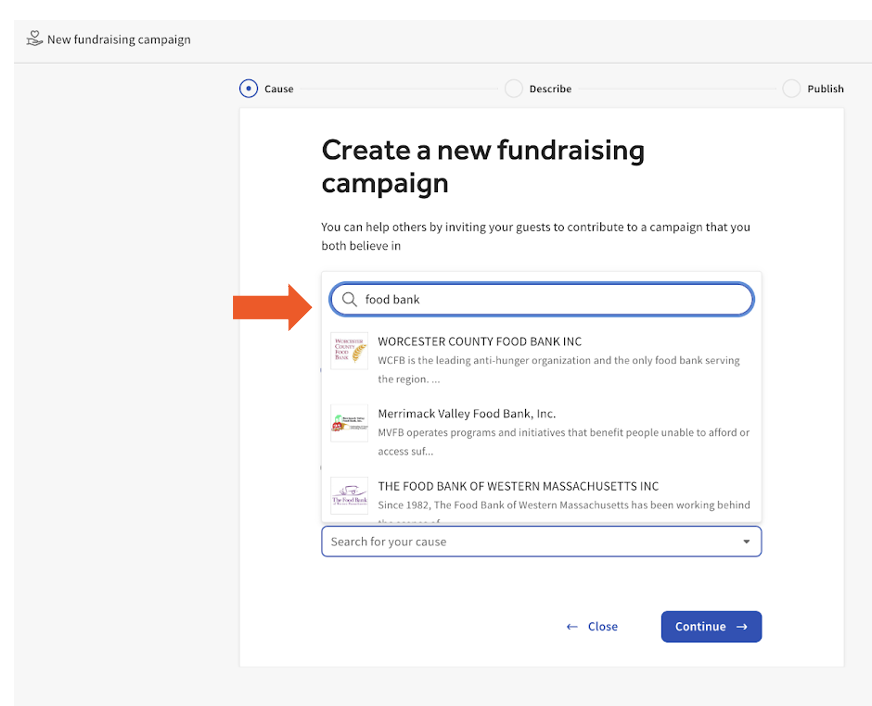
- The search feature can also help you find local charities in your area. For example, you can type in “food bank” and see a list of registered food banks in your area.
- The search feature can also help you find local charities in your area. For example, you can type in “food bank” and see a list of registered food banks in your area.
- Other Cause
- If you plan to fundraise for a cause outside of the list of nonprofit organizations provided or cannot find the cause you want in the database, select Other Cause. To start an Other Cause campaign, provide the Cause name, a Cause logo, and the reason you're fundraising for this cause.
- If you plan to fundraise for a cause outside of the list of nonprofit organizations provided or cannot find the cause you want in the database, select Other Cause. To start an Other Cause campaign, provide the Cause name, a Cause logo, and the reason you're fundraising for this cause.
- Once you have determined your campaign type and entered the necessary information, you can select Continue.
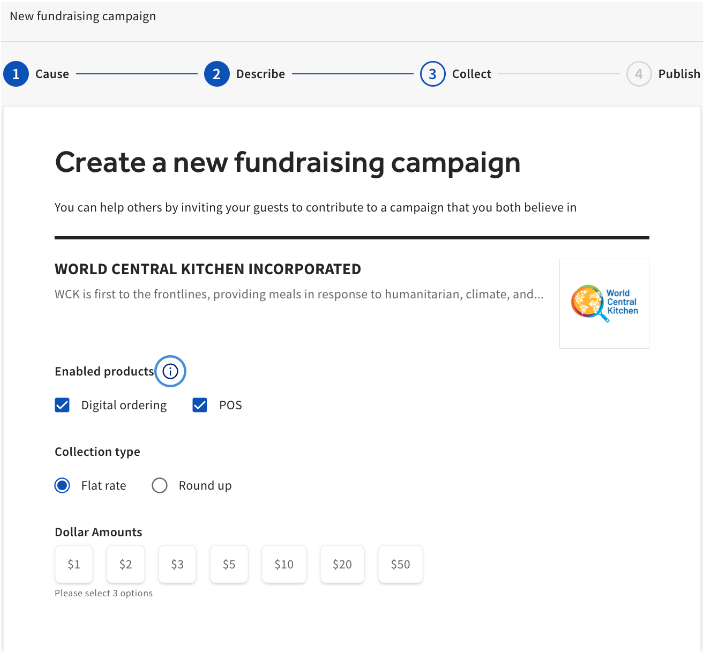
- Select your Collection Type and where you want the prompt to appear: either on-premise, online, or both.
- Round Up
- Flat Rate
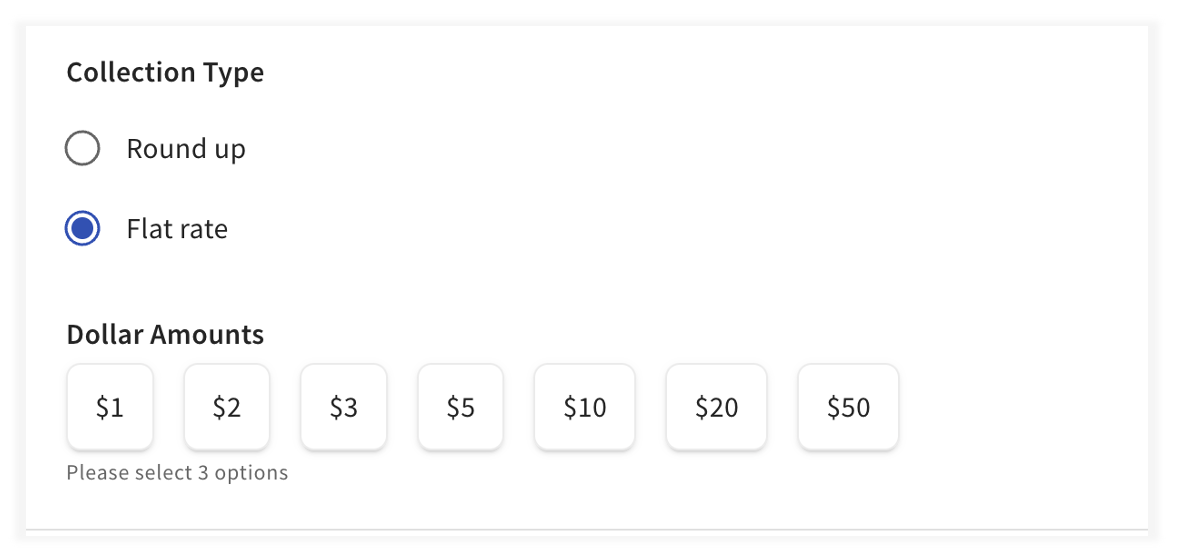
- Selecting Round up will round the donation to the nearest whole dollar. Selecting Flat rate will allow you to select three specific dollar amount options.
- Note: The available Flat Rate dollar amounts ($1, $2, $3, $5, $10, $20, $50) vary based on the classification of the organization. Established Nonprofits and Charities can offer all the options displayed in the image. In contrast, for "Other Causes," the selection is restricted to just $1, $2, $3, and $5.
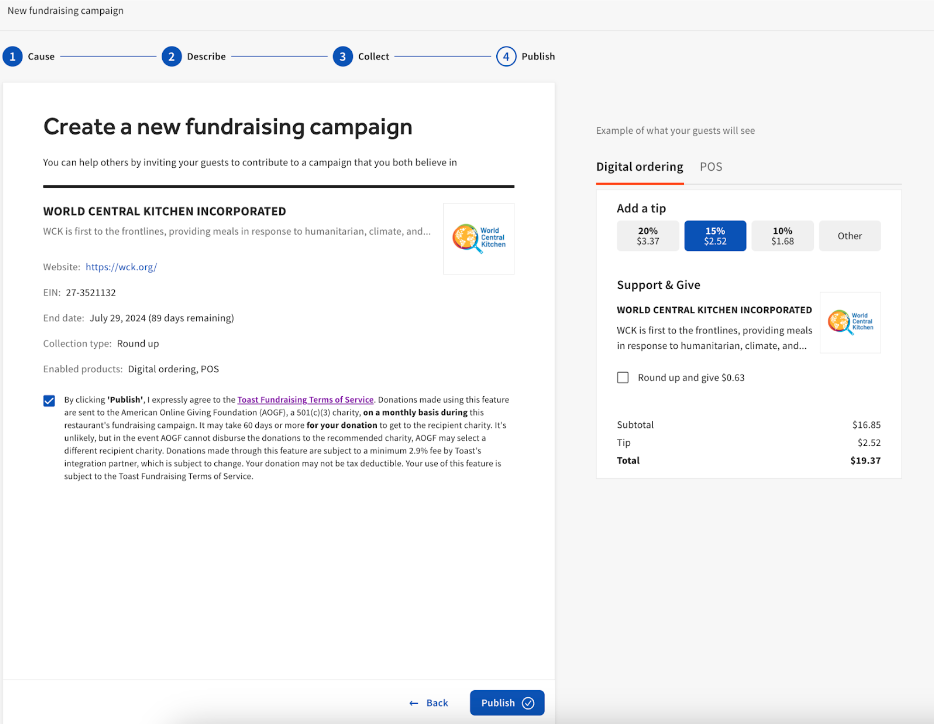
- In the final setup step, you can review your fundraising campaign before it goes live. There is a preview of how your guests will see your fundraising campaign on Digital Ordering, Guest-Facing Display, and digital receipts. Remember to confirm the checkboxes below and select Publish.
Duplicate Campaigns for Multi-Unit Locations
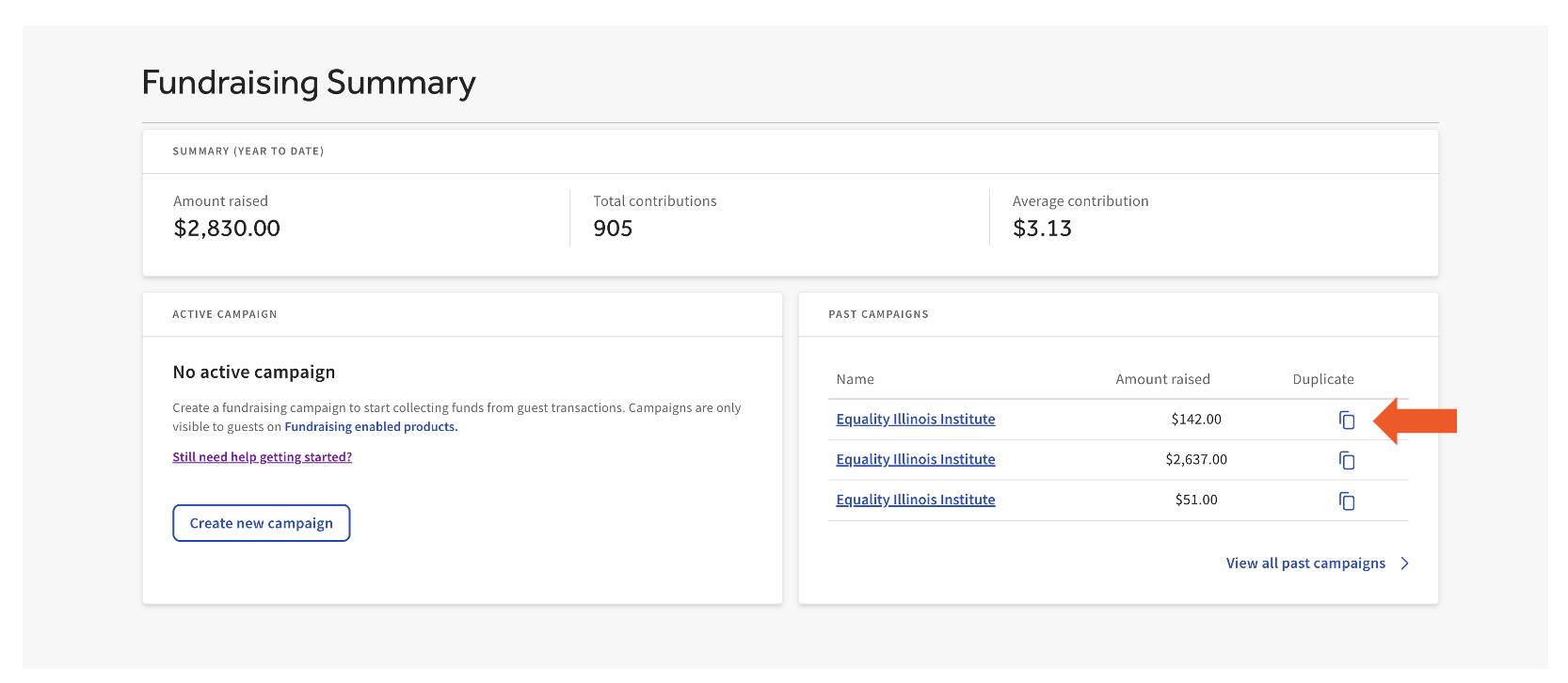
- Start by creating the initial campaign (as instructed above) in one of your locations
- Proceed to the fundraising page on the next location in your group.
- Select the icon under the Duplicate column.
Auto-Disbursements Directly to Nonprofit
Auto-disbursement Feature Disclaimers
|
When you create a campaign using the Nonprofit/Charity feature, funds are withheld daily and will be automatically disbursed every month. For example, if a 3-month campaign is configured, there will be 3 rolling disbursements at the end of each month for that campaign. Donations made using this feature are sent to the American Online Giving Foundation (AOGF), a 501(c)(3) charity. AOGF disburses donations monthly. It may take up to 60 days following the end of the month for donations to get to the recipient charity. It’s unlikely, but if AOGF cannot disburse the donations to the recommended charity, AOGF may select a different recipient charity.
Tip: Plan to have your campaign completed towards the end of a month to allow those funds to be part of the disbursement process in the upcoming month.
Funds raised are sent through AOGF to the charity via an Electronic Funds Transfer (EFT). EFTs are secure, traceable, cost-effective, and timely. A charity through their Benevity Causes Portal can access their profile for detailed reporting and dashboards on the status of funds disbursed.
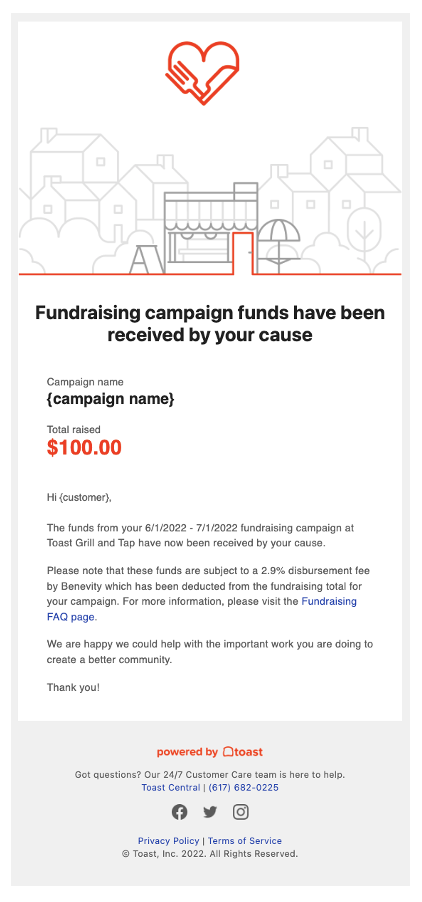
Once a campaign ends, you will receive a confirmation email from noreply@toasttab.com with the subject: Toast Fundraising Campaign Completed to the creator of the campaign.
On the active campaign page, you will see how the funds will be disbursed:
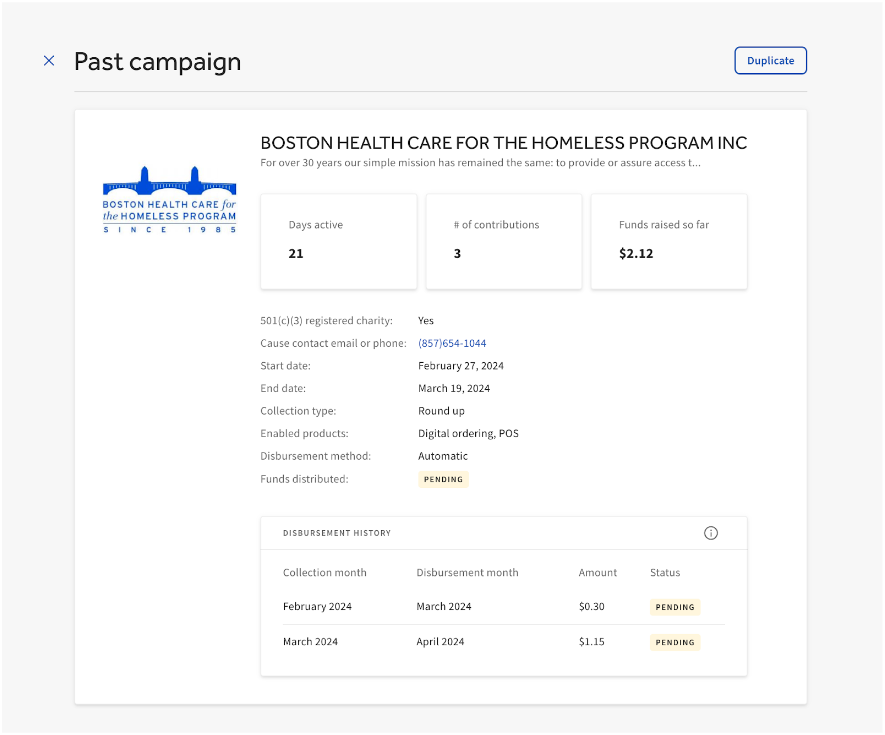
Auto-disbursement enabled:
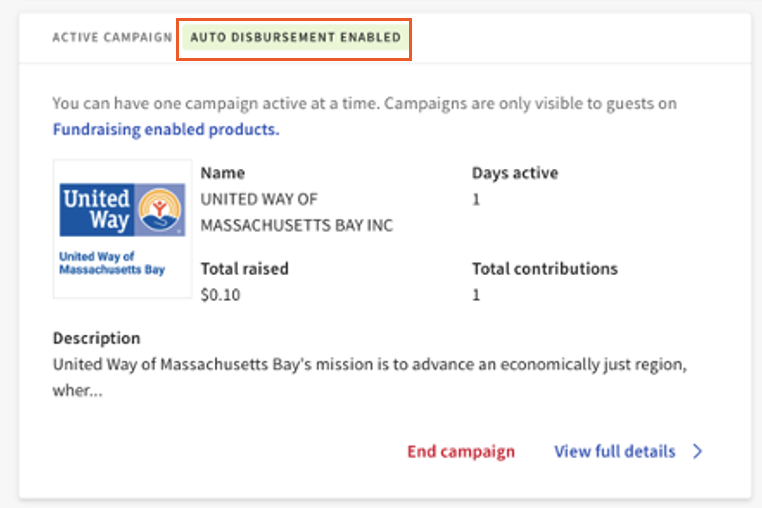
A campaign’s disbursement history can be viewed by clicking on the “View full details” link.
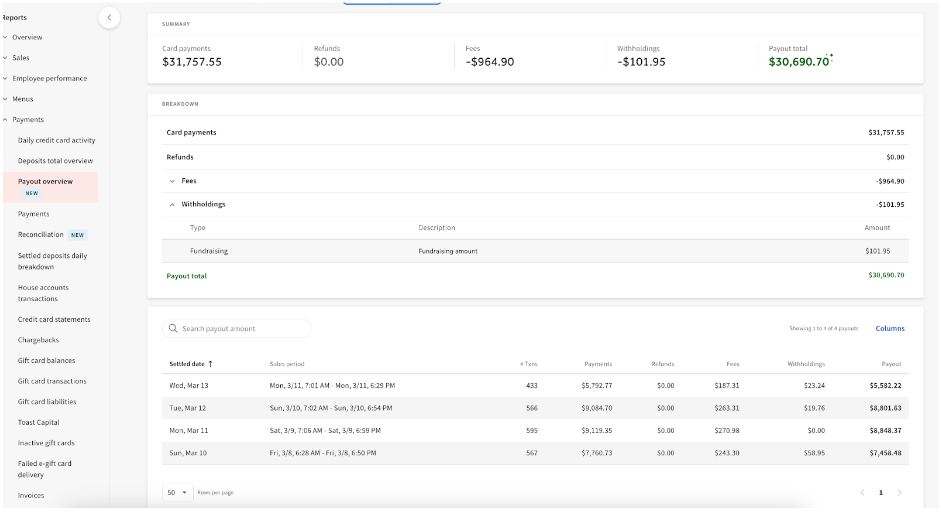
Guest contributions are withheld daily using the auto-disbursement feature. Toast products like Fundraising withhold funds from credit card deposits, and to better support your team the Deposit Reporting gives you additional visibility to understand what was withheld and when.
To find the Payout Over in Toast Web:
- Navigate to Reports on the left rail
- Select Payments
- Select Payout Overview
Auto-disbursement NOT enabled:
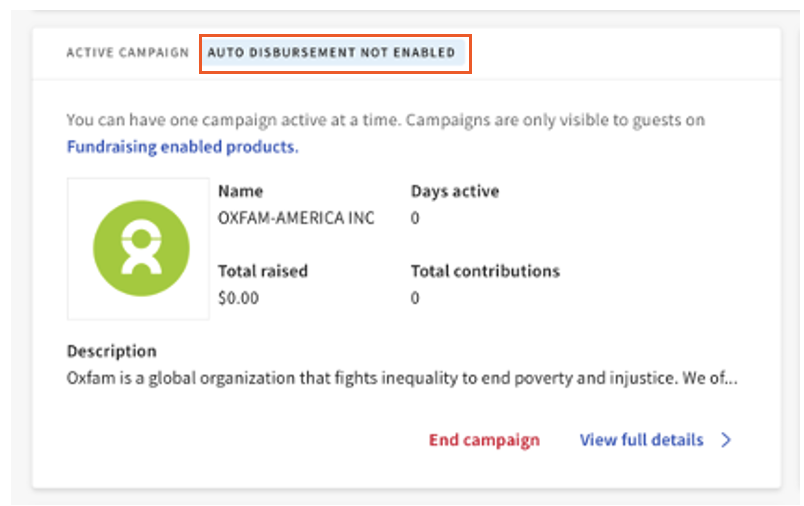
Please note that if you create a campaign for “Other Causes,” you are solely responsible for distributing the funds you collected to the applicable cause upon completion of your campaign.
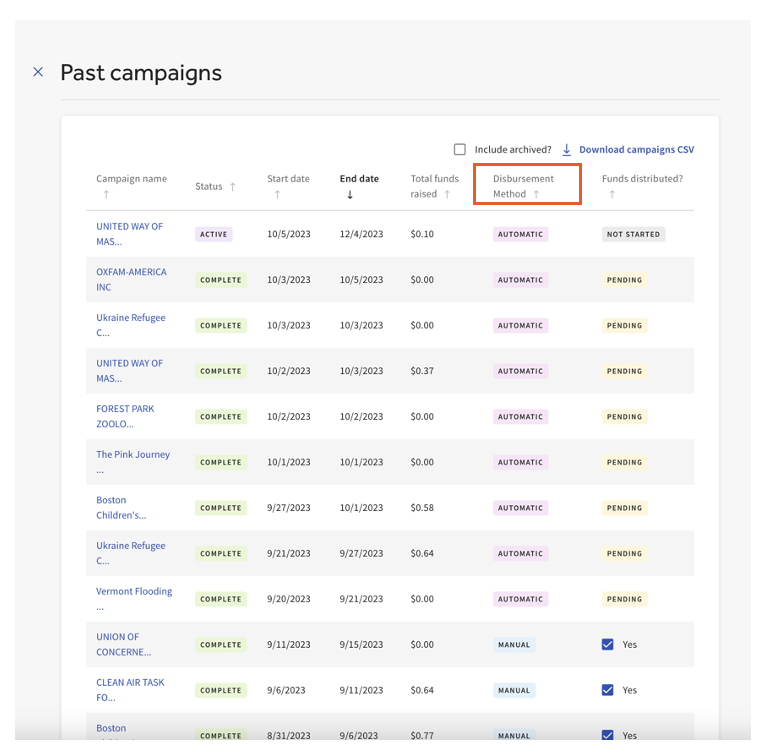
On the Past Campaigns page, you can see how the funds were disbursed to the organization under the Disbursement Method header.
Reporting
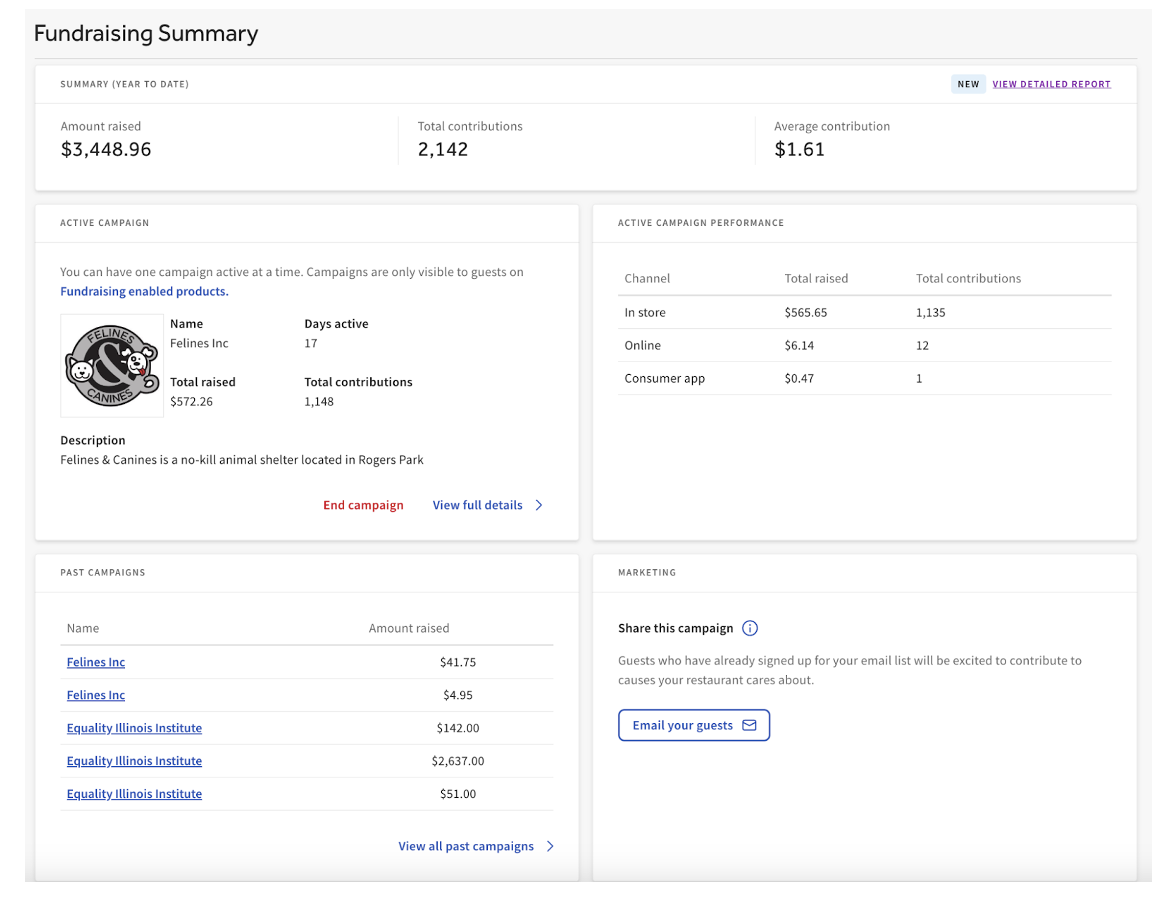
All campaign information and reporting can be found on the active campaign dashboard, Fundraising reporting, and past campaigns.
Active Campaign Dashboard
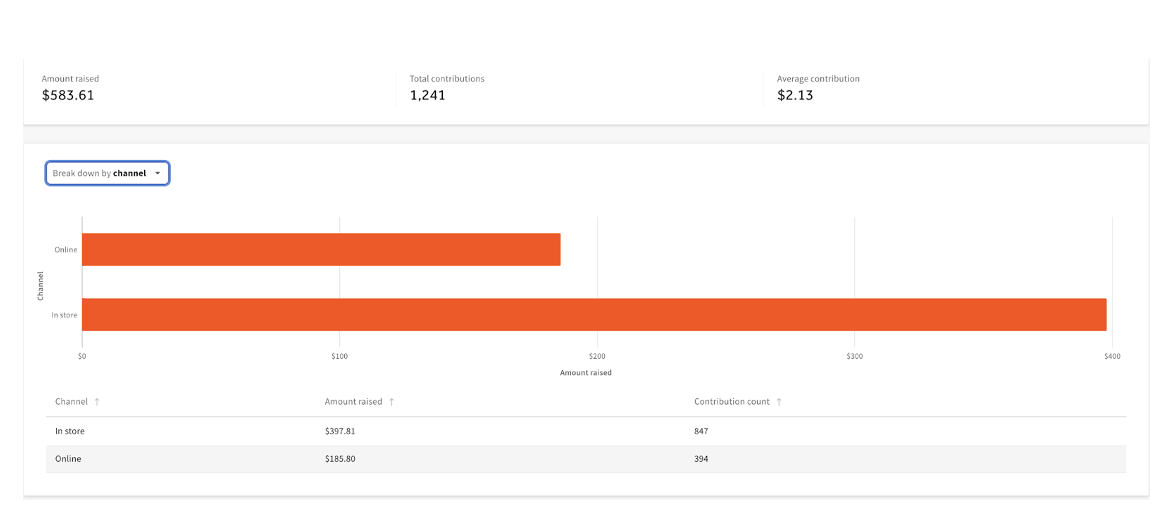
The active dashboard gives you the ability to see how your current campaign is performing, as well as see the channel from which funds are coming.
Fundraising Reporting
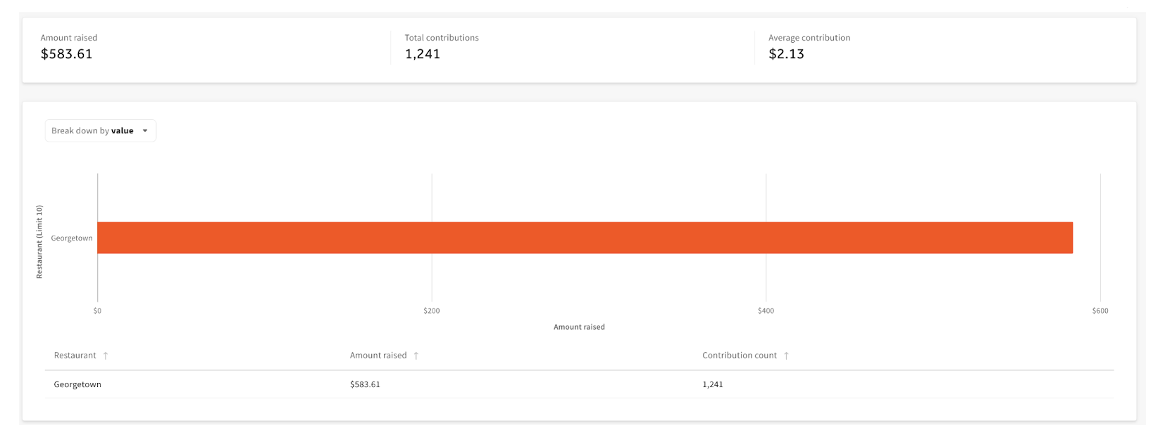
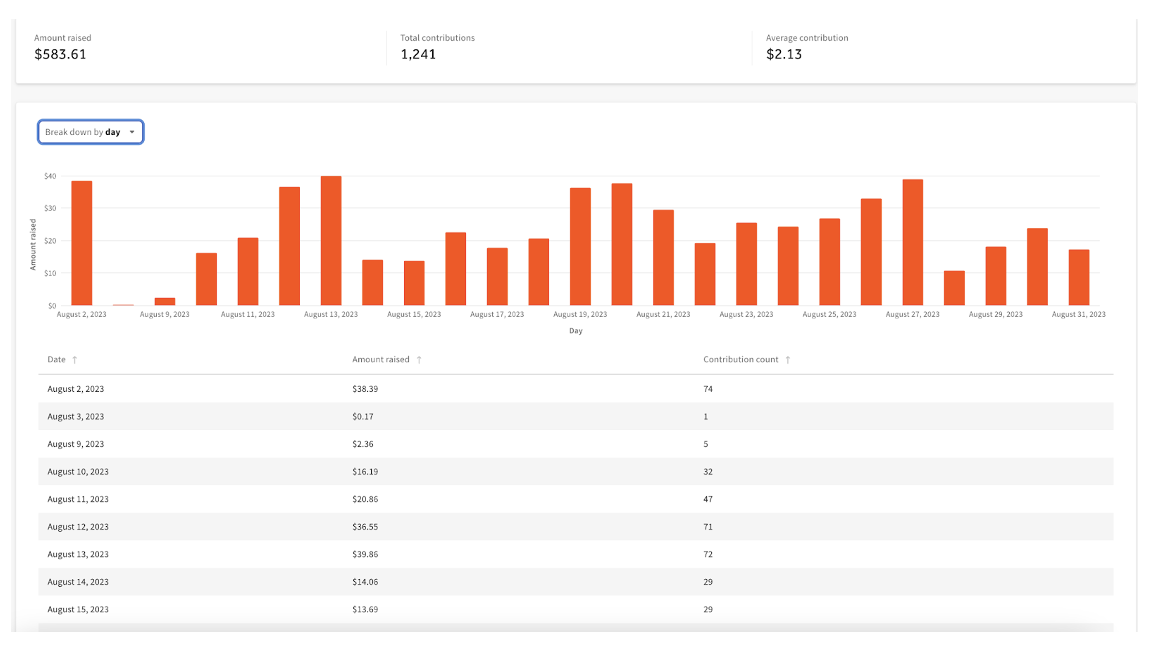
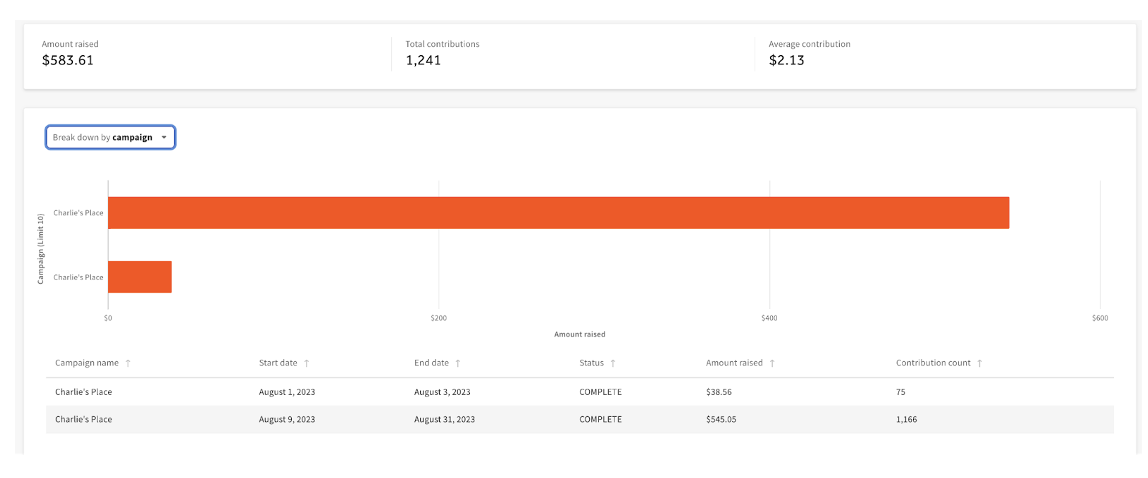
A more detailed Fundraising report is available to understand all your campaigns by day, campaign, and channel.
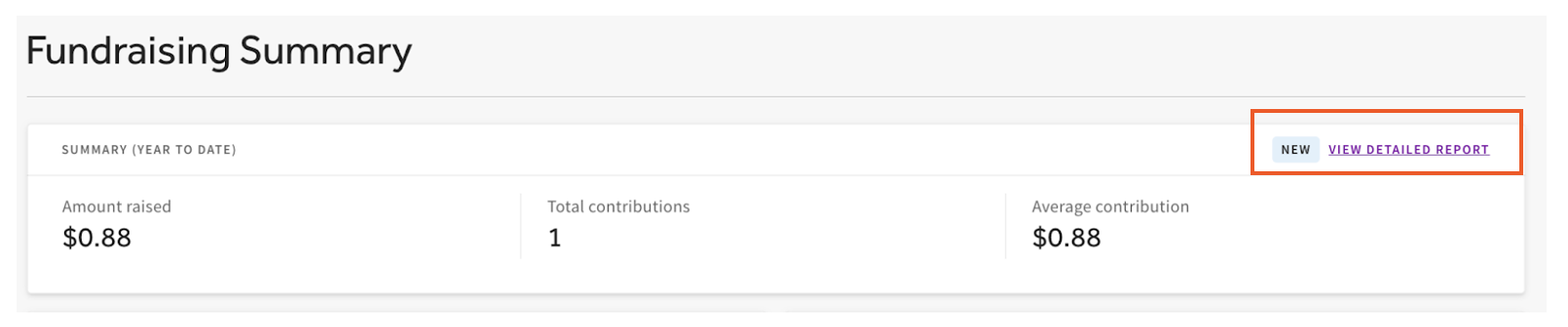
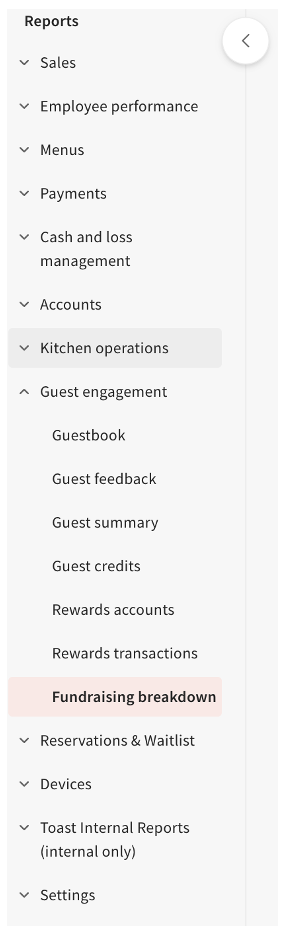
This report can be found on the Active Campaign Dashboard by selecting the View Detailed Report or using the left-hand navigation in Toast Web, then Reports > Marketing > Fundraising breakdown.
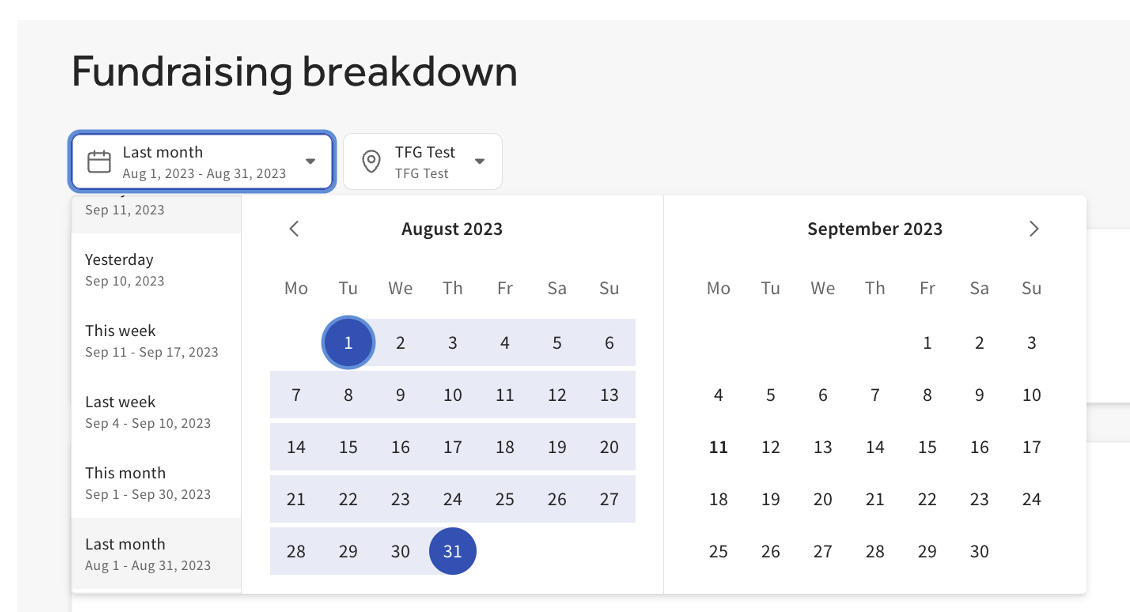
The Fundraising breakdown report can be modified by date and location.
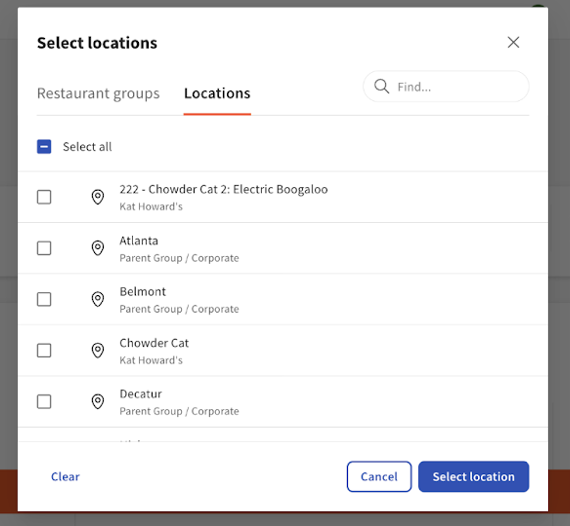
The reports can be viewed by:
Value
Day
Campaign
Channel
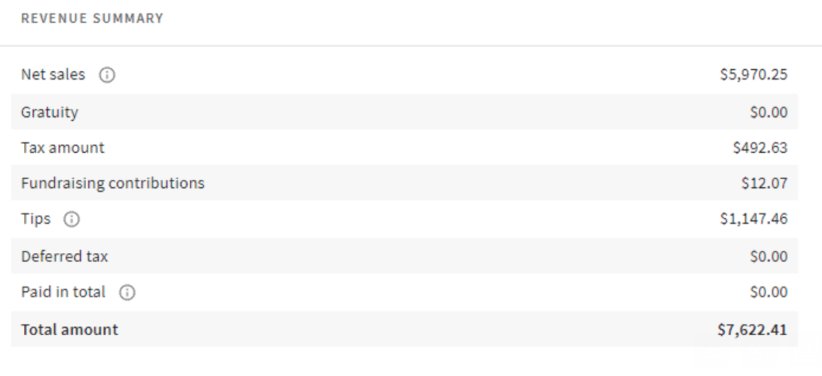
Fundraised amounts can also be found in the Sales Summary. Note that fundraised contributions are excluded from gross and net sales.
Back to top
Past Campaigns
To run a report on the campaign data, select Past Campaigns on the Fundraising dashboard, utilize the dropdown arrow icon, and download the report.
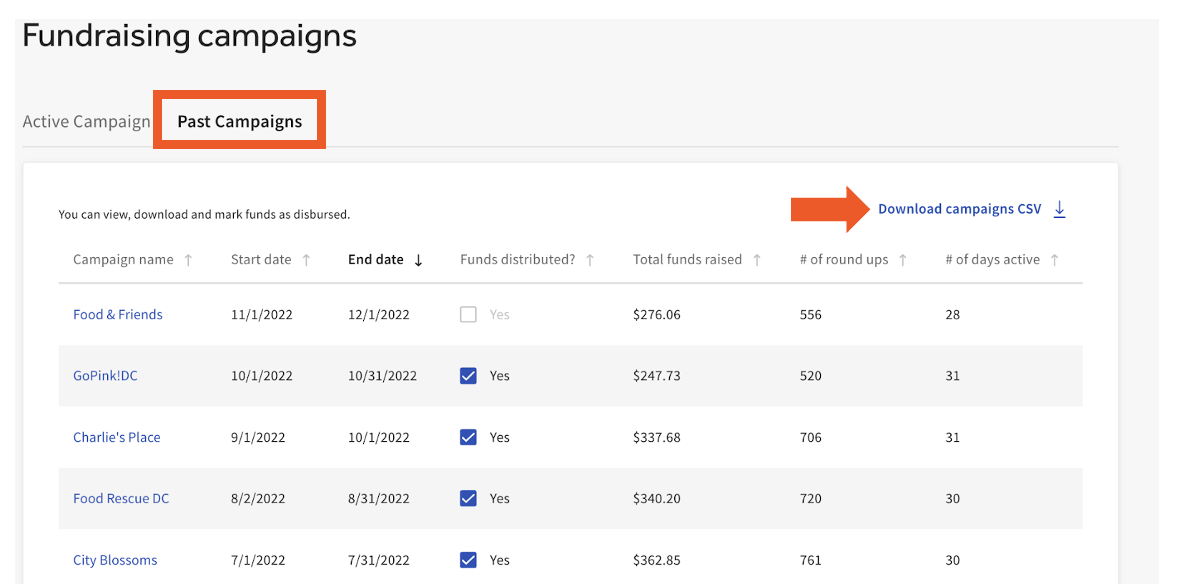
When an Other Cause campaign is completed, and the funds have been distributed to the cause, it is important to mark Yes in the Funds Distributed column. You cannot start a new campaign if the campaign is not marked as distributed.
Note: This step is not necessary for Nonprofit/Charity campaigns as a result of the Benevity auto-disbursement process that is initiated once those campaigns are completed.
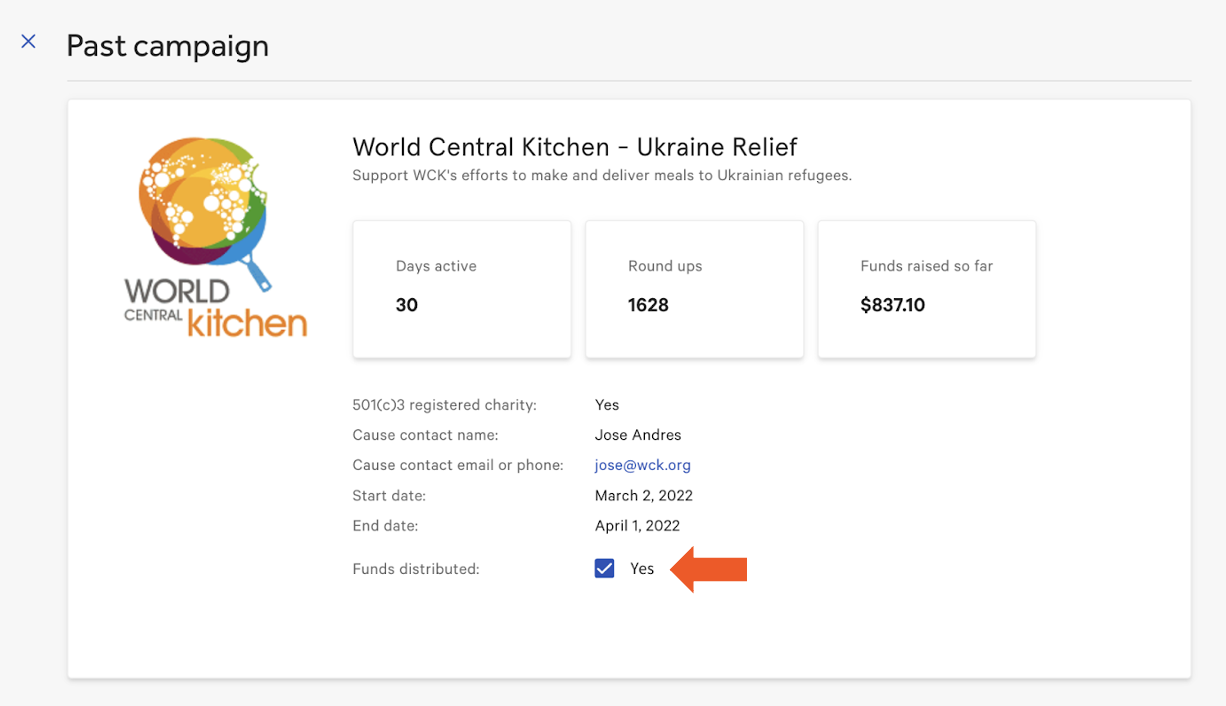
You can also select past campaigns on the Past Campaign page to see how they performed.
Note:
-
Campaigns can run for up to 30 days for Other Cause campaigns and up to 365 days for Nonprofit/Charity campaigns.
Communicate the Fundraising Product to Your Front of House Team
Your front of house staff is an important part of ensuring your fundraising campaign is successful. Encourage your staff to be part of the campaign! We have often found that the most successful campaigns are the ones where the staff is engaged in promoting the cause your restaurant is fundraising for. Consider having your staff mention the fundraising campaign to your guests as they are about to checkout.
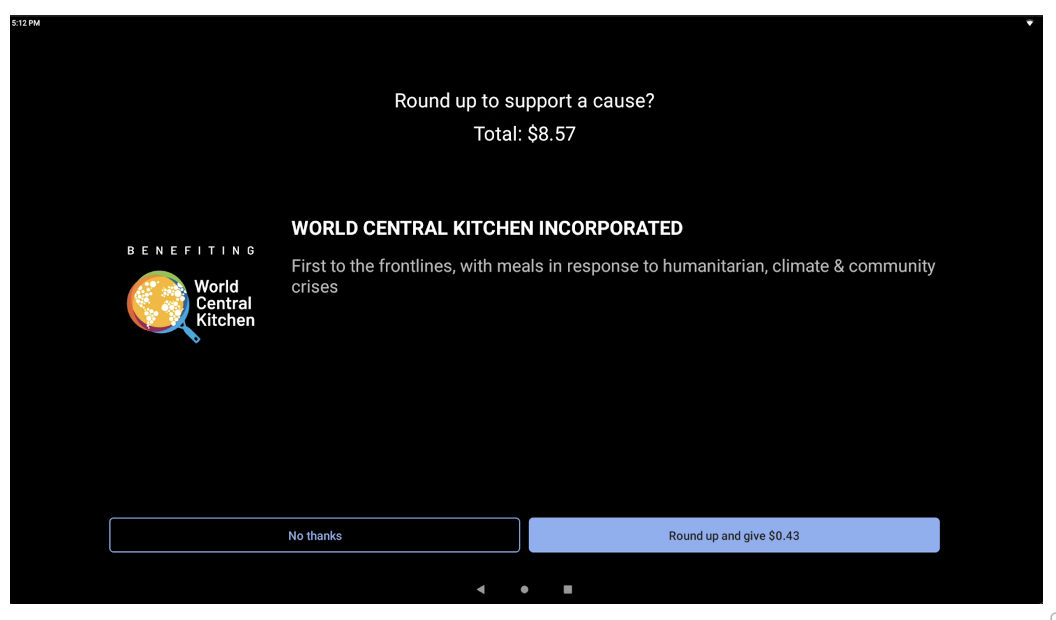
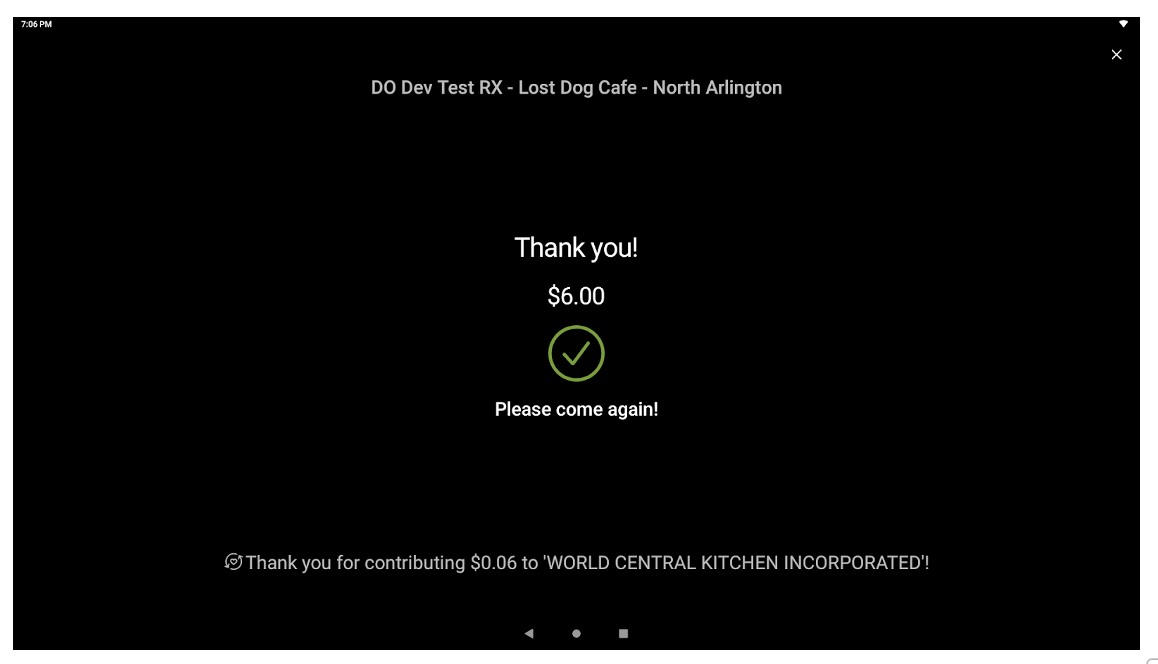
On digital receipt terminals (e.g., Toast terminals and Toast Go™), your guests go through the normal checkout flow with an additional prompt for whether they would like to round up their check or contribute a flat-rate donation (depending on the campaign's setup). Please note that your front of house staff will need to initiate a credit card payment to get the fundraising prompt if you are flipping a tablet for digital receipts or using a Toast Go™ handheld (see the images below).
Communicate the Fundraising Product to Guests
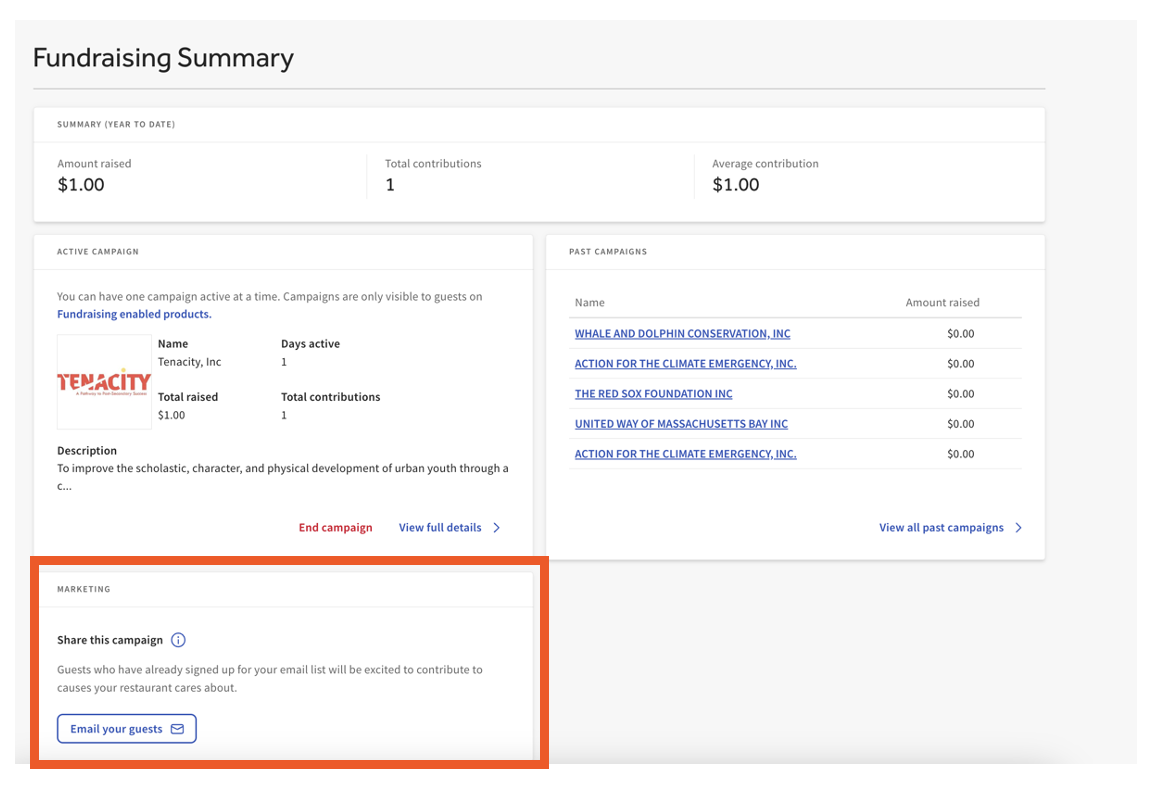
Communicate each active campaign with staff to optimize fundraising efforts so they are fully informed. Your campaign should include the name of the cause and what they support, and any other required information. With each fundraising campaign, you can promote to guests via email and social media by sharing from your Active campaign dashboard.
Looking for other ways to promote your fundraiser? Check out this Toast blog post featuring interviews with actual Toast customers already using this feature!