Get Started With the Axial Shift Integration
Last updated: Aug 28, 2026, 4:45 PM
Learn about the Axial Shift integration.
Axial Shift Key Features
Axial Shift allows you to provide deeper visibility to employees, along with a social engagement platform and gamification for employees, aiding in labor retention, team collaboration, and clarity around employee performance across specific sales items, or total sales.
Axial Shift integration is a read-only analytics and labor management integration that provides a restaurant operations platform with transparency and control over a restaurant’s overall performance and employee engagement, improving transparency into sales and labor data to help improve revenue and employee experience.
| This integration requires access to Toast Partner Integrations. To learn more, see Set Up Toast Partner Integrations. |
Enable the Axial Shift With Toast
- To enable Axial Shift with Toast, navigate to the Integrations section using the left-hand navigation menu in Toast Web. Then, select Browse & purchase integrations.
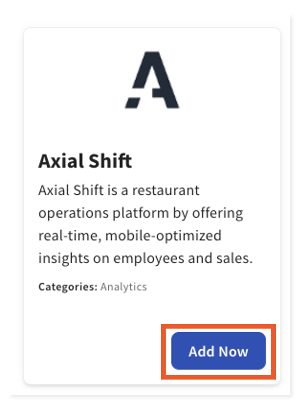
- Enter Axial Shift in the Search field and select Add Now.
- Note: Your restaurant must have access to Toast Partner Integrations to add this integration. To learn more, see Set Up Toast Partner Integrations.
- Note: Your restaurant must have access to Toast Partner Integrations to add this integration. To learn more, see Set Up Toast Partner Integrations.
- Review the data scope visibility terms and conditions and select Confirm.
After adding the tile in Toast Partner Integrations, Axial Shift’s support/onboarding team will contact you within 24 hours. Toast also recommends contacting the partner after adding the tile in Toast Partner Integrations to confirm the partner via email at support@axialshift.com once you receive notice that the integration has been added to your location(s).
Troubleshooting and Support for Axial Shift
For any questions or technical issues relating to the Axial Shift integration, unrelated to Toast products (software or hardware), or network/connection issues, contact Axial Shift support through support@axialshift.com.