View Future Orders on the POS
Last updated: Sep 17, 2026, 7:13 PM
Learn how to customize your view of future scheduled orders on the Orders Hub. View future orders this month, next week, this week, or tomorrow on your POS device.
View Future Orders on the POS
Orders placed for future dates can be viewed on your POS device on the Orders Hub under the Mode section of the main device menu.
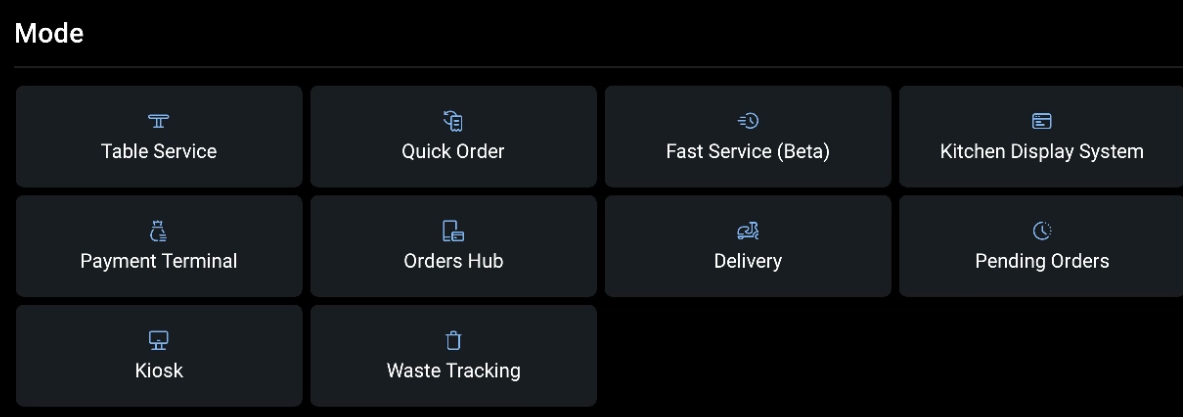
Then, choose whether you want to set filters or limited view dates for these orders to manage your operations efficiently.
Set Filters for Future Orders
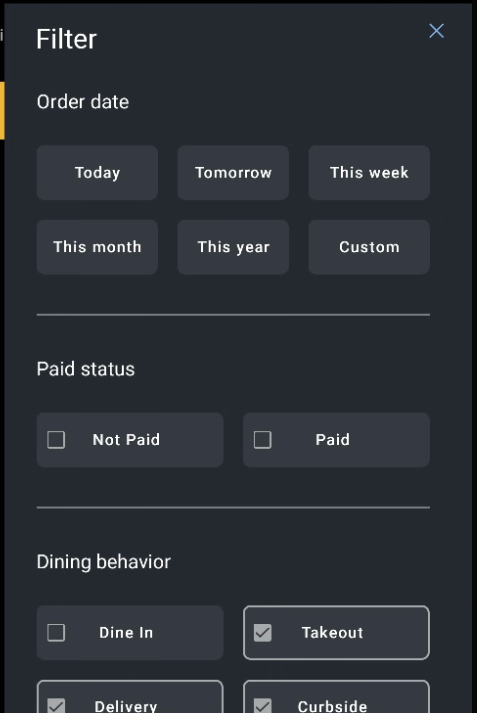
Filters allow you to sort future orders by order type, dining option, and more. Follow the steps below to set up a filter for future orders on your device.
- From the Orders Hub, select the Sort and Filter icon on the top right-hand side of the screen.
- In the example below, it's the icon directly to the right of where it says Delivery: 45min-50min.
- Select your desired sorting method or filter from the list.

Change the Date Range Shown for Future Orders
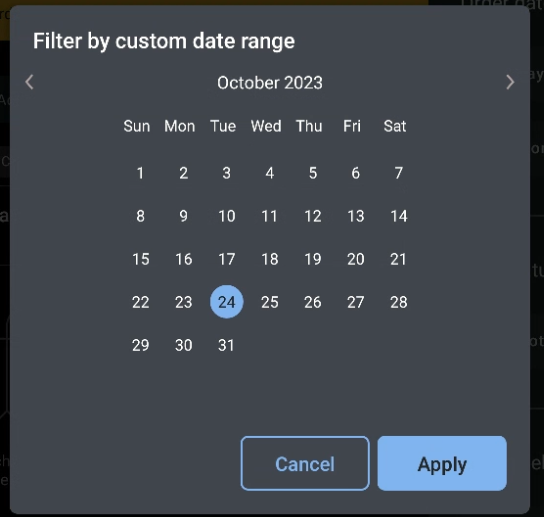
If you'd like to update the range of orders shown to include this month, this week, next week, or tomorrow, you will need to change the view dates selected.
- From the Sort & Filter view, navigate to the section at the top called Order Date, and select Custom.
- Then, choose from the preset date ranges on the left side of the screen or select a custom date range using the calendar provided.
- Select Filter when finished.
Additional Resources