Bulk Add Items, Modifier Groups, and Modifiers
Last updated: Sep 17, 2026, 7:25 PM
In this article, learn how to quickly add multiple items, modifier groups, and modifiers to your menu at the same time.
Items, modifier groups, and modifier options can be added in bulk to areas of your menu.
- If the menu entities already exist somewhere else on your menus, use Add Existing to add them to a new part of your menu without creating duplicate versions of the same item.
- If you're adding entities that don't already exist on your Toast Web menus, use Add New.
The information in this article will also be relevant if you're using Toast Retail. Learn more in this Support Center article: Get Started With Toast Retail.
Bulk Add Existing Elements to a Section of Your Menu
If you need to add multiple existing menu groups, items, or modifiers to another portion of your menu, follow the steps below.
- In Toast Web, navigate to Menus > Bulk management > Advanced properties.
- Use the arrow (>) icons to expand the menu until you find the area of your menu you wish to edit. Select the name of the menu, group, or item to access its settings page.
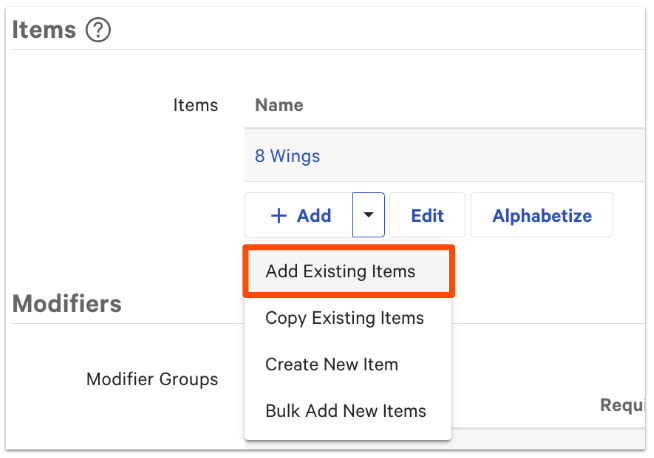
- Scroll down to the group, item, or modifier section and select the dropdown arrow next to + Add.
- Choose Add Existing Items.
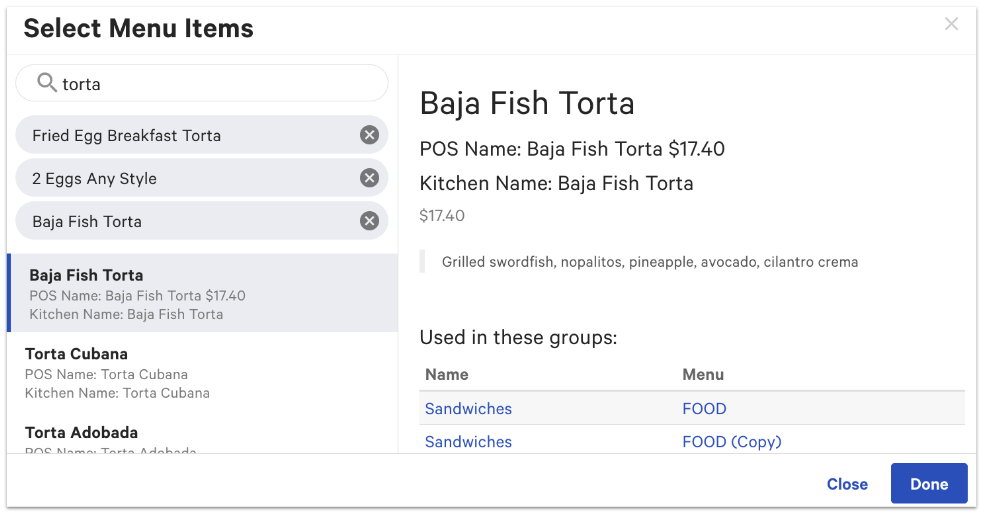
- A pop-up window will appear. In the search bar, enter the name of the group, item, modifier group, or modifier option you wish to add. Then, select an entry from the search results.
- Repeat step 5 until you've selected all entries you wish to add. To remove a selected entry, select the X icon.
- When you're finished selecting all items you'd like to add, select Done.
- Save and publish your changes.
Bulk Add New Elements From a Spreadsheet
If you have items, modifier groups, or modifier options listed in a spreadsheet that you wish to add all at once, you can do so using the bulk add tool.
- In Toast Web, navigate to Menus > Bulk management > Advanced properties.
- Use the arrow (>) icons to expand the menu until you find the area of your menu you wish to edit. Select the name of the menu, group, or item to access its settings page.
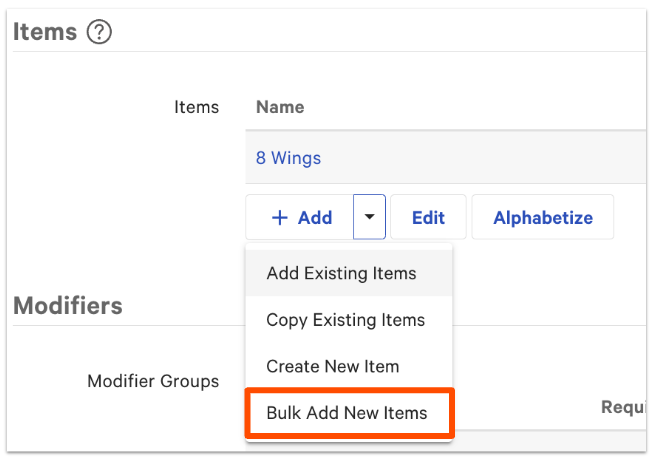
- Scroll down to the group, item, or modifier section and select the dropdown arrow next to + Add.
- Choose Bulk Add New Items.
Note: Although we are adding menu items in this example, the same method can be used for bulk adding modifier groups or modifier options.
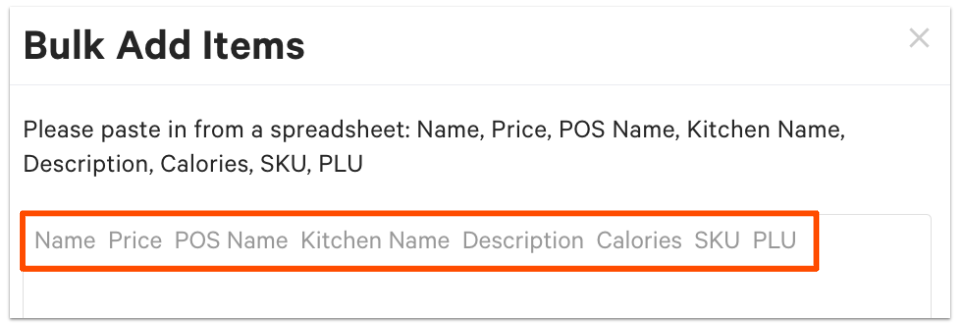
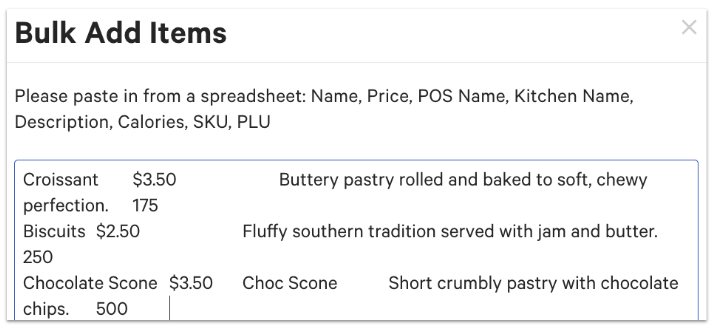
- Use the headers listed at the top of the pop-up window to organize your spreadsheet. Make sure each column of information matches up with the headers listed in order. Any information you do not wish to upload, leave as blank.
- Then, copy and paste the values (not the column headers) into the open text field in Toast Web.
- When finished, select the blue Add button in the bottom right corner.
- Save and publish your changes.

Now, when you return to the Advanced properties page, you'll see the information added under the appropriate fields for each item.