Reopen an Employee's Shift From Previous Days
Last updated: Sep 28, 2026, 11:55 AM
- Before you begin
- When to reopen a shift
- Reopen a shift from Toast Web
- Reopen a Shift on the POS
- After you reopen a shift
- FAQ
- Related Articles
Before you begin
A closed shift can only be reopened if it falls within the current work week. Your work week is defined by the Start of Week day set for your restaurant. If a shift is older than the current work week, it can't be reopened, and you'll see an error when you try.
You need the following to reopen a shift:
- Toast Web access with the 3.14 Edit Time Entries and 4.3 Labor Reporting permissions, to reopen from the Time entry management page.
- A Toast POS device with manager access, to reopen from Review Employee Shifts.
Note: Reopening a shift deletes the Tip Out and Cash Collected entries that were recorded when the shift was originally closed. You'll need to re-enter them after reopening.
When to reopen a shift
Reopen a previously closed shift, recalculate its data, and re-close it when:
- A tip was added or adjusted on a check after the employee clocked out and closed their shift.
- Tips were missing from a check within the shift when it was originally closed.
- Tips were paid out of the wrong drawer.
- Cash was collected using the wrong drawer.
If the employee simply forgot to declare their cash tips, you don't need to reopen the shift. You can add the declared amount directly on the Time entry management page in Toast Web. See Employee Forgot to Declare Their Cash Tips and Edit Employee Time Clock Entries.
Reopen a shift from Toast Web
Use this method to reopen a closed shift from the Time entry management page.
- In Toast Web, go to Reports > Labor > Time entry management.
- Set the date range and location at the top of the page so the shift you need appears.
- Locate the employee, then select the Time out field for the shift you want to reopen.
- Remove the clock-out time and select the checkmark to save. The shift is now accessible again on the POS.
Note: If you see the error "[employee] already has a time entry in this time period," the shift is outside the current work week and can't be reopened.
Reopen a Shift on the POS
Managers can reopen a closed shift for the current work week directly on the POS.
- From the main menu of the Toast app, select Review Employee Shifts under the Manager Activities section.
- Select the employee whose shift needs adjusting.
- Select Remove next to the Clock out time.
- Select Edit, then confirm.
- Select Reopen shift, then confirm.
Expected outcome: The shift is reopened and can be updated.
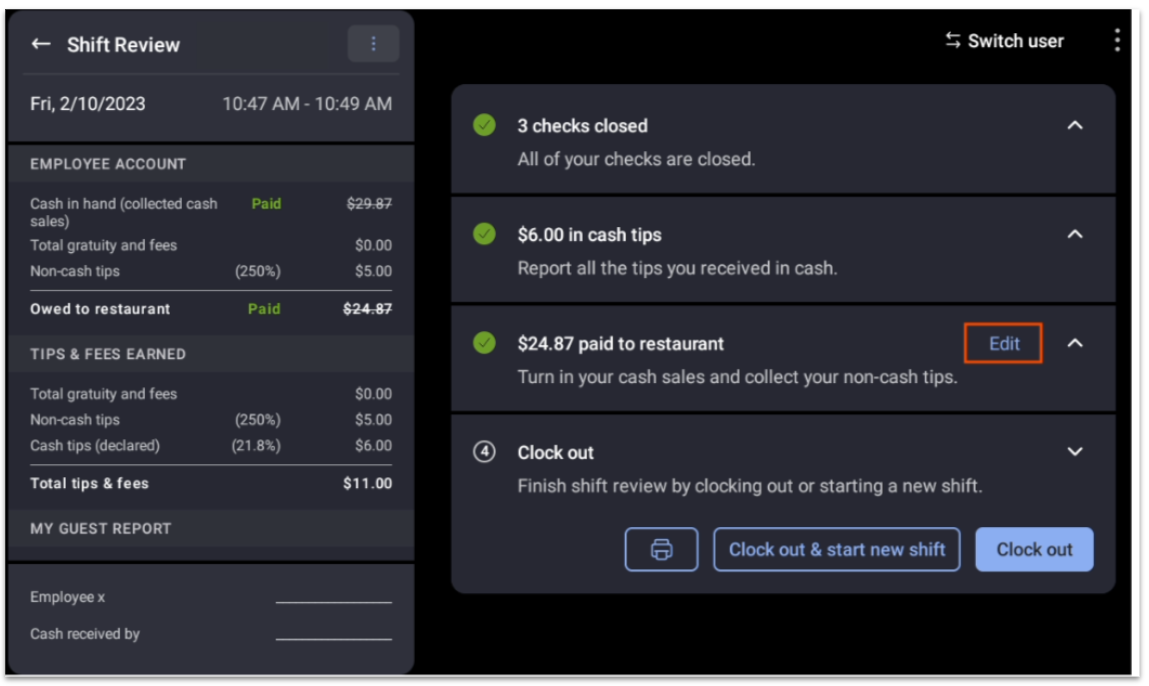
Note: Shifts created in Toast Web instead of on the POS don't appear in Review Employee Shifts on the POS. If a shift was added in Toast Web, reopen and adjust it from the Time entry management page instead.
For a full description of the Review Employee Shifts function, see the Update Time Entries on the POS section of Edit Employee Time Clock Entries.
After you reopen a shift
Once the shift is reopened, make your adjustments, recalculate the shift data, and re-close the shift. Reopening cleared the previous Tip Out and Cash Collected entries, so re-enter those values as part of the re-close.
If you reopen the shift from Toast Web, remember to re-enter the employee's original clock-out time on the Time entry management page after you finish, so the shift reflects the correct hours.
FAQ
Why can't I reopen a shift from a previous week?
You can't reopen a shift from a previous week because shifts can only be reopened within the current work week, which is defined by your restaurant's Start of Week day. If you try to reopen an older shift, you'll see the error "[employee] already has a time entry in this time period." For a shift outside the current work week, contact Toast Customer Care.
Why doesn't the shift appear in Review Employee Shifts on the POS?
A shift may not appear in Review Employee Shifts on the POS because shifts created in Toast Web don't show in that function. Only shifts that originated on the POS appear there. Reopen and adjust a Toast Web shift from the Time entry management page in Toast Web instead.
Does reopening a shift delete the tips and cash entries?
Yes, reopening a shift deletes the Tip Out and Cash Collected entries recorded when the shift was closed. After reopening, re-enter those values when you re-close the shift.
My employee forgot to declare cash tips — do I have to reopen the shift?
No, you don't have to reopen the shift if the employee only forgot to declare cash tips. Add the declared cash tips directly on the Time entry management page in Toast Web. See Employee Forgot to Declare Their Cash Tips.
Related Articles
- Edit Employee Time Clock Entries
- Time Entry Management Overview
- Shift Review Overview
- Employee Forgot to Declare Their Cash Tips
- Why are tips missing from my employee's shift review?
- Close an Open Shift From Yesterday