Install Insight Engage 3.0 on Samsung Displays
Last updated: Sep 17, 2026, 11:53 AM
Learn how to install Insight Engage 3.0 on Samsung displays (Tizen 7) with step-by-step setup, configuration, and activation instructions.
- Installation Overview
- System Requirements
- Install Insight Engage
- Configure Media Player Software
- Technical Support
Installation Overview
This procedure provides instructions for installing the Insight Engage 3.0 media player software on Samsung displays with Tizen 7 embedded players.
System Requirements
The following equipment and tools are required to complete this installation:
- Samsung displays with Tizen 7.0 and above are required.
- USB keyboard (optional)
- Samsung remote (supplied with display)
Note: DO NOT install Ethernet cables to the Meraki Router (Toast).
Install Insight Engage
Locate the IR Remote
Locate the Samsung remote supplied with the display and identify the required buttons.
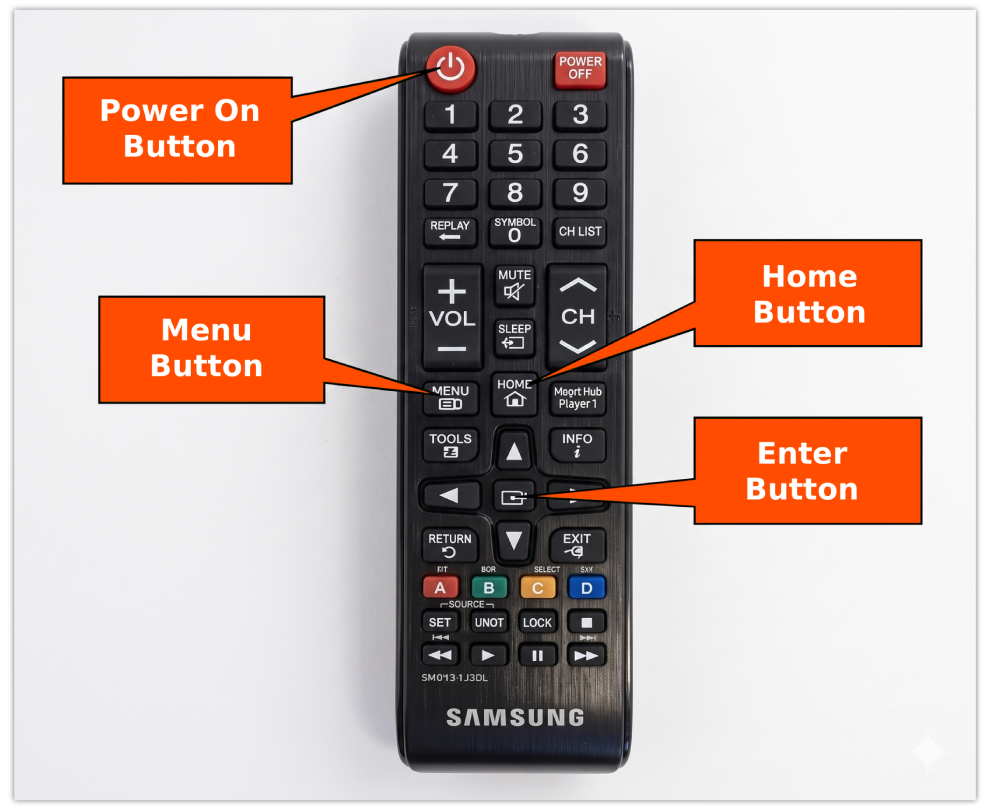
Set Up New Display
If the display is not new, perform a factory reset:
- Power off the panel.
- On the remote, press Mute, 1, 8, 2.
- Power the panel back on to access the Options menu.
- Select Options, then select Factory Reset.
- Power the panel back on after it turns off.
- Connect the network cable to the RJ45 port (recommended for wired connections).
- Connect the power cord.
- Press the Power button on the remote.
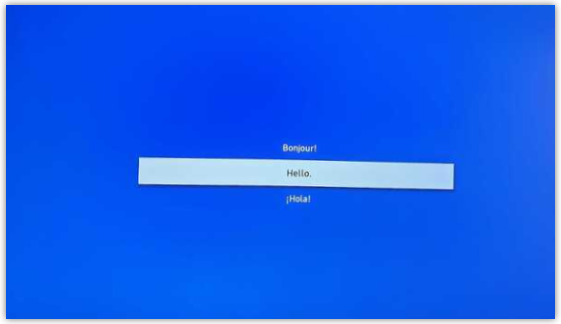
- Select the appropriate language and press Enter.
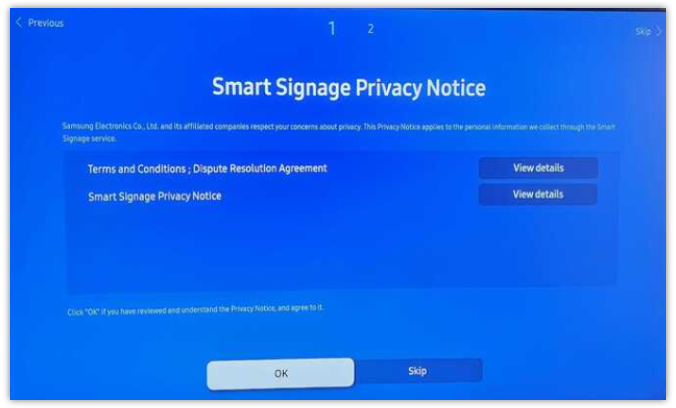
- Select OK to accept the Privacy Notice.
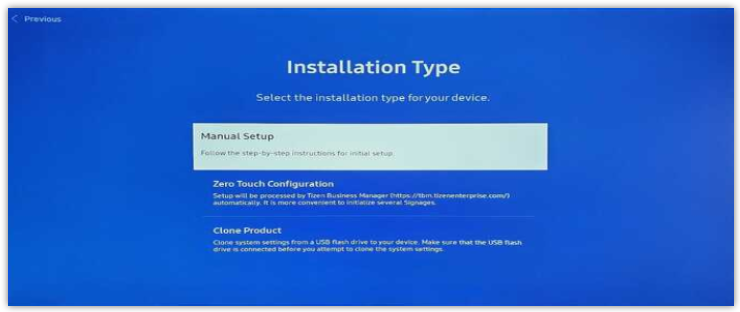
- Select Manual Setup and press Enter.
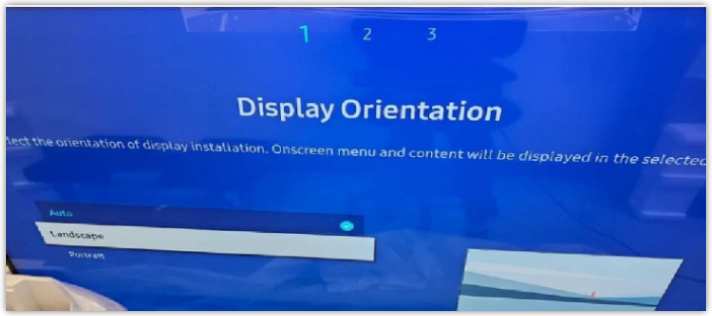
- On the Display Orientation screen, select Landscape or Portrait based on configuration requirements. DO NOT select Auto.
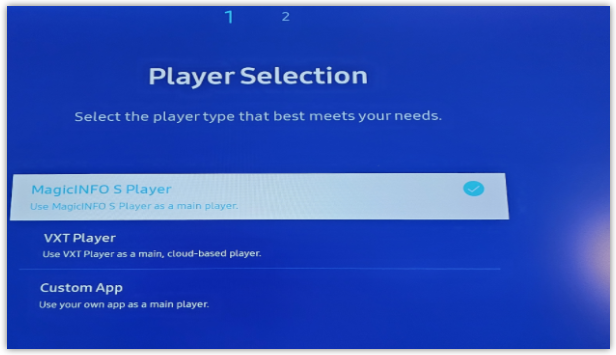
- Select MagicINFO S Player and press Enter.
- Select Skip on the RM Server screen.
- Set the correct date and time, then select Next. Incorrect date and time settings prevent the unit from going online.
- Select Next to skip PIN setup.
- Exit the MagicINFO screen after installation completes.
Configure Media Player Software
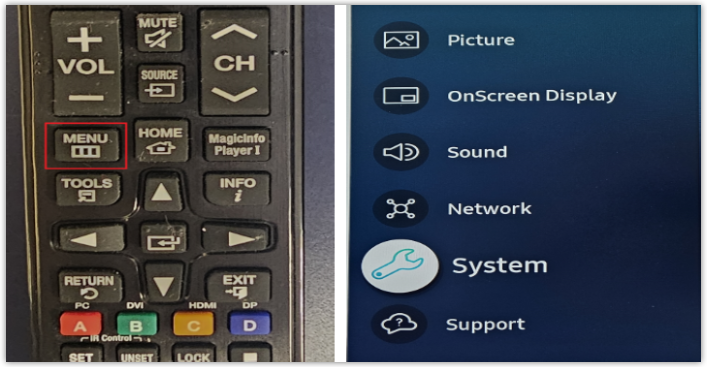
- Press the MENU button on the remote.
- Select System and press Enter.
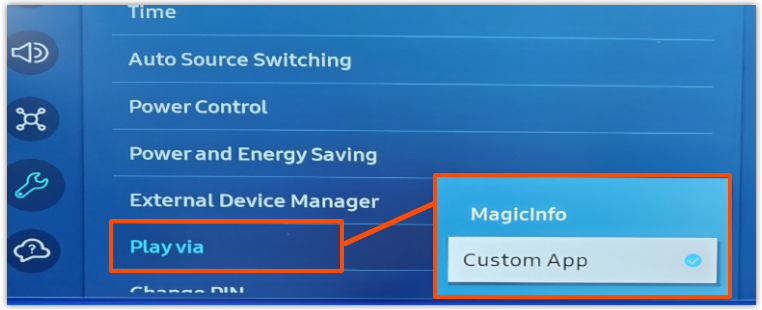
- Select Play Via, then change it to Custom App.
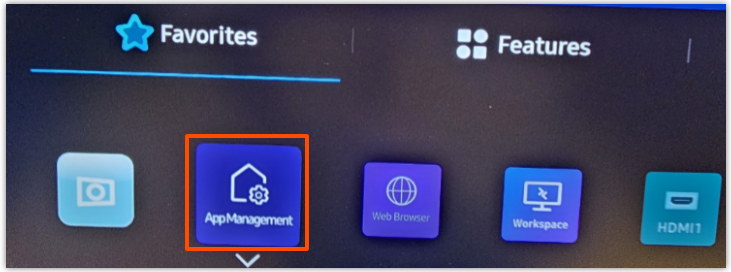
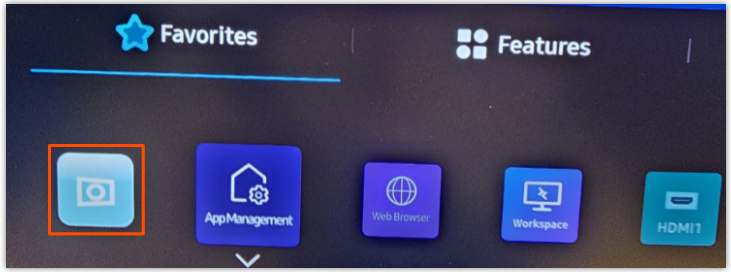
- Press the Home button and select App Management.
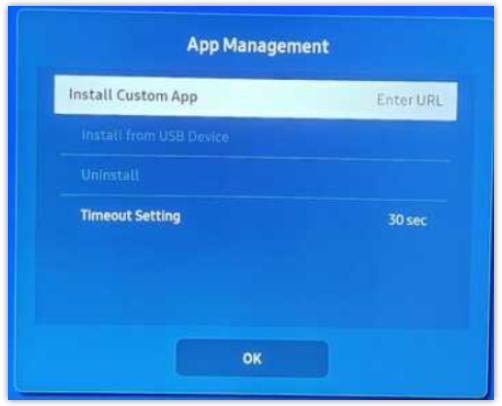
- Select Install Custom App.
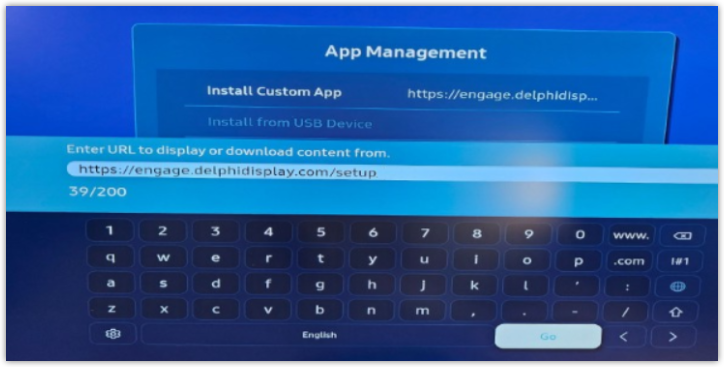
- Enter the following URL using lowercase letters: https://engage.delphidisplay.com/setup
- Using a keyboard simplifies this step.
- Select Go to install the application. If the application does not automatically load, please check the URL that was entered earlier.
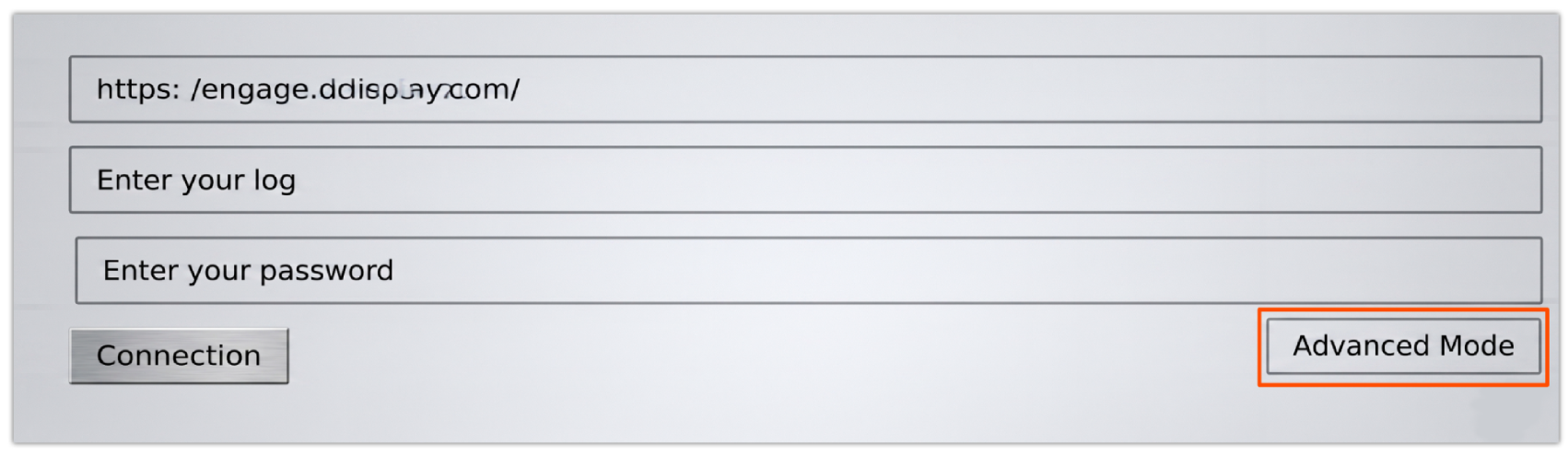
- If everything worked, you would see the screen below. Select Advanced Mode.
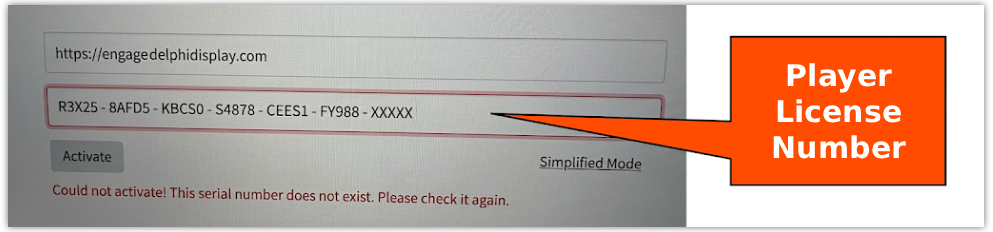
- Verify the URL displays as https://engage.delphidisplay.com.
- Navigate to the License field and enter the provided Player License on your Sales Order.
- Select Activate.
- Note: Only letters A through F are used in the license. Verify accuracy if activation fails.
- Note: Only letters A through F are used in the license. Verify accuracy if activation fails.
- Confirm the player appears as active (green or yellow) in Engage CMS.
- If the app closes, press Home and reopen the unnamed app next to App Management.
- If needed, perform a factory reset using the same reset procedure.
Technical Support
For technical assistance, please reach out to Delphi Technical Support.