Optimize Toast Loyalty With Item-Based Rewards
Last updated: Sep 17, 2026, 4:50 PM
With item-based rewards, restaurants using Toast Loyalty can offer a specific reward to loyal guests rather than a cash back reward. You can configure a menu item, menu group, or menu subgroup as an earned reward.
- Requirements for Item-Based Rewards
- Configure a Free Item Reward
- Redeem an Item-Based Reward - POS
- Free Item Redemption Reporting
- Additional Resources
Requirements for Item-Based Rewards
To proceed with configuring a free item reward, you must be subscribed to the Toast Loyalty program. For more information, see Get Started With Toast Loyalty.
A few things to note:
- All applicable modifiers on the selected free item(s), including sizes, will be discounted.
- Free item rewards can only be redeemed in-store on the POS, Guest-Facing Display (GFD), and kiosk.
- Free item rewards cannot be redeemed in Toast Mobile Order & Pay®, mobile payments, and Toast Local. Guests will continue to accrue in these ordering platforms.
- If you are changing from an existing loyalty program, notify your guests about your reward changes to avoid confusion.
Configure a Free Item Reward
To configure a free item reward, follow the steps below:
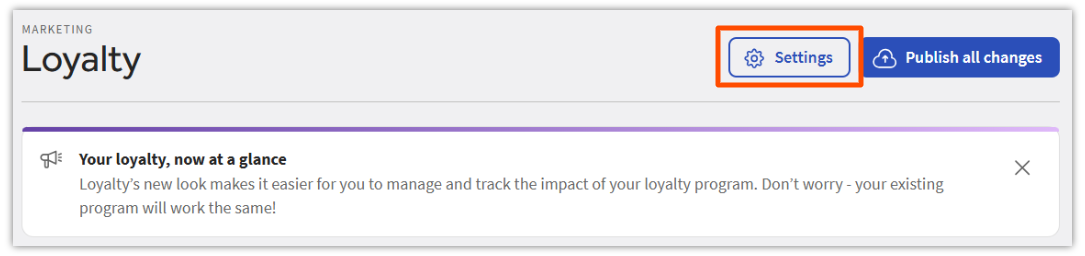
- Log in to Toast Web and select Marketing from the left-hand navigation, then Loyalty > Settings.
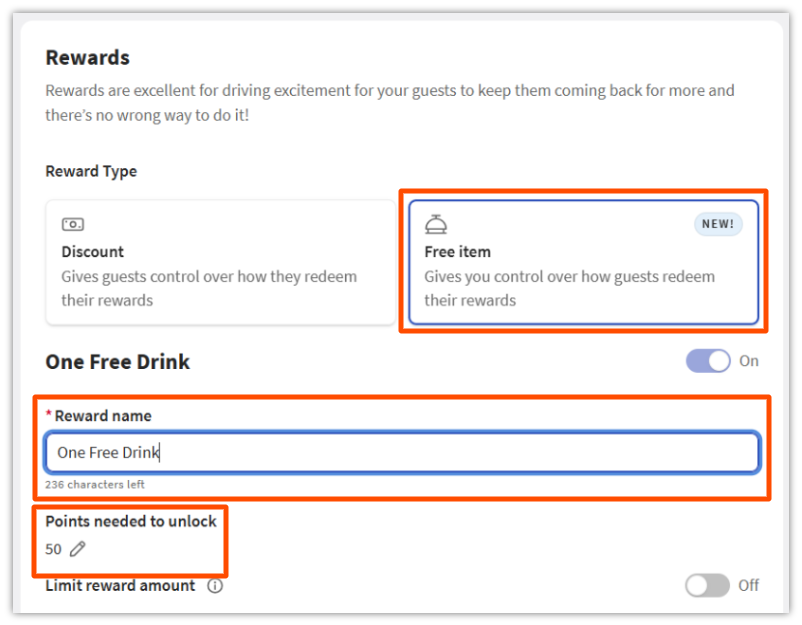
- In Loyalty settings, select Rewards > Free Item and then type in the Reward name and Points needed to unlock. Note: Guests must reach the point value to earn the reward.
- Create the menu item offer. Note: This step will need to be repeated for restaurants with multiple locations. The menu items will need to be selected and configured for each location. If the rewards program is shared across multiple locations, use a reward name that accommodates each item offered across locations.
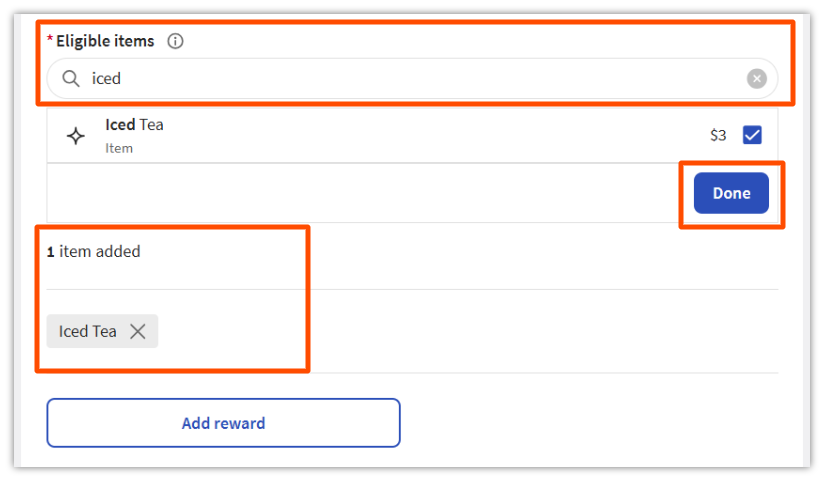
- Use the Search box under the Eligible items to search for a menu, group, subgroup, or specific item to offer as a reward.
- You can review which items have been added to the reward offer below the Eligible items after you have added them.
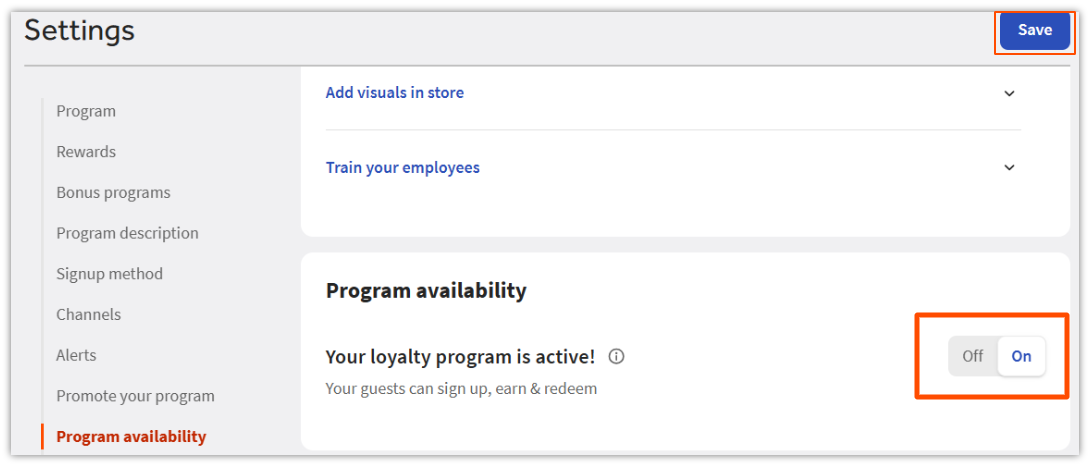
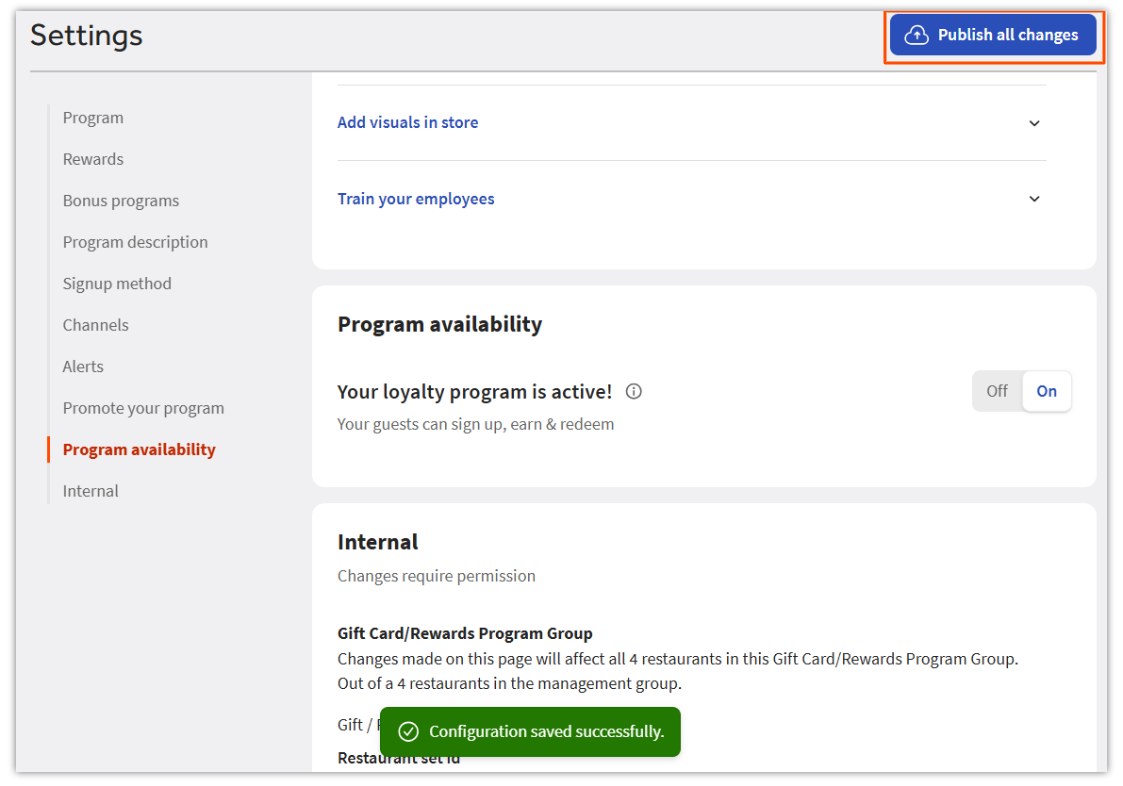
c. Ensure the loyalty program is toggled to On on the Loyalty settings page under Program Availability. Select Save and Publish all changes.
Redeem an Item-Based Reward | POS
Guests are earning points and will soon be ready to redeem. Learn the server-facing and guest-facing workflows to support guests with available rewards.
Back to top
Server-Facing Item Redemption
- Start a new order. Continue with either taking the guest’s order or looking up the rewards account. When ready, add the guest’s reward:
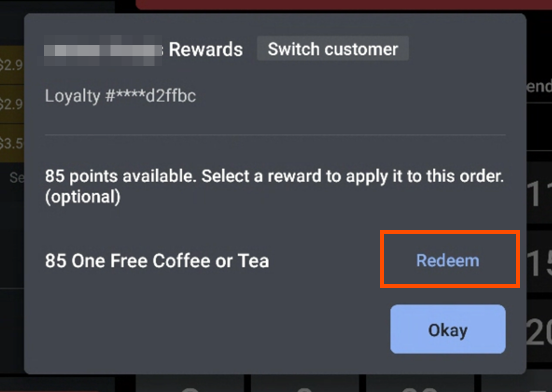
a. Look up the guest using the Rewards button on the order screen. Search for the guest and select their loyalty account. The guest will be eligible to redeem if a reward is available and an applicable item is in the order.
b. Select Redeem.
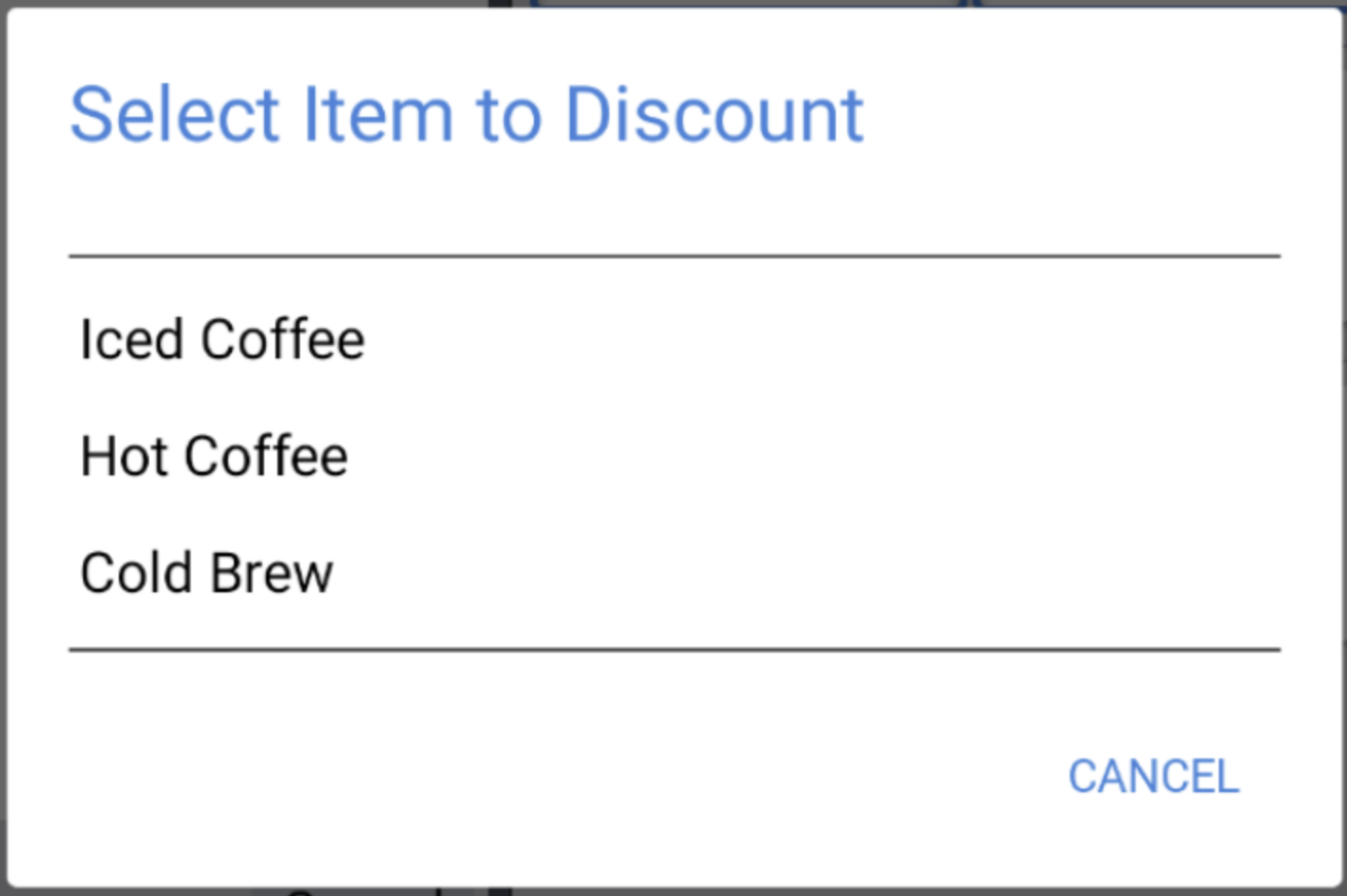
c. If there is more than one applicable item, select the item to apply the rewards.
Guest-Facing Free Item Redemption
Guests can redeem without staff assistance using the GFD, kiosk, Toast Online Ordering, and Online Ordering Pro.
Note: If you are in the Multi-Reward Selection beta with Toast Loyalty, your guests can also redeem on the Branded Mobile App. To learn more, see Get Started With Toast Loyalty.
Back to top
Free Item Redemption on Guest-Facing Display
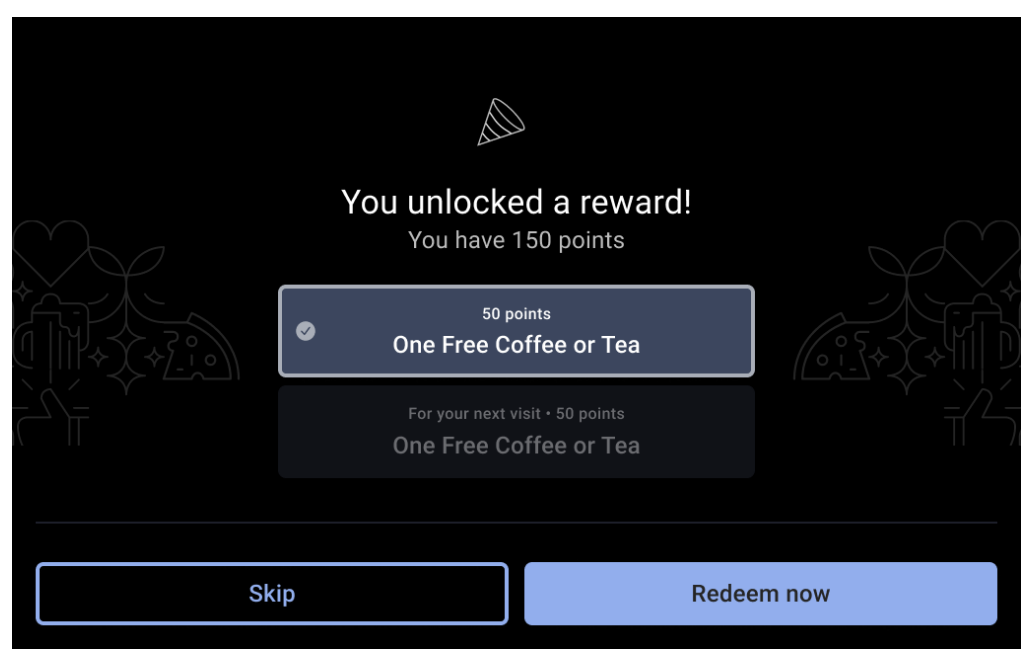
The loyalty screen appears when a guest uses a credit card linked to their loyalty account. Guests can also sign in to their Loyalty accounts using their associated email or phone number at the beginning or end of the transaction on the guest-facing display. Guests who have earned enough points to redeem can use this screen to redeem their rewards. The order must contain a qualifying item.
Free Item Redemption on Kiosk
Guests will be prompted to enter their information and look up their loyalty account when they start to place an order on the kiosk. Any available rewards will be displayed as a pop-up, or shown as a button on the bottom of the screen during the ordering process.
Free Item Redemption for Toast Online Ordering
Guests can redeem their reward(s) in Toast Online Ordering or Toast Online Ordering Pro. First, guests must add items to their cart and reach the checkout page. Once on the checkout page, the free item reward will appear. Once applied, the qualifying item is discounted, and the check is updated with the discount.
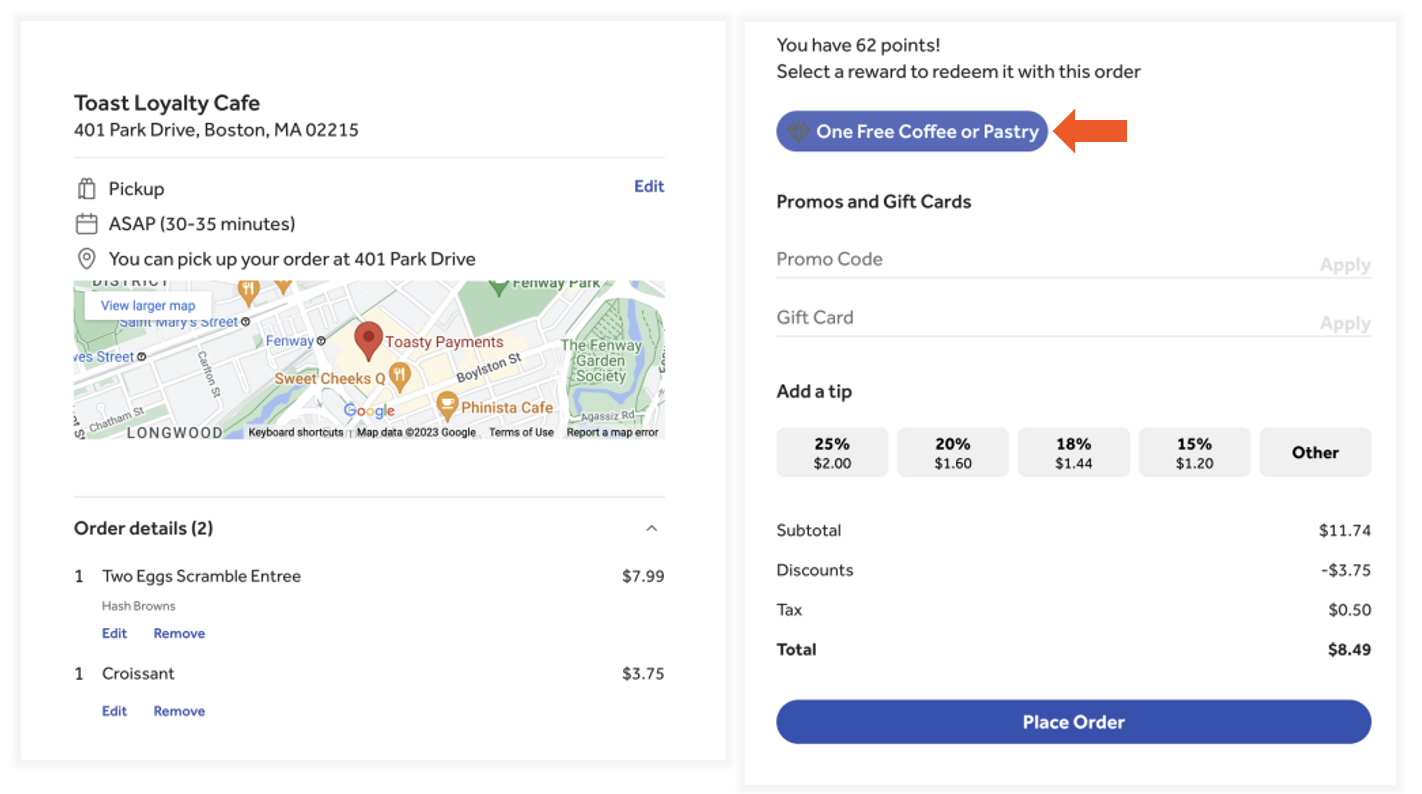
Note: Redemption on Toast Local and Toast Mobile Order & Pay® is unavailable. Look out for updates on availability.
Earned Reward Notification
When a guest earns a reward, we will notify them via email or SMS (depending on the signup method) that they have earned a reward. This will be sent immediately after earning. There is no additional configuration needed for the restaurant.
If a guest does not receive the loyalty reward email as expected:
- Verify that the email is accurate
- Have the guest check their spam/junk folder
If a guest does not receive the loyaty reward SMS text message as expected:
- Verify the phone number is accurate
- Have the guest send START to 86278 via SMS text message
Note: For guests who do not wish to receive this notification when they earn their reward, they can reply STOP to 86728
Back to top
Free Item Redemption Reporting
Redemptions will appear in the Rewards Transactions report as a redemption transaction and in the Discounts report under the assigned discount name.