Place a Delivery Order on the POS
Last updated: Sep 17, 2026, 4:21 PM
Question
- How can I place a delivery order with a Toast Delivery partner?
- How do I place a delivery order on the POS terminal?
- I'm on the POS Order screen. How do I change the dining option from "Dine in" to "Delivery"?
Answer
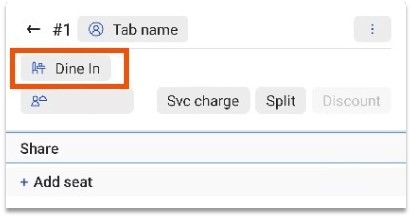
- On the POS Order screen, select the current Dining option tab as shown in the screenshot below.
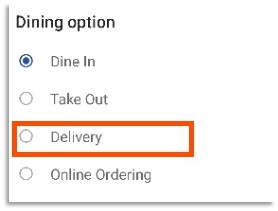
- In the Dining Option pop-up window, select Delivery.
- Note: You can customize your dining options in Toast Web as needed for your specific restaurant concept. See Set Up Custom Dining Options for more information.
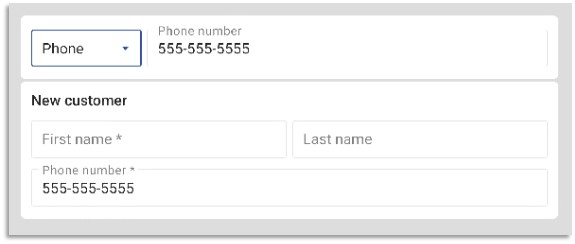
- You will be prompted to enter the guest's phone number.
- If this is the guest's first delivery order, enter their address and name. If the guest has ordered before, their name and address will automatically populate.
- If this is the guest's first delivery order, enter their address and name. If the guest has ordered before, their name and address will automatically populate.
- Select Done to finish placing the delivery order.
Additional Information
It's important to get delivery orders to the kitchen quickly so you can dispatch your delivery drivers. When guests call to place a delivery order, here's how to place the order.