Display Suggested Tip Amounts on Receipts
Last updated: Sep 17, 2026, 3:12 PM
- Enable Suggested Tip Amounts
- Customize Suggested Tip Amounts
- Existing Tip and Mandatory Gratuity Impact on Suggested Tip Amounts
- Suggested Tip Amounts with Discount
Enable Suggested Tip Amounts
Digital and printed receipts can show suggested tip amounts for guests to help ensure that your waitstaff is being rewarded for their service. Guests can always choose to customize their tip amount, but you can set custom tip amounts for the suggestions that appear on receipts or your guest-facing display. Additionally, receipts can be configured to display a tip line for credit card payments, providing an alternative way for guests to add gratuities.
Want to save guests the trouble of doing mental math? Follow the steps below to enable tip suggestions:
- In Toast Web, navigate to Finance > Related > Settings > Guest receipt setup. In some cases, you might need to select the name of the receipt setup profile you want to edit.
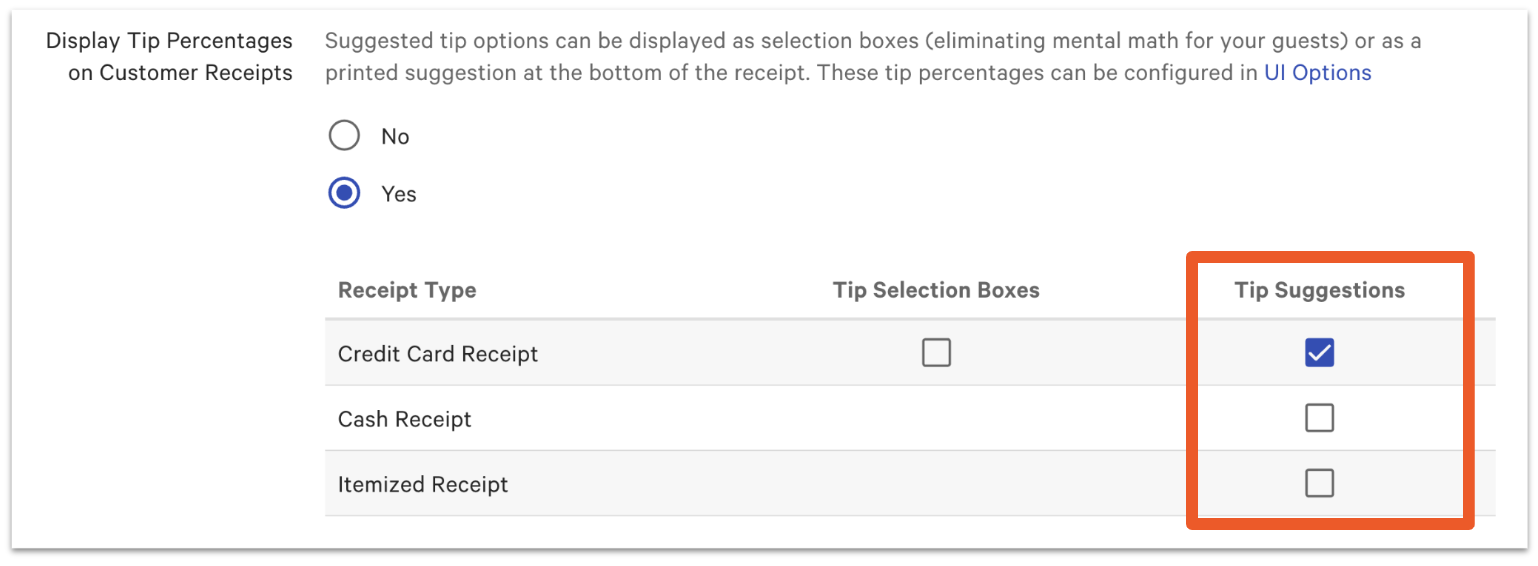
- Scroll down to the Display Tip Percentages on Customer Receipts setting and select Yes.
- You can then decide which receipt types suggested tips will print on: credit card receipt, cash receipt, and/or the initial itemized receipt. Selecting the Tip Selection Boxes for Credit Card Receipt will allow guests to simply click to select their desired tip amount.
- Save and publish your changes.
Note: If a check is split, the suggested tip amounts shown on each receipt are based on the total of that specific split check, not the total of the original, unsplit check.
Back to top
Customize Suggested Tip Amounts
- Once tip percentages are enabled on receipts, navigate Front of house > Order screen setup > UI options.
- From here, scroll down to the Tipping section. Follow the prompts to select a tipping option or enter your customized tip percentages and/or amounts.
Tip / Tax
Choose if the tip should be calculated before or after tax.
Choose Tip Options
Show tips options in percentages or in dollar amounts:
Percentages only - Recommended tip amounts will be shown in pre-set percentages. If you choose this option, you can enter three percentage values or accept the pre-set amounts.
Dollar only - Recommended tip amounts will be shown in pre-set dollar amounts. If you choose this option, you can enter three dollar values.
Percentage/dollar mix - If you choose to display both tip percentages and dollar amounts, set the threshold for when the suggested amount should switch from the suggested dollar to the suggested percentage. Fixed dollar amounts will only display on digital receipts.
Default Tip Selection Choose the default tip selection for guests, or select None. One tip amount - whether it is a dollar, a percentage, or both.
No tip - Which defaults to no tip being selected, and the guest can sign.
None - This will require the guest to choose a tip button before submitting their signature
Significant Adjustments to Tips Require Approval Select Yes or No to choose if a manager has to approve large changes to tip amounts. If enabled, define the value of a significant change.
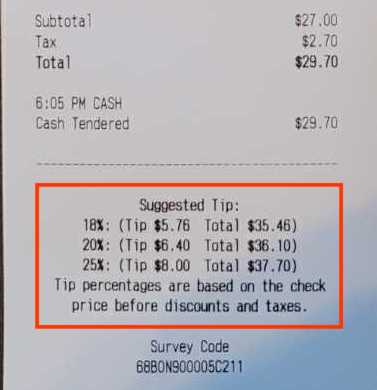
- Once you Save and Publish your changes, your receipts will contain a section that displays your customized suggested tip amounts.
Existing Tip and Mandatory Gratuity Impact on Suggested Tip Amounts
Any existing tip amount or mandatory gratuity (service charges assigned to the check owner rather than employer-kept service charges) on a check will affect the suggested tip amounts that show on your digital and printed receipts. Because the guest is already effectively tipping in the form of a mandatory gratuity, the system will automatically take this into account and suggest an additional 3%, 5%, and 7% tip to your guests instead of displaying the suggested tip percentages you have set up in Toast Web. These additional suggested tip percentages are fixed amounts that cannot be edited.
Suggested Tip Amounts with Discount
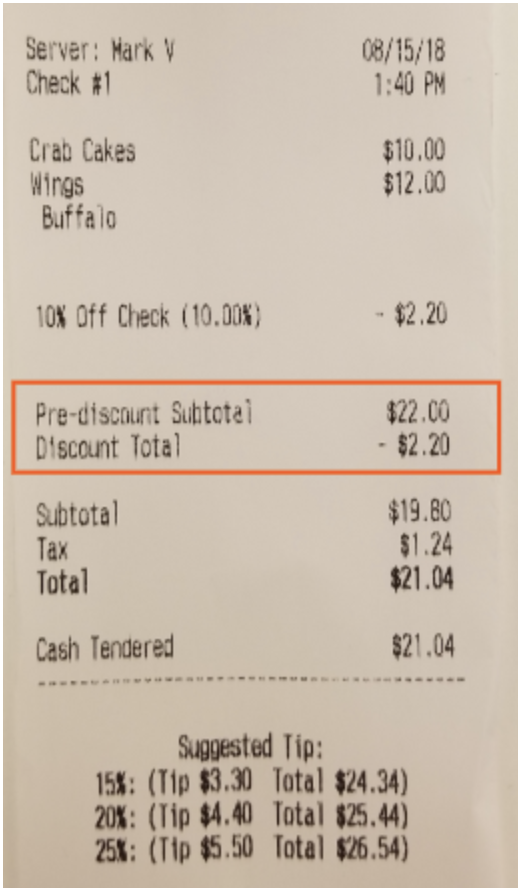
Suggested tip amounts are based on the full value amount before any discounts are applied. This helps to ensure that service staff is fairly compensated for the full value of the service and goods provided.
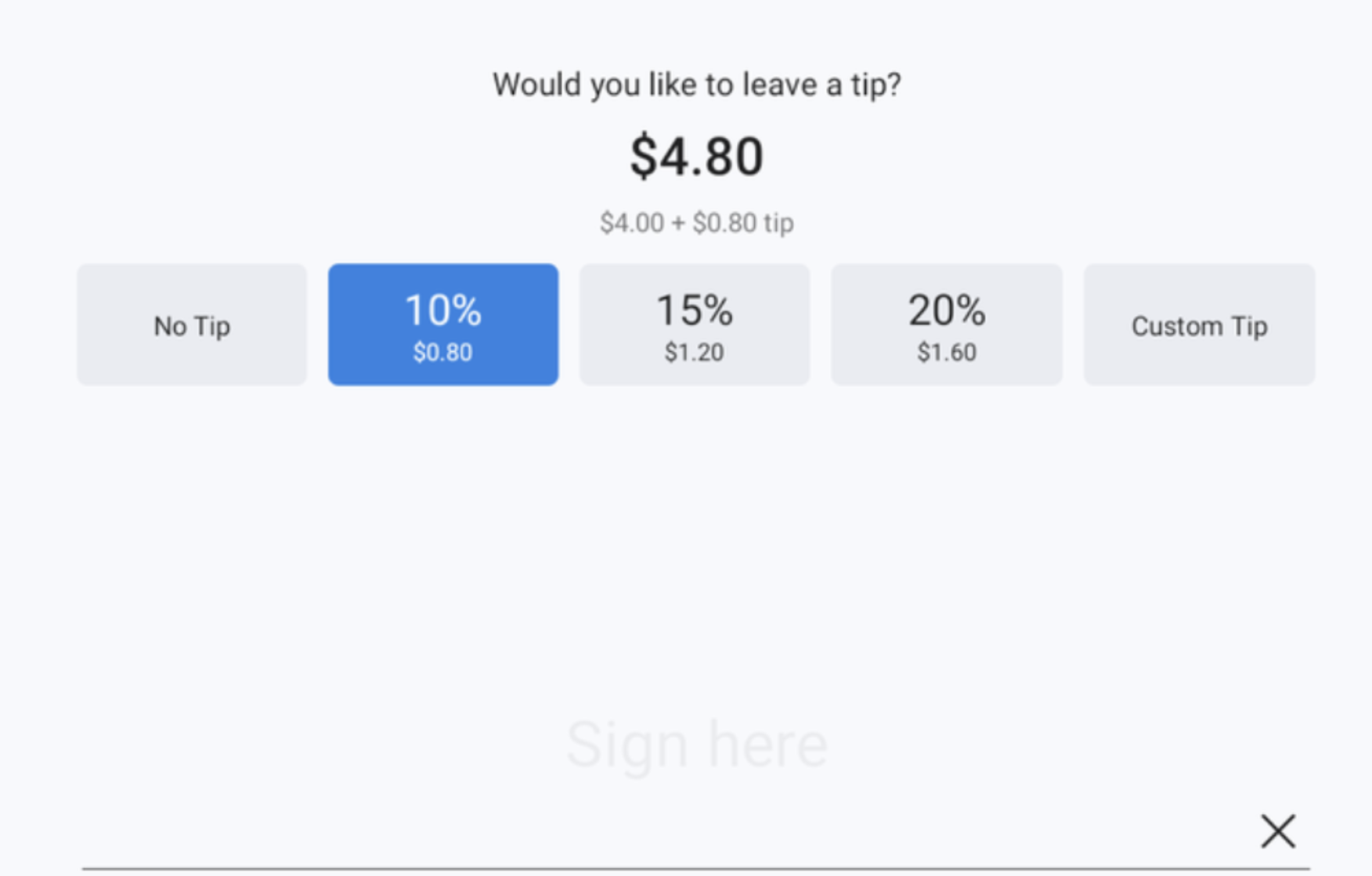
The suggested tip (10% in this case) is based on the full value amount ($8), thus it is $0.80 rather than $0.40 (10% of the $4 "Buy On Get One (BOGO)" discount total).
Note: The No Tip option can not be removed from your receipts.
To display discounts and pre-discount subtotals on receipts (as shown below), check out this Support Center article: Customizing Receipts: Advanced Configuration.