Toast Payroll: Find Your SUTA/SUI Rate
Last updated: Oct 20, 2026, 12:35 PM
Question
Where can I find the SUTA, SUI, or state unemployment tax rate that was in effect for a quarter's filing in Toast Payroll?
Answer
SUI stands for State Unemployment Insurance and SUTA stands for State Unemployment Tax Account. These refer to the same thing, but different state and local jurisdictions may refer to this by either acronym or might even call it Reemployment Tax. All 50 states + DC are subject to this tax.
The Tax Accounts page under Settings > Payroll > Tax Accounts will display the current SUTA/SUI rate for the selected FEIN and state, but keep in mind that this may not match the rate used at the time a tax package was filed in the past. If you do not see Settings on the left side of the screen, select Payroll from the Toast Web navigation rail on the left to make the Toast Payroll navigation rail appear.
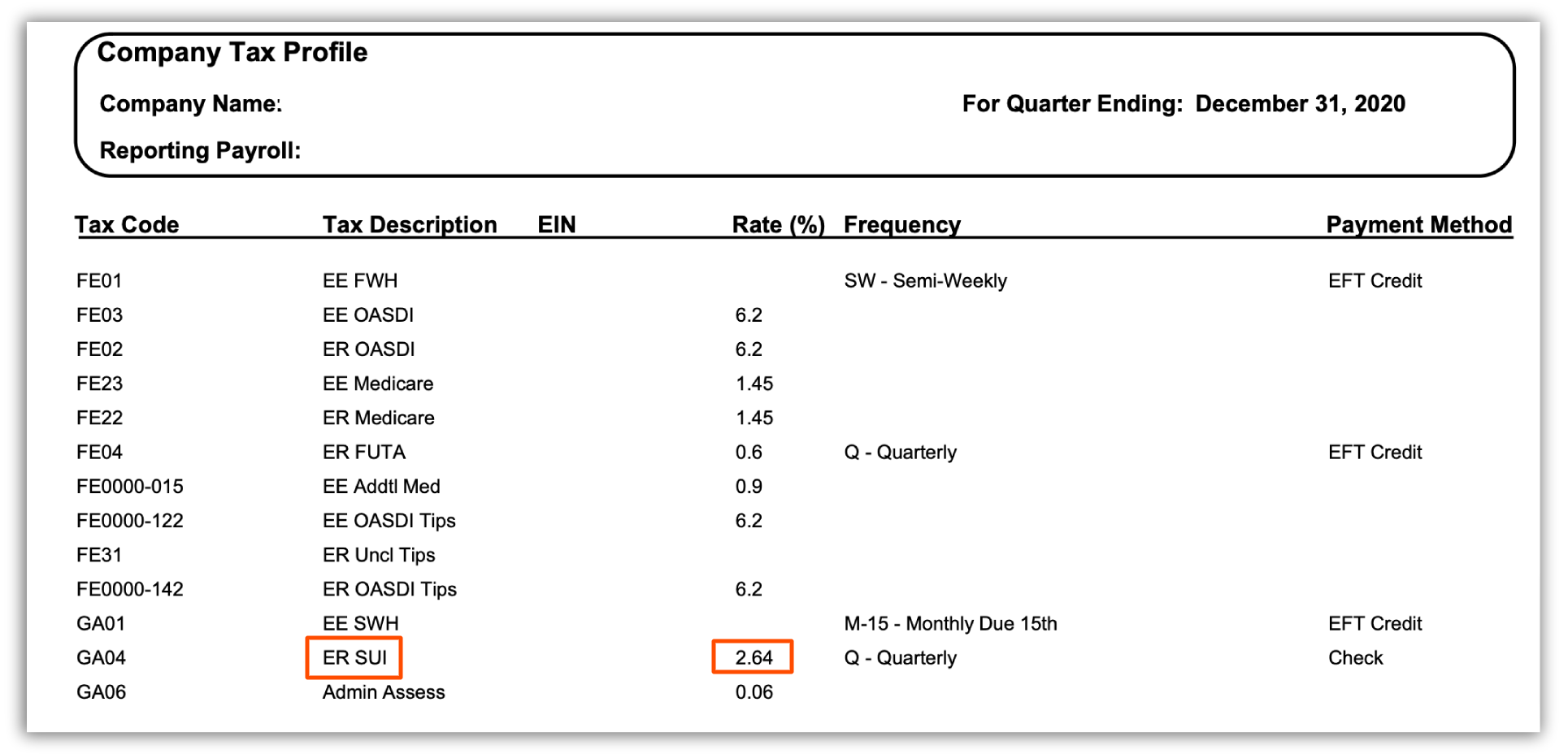
You can find a SUI/SUTA rate at a specific point in time on the bottom of the last page of your Quarterly Tax Package:
- In Toast Payroll, navigate to Reports > Tax Filing.
- When you select Reports in Toast Payroll, you should see a URL that begins with payroll.toasttab.com. Visit Navigate Toast Payroll Within Toast Web to learn how the new Toast Payroll navigation works.
- Select the appropriate Year and FEIN.
- Now select the blue arrow button to download a quarterly tax package.
This content is for informational purposes and is not intended as legal, tax, HR, or any other professional advice. Please contact an attorney or other professional for advice.