Set Up Tabs & Pre-Authorization for Toast Mobile Order & Pay®
Last updated: Jun 25, 2026, 10:55 AM
- Set Up Tabs & Pre-Authorization for Toast Mobile Order & Pay®
- Enable Tabs and Pre-Authorization for Toast Mobile Order and Pay®
- Reorder Items From an Open Tab
 | Pre-authorization is not available to customers outside of the US at this time. |
Set Up Tabs & Pre-Authorization for Toast Mobile Order & Pay®
Give your guests a fast, easy, and contactless way to start a tab and order rounds without leaving their seats or flagging down a server. Guests can easily scan a QR code to browse the menu, order, and pay, all from their mobile devices. Plus, with Apple Pay, guests can pay in less than 10 seconds. Once a guest has started a tab on Toast Mobile Order & Pay®, the server can add items to the same tab from a Toast Go® or POS device for flexible and continuous service.
Once the guest scans the QR code, they will enter their name and phone number and then be able to view the menu. Once they are ready to order, they will be prompted to enter their credit card information. The card will then receive a pending charge of $0.01. After they order and pay, the guest will be charged the full amount on the tab, and the pending charge on the card will go away. If they want to add items to their tab and order more food or drinks, they can navigate to their tab via the SMS link sent to their phones.
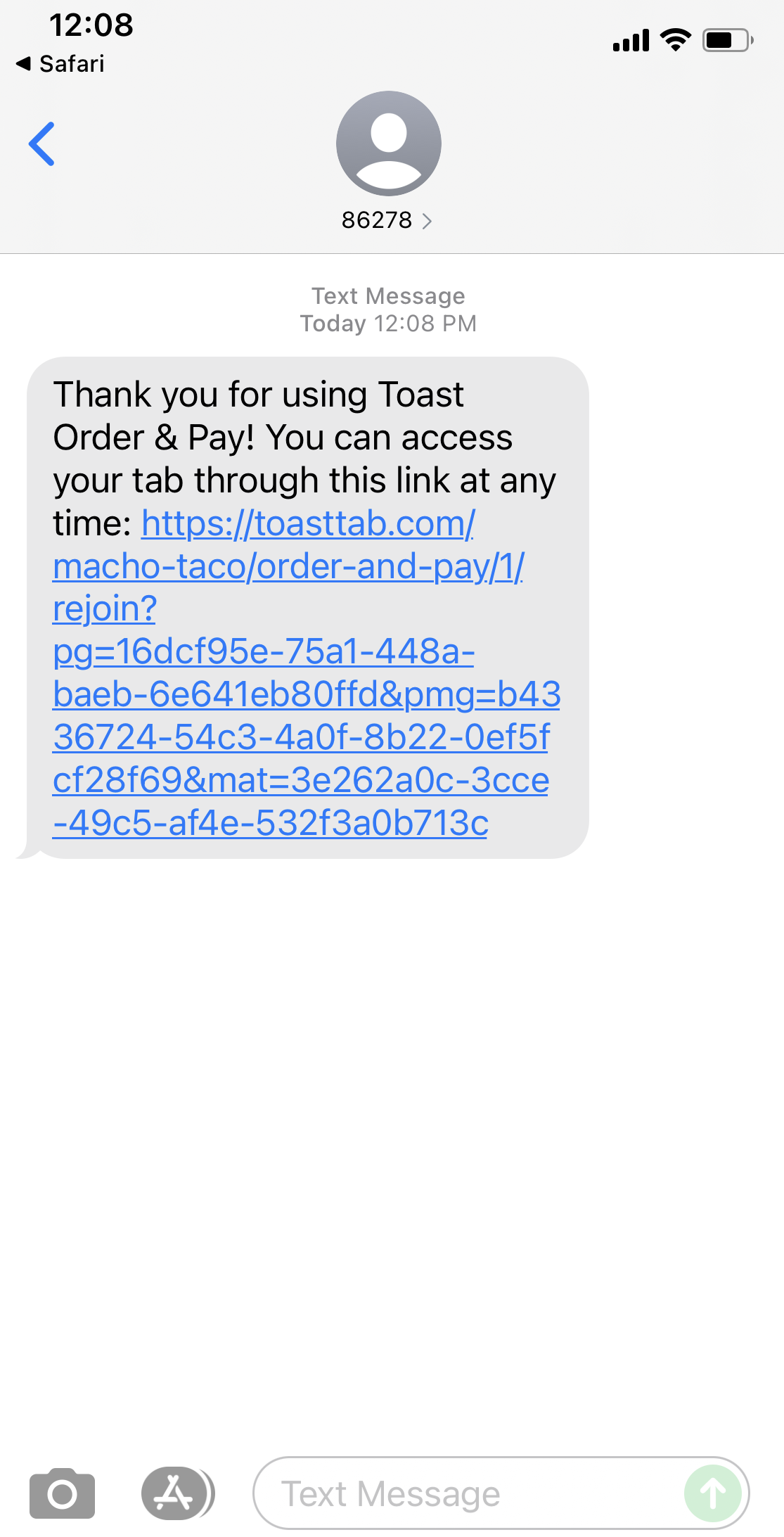
Enable Tabs and Pre-Authorization for Toast Mobile Order and Pay®
There are currently two versions of this feature available: Tabs and Pre-authorized tabs.
- Tabs - Guests can place orders continuously and pay when they are done. A credit card is not required to place an order.
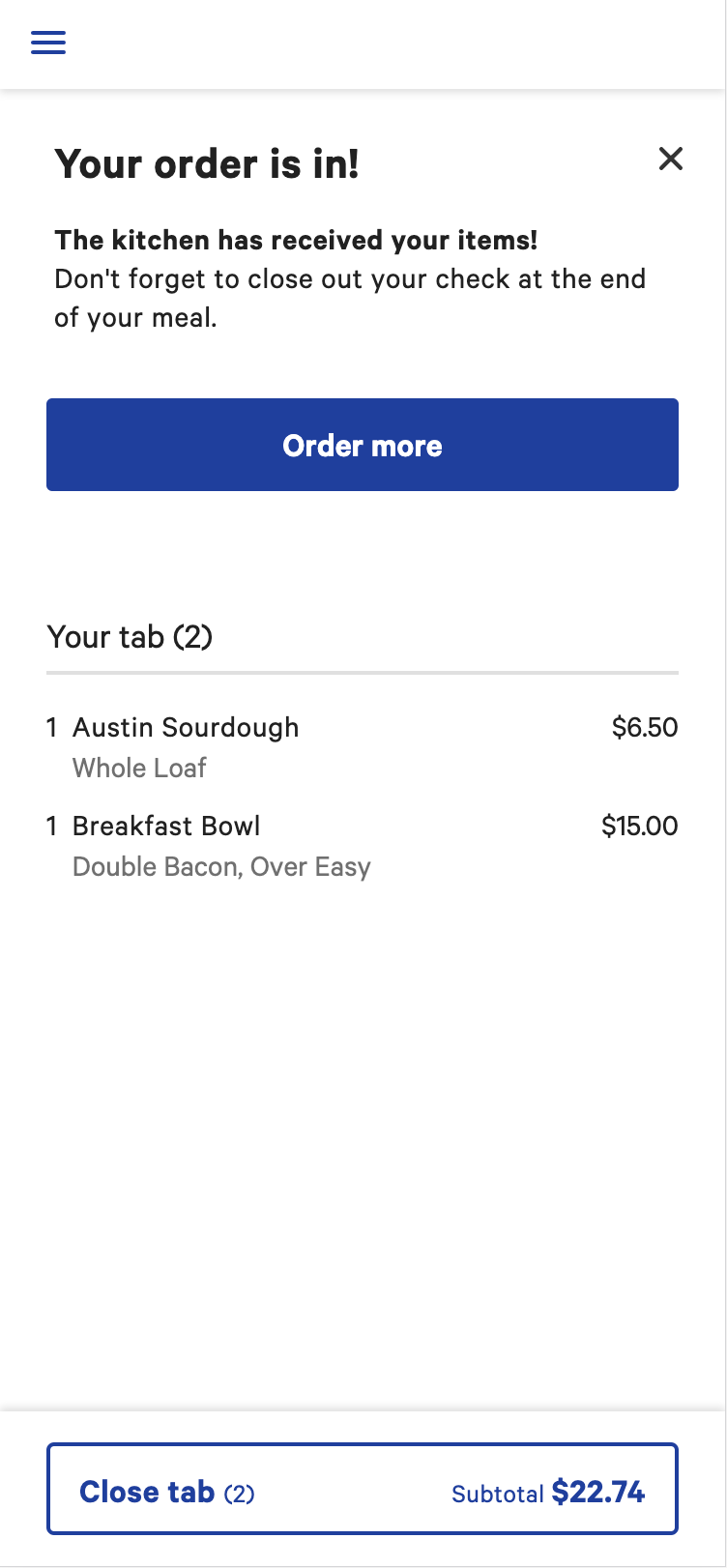
- Pre-Auth - Pre-authorized tabs will ask the guest for credit card information after items are added to the order and before they are sent to the kitchen. This allows the guest to view the menu without entering a credit card for pre-authorization. Check out the example video below.
Note: To use preauthorized tabs, you must also enable standard tabs.
In addition, we strongly encourage enabling the group order feature in addition to standard and preauthorized tabs. This will allow multiple guests to join a single standard or preauthorized tab from their own device, and then submit orders to the kitchen all at once. To learn more about this feature, scroll down to the following section in this article.
If a restaurant changes the minimum pre-authorization amount in the Payment Options page in Toast's back-end to anything other than $0.01, Toast Mobile Order & Pay's pre-authorization amount will not change. This is because there is a smaller chance of a guest not being able to pay for a walkout. If you would like to adjust this amount, please contact Customer Care for assistance.
- In Toast Web, navigate to Front of house setup > Mobile dining solutions > Toast Mobile Order & Pay® header.
- Select Configurations from the left menu.
- Scroll to Ordering Experiences and select either Tabs or Pay-as-you-go.
You can also toggle on the ability to use pre-authorization with the Gather payment details upfront, or allow for Group ordering toggles.
Congratulations! You've successfully enabled Tabs for guests using Toast Mobile Order & Pay®. Now, it's up to your staff to welcome guests and familiarize them with the ordering process.
Not sure how to message this new feature to guests? Check out our Staff Training Guide: Toast Mobile Order & Pay®.
Learn more about Tabs for Order & Pay in our Toast Mobile Order & Pay® at the Table FAQ.
Back to top
Reorder Items From an Open Tab for Toast Mobile Order & Pay®
If your guests would like to reorder an item they have previously ordered on their open tab, like a cocktail or second order of chips, they can select the link texted to their phone number and follow one of the three ways below:
- From the View Open Check page on your guest's mobile device, each item has an Order Again button which will bring guests to a page where they can add the item to their cart.
- Once your guests have ordered, a new menu group will appear at the top of the menu page with items from the guest's tab. Tapping on an item from this menu group will bring your guests to a page where they can add the item to their cart.
- On each item from the reorder menu group, there is also a Quick Reorder button which will automatically add the item to the guest's cart without directing them to a different page.
Note: At this time, guests can only reorder items from their current tab, not from previous orders.