Toast Checking: Jars FAQ
Last updated: Jul 7, 2026, 2:22 PM
Toast Checking’s† Jars feature is a great way to automatically budget, save, and spend. Find answers to common questions about using Jars below.
- What is a Jar?
- How do I figure out what Auto Savings to set for my Jar?
- What APY does each Jar earn?
- How do I open a new Jar?
- How do I edit a Jar’s Auto Savings or other settings?
- How do I transfer money into and out of a Jar?
- Can I use my Jar to pay bills via ACH?
- How many Jars can I open?
- Can I overdraft a Jar with a purchase?
- How do I close a Jar?
- Additional Resources
What is a Jar?
Each Jar is a Toast Checking† account that you can use for a specific purpose. The Jars feature is included with Toast Checking that helps you better organize your budget and manage your savings. You can use Jars to set aside money for typical business needs such as taxes, payroll, rent, supplier invoices, major purchases, projects, or even a rainy day fund.
Each Jar is a separate Toast Checking account, with features such as:
-
-
- Customizing each Jar’s name and icon to reflect your goals
- Easily transferring money in and out, including paying bills via ACH
- Transfers between your primary Toast Checking account and between Jars are instant
- Setting up an Auto Savings percentage specific to each Jar
-
How do I figure out what Auto Savings to set for my Jar?
If you have a target amount and target date you want to save up for in a given Jar, you can easily estimate your Auto Savings percentage to reach that goal. Note that this estimation does not include interest you’ll earn on your Auto Savings, so you would reach your goals even faster if your sales fall in line with your estimations.
Start by jotting down the following:
-
-
- Target Jar amount: how much you want to save
- Target timeframe: when you need that amount by
- Daily card sales (deduct all other scheduled debits, such as Easy Pay lease fees)
- Daily card sales to divert: Divide your Target Jar amount by your Target timeframe
- Auto Savings percentage: Divide your Daily card sales to divert by your estimated Daily card sales
-
As an example, let’s say a business wants to open a Jar to save up towards a custom $2,700 furniture order that they need to pay for 3 months from now, and this business does $1,000 in daily card sales.
-
-
- Target Jar amount: $2,700
- Target timeframe: 3 months (90 days)
- Daily card sales: $1,000
- Daily card sales to divert: $30 per day ($2,700 invoice / 90 days)
- Auto Savings percentage: 3% ($30 needed per day / $1,000 daily sales)
-
What APY does each Jar earn?
Jars earn the same APY (annual percentage yield), which depends on the total balance of your primary Toast Checking account and all Jars, as well as the date you opened your first Toast Checking account:
-
-
- If you opened your first account on or after March 3, 2025: Interest rate of 1.49% and Annual Percentage Yield (APY) of 1.50% for accounts with total balances of $15,000 or more is effective as of 11/4/2025. You will not earn any interest or APY if the total balance across your accounts is less than $15,000. The interest rates and APYs are variable and may change at any time. Fees may affect earnings on the account.
- If you opened your first account before March 3, 2025: Interest rate of 1.90% and Annual Percentage Yields (APY) of 1.92% for accounts with balances below $25,000, and interest rate of 2.10% and Annual Percentage Yield (APY) of 2.12% for accounts with balances $25,000 or higher, are effective as of 11/4/2025. The interest rates and APYs are variable and may change at any time. Fees may affect earnings on the account.
-
How do I open a new Jar?
-
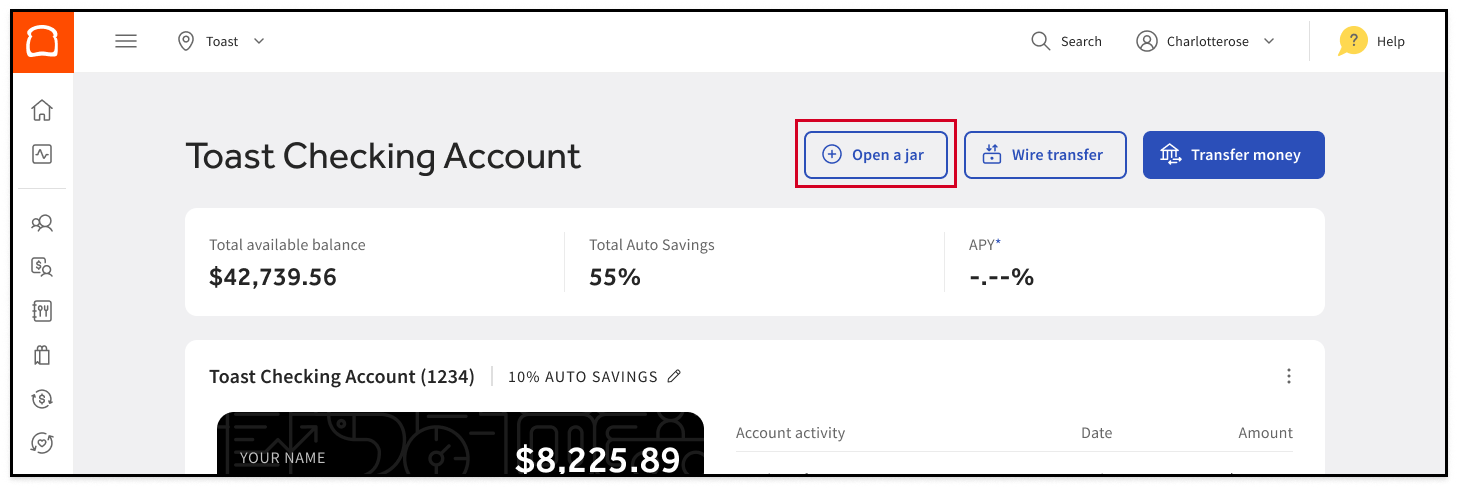
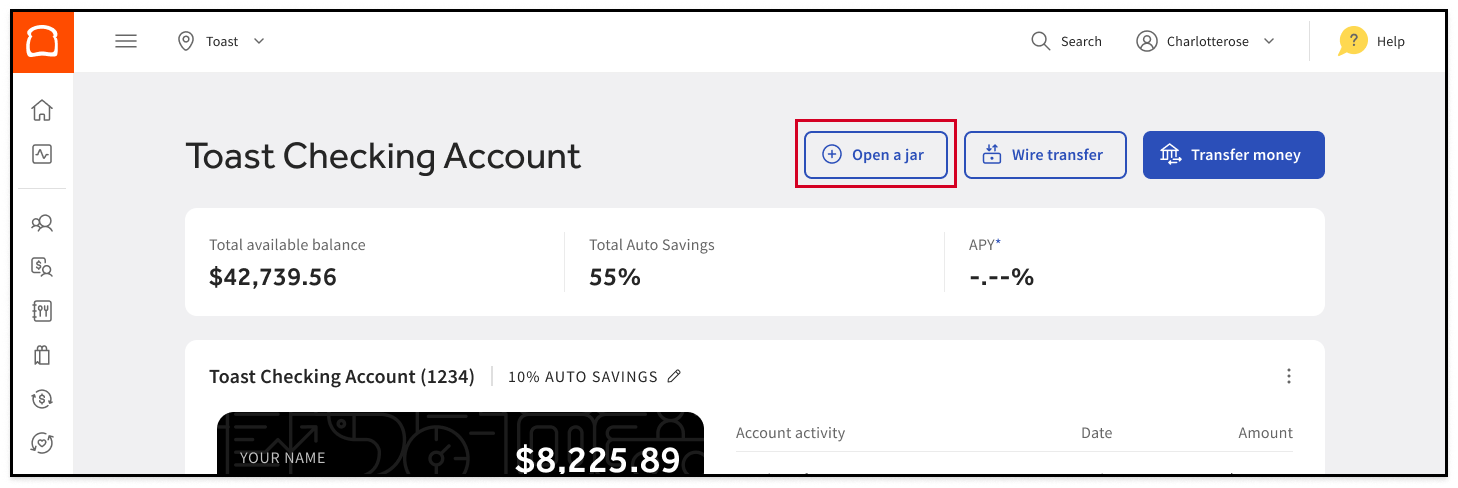
- At the top of your Toast Checking Dashboard, select Open a Jar.
- Follow the instructions to personalize your account, set up Auto Savings, and deposit funds into your new jar.
How do I edit a Jar’s Auto Savings or other settings?
Changing a Jar’s Auto Savings setting is just like changing Auto Savings for your primary Toast Checking account:
-
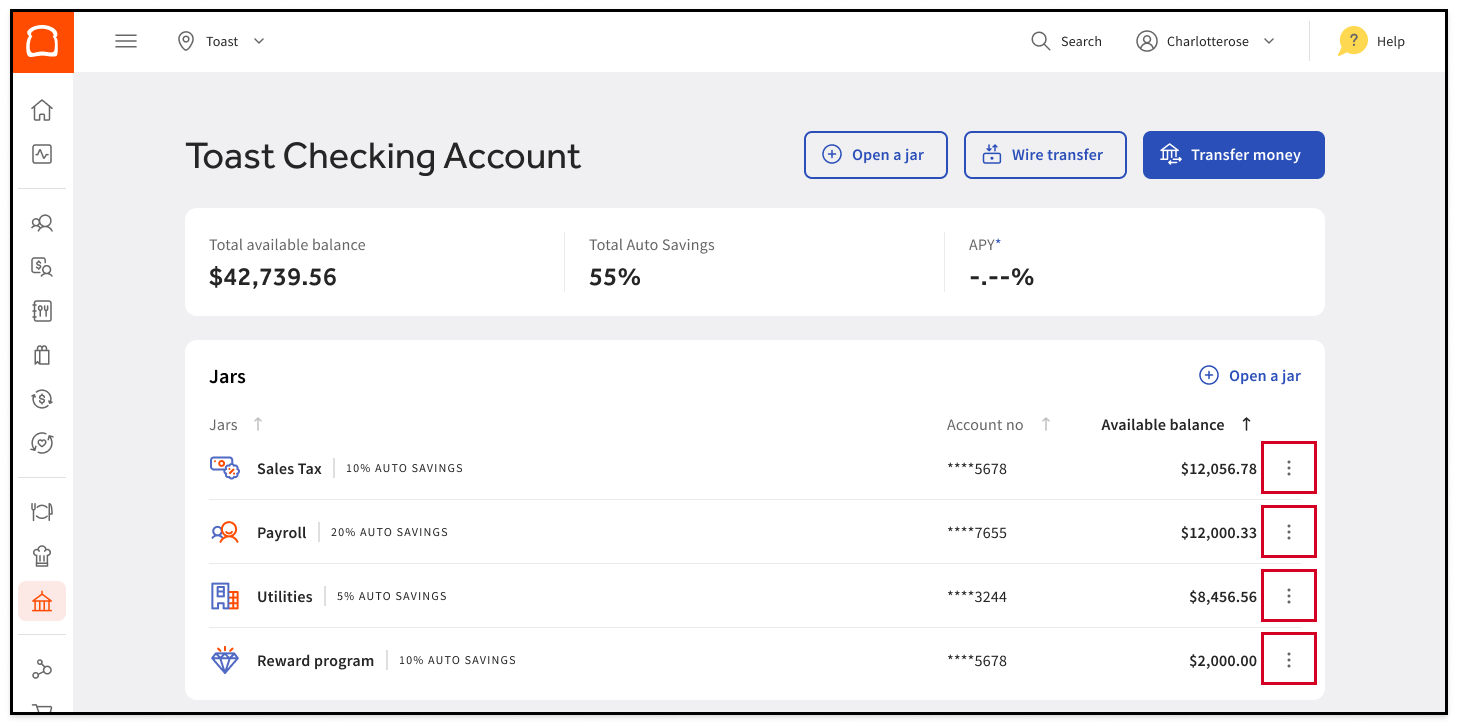
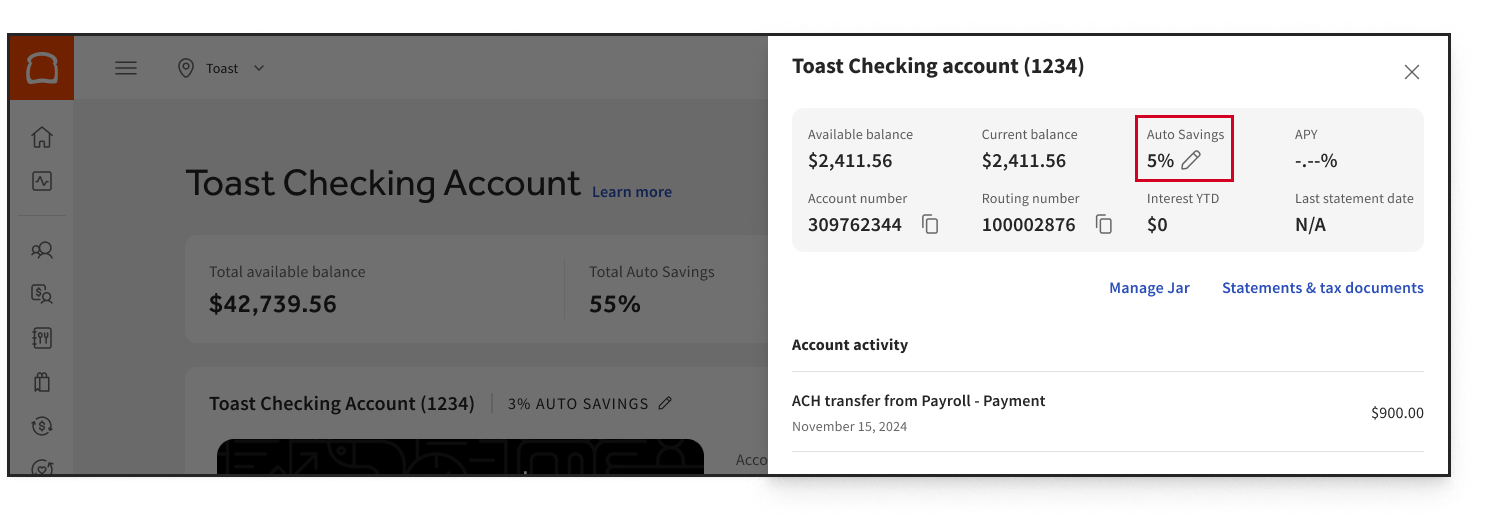
- On your Toast Checking Dashboard, locate the Jar you want to change settings for.
- Edit Auto Savings by selecting the three dots ( ⋮ ) next to the Jar’s name.
How do I transfer money into and out of a Jar?
To initiate an ACH transaction, or transfer money between Jars and Toast Checking accounts:
-
- At the top of your Toast Checking Dashboard, select Transfer Money
- Select the accounts you want to transfer money into and out of and follow the instructions that appear.
To initiate a wire transfer:
-
- At the top of your Toast Checking Dashboard, select Wire Transfer
- Select the accounts you want to transfer money into and out of and follow the instructions that appear.
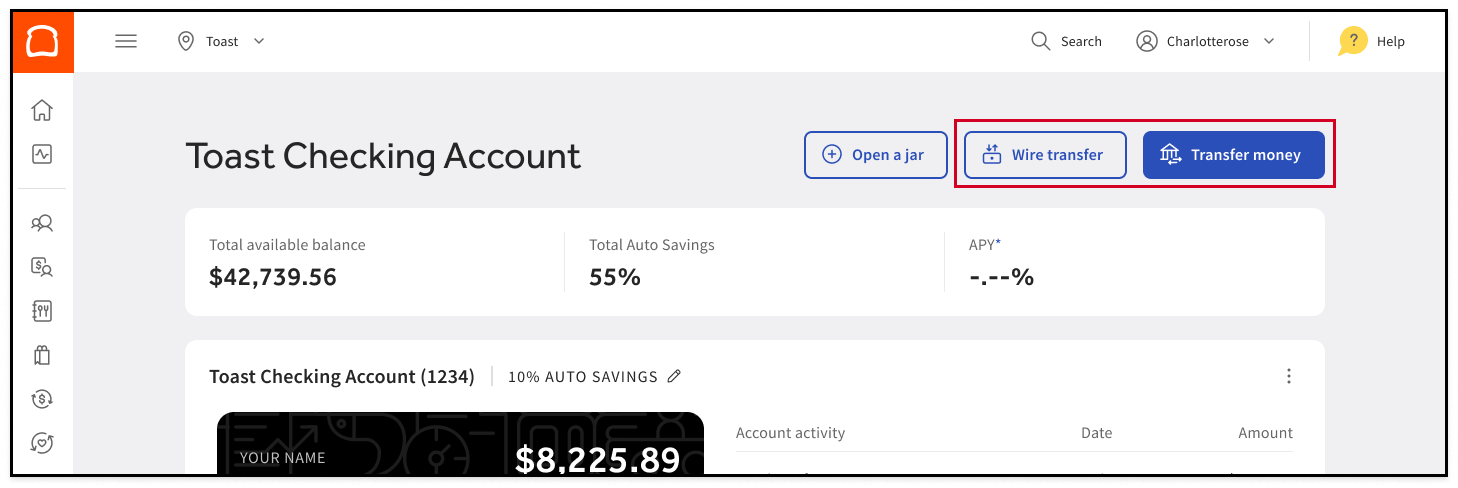
When transferring money between Jars or your primary Toast Checking account, your funds will be available instantly! Transferring money from or into a non-Toast Checking account may take a few days depending on the schedule of the bank receiving funds.
Can I use my Jar to pay bills via ACH?
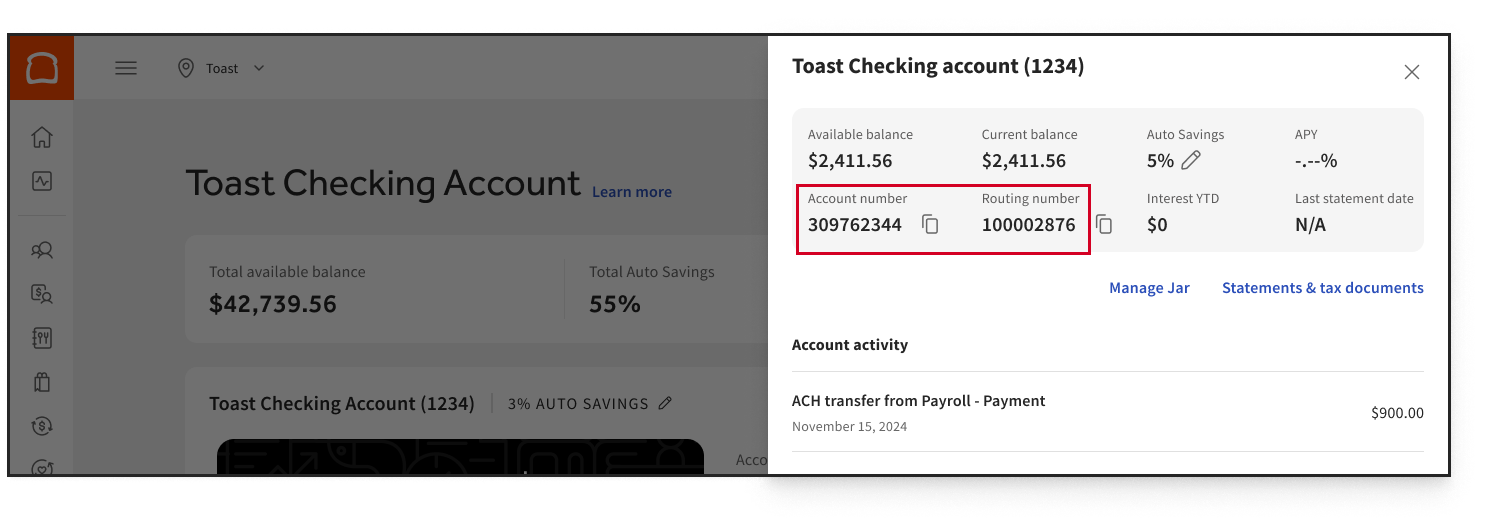
Yes! Each Jar has its own bank account and routing number, which are located on your Toast Checking Dashboard.
-
- Locate the Jar you want to use via your Toast Checking Dashboard
- Select the three dots ( ⋮ ) to see that Jar’s account number and routing number
How many Jars can I open?
You can open as many Jars as you need to best manage your money. Use Jars for both saving and budgeting of regular monthly expenses. With Jars you can monetize your operating budget and who doesn’t like to make their money work harder?
Can I overdraft a Jar with a purchase?
No. We don’t currently offer overdraft protection. If you attempt a transaction for more money than you have in that Jar, it will get declined. If you have insufficient funds in your primary Toast Checking account or Jar you’re initiating a transaction for, funds will not automatically be pulled from other Jars or your primary Toast Checking account to cover any transaction, and it will get declined.
If you have an upcoming purchase or an automated payment from your Jar, it’s best to make sure your Jar has sufficient funding first.
How do I close a Jar?
Closing a Jar is easy — keep in mind that, you must first transfer the Jars funds to another Toast Checking account.
-
- Locate the Jar you want to close via your Toast Checking Dashboard
- Select the three dots ( ⋮ ) at the top right corner of the Jar you want to close
- Select Manage Jar, and then select Remove Jar on the next screen
You’ll be prompted with a warning to Transfer Funds if your Jar has money in it still
Additional Resources
- Toast Checking: FAQ
- Get Started with Toast Checking
- Toast Checking: Debit Mastercard FAQ
- Toast Checking: Depositing Cash FAQ
†Toast is not an FDIC-insured bank. Banking services provided by Thread Bank; Member FDIC. The Toast Checking Account Debit Mastercard is issued by Thread Bank pursuant to a license from Mastercard Inc. and may be used anywhere Mastercard is accepted. FDIC Insurance available for funds on deposit through Thread Bank, Member FDIC. FDIC deposit insurance covers the failure of an insured bank. Certain conditions must be satisfied for pass-through deposit insurance coverage to apply.