Toast Mobile Order & Pay® Text Fulfillment
Last updated: Sep 30, 2026, 5:20 PM
Toast Mobile Order & Pay® text fulfillment allows restaurants to text their guests' personalized messages from the KDS upon order fulfillment.
In this Article:
Note: Text fulfillment for Toast Mobile Order & Pay® is supported under the following conditions:
- For US customers with Pre-Authorization enabled.
- For US customers with tabs turned off.
- For customers in Canada, Ireland and the UK with tabs turned off.
Check your configuration for Toast Mobile Order & Pay® here.
| Toast Mobile Order & Pay® Pre-Authorization is not currently available in Australia, Canada, Ireland and the UK. |
Configure Text Fulfillment for Toast Mobile Order & Pay®
How do you configure text fulfillment for Toast Mobile Order & Pay®?
- In Toast Web, navigate to Kitchen > Printers, tickets, & ticket display screens (KDS) > Kitchen setup
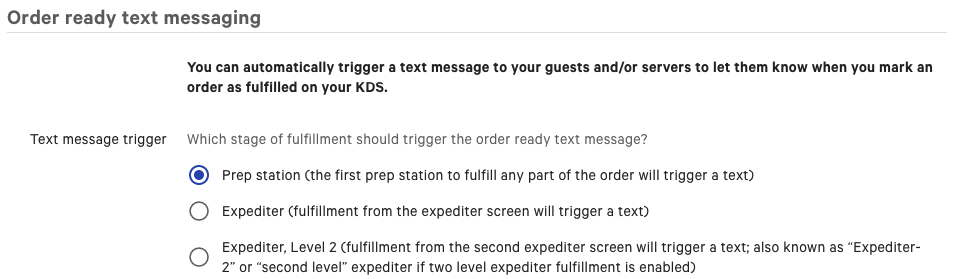
- Scroll down to the Order ready text messaging section and select your Text message trigger.
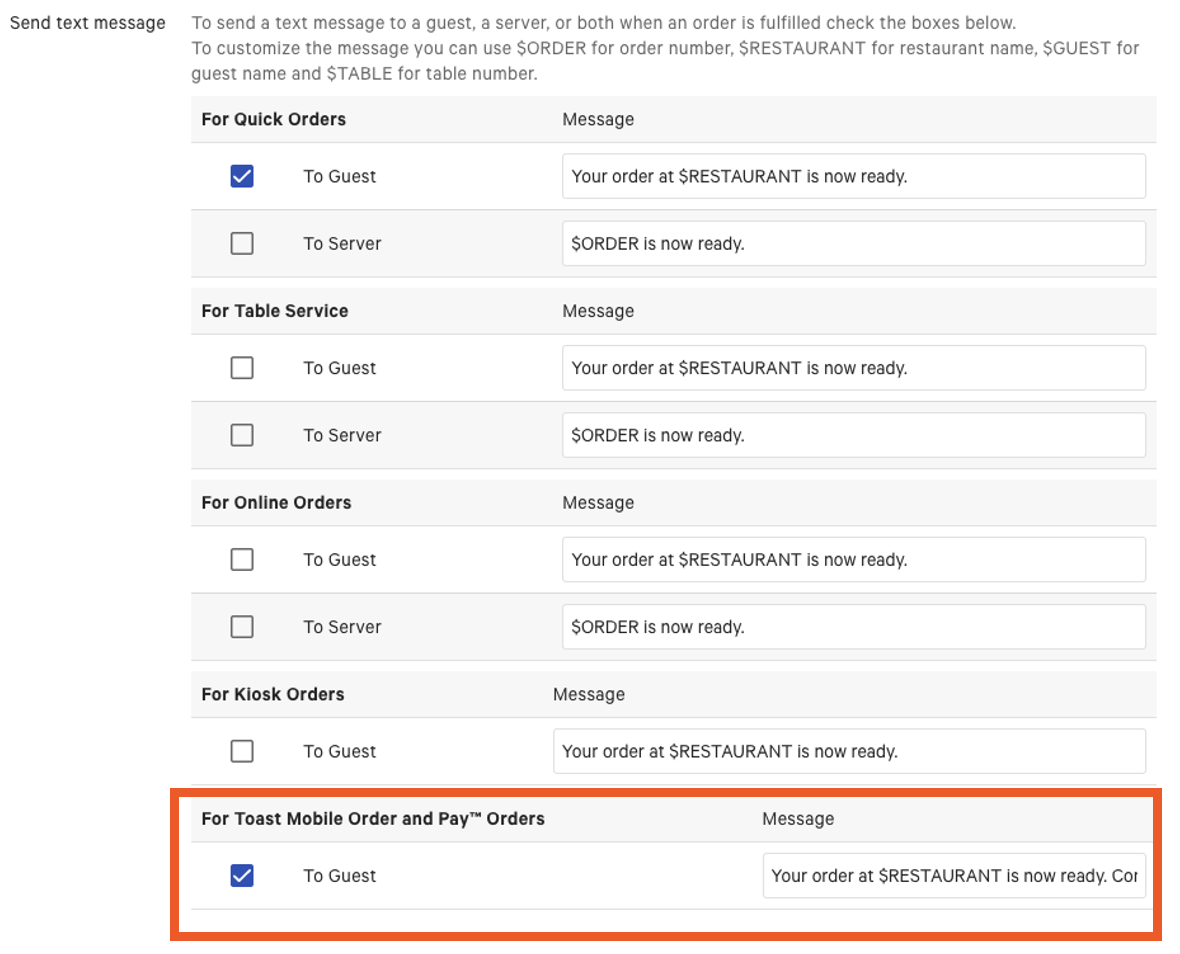
- At the bottom of the table for fulfillment options, check the box labeled For Toast Mobile Order and Pay® Orders.
- Add the message you would like your guests to see when their order is ready. A default message will automatically appear in the field.
- Save and Publish your changes!
Guest Usage for Text Fulfillment on Toast Mobile Order & Pay®
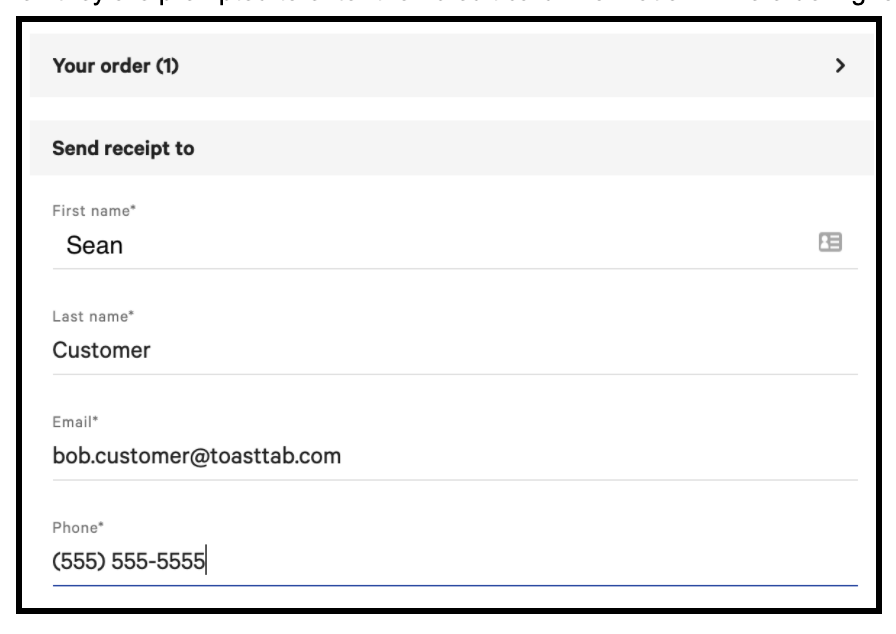
Once text fulfillment is turned on and set up, your guests will be required to enter their phone number when entering an order on their personal phone.
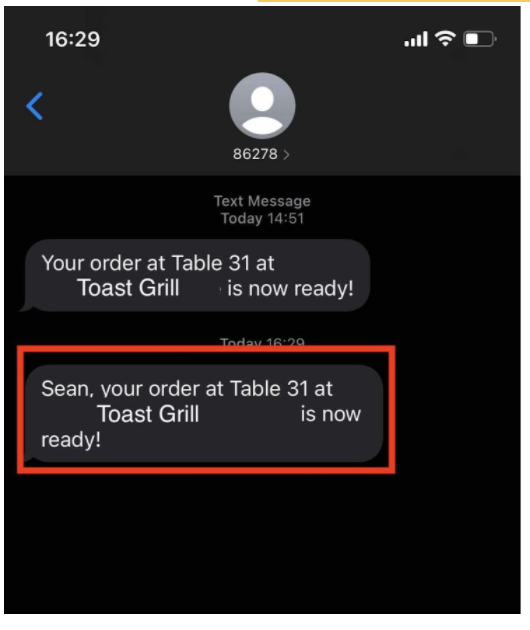
Once the order has been fulfilled on the KDS, your guest will receive a text message (example below). Guests will receive one text message per ticket even if your restaurant uses pre-authorization or tabs. For every order sent to the kitchen, guests will receive a text message, so if guests order drinks first and then order entrees, two separate text messages will be sent when fulfilled. Learn more here about text fulfillment for other order types.
Note: Text fulfillment is configured once for the whole restaurant on the Kitchen setup page — it cannot be enabled or disabled for an individual menu, menu group, or item. Once it is turned on, every guest placing a Toast Mobile Order & Pay® order is required to enter a phone number, including guests ordering only drinks, and a separate text is sent for each ticket sent to the kitchen. If collecting a phone number for drink-only orders is not workable for your service, your options today are to leave text fulfillment off, or to leave it on and accept the phone number prompt on every order.