Toast Payroll: Unlinked Employee Email Addresses and Passwords
Last updated: Feb 1, 2026, 2:02 PM
Unlinked vs. Linked Employees
In August and September 2025, Toast is enforcing a unified login experience for all users who log into a Toast product (Toast Web, Toast Payroll, the MyToast app, and more). After an employee has completed the unified login steps, they will use the same email address and password to log into all Toast systems. Learn more at Unified Login Experience for Toast Web and Toast Payroll.
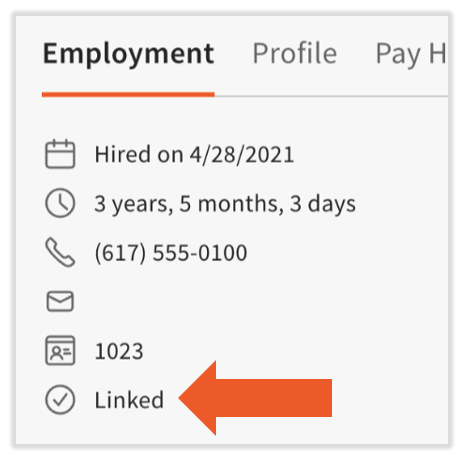
A linked user is one who's completed the unified login experience, whereas an unlinked user has not. To check if an employee is linked or not, navigate to their profile in Toast Payroll and check for the Linked indicator under their employee number.
Change the Email Address or Password for an Unlinked Employee
| Toast has removed the option for unlinked users to skip the Unified Login Wizard workflow. If an unlinked user attempts to log into Toast Web or Toast Payroll, they will be required to complete the before being allowed access to the system. |
Because of users can no longer skip the wizard, there is no way to change an unlinked user's email address or password anymore, so the original directions in this section have been removed. However, employees are encouraged to complete the wizard where they have the option to set a new email address and password before becoming a linked user.
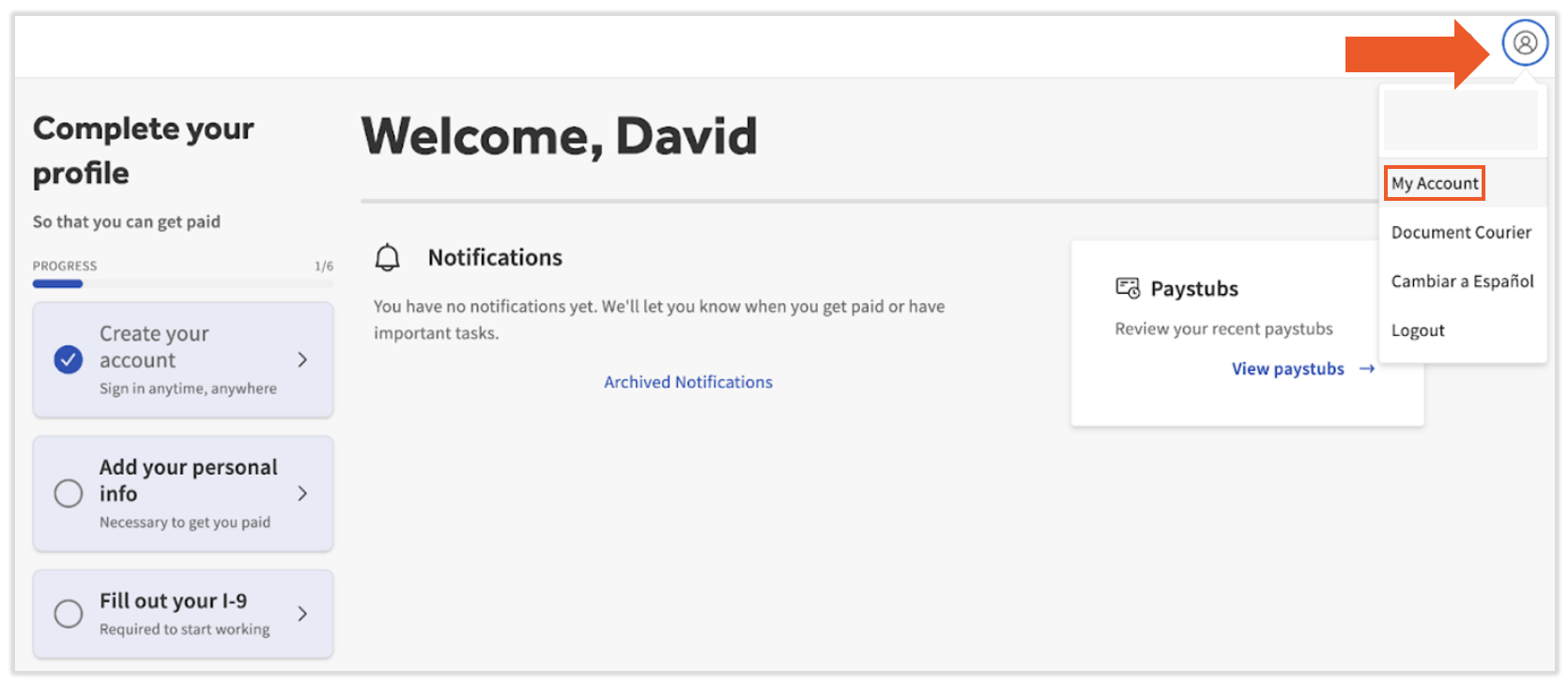
If a linked user wants to update their email address or password, log in to Toast Web or Toast Payroll with the linked credentials, select the avatar icon in the upper-right corner, and select My Account.
This content is for informational purposes and is not intended as legal, tax, HR, or any other professional advice. Please contact an attorney or other professional for advice.