Toast Payroll: FICA Tip Credit Report
Last updated: Jun 4, 2026, 11:28 AM
FICA Tip Credit Report
If you are a food and beverage employer with tipped employees, you may be eligible to claim the Federal Insurance Contributions Act (FICA) Tip Credit.
The FICA Tip Credit Report is a part of Toast Payroll's report library for customers to use when filing Form 8846 to claim a tip credit. Filers receive a credit for the Social Security and Medicare taxes that were paid for earnings classified as tips. The FICA Tip Credit Report includes data that Toast Payroll does have for the report with their coordinating form lines. This report can also be used to determine how much your staff has earned in credit card tips.
Toast Payroll does not file Form 8846 on the customer's behalf because the actual credit is reported on a Schedule K or Form 3800 which are not payroll-related forms. Form 8846 requires a calculation to make sure every employee was tipped at least 8% of gross receipts, but that information is not stored in the Toast Payroll system.
Another employer IRS form related to tips, Form 8027 Employers Annual Information Return of Tip Income and Allocated Tips, requires customers to report total tips, service charges, and gross receipts from food and beverages. Toast Payroll does not file Form 8027 on behalf of our customers either. We recommend utilizing the FICA Tip Credit Report and the Quarterly Employee Payroll Audit Report (QEPAR) under Reports > Standard to gather payroll information when filing this report.
Run the FICA Tip Credit Report
- From the main dashboard, navigate to Reports > Standard.
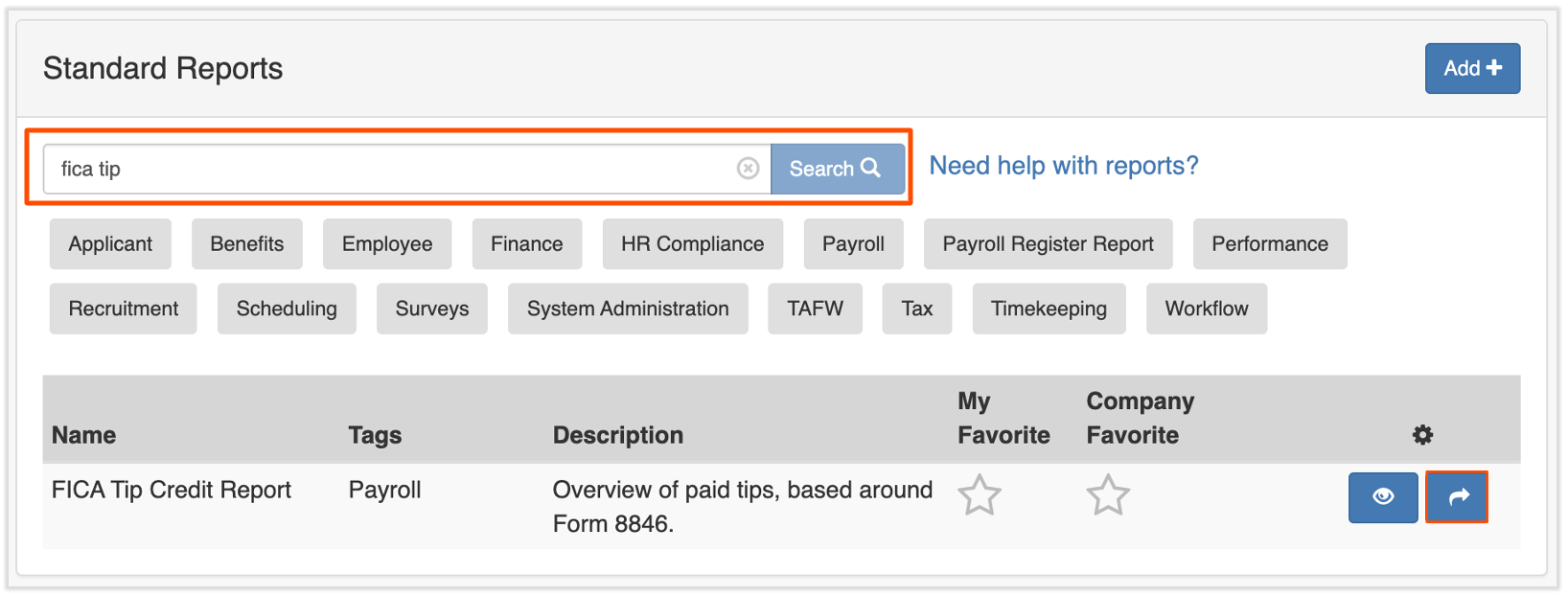
- Use the search bar to find FICA Tip Credit Report.
- Select the blue arrow button.
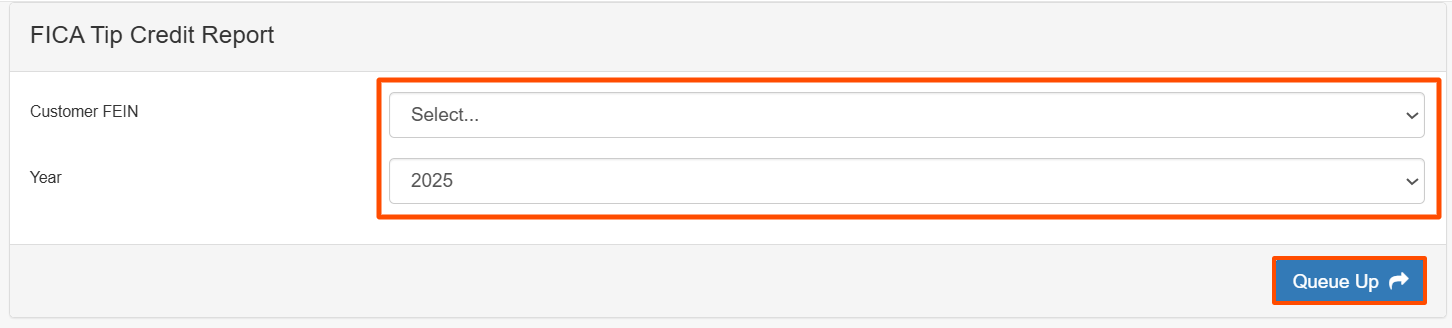
- Select the Customer FEIN and Year from the dropdown menu, then select the Queue Up button.
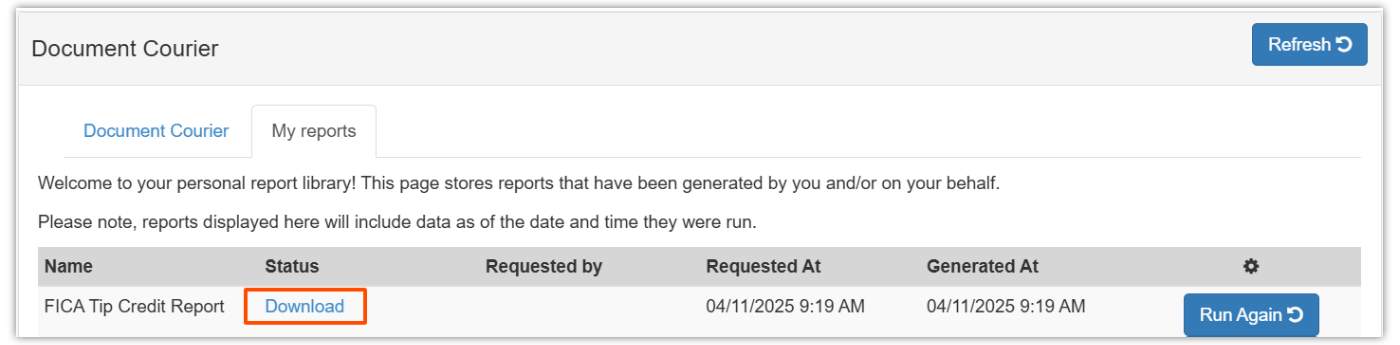
- Wait for the status to change from Queued to Download.
- Select the Download link to start downloading the report. It will provide you with payroll-related numbers needed to file Form 8846.
This content is for informational purposes and is not intended as legal, tax, HR, or any other professional advice. Please contact an attorney or other professional for advice.