Toast Payroll: Optimize the Report Library
Last updated: Oct 9, 2026, 3:04 PM
Learn how to access and use the Toast Payroll Report Library — including Management, Standard, Custom, Favorite, and Tax Filing reports.
- About the Toast Payroll Report Library
- Who Can Use the Report Library
- Report Library Tabs at a Glance
- Management Reports
- Standard Reports
- Custom Reports
- Tax Filing Reports
- Related Articles
About the Toast Payroll Report Library
The Toast Payroll Report Library is the central hub for all payroll reporting. In Toast Payroll, navigate to Reports to access five tabs: Management (hand-selected popular reports), Standard (full library of real-time reports), Custom (reports you build field by field), Favorite (reports you've flagged for regular use), and Tax Filing (quarterly tax packages, Form W-2 files, and year-end documents). Queued reports — including custom reports — are delivered through the Document Courier once processed.
When you select Reports in Toast Payroll, you should see a URL that begins with payroll.toasttab.com. Visit Navigate Toast Payroll Within Toast Web to learn how the new Toast Payroll navigation works.
Who Can Use the Report Library
- HR+ users have full access to all five tabs and can view data for all employees.
- Manager users navigate directly to the Standard reports list when they select Reports. Managers can only pull data for employees who report to them.
- Employee users cannot access the Report Library.
Report Library Tabs at a Glance
In Toast Payroll, navigate to Reports to see the following tabs:
| Tab | What it contains | When to use it |
|---|---|---|
| Management | Hand-selected popular reports covering TAFW, payroll preparation, and employee demographics | Start here for day-to-day management tasks |
| Standard | Full library of real-time reports covering the employee lifecycle, HR, payroll history, taxes, and finance | Use when you need a specific report not shown under Management |
| Custom | Reports you build by selecting specific data fields and filters | Use when no Standard report covers your exact data need (e.g., earnings breakdown by employee, 401(k) census) |
| Favorite | Reports you've flagged from the Management, Custom, and Standard tabs | Use to quickly rerun reports you use regularly |
| Tax Filing | Quarterly tax packages, Form W-2 files, W2 Audit Report, W3 Report, and Year End Documents | Use to access tax documents and manage employee W-2 delivery preferences |
Management Reports
The Management tab is the default view when you navigate to Reports in Toast Payroll. It surfaces hand-selected reports for day-to-day restaurant management, including:
- Time away from work (TAFW) reports
- Payroll preparation data
- Employee demographic and emergency contact information
Each report under Management also lives in the Standard tab — the Management tab is a curated shortcut. If you don't find what you need here, check the Standard tab or build a custom report.
Standard Reports
Toast Payroll's Standard reports cover all aspects of the employee lifecycle: HR topics, historical payroll data, taxes, payroll finances, and timekeeping. Standard reports pull real-time data.
To find and run a Standard report:
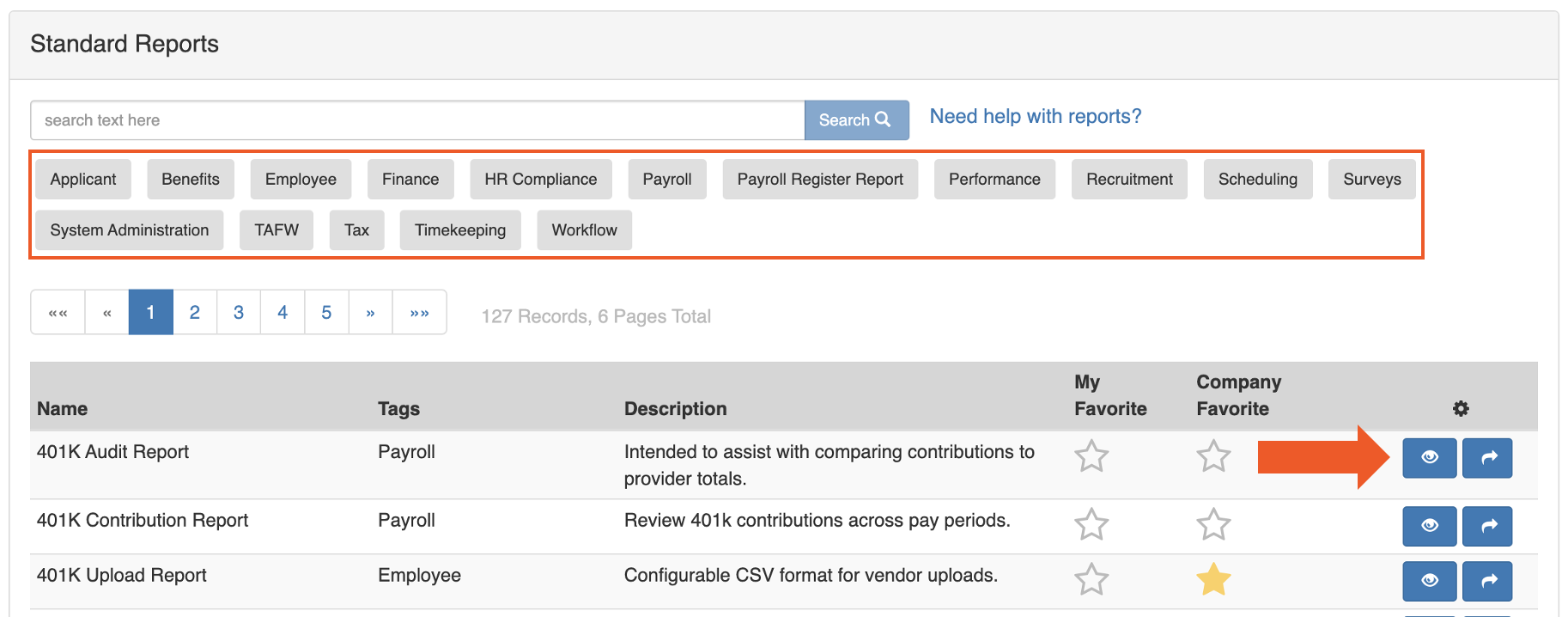
- Log into Toast Payroll and navigate to Reports > Standard.
- When you select Reports in Toast Payroll, you should see a URL that begins with payroll.toasttab.com. Visit Navigate Toast Payroll Within Toast Web to learn how the new Toast Payroll navigation works.
- Search for keywords in the search box at the top, or select one of the gray category filter tabs to narrow the list by report type.
- Select the arrow icon to queue the report for download, or select the view or eye icon to read a description of the report before running it.
Expected outcome: The report is either immediately downloaded or it is sent to the Document Courier under the My Reports tab. The page refreshes every 30 seconds. Once the status shows Download, select it to receive your report.
Note: For descriptions and use cases for the most commonly run Standard reports, including the Quarterly Employee Payroll Audit Report (QEPAR), Payroll Employee Payroll Audit Report (PEPAR), and Hours / Earnings by Date Range Report, see Toast Payroll: Review Common Payroll Reports.
Custom Reports
Custom reports let you select specific data fields and apply filters to build a report tailored to your business needs. Common use cases include:
- Managing benefit deductions
- Overtime analysis
- Validating employee email addresses
- 401(k) census reporting
- Year-to-date (YTD) gross wage reporting
- Earnings breakdown by employee or earning category
To run or edit an existing custom report: Select the name of the report to edit its settings, or select the arrow icon to run it immediately.
Create a Custom Report
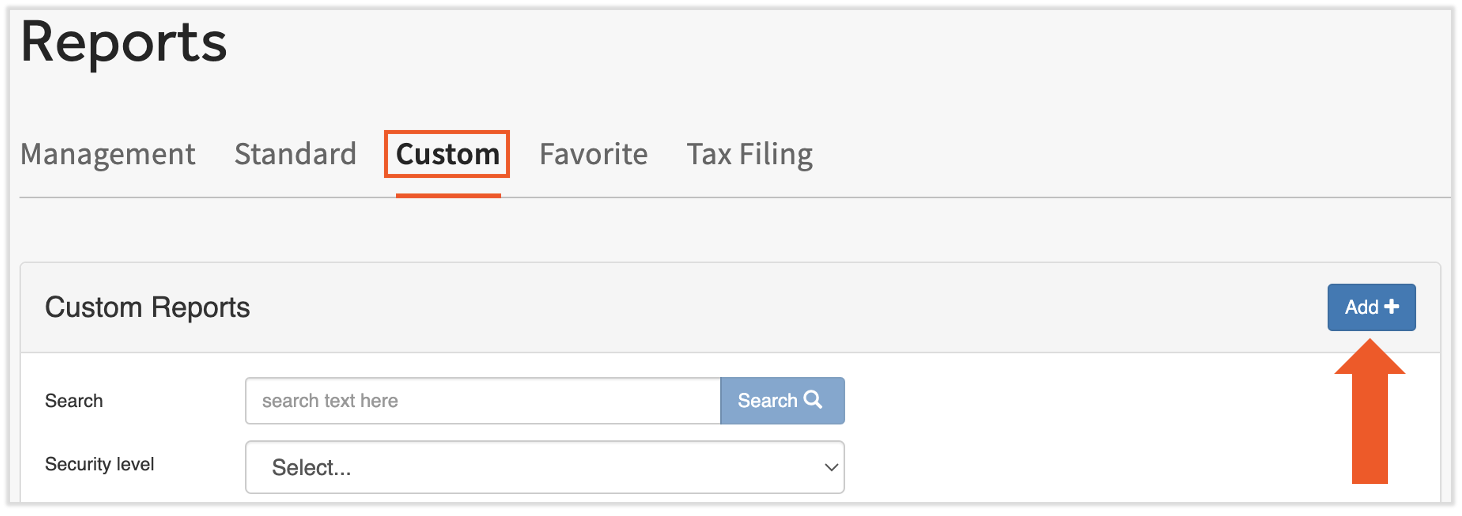
- Log into Toast Payroll and navigate to Reports > Custom.
- When you select Reports in Toast Payroll, you should see a URL that begins with payroll.toasttab.com. Visit Navigate Toast Payroll Within Toast Web to learn how the new Toast Payroll navigation works.
- Select the Add+ button to begin.
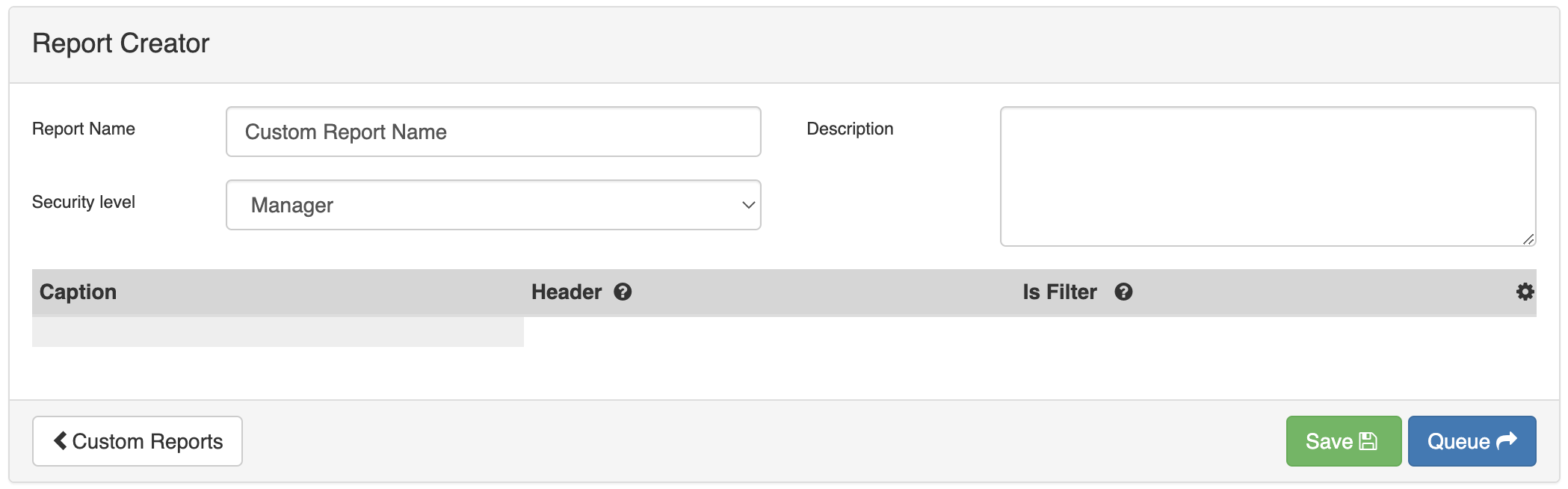
- Enter a Name for your report, add a Description (optional), and choose one of the following Templates before selecting Save:
- Employee Attributes — all employee information, including personal data, hire date, employment status, hourly rate, termination date, and more
- Employee Deductions — summary of employee deductions
- Employee Earnings — summary of employee earnings
- Payroll — pulls data from submitted payrolls within the calendar year; see Payroll Report Template for how this template works
- In the Report Creator, review and configure the data boxes at the top of the page:
- Report Name — edit the report name
- Security Level — set to HR+ to restrict access; it is not possible to make a report accessible to users with an Employee security level
- Description — add or edit a description so the purpose of the report is easy to identify in the future
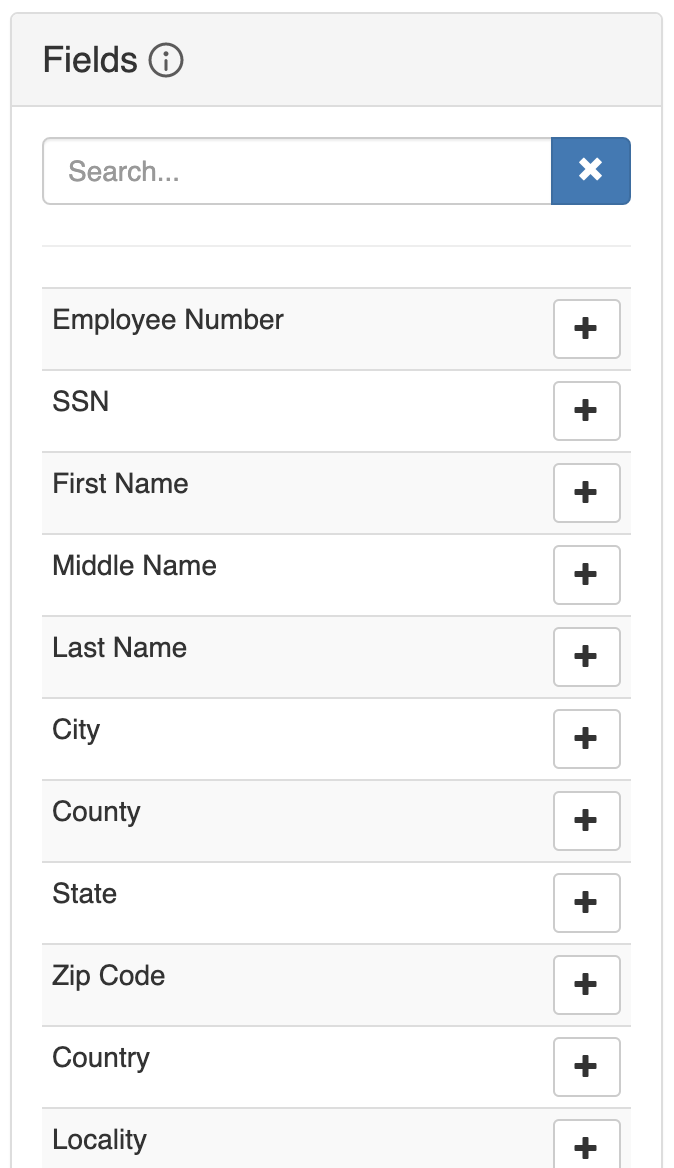
- Select the + icon next to any field name to add that field to your report.
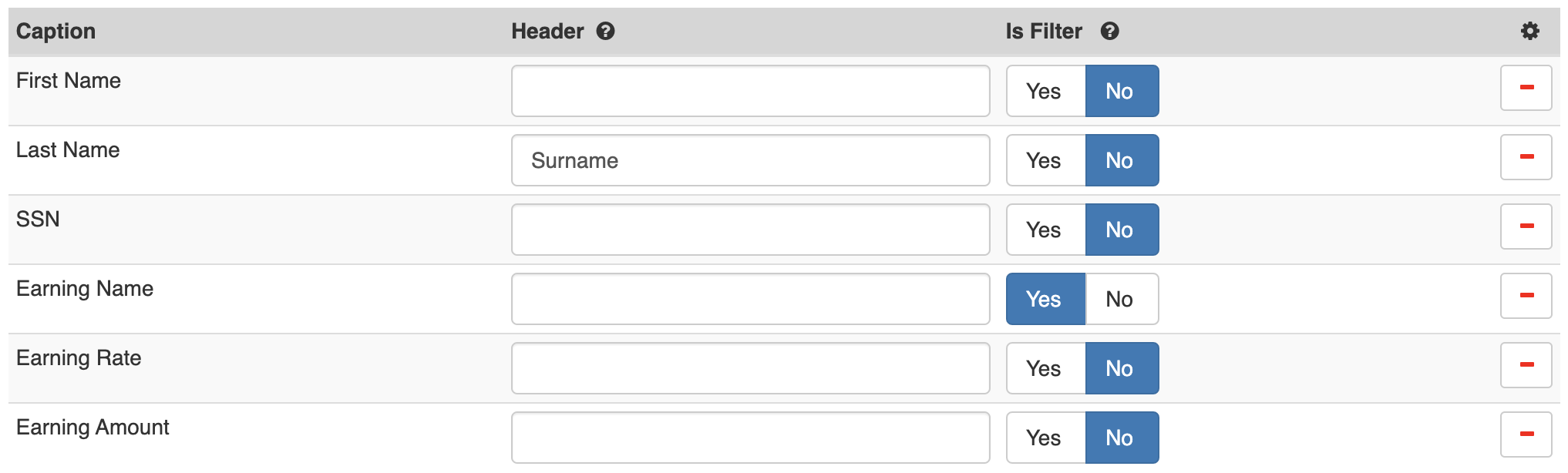
- The fields appear on the report in the order they are added. Select and hold a field to drag it up or down. For each field, you can:
- Assign a header — the label that appears in row 1 of the generated report. If no header is assigned, the field caption is used.
- Apply a filter — sorts the report data by criteria you define in step 8 below.
- Remove the field — select the – icon to remove it.
- When the report is configured, select Save to save it to your Custom Reports list, or select Queue to save and immediately run the report.
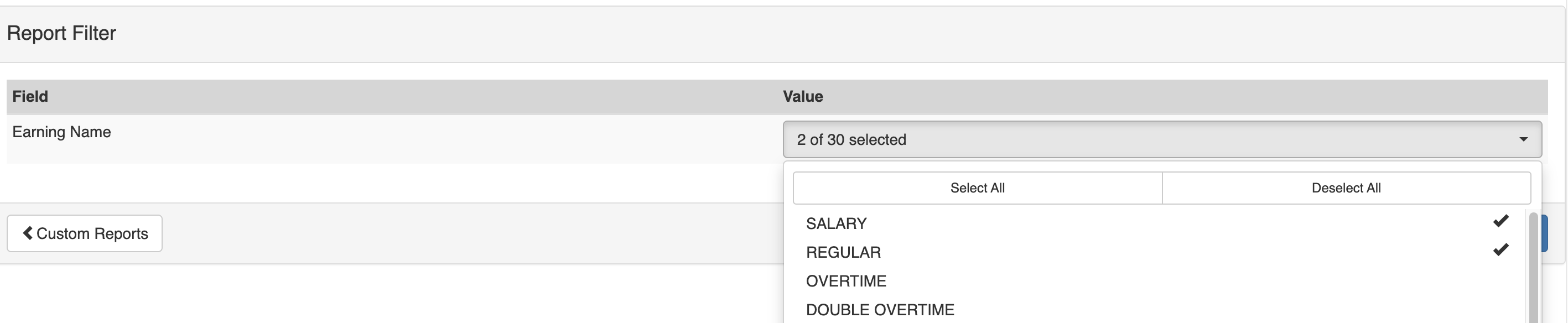
- If you selected Queue and have a filter applied to one or more fields: select the data values to include in the report, then select Queue up to generate it. For example, if you applied a filter to the Earning Name field and select SALARY and REGULAR, the report will include only those earning codes.
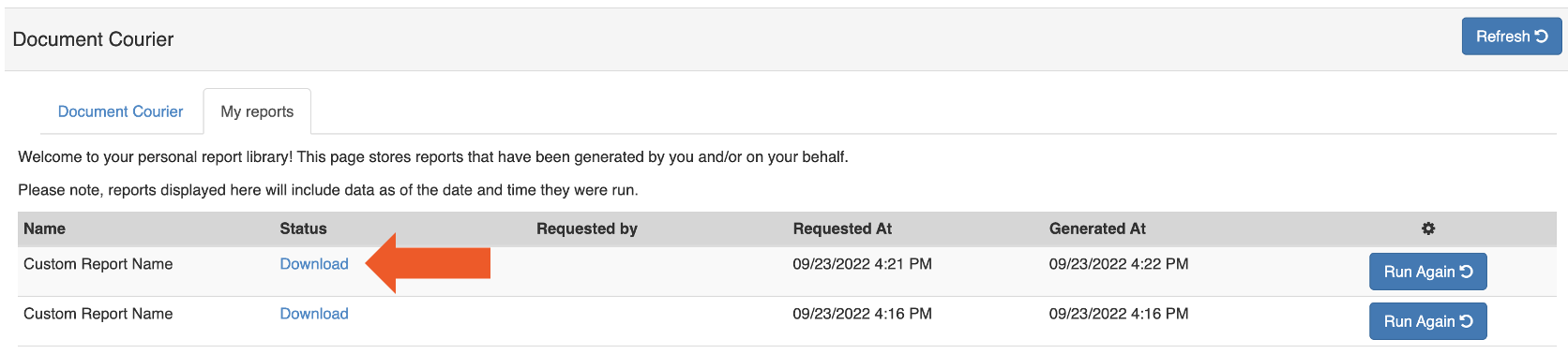
- You are taken to the Document Courier where your report will be available for download once processed. The page refreshes automatically every 30 seconds. Once the status shows Download, select it to receive your report.
Expected outcome: Your custom report is saved and available in Toast Payroll under Reports > Custom. If you selected Queue, the report downloads from the Document Courier once processing is complete.
Payroll Report Template
The Payroll template is more complex than the other custom report templates. Key details:
- Data source: Pulls from submitted pay periods — not a point-in-time snapshot. The numbers, employees, and totals shown match what appears on the Payroll Summary Report and the Per Pay Period Employee Payroll Audit Report (PEPAR).
- Headers and trailers: You can build a header row (first row of your spreadsheet) and a trailer row (last row) into the report format. This may be required if you upload the report to a third-party vendor. To add a header or trailer, select the appropriate fields from the Headers and Trailers section under Fields.
- Grouping options: Group the report output using one of the following settings:
- Employee — one line per employee, summing all totals across all pay periods in the report date range
- Payroll — one line summing all totals across all pay periods, with no employee-specific information
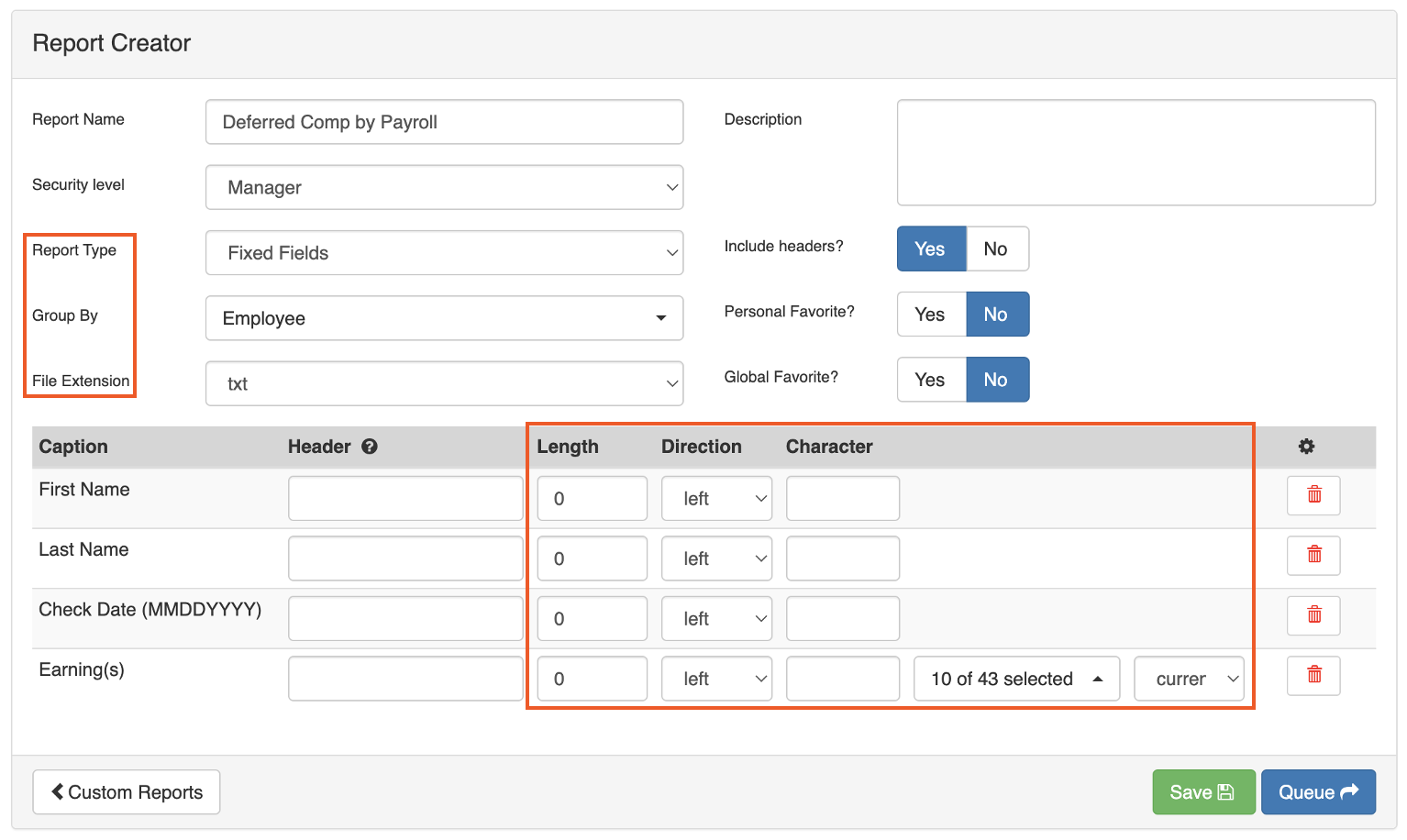
- Fixed Fields: Run the report as Fixed Fields if required for a third-party upload. Fixed Fields lets you edit the length, direction, and character of each field. If using Fixed Fields, change the File Extension type to txt.
Tax Filing Reports
To view tax filing reports, log into Toast Payroll and navigate to Reports > Tax Filing. (When you select Reports in Toast Payroll, you should see a URL that begins with payroll.toasttab.com. Visit Navigate Toast Payroll Within Toast Web to learn how the new Toast Payroll navigation works.) Select the correct Year and FEIN (Federal Employer Identification Number) to locate your documents, then select the arrow icon to run or download a report.
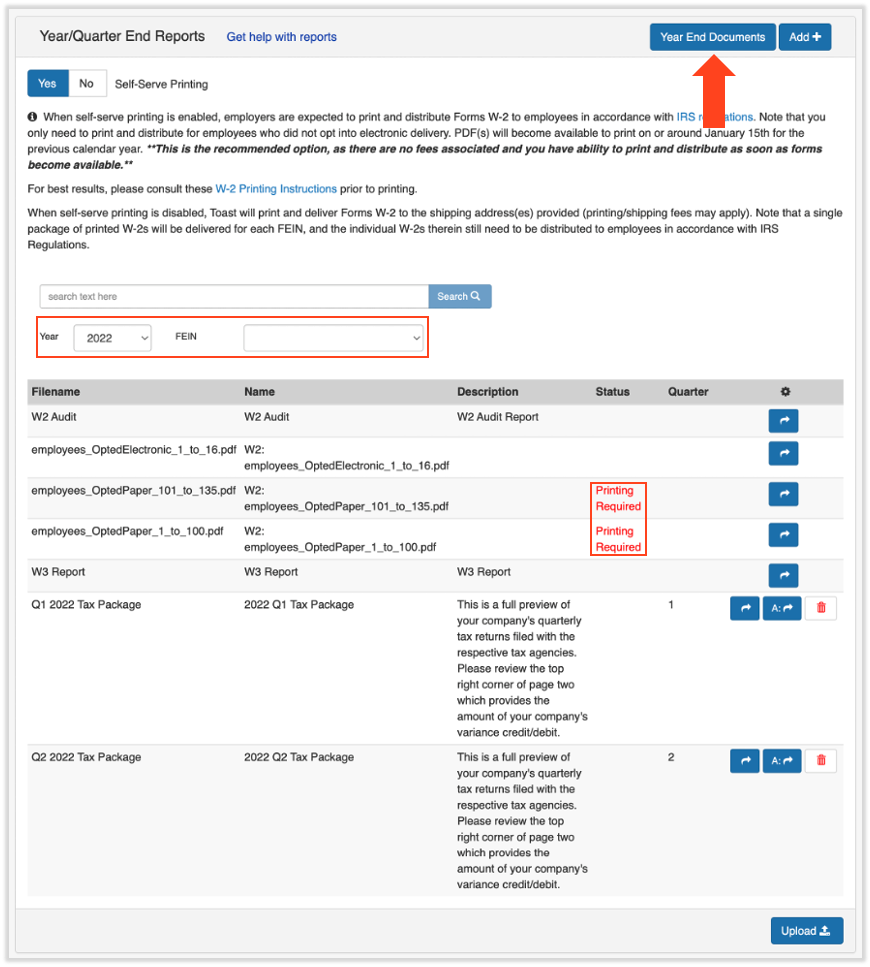
Two reports are always available in Tax Filing, regardless of year:
| Report | Description |
|---|---|
| W2 Audit Report | Summary of all Form W-2s for all employees for the selected year |
| W3 Report | Sum of all Form W-2s within a FEIN |
Quarterly Tax Packages
Approximately three to four weeks after each quarter in which you processed payroll with Toast, your quarterly tax package appears under Reports > Tax Filing. (When you select Reports in Toast Payroll, you should see a URL that begins with payroll.toasttab.com. Visit Navigate Toast Payroll Within Toast Web to learn how the new Toast Payroll navigation works.) Quarterly tax packages contain payroll tax information including any tax variances specific to your FEIN.
Note: For a walkthrough of how to read your quarterly tax package — including the Reconciliation Recap and Variances section — see Toast Payroll: Read Your Quarterly Tax Package.
Form W-2 Files and Year End Documents
Once available, Form W-2 files for your employees for the selected year and FEIN appear in Toast Payroll under Reports > Tax Filing. (When you select Reports in Toast Payroll, you should see a URL that begins with payroll.toasttab.com. Visit Navigate Toast Payroll Within Toast Web to learn how the new Toast Payroll navigation works.)
Files are labeled:
- employees_OptedElectronic — employees who opted in to electronic Form W-2 delivery
- employees_OptedPaper — employees who elected to receive a paper Form W-2
Employees who request a paper Form W-2 must have them printed and distributed by the SSA deadline of January 31st each year. For printing instructions, see Toast Payroll: Download and Print Form W-2s (For Employers).
To view and manage employee W-2 delivery preferences:
- Select the Year End Documents button to see which employees are opted in to electronic delivery and which have elected paper delivery. Check the Electronic forms? column.
- To change an employee's W-2 delivery setting: select the checkbox next to their name and choose Edit.
- This must happen before the last payroll of the year has been submitted.
Expected outcome: The employee's W-2 delivery preference is updated. The change applies to the current and future tax years.
Related Articles
- Toast Payroll: Review Common Payroll Reports
- Toast Payroll: Document Courier
- Toast Payroll: Review Payroll Reports
- Toast Payroll: Payroll Summary Report
- Toast Payroll: Read Your Quarterly Tax Package
This content is for informational purposes and is not intended as legal, tax, HR, or any other professional advice. Please contact an attorney or other professional for advice.