Toast Payroll: Verify or Update My Social Security Number (SSN)
Last updated: Oct 13, 2026, 5:57 PM
Question
- As an employee, how can I verify or update my social security number (SSN) in Toast Payroll? Why is it so important?
- Why am I getting a pop-up on a Toast POS device asking for my SSN?
Answer
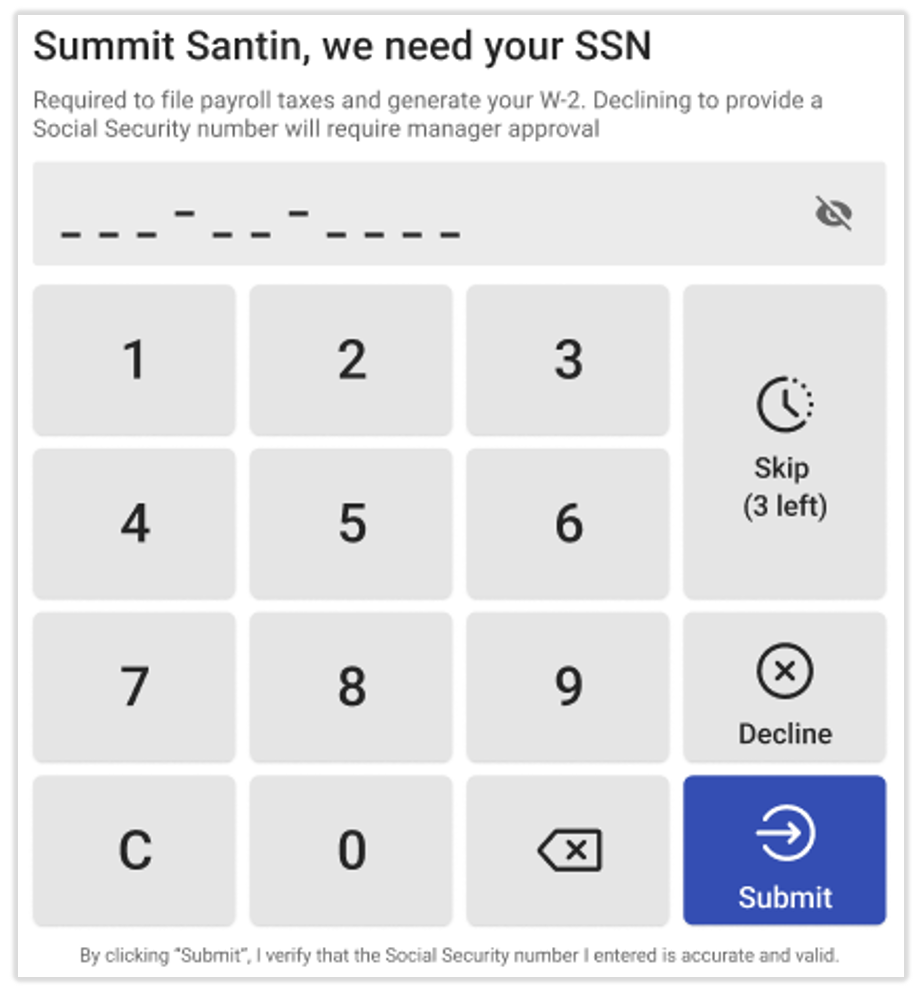
If you receive a message on a Toast POS device while trying to clock-in, don't ignore this message! Toast Payroll requires your Social Security number (SSN) in order to accurately and correctly file your taxes.
- Add your accurate SSN and select Submit.
- The Decline button will allow you to skip this pop-up for this clock-in only, but a manager must approve this action.
- You can skip this message up to 5 times by selecting the Skip button. This does not require manager approval.
- After 5 skips, the Skip button will disappear. Employees must now either enter their SSN or get a manager approval each time they select Decline.
| Invalid or missing SSNs may result in inaccurate tax filings, tax filings not accepted by agencies, and/or financial penalties. It is vital to enter your actual and accurate SSN into Toast Payroll. Read Toast Payroll: Social Security Number (SSN) Information Policy for more details. |
Below are the steps on how to verify or update a Social Security Number (SSN) in Toast Payroll:
- Log into Toast Payroll. If you need assistance logging in, visit Log In to a Toast Product or Device.
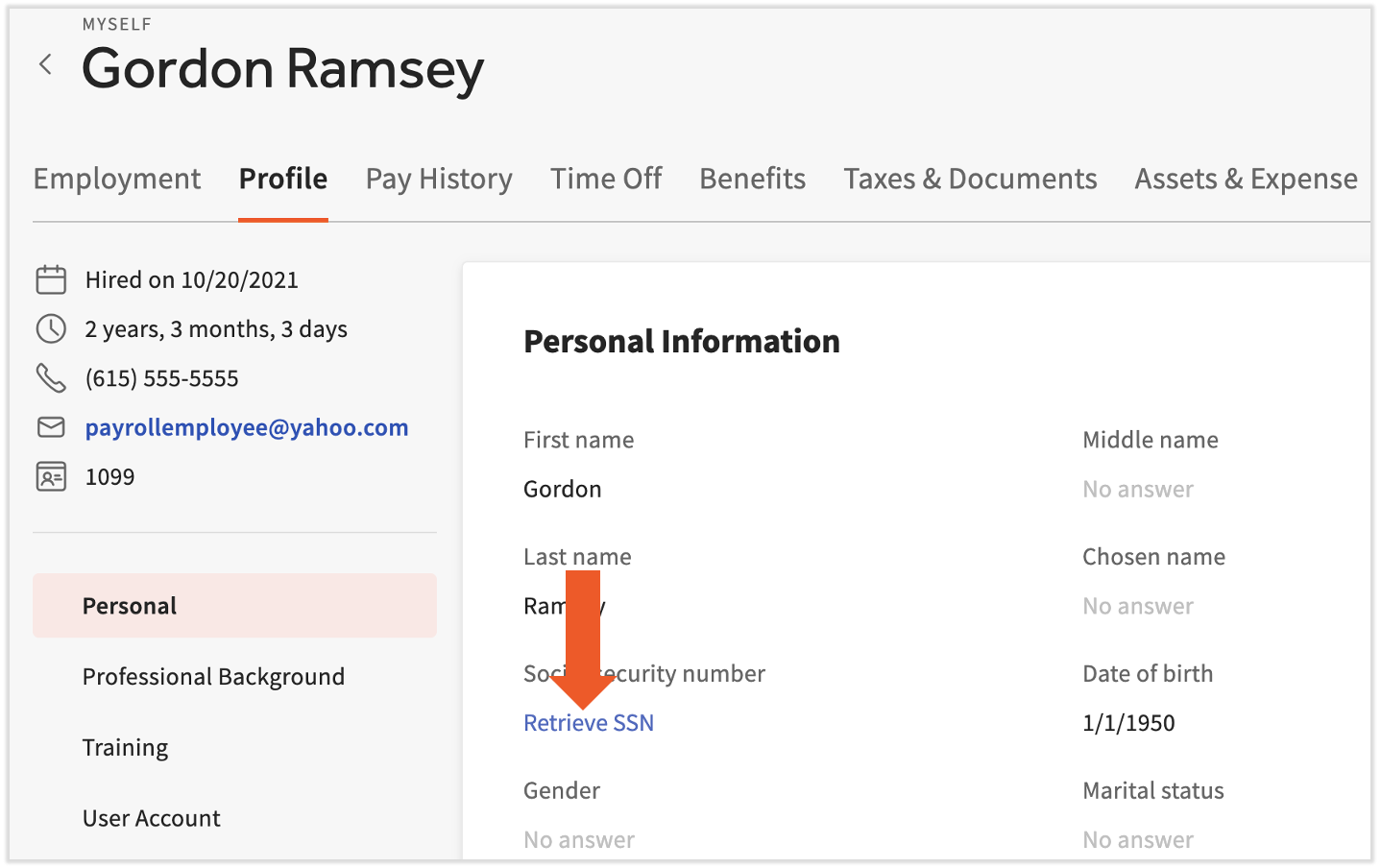
- Navigate to My Profile > Profile.
- If you do not see My Profile on the left side of the screen, select Payroll from the Toast Web navigation rail on the left to make the Toast Payroll navigation rail appear.
- Select the Retrieve SSN link.
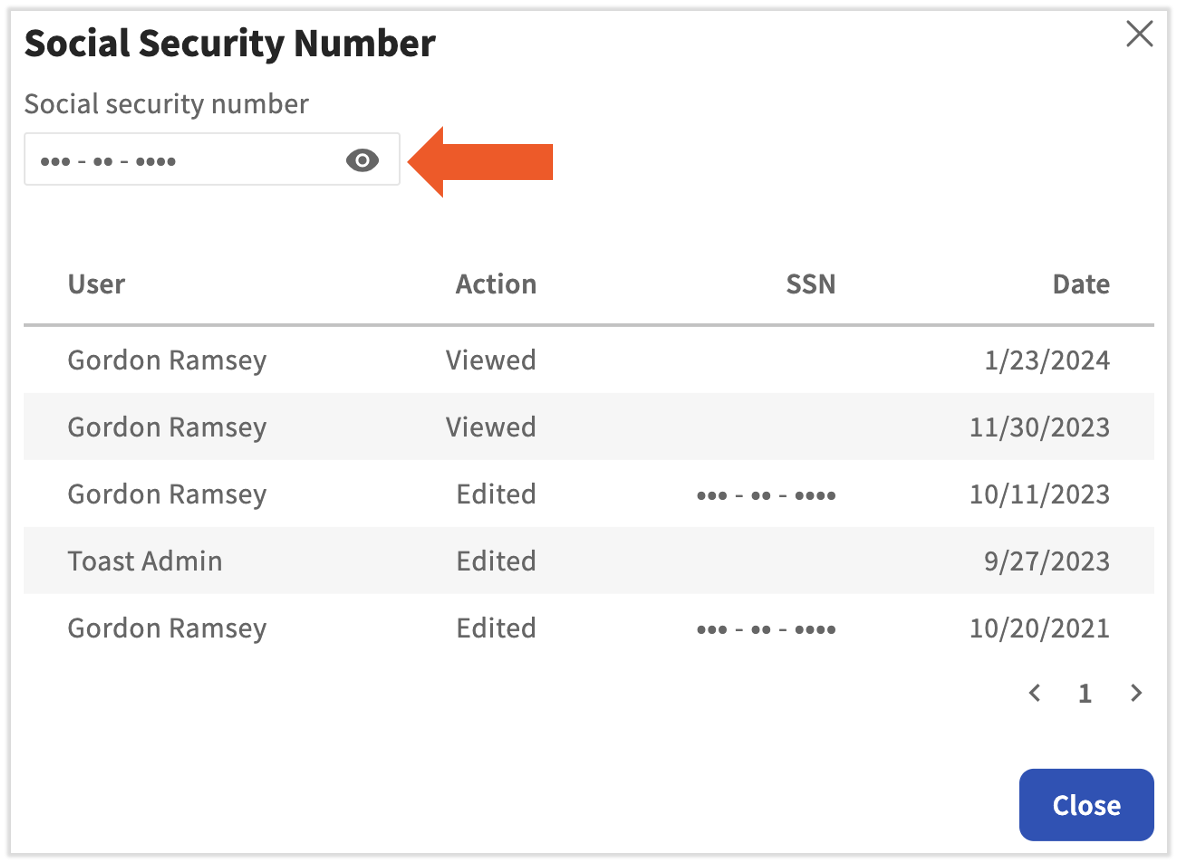
- Confirm you're reviewing for business purposes and then select the eyeball icon in the pop-up.
- If your SSN is accurate, you're all set.
- If your SSN is incorrect or missing, continue reading.
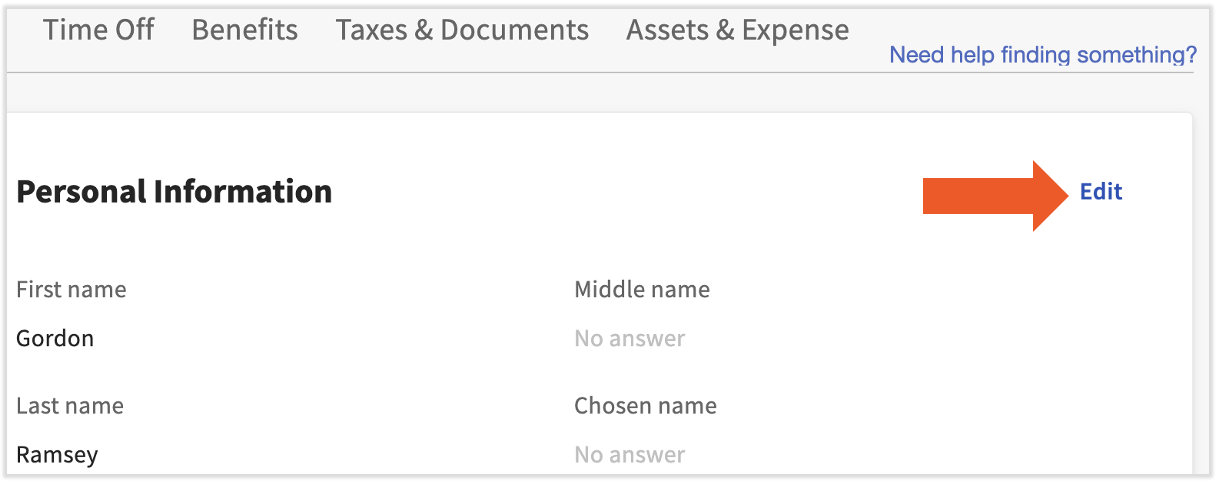
- Select Close and then select Edit in the upper-right corner.
- Scroll down to the Social security number field and edit it accordingly. Then select Save Changes at the bottom of the page to finalize this change.
- Toast recognizes these SSNs as invalid:
- An SSN that starts with "9", "000", or "666"
- An SSN with the middle two digits of "00"
- An SSN where the last four digits are "0000"
- An SSN with a numerical sequence such as 123-45-6789 or 987-65-4321
- Toast recognizes these SSNs as invalid:
This content is for informational purposes and is not intended as legal, tax, HR, or any other professional advice. Please contact an attorney or other professional for advice.