Toast Tables: Update the SMS Message to Guests
Last updated: Sep 16, 2026, 1:12 PM
Question
- Can I update my restaurant's SMS message to guests regarding Toast Tables reservations?
- How do I update my SMS message to guests regarding Toast Tables reservations?
Answer
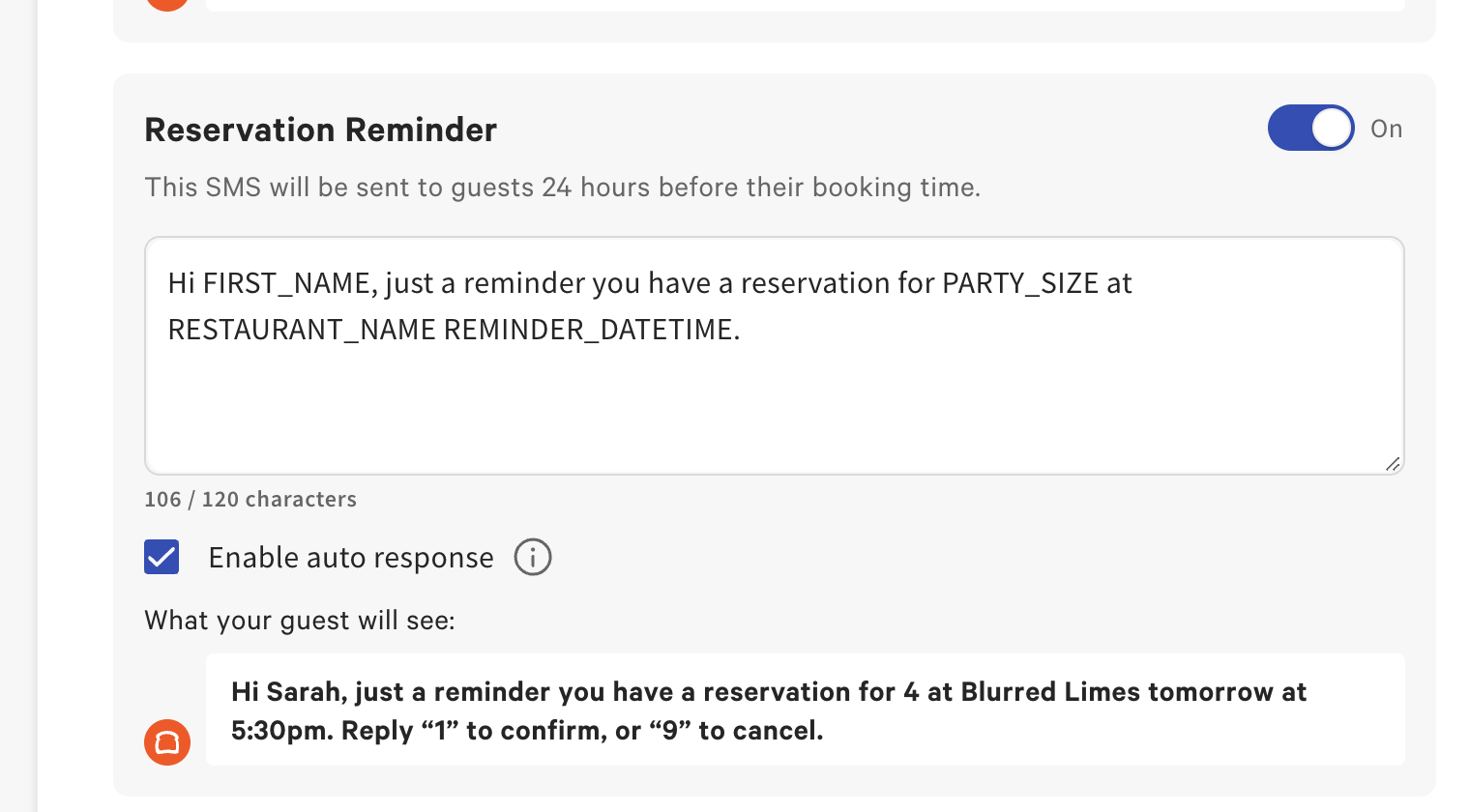
- To update the SMS message to guests, navigate to Waitlist & Reservations > Guest Communication > SMS in Toast Web.
- In the Reservation Reminder, you can configure the SMS messaging that guests will receive for waitlist and reservation communications.
- For example, you can configure your SMS templates for confirmations, waitlist notifications, and reservation reminders.
- For example, you can configure your SMS templates for confirmations, waitlist notifications, and reservation reminders.