Get Help: Toast Mobile Payment Failures
Last updated: Sep 16, 2026, 2:30 PM
Question
Help! My guest's mobile payment is showing as failed. What do I do?
Answer
Occasionally, when guests use mobile payments, an attempt to pay on their cell phones will show as failed (see below). Even though a payment has failed, the customer may have a temporary hold on their bank account.
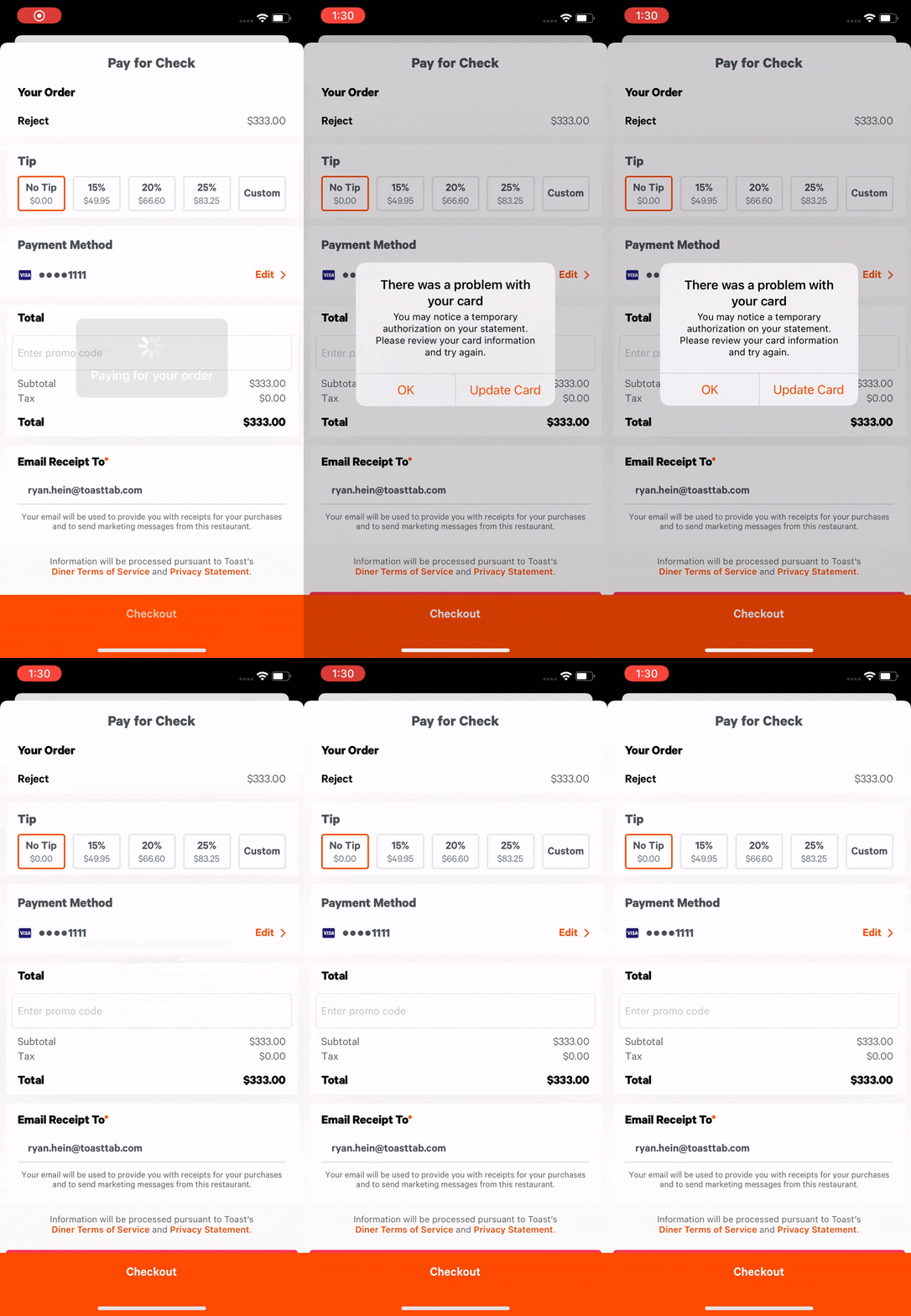
Toast will immediately surface a message to the guest that the payment failed and that a hold may be placed. That charge is eventually reversed, so payment is never actually made.
Restaurants should see that the payment has not been captured on the POS through notifications, as shown in the video below. The POS reflects the correct status of the check in this case. This instance would send a notification to the POS that the guest failed to pay with mobile payments. The restaurant should be looking to see a successful payment message from the guest if they’re looking on their phone and should work with the customer to take payment correctly.
A digital wallet payment fails on an online order
If a guest cannot complete an online order with a digital wallet — for example, they see "Could not authorize payment for order, your payment method has not been charged" or "There was an error Placing your online order! Please try again, or contact the restaurant directly to place order" — this is a different failure from the in-person mobile payment hold described above, and it does not generate a failed-payment notification on your POS.
What to suggest to the guest:
- Start a completely new checkout session rather than switching payment methods inside the failed one.
- Try placing the same order in a desktop browser. Several of these failures are specific to mobile web and succeed on desktop.
- Try a different device. In reported cases, the failure followed the device rather than the card or the guest's account.
- Enter the card manually at checkout instead of using the digital wallet.
- Reinstalling the app, creating a new account, and trying a different card have all been attempted by guests without success. They are not reliable fixes and should not be the first thing you suggest.
- If the same card works in person but not online, ask the guest to tell you that, and take the order in person or over the phone so the sale is not lost.
If the Apple Pay or digital wallet option does not appear at all during checkout, this is a different issue than a failed payment attempt -- it can result from a temporary regional outage, a payment-processor configuration issue specific to your restaurant, or a device-level issue. Contact Customer Care with your restaurant name/GUID for investigation.
Additional Information
Note: This instance can happen with both mobile payments (ie: Apple Pay and Samsung Pay) and credit card payments.
For more information, see the Identify Failed MDS Payments on POS article.