Why aren't my items scanning correctly?
Last updated: Sep 16, 2026, 4:14 PM
Question
Why aren't my items scanning correctly?
Answer
If your items aren't scanning correctly, it may be due to your scanner being in the wrong mode. Use these steps to fix the issue:
- Plug the scanner's USB cable either:
- Into the open USB port on your Toast Printer (if you have a Toast Flex terminal)
- Directly into the USB port on the back of your terminal (if you're using an Elo terminal)
- Enable SKUs on the terminal within your device settings.
- Navigate to Setup > Device Setup from the main menu of the Toast app on your device.
- Select Enable SKUs.
- Select Yes.
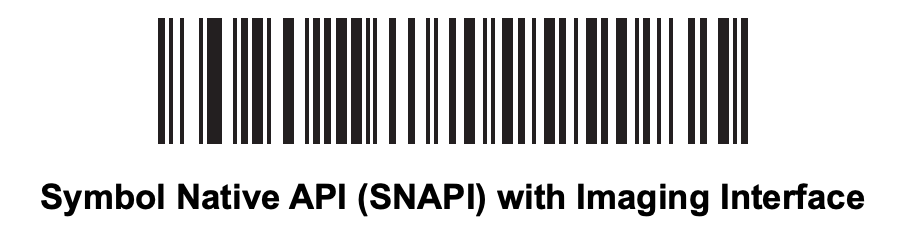
- Scan the barcode below.