Get Help With e285 Card Reader
Last updated: Sep 15, 2026, 10:28 AM
Learn how to troubleshoot various issues when using the Verifone e285 card reader device, as well as its various modes.
- e285 Card Reader Overview
- e285 Card Reader: Device won’t turn on
- e285 Card Reader: Clearing Cache and App Data
- e285 Card Reader: Offline Mode
- e285 Card Reader: Card reader is not connecting/losing connection
- e285 Card Reader: Restart Device
- e285 Card Reader: Service Mode
- e285 Card Reader: Tamper Mode
- e285 Card Reader: Rapid Battery Loss
e285 Card Reader Overview
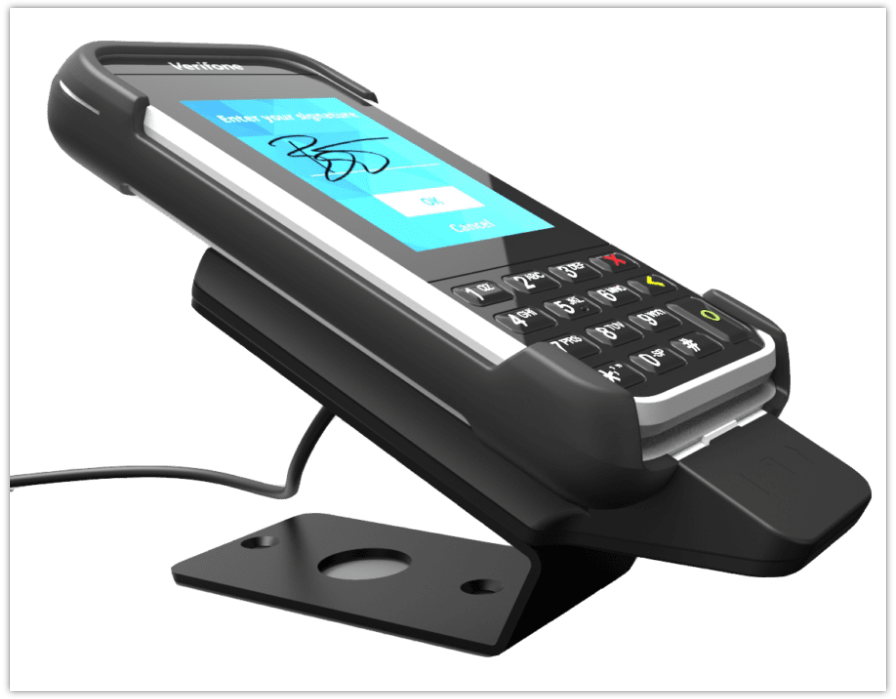
The e285 is a touchscreen, mobile point-of-sale device manufactured by Verifone for secure payment acceptance. Find out below how to troubleshoot various issues when using this card-reading device, as well as various modes.
Note: Guests should not use the supplied card reader SIM failover. If they need a SIM failover, it must be provided through either Toast or their ISP.
e285 Card Reader: Device Won’t Turn On
- Check to make sure the charging cable is secure. An icon at the top of the display indicates the battery charge level if it is getting a charge from the cord. The battery charge level needs to be high enough for the terminal to turn on.
- Power cycle the device by holding down the red X mark on the device for 15 seconds, and then restart.
- Remove the battery, which will perform a hard reset.
e285 Card Reader: Clearing Cache and App Data
CAUTION: Clearing cache and app data on the POS will unpair the reader from the device. You will be required to repair the device and follow the setup instructions again.
e285 Card Reader: Offline Mode
When Toast enters offline mode, the card readers will automatically store the processed payment locally on the reader. When the internet returns, the devices will automatically sync with the host.
The pending icon indicates that there are payments that the terminal hasn't been able to send to the card reader host for completion (capture and settlement).
e285 Card Reader: Card reader is not connecting/losing connection
- Check the health of the device the card reader is connected to.
- Make sure the card reader has a static IP:
- Press 9 + green circle
- Enter Admin Passcode
- Go to Network > Wifi > select the "i" bubble next to the SSID.
- Then go to IP Settings > Toggle DHCP to OFF
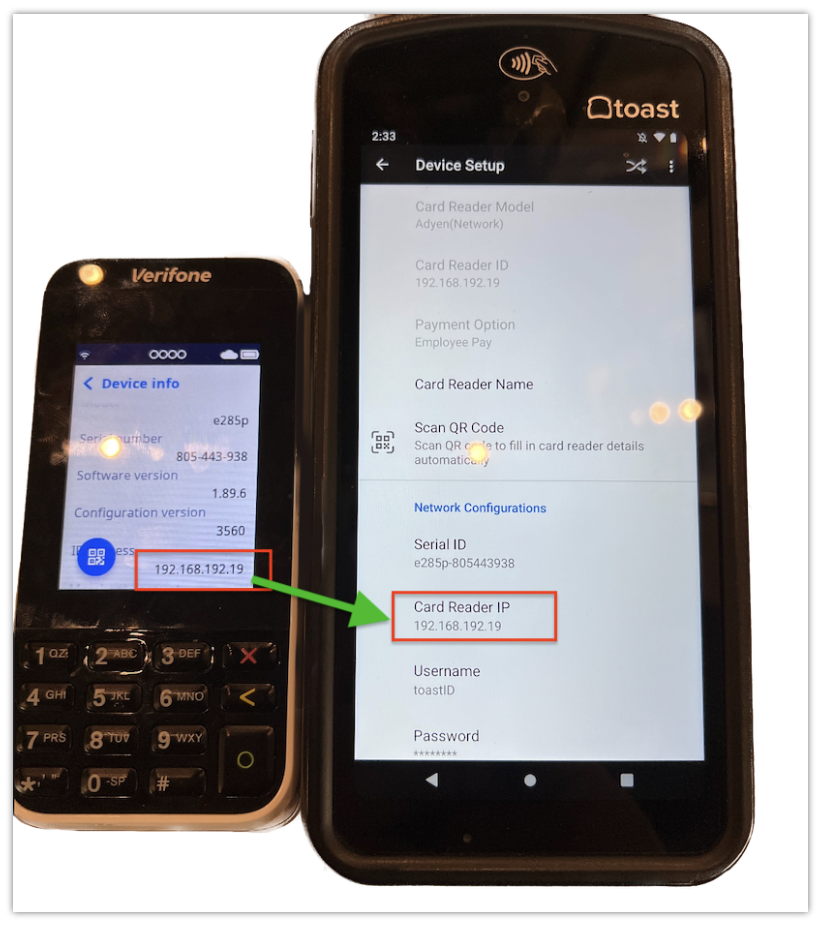
- Note: The IP listed on the card reader must match the IP listed in the card reader setup.
- In Toast POS, navigate to Device Setup.
- Select the card reader: Adyen(Network). This is the name for all international card readers under device setup
- The card reader profile will now be showing. Under Network Configurations, select the field for IP Address to update to the current static IP.
e285 Card Reader: Restart Device
Power cycle the device by holding down the red X on the device for 15 seconds, and then restart.
e285 Card Reader: Service Mode
When the terminal shows the message Terminal in Service Mode, this indicates that the terminal is running in safe mode. Usually, the cause is that the terminal has an incorrect configuration.
- Power cycle the card reader.
- Open the Admin menu (9 + green circle)
- Enter Admin Passcode
- Go to the Config Menu and remove the configuration named “you will need to board the terminal again."
- If you are still stuck in a loop or cannot access the admin menu, replace the terminal.
e285 Card Reader: Tamper Mode
Do not use this card reader, and immediately replace it.
When the display of the payment terminal shows the word TAMPER or TAMPERED, stop using the device and contact us for assistance.
e285 Card Reader: Rapid Battery Loss
- Charge the device as much as possible and do not let the battery go below 10%
- If possible, swap the battery from a different device to determine if it’s just the battery that needs replacing or the device itself.
- If the issue persists, contact us for assistance.